What your internet provider, websites and advertisers see
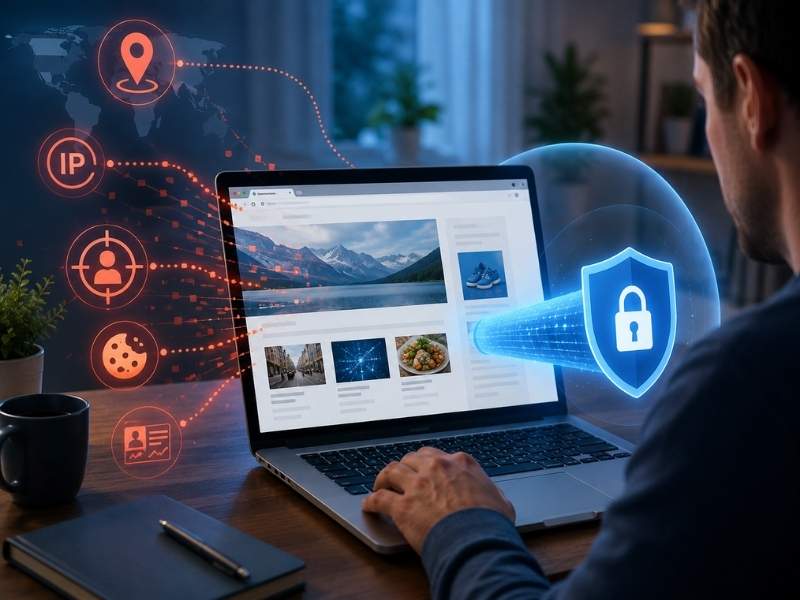
- Your internet provider can often see which websites you connect to when you browse.
- Websites can collect your IP address, device details and page activity even without an account.
- Private browsing hides local history, but it does not make you invisible online.
- A VPN like ExpressVPN helps hide browsing destinations from your ISP and protect public Wi-Fi use.
Most people assume that if they are not posting on social media or sharing personal information online, they are staying relatively private. Unfortunately, that isn’t how today’s internet works.
Every time you browse the web, multiple companies can collect information about you. Your internet provider can monitor certain parts of your online activity, websites can gather data about your visits, and advertising companies can use tracking tools to build profiles based on your browsing habits.
The good news? Knowing what others can see is the first step toward protecting your privacy.

What your internet provider can see when you browse
Your internet service provider, or ISP, acts as the middleman between your devices and the internet. Every website you visit and every online service you use passes through its network.
If you are not using a VPN, your ISP can generally see which websites you are connecting to, when you are online, how much data you are using and your approximate location based on your IP address. Encrypted websites, which begin with “https://,” help prevent your provider from reading the contents of most web pages or messages. However, your ISP can still often see that you connected to a certain website in the first place. That information alone can reveal a lot about your interests, routines and habits.
What websites can learn from your visit
Even if you never create an account, some websites can still learn quite a bit about your visit. They can identify your IP address, estimate your location, determine what device and browser you are using and record which pages you viewed.
Some websites also use analytics tools, tracking pixels and advertising scripts to understand how visitors interact with their pages. These tools can show what links you clicked, how long you stayed and which content got your attention.
In some cases, this information may also be shared with advertising or analytics companies. That is one reason you may see ads that seem closely connected to something you recently searched for, viewed or clicked.
Why private browsing does not make you invisible
Private browsing tabs, also known as incognito mode in some browsers, can be useful. They help prevent your browser from saving your local browsing history after you close the window.
However, private browsing does not make you invisible online. Websites can still see your visit while you are on their pages. Your internet provider can still see many of the sites you connect to. If you are using a work, school or public network, the network owner may also be able to monitor certain activity.
Private browsing is better thought of as a local privacy tool. It helps hide activity from someone else using the same device later, but it does not fully hide you from websites, advertisers or your internet provider while you are online.

How to reduce what others can see
You cannot eliminate online tracking entirely, but you can make it harder for companies to collect information about you. Start by reviewing your browser’s privacy settings. Turn off unnecessary website permissions, such as location, microphone and camera access for sites that do not need them. Consider using a privacy-focused browser or search engine that collects less personal data.
You can also check out these 11 easy ways to protect your online privacy for more ways to limit online tracking. You should also limit how much personal information you share online. The more details you provide across websites, apps and accounts, the easier it becomes for companies to connect your activity. Most importantly, consider using a VPN.
How a VPN helps protect your browsing activity
A VPN, or virtual private network, encrypts your internet traffic before it leaves your device. Instead of your internet provider seeing which websites you are connecting to, it sees an encrypted connection to the VPN server. That makes it much harder for your ISP to build a browsing profile based on your online activity.
A VPN can also help protect your information on public Wi-Fi networks and mask your IP address from websites, advertisers and other third parties. However, a VPN does not stop every type of online tracking. Websites may still recognize you when you log in to an account, use the same browser or share personal details.
A solid VPN like our top pick, ExpressVPN, makes this process easier by offering apps for computers, smartphones, tablets, smart TVs and routers. That allows you to protect multiple devices with one account.
ExpressVPN – Best for Speed & Security
ExpressVPN is the go-to choice for those who prioritize ultra-fast speeds, reliability, and top-tier security. With servers in 105 countries, ExpressVPN delivers blazing-fast performance for streaming, gaming, and secure browsing. It supports P2P file sharing, offers best-in-class encryption, and maintains a strict no-logs policy, with all servers running on RAM for enhanced privacy. You can connect up to 10 devices simultaneously, and setup takes under 2 minutes. Plus, with 24/7 live customer support and a 30-day money-back guarantee, ExpressVPN is a premium choice for security-focused users who want speed without compromise.
CyberGuy Exclusive ExpressVPN “Pro” Deals:
✅ Save 61% – Get 3 months FREE with a 12-month plan for $4.99/month. Try 30 days risk-free.
✅ Save 73% – Get 4 months FREE with a 24-month plan for $3.49/month. Try 30 days risk-free.

Quick online privacy checklist
The next time you go online, remember these steps:
- Review your browser’s privacy settings.
- Turn off website permissions you do not need.
- Limit how much personal information you share online.
- Use a privacy-focused browser or search engine when possible.
- Keep your browser and devices updated with the latest security patches.
- Use a VPN whenever you browse the internet, especially on public Wi-Fi. ExpressVPN has apps to protect every device and can cover up to 14 devices at the same time.
Related Links:
- Why your VPN keeps getting blocked and the simple fix
- Can you be tracked when using a VPN?
- Tired of websites blocking your VPN? A dedicated IP fixes that
Kurt’s key takeaways
The internet is built around data, and several companies can collect information every time you browse. Internet providers can see where you are connecting, websites can monitor visits and advertising companies can use tracking tools to build profiles over time. You cannot disappear completely, but you can reduce what others learn about you. A few privacy-minded habits, combined with a trusted VPN like ExpressVPN, can help you take back more control of your online activity.
When was the last time you checked what your browser, apps or internet provider can see about you? Let us know in the comments below.
FOR MORE OF MY TECH TIPS & SECURITY ALERTS, SUBSCRIBE TO MY FREE CYBERGUY REPORT NEWSLETTER HERE
This article was created in partnership with ExpressVPN
Copyright 2026 CyberGuy.com. All rights reserved. CyberGuy.com articles and content may contain affiliate links that earn a commission when purchases are made.