Is your home Wi-Fi really safe? Think again
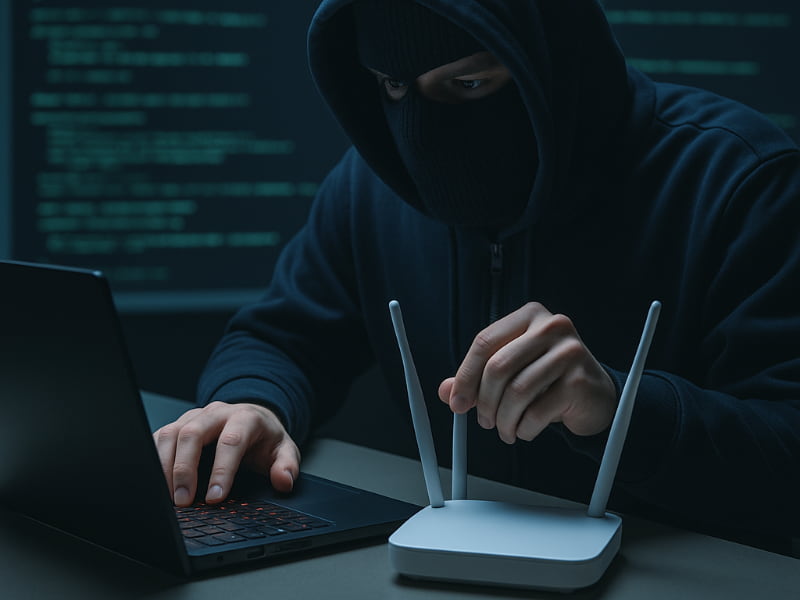
Most people assume their home Wi-Fi is secure. If it has a password, it must be safe. Right? Unfortunately, that confidence is often misplaced. As remote work becomes more common and smart devices flood our homes, the reliability and security of our home networks matter more than ever. Every smart speaker, connected light bulb, and video call adds to the load. Yet, most of us rarely check if our network is properly protected.
Hackers can target unsecured devices. Internet service providers are quietly watching your online habits. Many of your devices may be leaking unencrypted data without you even realizing it. Even websites that use HTTPS don’t fully protect your privacy, your ISP can still see which domains you visit. It’s time to question just how safe your home setup really is.

The illusion of home network security
Most people believe that a Wi-Fi password is enough to protect their home network. But that’s far from the full story. In reality, many home routers are vulnerable right out of the box.
For example:
- Outdated firmware is common and often never updated.
- Weak encryption like WPA2 is still widely used, despite growing vulnerabilities.
- Default passwords are sometimes never changed and easy for attackers to guess.
A recent real-world case uncovered by GreyNoise researchers proves how serious these weaknesses can be. Security researchers uncovered a botnet called “AyySSHush” that compromised over 9,000 ASUS routers and also targeted models from Cisco, D-Link, and Linksys. The attack exploited:
- Brute-forced login credentials
- Outdated security settings
- Long-known firmware vulnerabilities
The campaign was sophisticated enough that experts suspect a nation-state was behind it.
It’s not just routers that are at risk. Smart home devices- like cameras, doorbells, and plugs – are often forgotten once installed:
- Many never receive software updates.
- They’re rarely tested for security before going to market.
- If connected to the same network as your main devices, they can serve as an easy entry point for hackers.
- Even guest Wi-Fi networks can be risky if not properly isolated or password-protected.
Beyond that, your internet provider can track your activity, even on encrypted HTTPS sites. ISPs know which domains you visit, and often use that data to build advertising profiles or sell it to third parties.
And it doesn’t take advanced tools to eavesdrop. Cheap Wi-Fi sniffers can intercept unencrypted traffic from nearby, while more sophisticated attacks can reroute your traffic entirely without you realizing it.
What you can do right now
To reduce your exposure, take these steps:
- Enable WPA3 encryption if your router supports it.
- Update your router’s firmware and change any default passwords.
- Use separate networks for smart devices and guests.
- Turn on your router’s firewall, if available.
- Switch to a secure DNS provider like Cloudflare to block malicious domains before they load.
These simple changes can go a long way toward turning the illusion of Wi-Fi security into the real thing.
Related: Top routers for best security

Why antivirus and firewalls are not enough
Antivirus software is useful for blocking known threats and keeping malware off your devices. Firewalls help manage incoming and outgoing connections. However, neither of these tools protects your connection to the internet itself.
A type of attack known as DNS hijacking can reroute your traffic to fake websites even if your device has antivirus protection. On public Wi-Fi, your data can be intercepted if it is not encrypted. Your internet provider can still see everything you do online unless your traffic is hidden. These tools protect your device, but they do not protect your connection. That leaves a big gap in your defenses. Security should start from the moment your data leaves your device.

What a VPN actually does and why you need one
A VPN (Virtual Private Network) solves that connection problem. It creates a private, encrypted tunnel between your device and the websites or apps you use. Everything that travels through that tunnel is hidden from outsiders—even your internet provider.
With a VPN:
- Your IP address is masked, keeping your location private.
- Your data is encrypted, making it unreadable if intercepted.
- You can avoid ISP tracking and access region-restricted content.
- It’s especially useful on public Wi-Fi, but valuable at home too.
That said, VPNs aren’t magic. They won’t stop phishing scams or block all malware. You still need a strong antivirus and smart digital habits.
TotalAV is easy to set up and offers real-time protection for paid users, keeping your devices safe around the clock. It includes tools to block phishing scams, remove ransomware and spyware, and clean up adware and junk files. The software also features a browser manager, system tune-up tools, and protects across Windows, Mac, Android, and iOS devices.
GET MY EXCLUSIVE CYBERGUY TOTALAV DEAL:
Please note:
1) If you're having difficulty seeing either of the above deals, do this:
- If you're on a mobile device, hold down the link above, "Copy Link", and then paste it into a private or incognito browser.
- If you're on a laptop or desktop, right click the link, "Copy Link", and then paste it into a private or incognito browser.
2) During registration you may see optional upsells you can decline. Our top pick is the core antivirus product.
3) If you need help after your purchase, you can reach TotalAV directly through their official support page here.
But when it comes to keeping your internet activity private and your connection secure, a VPN fills the gap that antivirus and firewalls leave wide open.
Choosing the right VPN
Not every VPN offers the same level of security or privacy. Free VPNs might log your activity or sell your data. For true privacy, look for a VPN that does not keep logs, uses strong encryption, and offers high-speed servers. The VPN should support multiple devices under one account, and ideally, the company should be based in a country with strong privacy laws.
ExpressVPN is the go-to choice for those who prioritize ultra-fast speeds, reliability, and top-tier security. With servers in 105 countries, ExpressVPN delivers blazing-fast performance for streaming, gaming, and secure browsing. It supports P2P file sharing, offers best-in-class encryption, and maintains a strict no-logs policy—with all servers running on RAM for enhanced privacy. You can connect up to 10 devices simultaneously, and setup takes under 2 minutes. Plus, with 24/7 live customer support and a 30-day money-back guarantee, ExpressVPN is a premium choice for security-focused users who want speed without compromise.
CyberGuy Exclusive ExpressVPN Deals:
✅ Save 75% – Get 3 months FREE with 12-month plan for $3.99/month. Try 30 days risk-free.
✅ Save 84% – Get 4 months FREE with 24-month plan for $2.49/month. Try 30 days risk-free.
Surfshark – Best for Unlimited Devices & Budget-Friendly Security
If you're looking for a more affordable VPN without sacrificing security, Surfshark is an excellent choice. Surfshark operates under a strict no-logs policy and offers top-notch encryption to keep your data safe. However, Surfshark stands out by allowing unlimited devices on a single account - making it perfect for families, small businesses, or users with multiple gadgets. If you're looking for a more affordable VPN without sacrificing security, Surfshark is an excellent choice. Surfshark operates under a strict no-logs policy and offers top-notch encryption to keep your data safe. It now runs on upgraded 100 Gbps servers, delivering faster speeds, smoother streaming, and greater reliability even during peak hours. The upgrade also makes Surfshark more future-proof with improved stability, scalability, and load balancing for growing bandwidth demands.
Surfshark stands out by allowing unlimited devices on a single account—making it perfect for families, small businesses, or users with multiple gadgets. It also includes features like MultiHop (double VPN) and Camouflage Mode to bypass VPN restrictions in censored regions. With a budget-friendly price and feature-rich security, Surfshark is ideal for those who want privacy on a budget.
CyberGuy Exclusive Surfshark Deals:
✅ Save 81% – Get 3 extra months FREE with 12-month plan for $2.98/month. Try 30 days risk-free.
✅ Save 88%/b> – Get 3 extra months FREE with 24-month plan for $1.78/month. Try 30 days risk-free.
For best VPN software, see my expert review of the best VPNs for browsing the web privately on your Windows, Mac, Android & iOS devices
Related Links:
- Top Routers for Best Security 2025
- Shop online safely by using VPNs and virtual numbers
- Are free VPNs safe?
- Data removal does what VPNs don’t: Here’s why you need both
- Best Internet Plans
Kurt’s key takeaway
Your home Wi-Fi may seem secure, but appearances can be deceiving. Weak router settings, tracking by ISPs, and smart devices with poor security all put your personal information at risk. Antivirus software and firewalls cannot fix all of these problems. A VPN offers a powerful layer of protection by encrypting your traffic, hiding your activity, and making your connection truly private. But remember, true digital security comes from layers, VPNs, antivirus, strong passwords, updated firmware, and secure DNS all play a role.
Should manufacturers be held accountable for keeping routers secure against cyber threats? Let us know in the comments below.
FOR MORE OF MY TECH TIPS & SECURITY ALERTS, SUBSCRIBE TO MY FREE CYBERGUY REPORT NEWSLETTER HERE
Copyright 2025 CyberGuy.com. All rights reserved. CyberGuy.com articles and content may contain affiliate links that earn a commission when purchases are made.