Fake toll road texts sweep America as Chinese scammers target US drivers
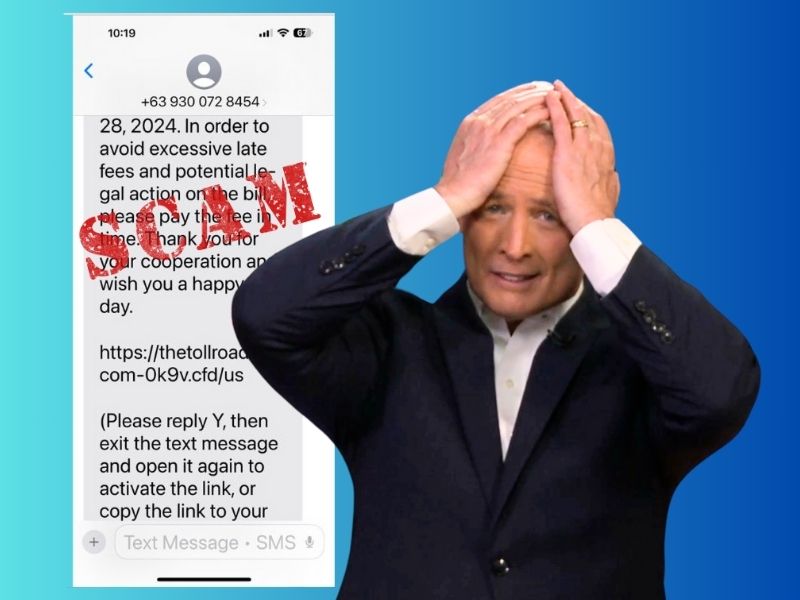
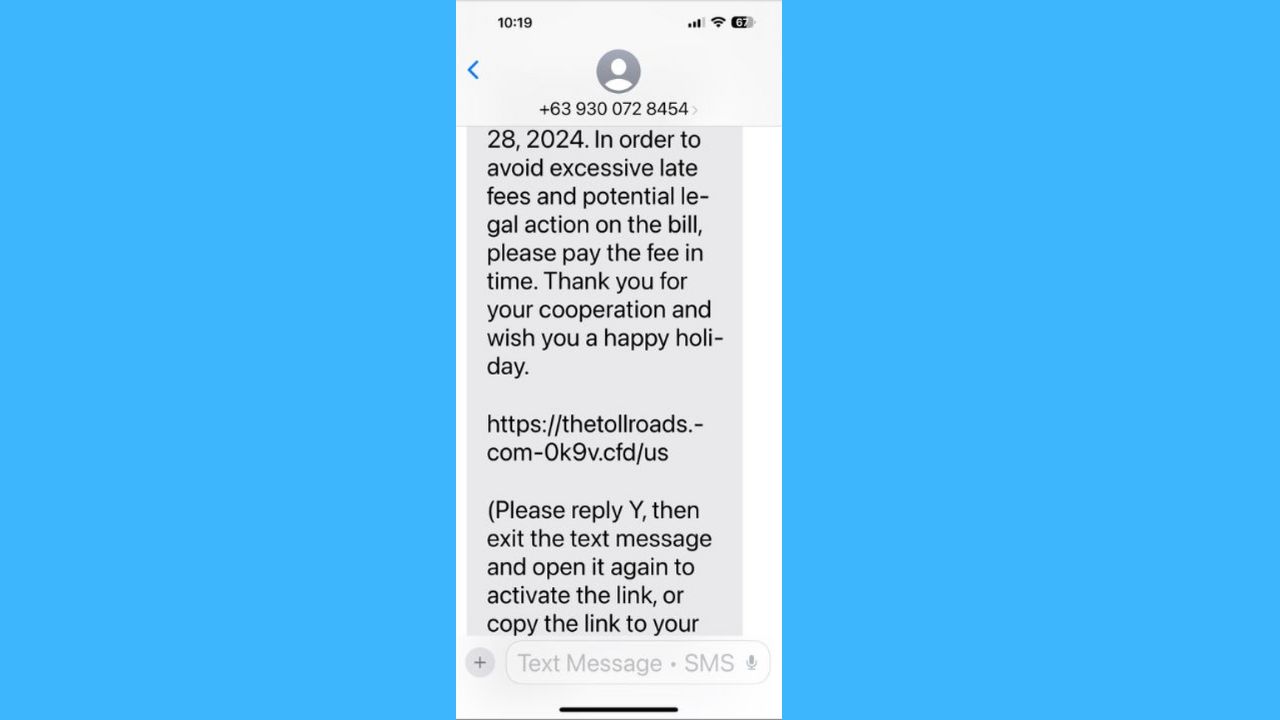
A new scam has come to light, targeting residents across the United States with text messages that pretend to be from toll road operators. For many who receive these messages, it’s an easy and expensive trap to fall into. The scam begins when people receive a message claiming they have unpaid tolls and may be charged fines. Scammers then ask for card details and a one-time password sent via SMS to steal their money. Security researchers believe that Chinese smishing groups are behind this scam, selling SMS-based phishing kits to thousands of scammers.
What you need to know about the fake toll scam
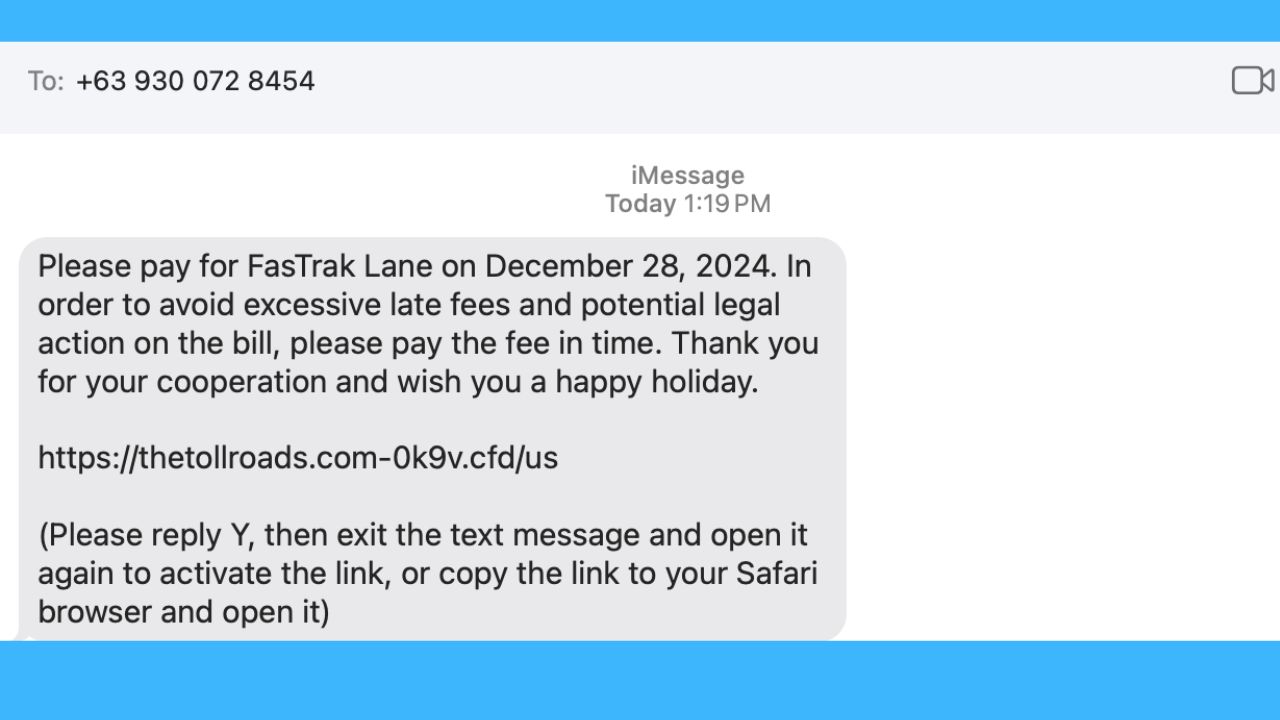
As reported by KrebsOnSecurity, the scam begins with a text message claiming to be from a toll road operator, such as E-ZPass or Sunpass. The message warns about unpaid tolls and the possibility of fines, forcing recipients to act quickly. Victims are directed to a fake website mimicking the toll operator’s site, where they are asked to provide sensitive information, including payment card details and one-time passwords.
Security researchers have traced the scam to Chinese smishing groups known for creating and selling sophisticated SMS phishing kits. One such kit, “Lighthouse,” makes it easy for scammers to spoof toll road operators in multiple states. These kits are designed to trick users into sharing financial information, which is then used to commit fraud.
Reports of these phishing attacks have surfaced across the U.S., targeting users of toll systems like EZDriveMA in Massachusetts, Sunpass in Florida, and the North Texas Toll Authority in Texas. Similar scams have been reported in states including California, Colorado, Connecticut, Minnesota, and Washington. The phishing pages are mobile-optimized and won’t load on non-mobile devices, making them even more deceptive.
MASSIVE SECURITY FLAW PUTS MOST POPULAR BROWSERS AT RISK ON MAC
Phishing scams are evolving
Recent advancements in phishing kits include better deliverability through integration with Apple iMessage and Android’s RCS technology, bypassing traditional SMS spam filters. These methods increase the likelihood of victims receiving and engaging with fraudulent messages. The phishing sites are operated dynamically in real-time by criminals, making them harder to detect and shut down. Even individuals who don’t own a vehicle have reported receiving these messages, indicating random targeting.

THAT APPLE ID DISABLED MESSAGE? IT’S A DANGEROUS SCAM
Toll scam alert update
A surge in toll road text scams, linked to 60,000 domains, is targeting iPhone and Android users, with a 900% increase in recent months, leading state agencies like this one to act fast to increase awareness.
7 ways to stay safe from toll scam messages
By staying vigilant and following the steps below, you can protect yourself from falling victim to toll scams.
1) Verify directly with toll operators: If you receive a message about unpaid tolls or fines, do not click on any links. Instead, visit the official website of your toll operator or contact their customer service directly to verify the claim.
2) Install strong antivirus software: The best way to safeguard yourself from malicious links is to have strong antivirus software installed on all your devices. This protection can also alert you to phishing emails and ransomware scams, keeping your personal information and digital assets safe.
TotalAV is easy to set up and offers real-time protection for paid users, keeping your devices safe around the clock. It includes tools to block phishing scams, remove ransomware and spyware, and clean up adware and junk files. The software also features a browser manager, system tune-up tools, and protects across Windows, Mac, Android, and iOS devices.
GET MY EXCLUSIVE CYBERGUY TOTALAV DEAL:
Please note:
1) If you're having difficulty seeing either of the above deals, do this:
- If you're on a mobile device, hold down the link above, "Copy Link", and then paste it into a private or incognito browser.
- If you're on a laptop or desktop, right click the link, "Copy Link", and then paste it into a private or incognito browser.
2) During registration you may see optional upsells you can decline. Our top pick is the core antivirus product.
3) If you need help after your purchase, you can reach TotalAV directly through their official support page here.
3) Do not share personal information: Never provide sensitive details like payment card information, Social Security numbers, or one-time passwords (OTPs) via text or unverified websites. Legitimate toll operators will not request such information through SMS.
4) Enable two-factor authentication (2FA): Use 2FA for your accounts whenever possible. This adds an extra layer of protection by requiring two forms of verification, reducing the risk of unauthorized access even if some details are compromised.
5) Be wary of urgency in messages: Scammers often create a sense of urgency, claiming immediate action is required to avoid penalties. Take a moment to assess the situation and verify the legitimacy of the message through official channels.
6) Report suspicious messages: If you suspect a phishing attempt, report it to the Federal Trade Commission (FTC) or the FBI’s Internet Crime Complaint Center (IC3). Include details like the sender’s phone number and any links in the message. Additionally, inform your mobile carrier to help block similar scams.
7) Use a personal data removal service: Employ a reputable data removal service to reduce your online footprint and minimize the risk of scammers obtaining your personal information. These services can help remove your data from various data broker sites, making it harder for scammers to target you with personalized scams. While no service promises to remove all your data from the internet, having a removal service is great if you want to constantly monitor and automate the process of removing your information from hundreds of sites continuously over a longer period of time.
Incogni, a service I trust 100% and use myself, helps automate the process by submitting removal requests to hundreds of data brokers and people-search sites on your behalf.
Incogni automatically contacts data brokers on your behalf and requests the removal of your personal information. It also continues monitoring those sites and submits new removal requests if your data reappears.
- Incogni currently removes personal data from 420+ data broker and people-search websites, and its Unlimited plan allows you to request removals from as many additional sites as you need.
- Incogni has also received third-party assurance from Deloitte, validating its marketing claims.
- The goal is simple: make it much harder for strangers, scammers, and cybercriminals to find your personal information online.
CyberGuy readers get 60% off Incogni’s annual plans using the links in this article.
The service also includes a 30-day money-back guarantee, so you can try it risk-free and see how much of your information is exposed online.
Is your personal information exposed online?
Run a free scan to see if your personal info is compromised. Results arrive by email in about an hour.
HOW TO REMOVE YOUR PRIVATE DATA FROM THE INTERNET
Kurt’s key takeaway
It’s deeply concerning how these scams are becoming increasingly sophisticated and widespread. It’s no longer just about random phishing attempts—these are carefully crafted schemes designed to exploit our trust in systems we rely on daily. The fact that scammers can impersonate toll road operators so convincingly is alarming, and it shows how vulnerable we are to such attacks. It frustrates me to think of how many people may fall victim to these tactics, losing their hard-earned money.
Have you recently received a suspicious text message claiming to be from a toll road operator or any other service? How did you react? Let us know in the comments below.
TO GET MORE OF MY SECURITY ALERTS, SUBSCRIBE TO MY FREE CYBERGUY REPORT NEWSLETTER
var urlstring = window.location.href; var pos = urlstring.indexOf(“?”); var utmval = (pos > 0) ? urlstring.substring(urlstring.indexOf(‘.com’)+4, pos) : urlstring.substring(urlstring.indexOf(‘.com’)+4);
(new Image()).src = ‘https://capi.connatix.com/tr/si?token=a6b36777-dd0d-437e-87a9-4986ea4cc3c8&cid=4817064f-e987-4245-98a4-e3bea43b0574’; cnx.cmd.push(function() { cnx({ playerId: “a6b36777-dd0d-437e-87a9-4986ea4cc3c8”, customParam1: utmval }).render(“cafb7edc66be42d199a22b6bd5f556da”); });
Copyright 2025 CyberGuy.com. All rights reserved. CyberGuy.com articles and content may contain affiliate links that earn a commission when purchases are made.