Hackers leak children’s data in major nursery breach
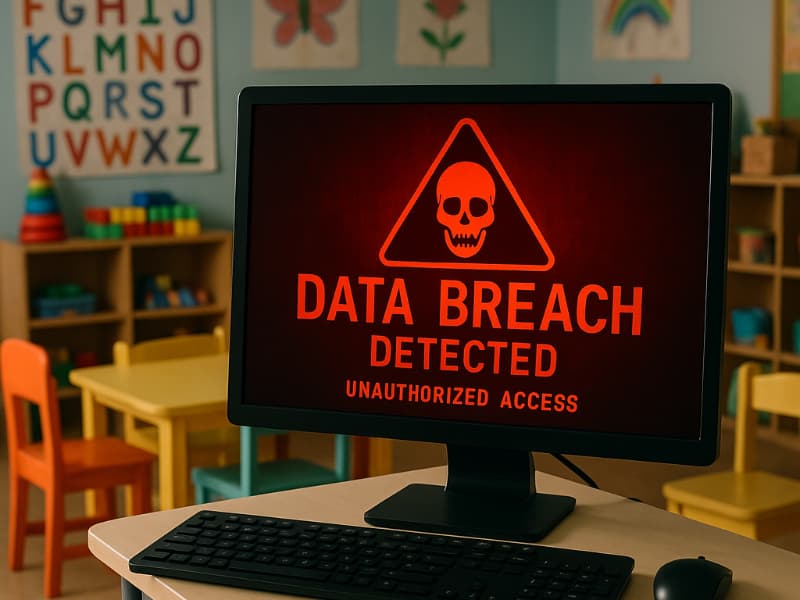
Over the past few years, data breaches targeting schools, healthcare providers, and childcare services have been making headlines, exposing sensitive personal information and leaving families vulnerable. Now, a new breach has come to light that targets a nursery chain. Kido, which operates in the US, UK, China, and India, has reportedly had sensitive data stolen for thousands of children. Names, photos, addresses, birth dates, parental details, and even safeguarding notes and medical records were allegedly accessed by a hacker group called Radiant.

What you need to know about nursery breach
According to reports, the hacker group Radiant claims to have stolen data related to around 8,000 children. To prove possession, they posted samples, including pictures and profiles of ten children, on a darknet website. They then issued a ransom demand, threatening to release more sensitive information unless Kido paid. In addition to targeting the nursery chain directly, Radiant reportedly called some of the children’s parents, pressuring them to push Kido into paying the ransom.
When questioned about their actions, the group defended their tactics as a form of “penetration testing” for which they supposedly deserved compensation. This defense is misleading, as such testing requires explicit permission from the organization being targeted or participation in an official bug bounty program. Without that consent, these actions are illegal and deeply unethical.

Why is this attack so disturbing?
The Kido breach is alarming for multiple reasons. First, it involves children’s data, which is particularly sensitive and legally protected in most countries. Second, the attackers combined traditional data theft with intimidation tactics, reaching out to parents directly. History suggests that once criminals gain access to such information, the attacks can escalate.
Breaches like this highlight how personal and digital security are intertwined. The potential misuse of data extends beyond simple identity theft. It can impact children’s safety, family privacy, and long-term well-being. With attackers leveraging both the stolen data and psychological pressure on parents, the threat is particularly potent and long-lasting.

7 steps parents can take to protect their child’s data
Even though the investigation into the Kido breach is ongoing, parents and schools can take immediate action to protect children’s data and reduce the risk of further exploitation. Here’s a detailed guide:
1) Monitor your child’s online accounts regularly
Log in to email, school portals, and cloud storage accounts linked to your child. Look for unusual activity such as unrecognized logins, changes to passwords, or new connected devices. Set up notifications for account activity whenever possible so you are alerted instantly if something suspicious happens.
2) Enable two-factor authentication (2FA) on all accounts
Adding 2FA creates an extra layer of security. Even if a hacker has a password, they won’t be able to access the account without the second verification step. Most email providers, school portals, and messaging platforms support this, and it’s a simple step that dramatically improves security.
3) Consider a personal data removal service
Data broker sites often collect names, addresses, and other personal details that hackers can use. Services that remove your child’s information from these databases can make it harder for attackers to find and exploit sensitive data.
While no service can guarantee the complete removal of your data from the internet, a data removal service is really a smart choice. They aren’t cheap, and neither is your privacy. These services do all the work for you by actively monitoring and systematically erasing your personal information from hundreds of websites. It’s what gives me peace of mind and has proven to be the most effective way to erase your personal data from the internet. By limiting the information available, you reduce the risk of scammers cross-referencing data from breaches with information they might find on the dark web, making it harder for them to target you.
Incogni, a service I trust 100% and use myself, helps automate the process by submitting removal requests to hundreds of data brokers and people-search sites on your behalf.
Incogni automatically contacts data brokers on your behalf and requests the removal of your personal information. It also continues monitoring those sites and submits new removal requests if your data reappears.
- Incogni currently removes personal data from 420+ data broker and people-search websites, and its Unlimited plan allows you to request removals from as many additional sites as you need.
- Incogni has also received third-party assurance from Deloitte, validating its marketing claims.
- The goal is simple: make it much harder for strangers, scammers, and cybercriminals to find your personal information online.
CyberGuy readers get 60% off Incogni’s annual plans using the links in this article.
The service also includes a 30-day money-back guarantee, so you can try it risk-free and see how much of your information is exposed online.
Is your personal information exposed online?
Run a free scan to see if your personal info is compromised. Results arrive by email in about an hour.
4) Use identity theft protection services
These services can continuously scan for your child’s personal information online and alert you if their data appears on suspicious websites or the dark web. This early warning allows you to take action before criminals attempt to exploit it.
Identity Theft companies can monitor personal information like your Social Security Number (SSN), phone number, and email address, and alert you if it is being sold on the dark web or being used to open an account. They can also assist you in freezing your bank and credit card accounts to prevent further unauthorized use by criminals.
One of the best parts of my top pick, Aura Identity Protection, is its all-in-one approach to safeguarding your personal and financial life. Aura includes identity theft insurance of up to $1 million per adult to cover eligible losses and legal fees, plus 24/7 U.S.-based fraud resolution support with dedicated case managers ready to help restore your identity fast.
Exclusive CyberGuy deal: Save up to 68% today: Get Aura’s award-winning identity theft protection and credit monitoring for as low as $9/month when billed annually.
See my full list of trusted identity theft protection services and expert tips to stay safe online.
5) Install antivirus software on all devices
A strong antivirus program protects devices from malware, phishing scams, and suspicious scripts. It is particularly important on devices that children use to access school portals or personal accounts. This ensures that if a hacker tries to use malware to get deeper access, it is blocked.
The best way to safeguard yourself from malicious links that install malware, potentially accessing your private information, is to have strong antivirus software installed on all your devices. This protection can also alert you to phishing emails and ransomware scams, keeping your personal information and digital assets safe.
TotalAV is easy to set up and offers real-time protection for paid users, keeping your devices safe around the clock. It includes tools to block phishing scams, remove ransomware and spyware, and clean up adware and junk files. The software also features a browser manager, system tune-up tools, and protects across Windows, Mac, Android, and iOS devices.
GET MY EXCLUSIVE CYBERGUY TOTALAV DEAL:
Please note:
1) If you're having difficulty seeing either of the above deals, do this:
- If you're on a mobile device, hold down the link above, "Copy Link", and then paste it into a private or incognito browser.
- If you're on a laptop or desktop, right click the link, "Copy Link", and then paste it into a private or incognito browser.
2) During registration you may see optional upsells you can decline. Our top pick is the core antivirus product.
3) If you need help after your purchase, you can reach TotalAV directly through their official support page here.
6) Use a secure mail provider for sensitive communications
For communications with schools, healthcare providers, or any service handling sensitive information about children, consider using an email service that offers strong encryption and built-in protection against spoofing. This makes it harder for attackers to impersonate a school or parent.
You can get an Exclusive deal for CyberGuy readers: 50% off: $23.98 for first year ($2.50 per month, billed annually). Includes a free 7-day trial.
Some of StartMail's best perks include:
- StartMail email address
- 20 GB of email
- Unlimited aliases
- Access email on any device
- Import your contacts easily
- No ads, no tracking
- Send encrypted emails to anyone
Why it matters: You stay anonymous, avoid data leaks, and never have to change your main email address again.
7) Educate your children about online safety
Teach children not to share personal information online, including photos, addresses, or school details. Encourage them to report anything suspicious and explain why it’s important to keep login information private.
Related Links:
- Stop data brokers from selling your information online
- Airlines selling passenger data to Homeland Security
- Your health data is being sold without your consent
Kurt’s key takeaway
Data breaches targeting children are particularly concerning because they can have long-lasting consequences. The Kido incident is a stark reminder of the importance of proactive digital security measures for families. While organizations bear responsibility for protecting sensitive data, parents can take significant steps to monitor, secure, and respond to potential threats.
Have you ever reviewed what personal information about your child is online? Let us know in the comments below.
FOR MORE OF MY TECH TIPS & SECURITY ALERTS, SUBSCRIBE TO MY FREE CYBERGUY REPORT NEWSLETTER HERE
Copyright 2025 CyberGuy.com. All rights reserved. CyberGuy.com articles and content may contain affiliate links that earn a commission when purchases are made.