Facebook settlement scam emails to avoid now
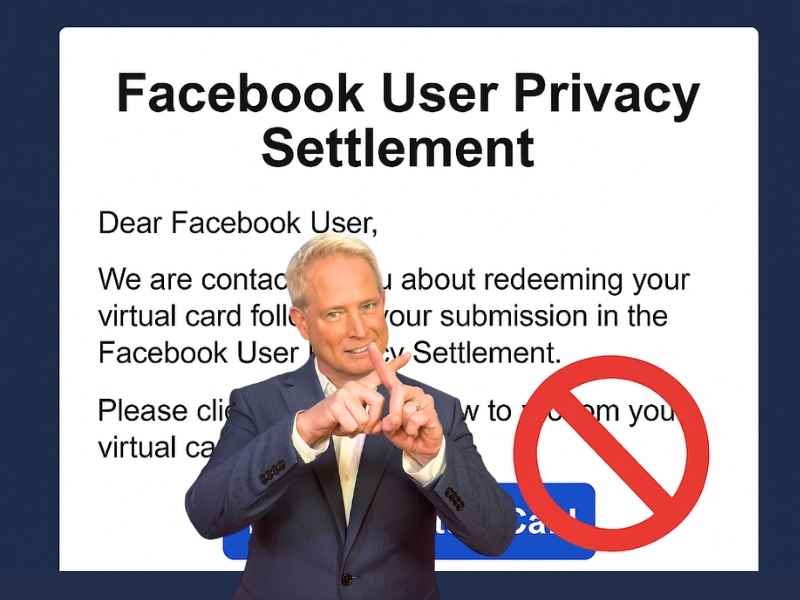
Millions of Facebook users filed claims in a recent privacy settlement after the platform was accused of mishandling user data. The approved payouts have been rolling out, which means people are watching their inboxes for updates. Scammers know this and are sending look-alike emails that push you to click a “Redeem Virtual Card” button. Arlene B emailed us to share what landed in her inbox.
“I received an email stating that it was from (Facebook User Privacy Settlement Administrator) and that I needed to click on the button below to Redeem Virtual Card. Do you know if this is a scam or not?”
Her question shows how convincing these fake messages appear. A real settlement did happen, and people have been getting payments. Still, criminals are now piggybacking on the rollout with messages that look official but lead to dangerous sites that steal your information. Let’s walk through how to tell real emails from fake ones.

How to check if your Facebook settlement email is legitimate
Scammers rely on confusion and urgency. These steps help you confirm the message before you click anything.
Confirm the sender address
Real settlement emails come from facebookuserprivacysettlement@notifications.kroll.com. Kroll is the official administrator.
Look for your claimant ID
Real notices include your unique claimant ID and reference the claim you filed last year. Fake emails skip this personalized detail.
Check where the link leads
Real payout links go to DigitalPay / Veritas or domains tied to krollsettlementadministration. If the link points to a strange or shortened URL, it is likely unsafe.
Watch for common red flags
Pressure to act right away. Clumsy wording or spelling mistakes. A button that goes to a suspicious URL. You never filed a claim in the first place. Any sender address that is not the official Kroll domain.
Remember that you are not required to click anything
If your claim was approved, you already received a legitimate notice. Emails that say you must “redeem” again or “confirm” payment are signs of a scam.

Why scammers target large settlements
Whenever a major payout occurs, criminals blend in with legitimate messages because people expect money and may open emails quickly. When fake notices look similar to real ones, it only takes one careless click for scammers to grab your data.

Ways to stay safe from settlement scams
Use these simple habits to protect yourself from Facebook settlement scams and any future payout scam.
1) Verify the sender every time
Look at the full address. Scammers often change one character in hopes you will not notice.
2) Hover over links before tapping
Check the destination without clicking. A strange URL is your warning sign.
3) Never share sensitive information through email
Real administrators do not ask for banking info or logins.’
4) Use a data removal service
Data brokers often collect your email address, phone number, and other personal details that scammers use to target victims. A data removal service can pull you out of those databases, which reduces the amount of scam email that reaches you in the first place.
While no service can guarantee the complete removal of your data from the internet, a data removal service is really a smart choice. They aren’t cheap, and neither is your privacy. These services do all the work for you by actively monitoring and systematically erasing your personal information from hundreds of websites. It’s what gives me peace of mind and has proven to be the most effective way to erase your personal data from the internet. By limiting the information available, you reduce the risk of scammers cross-referencing data from breaches with information they might find on the dark web, making it harder for them to target you.
Incogni, a service I trust 100% and use myself, helps automate the process by submitting removal requests to hundreds of data brokers and people-search sites on your behalf.
Incogni automatically contacts data brokers on your behalf and requests the removal of your personal information. It also continues monitoring those sites and submits new removal requests if your data reappears.
- Incogni currently removes personal data from 420+ data broker and people-search websites, and its Unlimited plan allows you to request removals from as many additional sites as you need.
- Incogni has also received third-party assurance from Deloitte, validating its marketing claims.
- The goal is simple: make it much harder for strangers, scammers, and cybercriminals to find your personal information online.
CyberGuy readers get 60% off Incogni’s annual plans using the links in this article.
The service also includes a 30-day money-back guarantee, so you can try it risk-free and see how much of your information is exposed online.
Is your personal information exposed online?
Run a free scan to see if your personal info is compromised. Results arrive by email in about an hour.
5) Go directly to the official settlement site
Type in the address yourself instead of using a link from an email.
6) Use strong antivirus software
Good security software blocks dangerous links and pages. The best way to safeguard yourself from malicious links that install malware, potentially accessing your private information, is to have strong antivirus software installed on all your devices. This protection can also alert you to phishing emails and ransomware scams, keeping your personal information and digital assets safe.
TotalAV is easy to set up and offers real-time protection for paid users, keeping your devices safe around the clock. It includes tools to block phishing scams, remove ransomware and spyware, and clean up adware and junk files. The software also features a browser manager, system tune-up tools, and protects across Windows, Mac, Android, and iOS devices.
GET MY EXCLUSIVE CYBERGUY TOTALAV DEAL:
Please note:
1) If you're having difficulty seeing either of the above deals, do this:
- If you're on a mobile device, hold down the link above, "Copy Link", and then paste it into a private or incognito browser.
- If you're on a laptop or desktop, right click the link, "Copy Link", and then paste it into a private or incognito browser.
2) During registration you may see optional upsells you can decline. Our top pick is the core antivirus product.
3) If you need help after your purchase, you can reach TotalAV directly through their official support page here.
7) Delete emails that push urgency
Scammers want fast reactions. Slow down and confirm details.
Related Links:
- How to spot wallet verification scam emails
- FBI warns email users as holiday scams surge
- Why scammers open bank accounts in your name
Kurt’s key takeaways
The Facebook settlement payout created the perfect moment for scammers to slip fake messages into inboxes. Once you know the signs, it becomes much easier to separate real notices from dangerous ones. Stay alert, trust your instincts, and verify before you click.
Would you open a payout email if you were not expecting money in the first place? Let us know your thoughts in the comments below.
FOR MORE OF MY TECH TIPS & SECURITY ALERTS, SUBSCRIBE TO MY FREE CYBERGUY REPORT NEWSLETTER HERE
Copyright 2025 CyberGuy.com. All rights reserved. CyberGuy.com articles and content may contain affiliate links that earn a commission when purchases are made.