



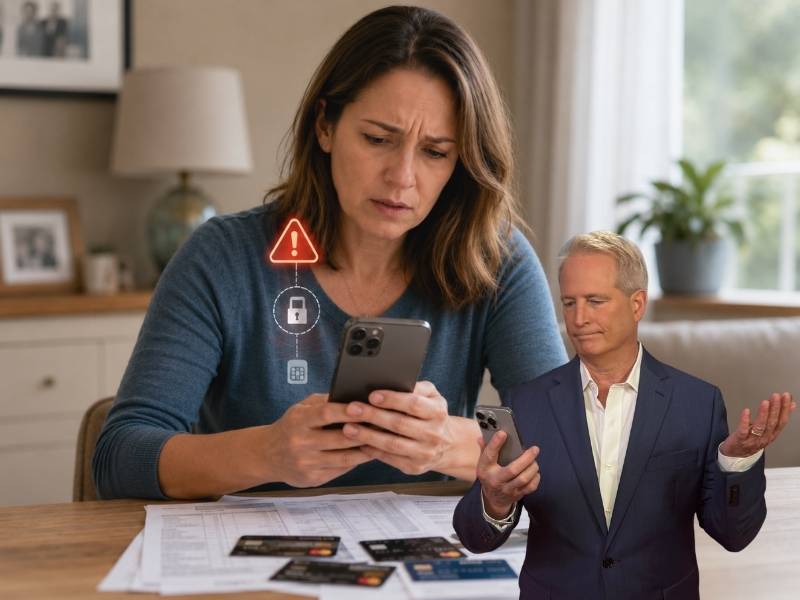
- A hacked phone number can let criminals receive security codes meant for you.
- SIM swap and port-out scams can move your number without stealing your phone.
- Changing your number too fast can make account recovery harder.
- Lock down your carrier, email, bank accounts and credit before switching numbers.
Getting hacked once is scary enough. But getting hacked again after changing carriers, replacing cards and trying to recover your accounts can make it feel like the criminals are always one step ahead. That is exactly what happened to Lela in Ohio, who reached out after a frightening string of account takeovers.
“All my accounts have been hacked,” Lela said. “I had my phone number transferred to another carrier, AT&T, and I’m experiencing it again. They have hacked my phone number again.” She said criminals accessed her checking accounts, credit cards and even started charging new cards before she received them.
Then she asked the question anyone in her situation would be asking: “Should I be just getting a new phone number instead of trying to recover the number I’ve had for 20 years?”
The answer is maybe, but changing your number should rarely be the first move. A new number can help in some cases. However, if hackers still control your email, bank login, recovery settings or wireless account, they may keep breaking back in.

Why your phone number matters so much
Your phone number may feel harmless. After all, it is how friends, family, doctors and businesses reach you. But today, that number is also connected to some of your most important accounts. It may be tied to your bank accounts, credit cards, email accounts, Apple ID, Google account, medical portals, shopping accounts and password resets.
That makes it valuable to criminals. If a scammer takes control of your number, they may receive your calls and text messages. That includes security codes meant only for you. From there, they can reset passwords, break into email, access financial accounts and keep returning even after you think you fixed the problem.
What is a SIM swap or port-out scam?
A SIM swap scam happens when a criminal tricks your mobile carrier into moving your phone number to a SIM card or eSIM they control. A port-out scam happens when they move your number to another carrier.
Once that happens, your phone may suddenly lose service. Meanwhile, the scammer may start receiving your calls and texts. That can give them access to verification codes for email, banking, credit cards and other accounts.
In some cases, victims do not realize what happened until money disappears or accounts get locked.
Should Lela get a new phone number?
Maybe, but not immediately. If Lela gives up her long-time number too fast, she could lose access to accounts that still use that number for recovery. Even worse, if a criminal still controls the old number, they may continue receiving password reset codes for accounts tied to it. Before changing the number, she should secure the number she has and update her most important accounts.
A new number may make sense if the number keeps being targeted despite carrier protections. It may also help if hackers keep using it to reset accounts, the carrier confirms unauthorized SIM swaps or too many accounts tied to that number have already been compromised. A new number may also be worth considering if the old number is widely exposed on the dark web or data broker sites. Still, keeping the number may be safer for now if she needs it to recover critical accounts.
First, lock down the wireless account
Lela should call AT&T directly using the official number on AT&T’s website or on her bill. She should avoid numbers from texts, emails or voicemails. She should ask AT&T to check for SIM swap attempts, port-out requests, unauthorized account changes, new devices, call forwarding, number transfer activity and unknown authorized users.
Then she should ask AT&T to add stronger protections, including a strong account PIN, port-out freeze or number transfer lock, SIM lock if available and extra account verification. She should also remove any unknown authorized users. This makes it much harder for criminals to move her number again.
Secure your email before changing everything else
Your email is often the master key to your digital life. If a hacker controls your email, they can reset passwords for banks, credit cards, shopping accounts and social media. Before changing every password, Lela should make sure her main email account is clean and secure.
She should change her email password from a safe device, sign out of all sessions, check recovery email addresses, review recovery phone numbers and remove unknown forwarding rules. She should also review connected apps and devices and turn on stronger two-factor authentication (2FA). If email remains compromised, a hacker can keep undoing every recovery step.
Stop relying on text message codes
Text message codes are better than having no protection. However, they become risky when criminals target your phone number. For important accounts, use an authenticator app, a security key or passkeys where available.
This matters most for email, banking, credit cards, Apple ID, Google account, social media, password managers, tax accounts and government accounts. This makes your accounts much harder to break into, even if a criminal gets control of your phone number.
Change passwords from a safe device
If your phone, tablet or computer has malware, changing passwords from that device may hand the new passwords right back to the hacker. Before resetting passwords, make sure the device is safe. Update the operating system. Delete unknown apps. Run strong antivirus protection such as Norton Antivirus Plus. It helps protect your Mac, PC, iPhone and Android devices from malware, malicious links and other threats.
Avoid links in suspicious texts or emails. Then use a password manager such as NordPass to create unique passwords for every important account. Never reuse old passwords after a hack.
Protect bank accounts and credit cards next
Since Lela said criminals charged new cards before she received them, she should treat this as possible identity theft or account takeover. She should call each bank and credit card company directly and ask for the fraud department. She should explain that her accounts, phone number or identity may have been compromised.
Ask each bank to cancel compromised cards, issue new card numbers, review recent activity, add verbal passwords or extra verification and remove unknown devices from online banking. She should also turn on transaction alerts and ask whether wire transfers, Zelle or other payment tools need temporary limits. Finally, she should check whether criminals opened any new accounts in her name.
Freeze your credit and file an identity theft report
If criminals have enough information to keep attacking your accounts, a credit freeze can help stop them from opening new credit in your name. Place a credit freeze with Equifax, Experian and TransUnion. You can also place a fraud alert.
Then file an identity theft report at IdentityTheft.gov. That report can help create an official recovery plan. It can also provide documentation if banks, lenders or credit bureaus need proof.
Check whether your personal information is exposed
If scammers already have your phone number, email, address, date of birth or other personal details, they may use that information to impersonate you.
A data removal service such as Incogni can help reduce the amount of personal information exposed on people-search sites and data broker sites. Data removal will not fix a hacked account by itself. Still, it can reduce the information scammers use to target you again.
Warning signs your phone number may still be under attack
Even after you lock things down, keep watching for signs that criminals are still trying to use your number or accounts. These red flags should get your attention fast.
1) Your phone suddenly loses service
If your phone switches to SOS mode, loses service or stops receiving calls and texts, contact your carrier right away. That can be a sign of a SIM swap or port-out attempt.
2) You receive password reset codes you did not request
Random security codes can mean someone is trying to break into one of your accounts. Do not share the code with anyone. Go directly to the account website or app and change your password from a safe device.
3) Your carrier sends account change alerts
Take any wireless account alert seriously. This includes alerts about a new SIM, eSIM, device, PIN change or number transfer request.
4) Your bank alerts show strange activity
Watch for small test charges, declined transactions, new payees or changes to contact information. Criminals often test an account before making bigger moves.
5) Your email shows unfamiliar logins
Check recent login activity, connected devices, forwarding rules and recovery options. If anything looks unfamiliar, remove it and change your password.
When changing your number may be the right move
If the warning signs keep showing up after you lock things down, then changing your number may be worth considering. Changing the number may help if the current number remains a constant attack path. But before switching, Lela should update her phone number on critical accounts first.
That includes email, bank accounts, credit cards, Apple ID, Google account, Social Security account, IRS account, password manager, medical portals, insurance accounts, investment accounts, utilities and shopping accounts. Then she should remove the old number from account recovery settings wherever possible.
Do not forget account recovery settings
A common mistake after a hack is changing the password but forgetting the recovery options. If the scammer added their email, phone number or device, they may still be able to get back in.
Check every important account for recovery phone numbers, recovery email addresses, trusted devices, backup codes, linked apps, forwarding settings, authorized users and payment methods. Remove anything unfamiliar.
Related Links:
- What to do if your bank account is hacked
- How to protect your credit and bank cards from getting hacked
- The 7 signs you’ve been hacked
Kurt’s key takeaways
A new phone number can help, but it is no magic fix. If hackers still have access to Lela’s email, bank logins, recovery settings or personal information, they may keep getting back in even with a new number. The smarter order is to lock down the wireless account first. Then secure email, stop using text codes, change passwords from a safe device and protect bank accounts. After that, freeze credit, file an identity theft report and remove exposed personal information from the web. Only then should you decide whether changing your number is necessary. Your phone number may feel personal, especially if you have had it for 20 years. But once criminals use it as a doorway into your life, the real goal is cutting off every way they can use it against you.
Have you ever had your phone number, email or bank account hacked? What was the first sign that something was wrong? Let us know by writing to us in the comments below.
FOR MORE OF MY TECH TIPS & SECURITY ALERTS, SUBSCRIBE TO MY FREE CYBERGUY REPORT NEWSLETTER HERE
Copyright 2026 CyberGuy.com. All rights reserved. CyberGuy.com articles and content may contain affiliate links that earn a commission when purchases are made.