



- Older Wi-Fi extenders often create new dead zones and slowdowns instead of fixing coverage issues.
- Mesh Wi-Fi systems use multiple access points to deliver strong, consistent internet across larger homes.
- Most mesh systems are easy to install, self-updating, and simple to manage through a mobile app.
- For homes over 2,000 square feet or with thick walls, mesh networks offer more reliable performance.
If your home Wi-Fi feels spotty or slows down when too many devices connect, it may be time for an upgrade. While adding a Wi-Fi extender might sound like the easy fix, the truth is that older extenders often create more problems than they solve. Instead, mesh Wi-Fi systems are stepping in as the smarter, easier way to get strong and reliable internet in every corner of your home. With just a few access points, you can finally say goodbye to dead zones and streaming interruptions.
Table of Contents:
Avoid older W-iFi extenders
While a Wi-Fi extender can work to do that, the complications and failures that come with it are not worth the hassle. The more home-connected devices we add to a home wireless network, the greater the demand for managing speed and keeping things quick.
Newer mesh networking systems can be the easiest solution to getting strong, reliable Internet throughout your home. Instead of one big wireless router, wireless mesh systems use a few access points spread around your home to share the love of high-speed internet evenly.
If you live in a tiny house featured on HGTV, this is not for you. For larger homes that struggle to get the Wi-Fi signal in every room, a mesh system may be the best option for solid internet everywhere.
Why get a mesh wireless network at home
Each mesh access point plugs into a regular AC outlet without needing to run any other cables
- Easy to set up
- Good range for those who live in a home >2,000 sq feet
- Good for older homes with thicker walls, brick, and stone
- When you want a solid internet signal everywhere at home, quicker connections
- Remotely manage with the app
- Easy to expand by adding additional access points
Many network gear companies are now pushing an upsell into subscription-based security for the router. Instead, you are better off in most cases with choosing an overall security solution from one of the leaders of security protection software for all of your devices here.
Newer Mesh Wi-Fi systems are better at connecting to all of your devices
What you really want when your Internet wireless signal isn’t as strong in certain parts of your home is more likely a wireless mesh router system that works with a couple to a few or several units plugged in around your home. What you’ll notice after upgrading to a good mesh system is a reliable internet signal everywhere at home, and seldom ever a bump in the road with all your connected devices.
Easier to set up
I had one of the original mesh systems that I replaced, now that we are using multiple cameras outside for security, and I noticed it was taking a long time to switch from one camera to the next. The new mesh system took all of about 30 minutes to completely install and needed no special knowledge in advance. Boy, am I glad I did the upgrade.
The cameras come on instantly, streaming video from anywhere is flawless, and the management of the network is super easy with the system automating a lot of tasks, such as safety, and automatically downloading updates, which keeps the router safe from outsiders. Here are the three best choices for upgrading your home’s wireless internet to a smart mesh Wi-Fi system.
Key factors: Ease of use. Fast speed. Wide Range. Price.
My favorite picks – best for most
Amazon eero 7 dual-band mesh Wi-Fi 7 router (newest model)

The Amazon eero 7 dual-band mesh Wi-Fi 7 router delivers next-level speed and whole-home coverage for modern households. This newest model 3-pack supports internet plans up to 2.5 Gbps and blankets up to 6,000 square feet with strong, reliable Wi-Fi 7 performance. It reduces dead zones, connects 120+ devices at once, and stays backward compatible with earlier eero systems and select Echo devices. Designed with future-proof technology, the eero 7 keeps your network fast and consistent whether you’re streaming, gaming, or working from home.
Get Amazon eero 7 dual-band mesh Wi-Fi 7 router
eero 6 ual-band mesh Wi-Fi system
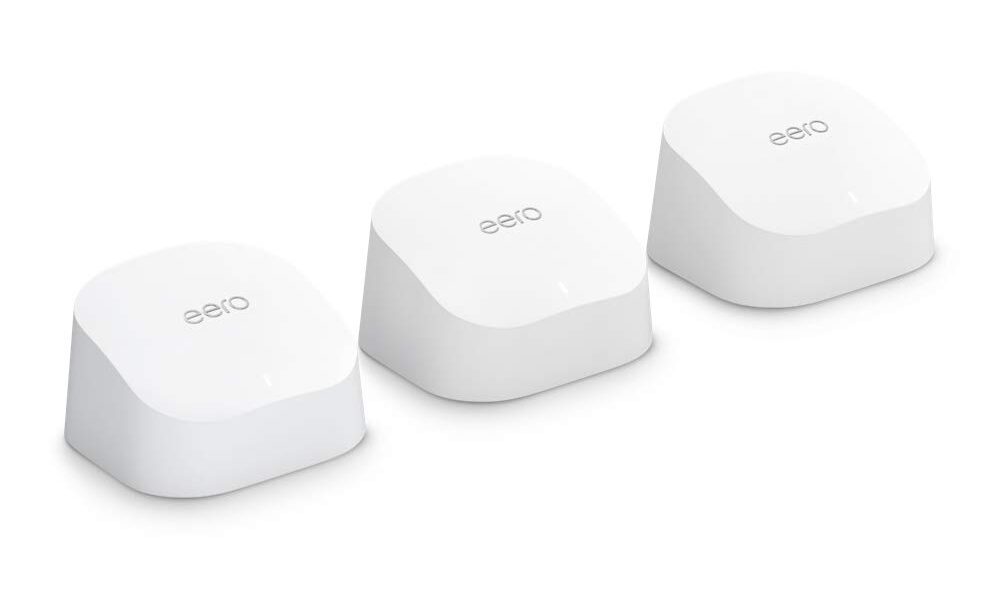
This 3 pack is perfect for most people and my favorite pick for mesh Wi-Fi systems. It has one eero 6 router and two eero 6 extenders to plug in around your home that offers up to 5,000 square feet of coverage. The larger your home, the more extenders you can add if needed at a later time. For example, we run a lot of outdoor wireless security cameras so I added one more in our garage to reach distant outside areas for total Wi-Fi coverage.
The downloaded free eero app is spectacularly easy to use and will let you check signal strength at any point. If you have kids, there are some parental features to help manage who has access and when. Since Amazon bought eero, there is a heavy upsell push for the added security subscription which I did not opt into since I already use world-class anti-virus security protection across all devices.
Get eero 6 dual-band mesh Wi-Fi system

I love that you can set this up and forget it. eero will fine-tune itself and automatically keep its software updated without you lifting a finger. This is why we have installed this eero system at our home and also can remote manage the same system at our parents’ house without ever hearing about an internet dead spot or glitch.
Recently, eero announced that with eero Built-in, you can connect compatible Echo Dot and Echo devices to serve as eero mesh Wi-Fi extenders and improve coverage in your home. This means if you have these devices, you’ll have even more coverage.
How to use your Echo devices to extend more coverage through your home
Note: Before you connect your Echo device with your eero network, complete the following tasks:
- Download the eero App from Apple App Store and Google Play
- Install Your eero Network (see video above)
- Set Up Your Echo Dot:
- Plug in your Echo Dot device.
- On your mobile device, open the Alexa app
 .
. - Open More and select Add a Device.
- Select Amazon Echo, and then Echo, Echo Dot, Echo Plus and more.
- Follow the instructions to set up your device.
 .
. and select
 To connect your Echo Dot 5th Generation device with your eero network:
- Open the eero App.
- Select Discover.
- Select Amazon Connected Home.
- Select Connect to Amazon, and follow the instructions for signing in with your Amazon account.
- Once you’ve set up Amazon Connected Home with eero, you can now configure your device.
- In the eero app, select Discover > Amazon Connected Home > eero Built-in. Turn on the eero Built-in option.
Get eero 6 dual-band mesh Wi-Fi system
Good pick
ASUS ZenWi-Fi BT6

Credit: ASUS
This is the best runner-up to my top pick for Mesh Wi-Fi Systems. The ASUS ZenWi-Fi BT6 is a cutting-edge tri-band Wi-Fi 7 mesh system that delivers speeds of up to 9.4 Gbps, covering areas of up to 5,800 sq. ft. with its two-pack configuration. It features a 2.5G WAN port for high-speed wired connections and includes advanced security with AiProtection Pro and parental controls. Additionally, the system supports 4G and 5G mobile tethering for flexible backup connectivity, making it ideal for modern homes requiring robust, reliable, and secure internet access.
Low-cost pick
ASUS ZenWi-Fi AX Whole-Home Tri-band Mesh 6 System (XT8)

Credit: ASUS
Experience seamless and powerful Wi-Fi coverage with the ASUS ZenWiFi AX (XT8), a tri-band mesh system designed to cover up to 5,500 square feet or 6+ rooms. This system offers a total data rate of 6.6Gbps, ensuring fast and reliable connectivity throughout your home. It supports three separate SSIDs for better network management and includes lifetime network security and parental controls to keep your family safe online. The system features a 2.5G port for enhanced connectivity options and is powered by Wi-Fi 6 technology for superior performance.
To set up the ASUS ZenWi-Fi AX (XT8), download the ASUS Router app and follow the on-screen instructions.
When your home is small, keep it simple with a standard router
Mesh Wi-Fi routers are more reliable across a large area of space. When all you need is a simple, single, super fast standard router, these are the top 5 routers picks.
Kurt’s key takeaways
Upgrading to a mesh Wi-Fi system is one of the simplest ways to improve your internet experience. With better speed, stronger connections, and easy app controls, you can keep every device online without the frustration of lag or dead spots. Plus, setup takes minutes, not hours, so you can enjoy smoother streaming and faster browsing right away.
Would you invest in a mesh Wi-Fi system to finally eliminate internet dead zones in your home? Let us know your thoughts in the comments below.
FOR MORE OF MY TECH TIPS & SECURITY ALERTS, SUBSCRIBE TO MY FREE CYBERGUY REPORT NEWSLETTER HERE
Copyright 2026 CyberGuy.com. All rights reserved. CyberGuy.com articles and content may contain affiliate links that earn a commission when purchases are made.
🎙 Now Streaming: My New Podcast: The CyberGuy Report
Kurt’s Top Deals
Deals move fast and inventory can be limited, so don’t wait too long.
| 🔥 Editor’s pick  Summer entertaining Ninja SLUSHi Machine (26% off) Frozen drinks and slushies at home in minutes. | |
| 💰 Top deal  Outdoor essential TYPEC Solar Bug Zapper (36% off) Solar-powered bug zappers for patios and camping. |



5 comments
Thanks for all your great info! My oldest son is also a subscriber to your newsletter. Just wanted to let you know i appreciate all your great info.
Peter
I’ve just discovered you and looking forward to learning more tech stuff! Have you written an article on how not to play along when medical facilities and water companies, electric companies as for social security numbers? I’ve read that medical facilities are one of the most often breached.I recently moved to another state and they all want my SSN! I’m sick of them asking–I’ll make up a number if I have to.
Hi Peggy, please take a look at our tips on how to safeguard your social security number here
Need help with constant hacking stealing neighbors
Hi Teresa, follow our tips here: How to check if someone is stealing your WiFi