




- An outdated router can expose every device in your home to security risks.
- Look for WPA3 encryption, firewall protection, and regular firmware updates.
- VPN compatibility and guest networks add extra layers of privacy and control.
- Modern routers offer stronger performance and better protection for streaming, browsing, and smart homes.
An old wireless router can spell big trouble. The need for security is more paramount than ever as many scams, viruses and other cyber-criminal activities have become a day-to-day occurrence. Between the daily scam texts and the odd plug-ins jumping out at you from your web browser, it seems like gliding smoothly and easily online is a novelty. There is one aspect of your digital life that might leave you more vulnerable than realized. Buying the right router might make a difference in your overall digital security.
That’s why we loved this question sent in from Gurden.
“Hi Kurt. Our router is three years old and I am thinking we should replace it. We have two iPhones, two iPads, and we stream Netflix and Prime. Could you recommend a router that is continuously updated for security? We are not gamers, but we surf the internet regularly, but we are not real computer savvy. Thanks for your help. I enjoy seeing you on Fox and enjoy your newsletter – Gurden B.”
Thanks for writing in, Gurden! This is one area of our technological life that doesn’t get enough attention, but surely impacts how most devices in your home and office connect to the internet. A more secure router would work in tandem with the security measures you already have in place, such as having top-notch antivirus and VPN programs.
Top 6 important features for your next router
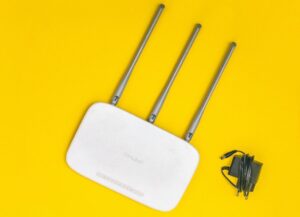
While there is a myriad of features that work best for each person, below are the top 6 features we recommend you put at the top of your shopping list when you purchase your next router.
1. VPN enabled/compatible to make your connection private
A VPN encrypts traffic between your device (or router) and the VPN server, not necessarily all the way to the final destination. After it leaves the VPN server, normal HTTPS encryption applies. Please note there are 2 aspects of VPN:
- VPN server: Your secure router can be used as a ‘gateway’ to get onto your network when you’re not at home
- VPN client: Your secure router lets you connect to another VPN service
While the benefits of VPN have been extolled in our articles: The safest way to browse the web: VPN Browsing & Top 6 reasons why you need a VPN when you travel, it is best to purchase a VPN client-compatible router if you want to maximize the benefits of a VPN provider.
Top 5 reasons to set up your VPN provider, such as ExpressVPN, on your router:
-
- For devices that you can’t install VPN on, such as TVs, consoles, or streamers, you can still get the benefits of your VPN service as long as it is installed on your router
- By installing VPN on a router, you can connect all your devices to ExpressVPN at the same time.
- Never fear if you forget to turn on your VPN. If you’ve got your VPN installed on your router, whatever devices are connected to that router’s network will be shielded by the VPN service
- Use the next-generation VPN protocol for a faster VPN experience
- A user-friendly experience makes managing device connections a breeze
2. Strong Wi-Fi Encryption means everything you do is secure
If you’ve ever purchased a router, you’ve inevitably heard of Wi-Fi Protected Access (WPA) or Wired Equivalent Privacy (WEP). WPA is a network security technology that encrypts data from anyone outside your network because the devices on your network use the same encryption algorithm. WPA2 is an updated version of WPA.
-
- Avoid WEP only: an older, outdated, and less secure technology, which should be avoided in any future purchases
- Look for WPA3: the latest iteration of this technology, which is the most secure.
-
- Goes beyond a shared password to connect devices
- Uses Wi-fi device provisioning protocol (DPP) system allows users to use near field communication (NFC) tags or QR codes to get on your network
- More advanced encryption: GCMP-256 encryption vs. older 128-bit encryption
- Both the device and the wireless access point verify authentication and connection
- While not absolutely necessary, nor will it reach the top speed it purports in real life, Wi-fi 6 is the next generation Wi-Fi technology. How it relates to security is that most Wi-fi 6 routers have to have WPA3 technology in order to receive certification from the Wi-fi Alliance. Thus, if you have a Wi-fi 6 router, it should come with WPA3 technology.
-
3. The separate guest network makes it easy to share with friends and family
The ability to create secure guest networks may seem unrelated to security, but it actually gives you another layer of control.
- It is a second network that is broadcast by your router with a different name (SSID) that you can use to connect friends, family, or guests when you don’t want them to connect to your wifi network using your main password
- It also gives them more restricted access:
- It prevents having access to other devices on your network, and you can control time and speed limits
4. Firewall keeps the bad guys at bay
Most secure routers have a good firewall to protect against hackers through Network Address Translation and private IP addresses, but a better firewall takes it a step further:
- Packet inspections: monitors and analyzes what’s going in and out on your network to provide virus and malware detection
- Outbound firewall: looks at the traffic leaving your network to prevent data leaks (most basic firewalls only focus on inbound traffic)
5. Regular Firmware Updates keep you safer
To stay ready for potential cybercriminal activity, get a router from a manufacturer that regularly updates the firmware.
- As cyber criminals continually ‘test the fences’ of protective measures, it’s important to have a router from a manufacturer that is responding and putting out patches to any vulnerabilities or against known threats
- You can usually find out by googling the manufacturer of the router you’re going to purchase and see their support page – they will usually list the latest releases to firmware, etc.
6. Parental Controls make it easy for mom and dad
You can set up basic access controls by device, often being able to pause or block the internet for specific devices when an internet cut-off is necessary.
When one WiFi router isn’t enough
Before I share my picks, the standard routers I list below are best for quality, performance, ease of use, and some without breaking the bank. Mesh networking routers are becoming popular for larger installations where one wireless router cannot reach the entire area. Mesh networking routers can be more expensive than standard routers. The good news is that many Mesh routers these days offer plug-and-play ease. Modern mesh systems (e.g., Wi-Fi 6E and Wi-Fi 7) perform extremely well for gaming. Everything you need to know about Mesh Wireless Routers, including my top picks.
Best Secure Routers Picks
Below is a list of the best 5 routers recommended for their security features and also for their compatibility with VPN service providers for secure connections, such as ExpressVPN.
Amazon eero 7 dual-band mesh Wi-Fi 7 router (newest model)

The Amazon eero 7 dual-band mesh Wi-Fi 7 router delivers next-level speed and whole-home coverage for modern households. This newest model 3-pack supports internet plans up to 2.5 Gbps and blankets up to 6,000 square feet with strong, reliable Wi-Fi 7 performance. It reduces dead zones, connects 120+ devices at once, and stays backward compatible with earlier eero systems and select Echo devices. Designed with future-proof technology, the eero 7 keeps your network fast and consistent whether you’re streaming, gaming, or working from home.
Why we like this: It combines future-ready Wi-Fi 7 speeds with wide coverage and easy setup, making it a smart upgrade for busy, connected homes.
Get Amazon eero 7 dual-band mesh Wi-Fi 7 router
TP-Link AXE5400 Tri-Band Wi-Fi 6E Router
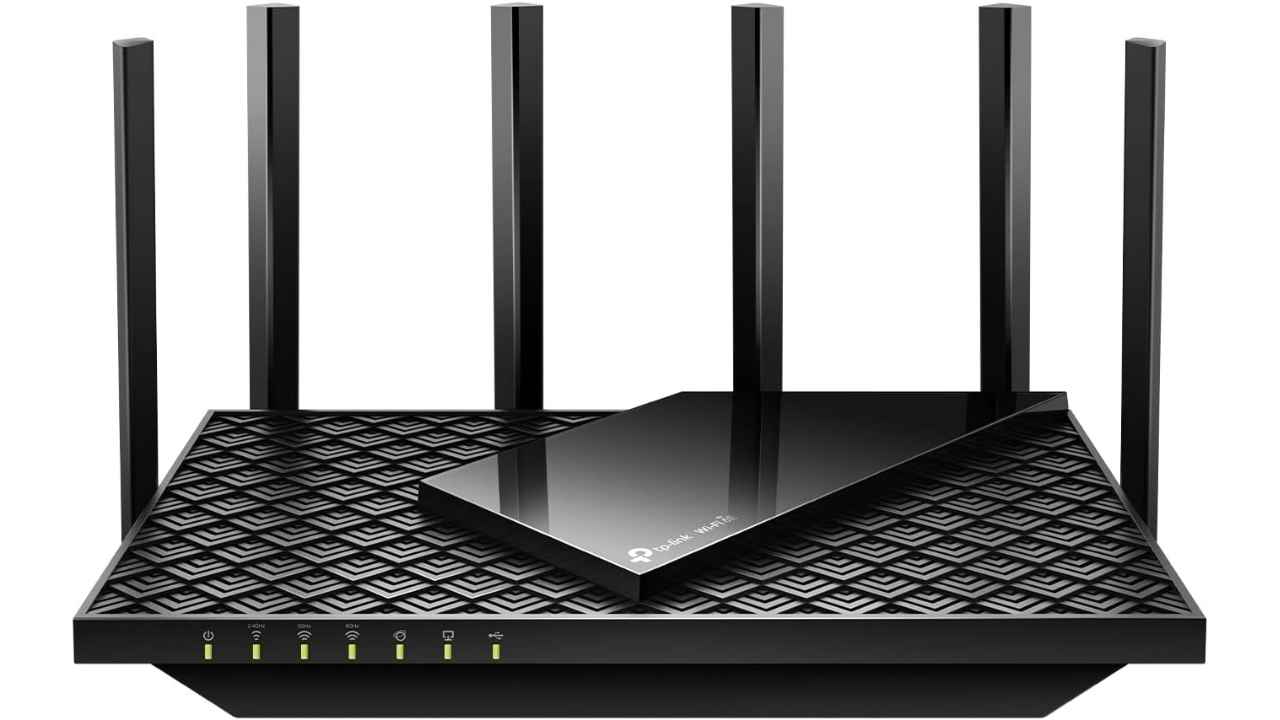
The TP-Link Archer AXE75 is a high-performance tri-band Wi-Fi 6E router designed for fast gigabit internet, smooth 4K streaming, and responsive online gaming. With speeds up to 5,400 Mbps across the 6GHz, 5GHz, and 2.4GHz bands, it helps reduce congestion and delivers more stable connections in device-heavy homes. The new 6GHz band provides additional bandwidth with lower latency, while a 1.7GHz quad-core CPU and 512MB of memory keep performance steady when multiple devices are connected. It also supports VPN server and client modes, WPA3 security, parental controls, and TP-Link HomeShield for added network protection.
Why we like this: It delivers fast, future-ready Wi-Fi 6E performance, with strong security features and whole-home expandability, at a price that undercuts many competing routers.
Get TP-Link AXE5400 Tri-Band WiFi 6E Router
NETGEAR Nighthawk Dual-Band WiFi 7 Router
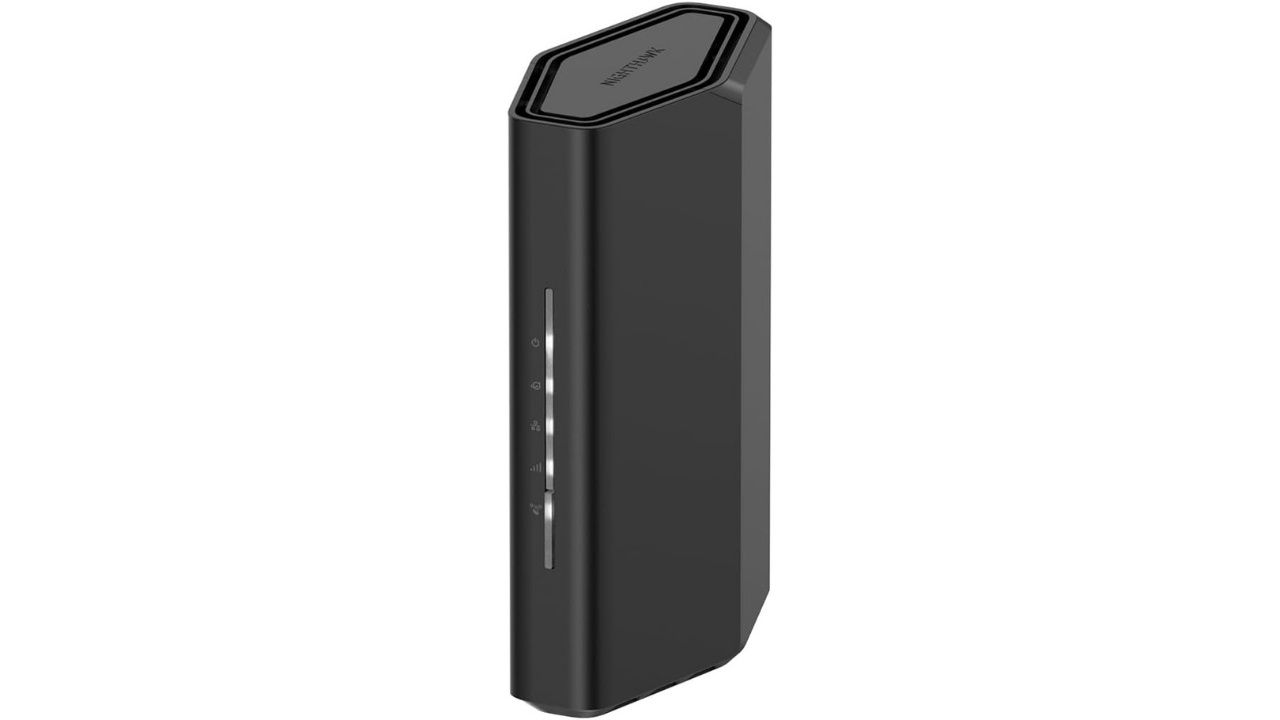
The NETGEAR Nighthawk RS90 is a next-generation WiFi 7 router built for faster speeds and stronger performance. It fits well in today’s connected homes. It delivers wireless speeds up to 3.6 Gbps. That’s enough for gaming, 4K streaming, video calls, and smart home devices without noticeable slowdowns. This dual-band router covers up to 2,000 square feet. It can support up to 50 connected devices at once, making it a strong choice for busy households. A 2.5 Gig internet port lets you tap into multi-gig cable or fiber plans. Built-in security features help protect your network. It also includes a 30-day trial of NETGEAR Armor for added protection. Note: This is a router only and requires a separate modem for most internet providers.
Why we like this: It brings cutting-edge WiFi 7 performance and multi-gig support into an affordable, compact router that’s ready for faster internet plans and device-heavy homes.
Get NETGEAR Nighthawk Dual-Band WiFi 7 Router
ASUS RT-AX1800S Dual Band WiFi 6 Router
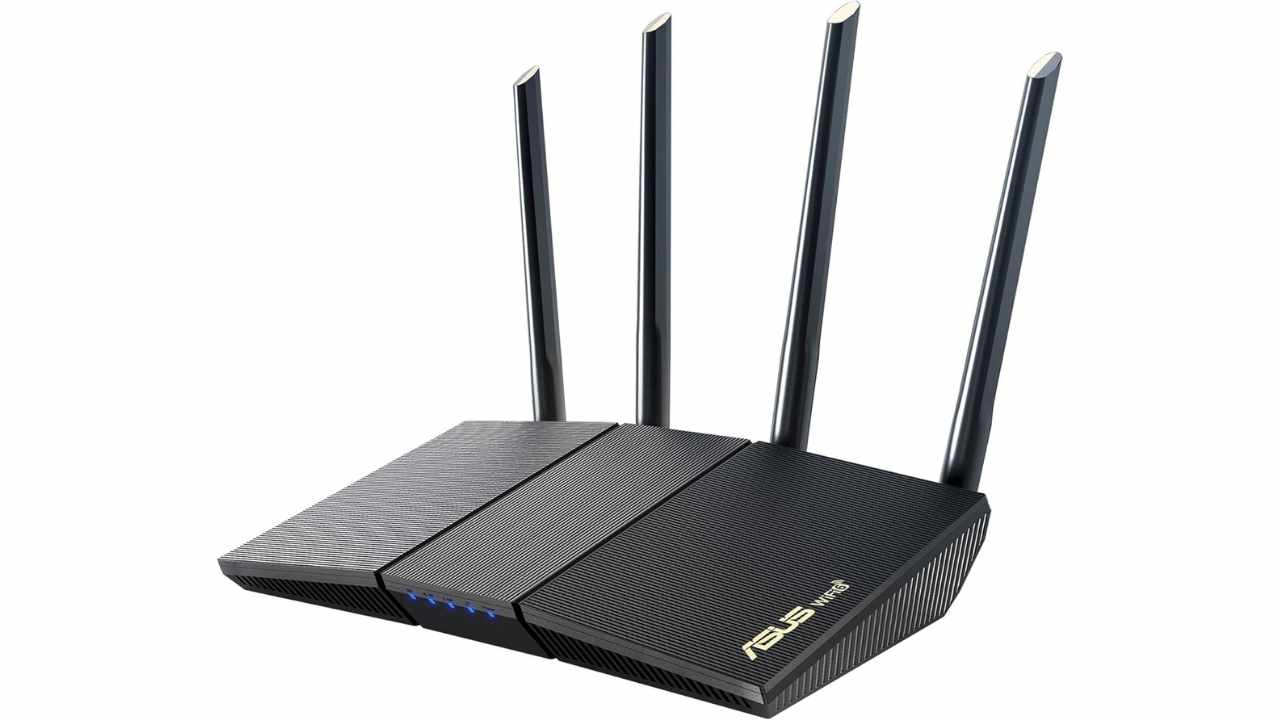
The ASUS RT-AX1800S is a compact, budget-friendly WiFi 6 router built for faster speeds and better efficiency. It works well for gaming, streaming, and smart home devices. It runs on the 802.11ax standard and supports MU-MIMO and OFDMA. These features let it communicate with multiple devices at the same time without slowing down your network. The router uses 1024-QAM to boost wireless throughput. It also includes five Gigabit ports, with one WAN and four LAN, for strong wired connections. ASUS includes subscription-free AiProtection Classic security powered by Trend Micro. You also get built-in VPN support, parental controls, and AiMesh compatibility to expand coverage throughout your home.
Why we like this: It offers solid WiFi 6 performance, built-in security, and mesh expandability at an affordable price with no ongoing subscription fees.
Get ASUS RT-AX1800S Dual Band WiFi 6 Router
GL.iNet GL-MT6000 (Flint 2) WiFi 6 Gaming Router

The GL.iNet Flint 2 (GL-MT6000) is a high-performance WiFi 6 router built for gamers, power users, and homes with fiber internet. It delivers speeds up to 6 Gbps using 8-stream WiFi 6 technology. That means lower latency for gaming, smoother 4K streaming, and better performance during heavy multitasking. Two 2.5G Ethernet ports support multi-gig fiber connections. Inside, 1GB of DDR4 RAM and 8GB of eMMC storage provide strong, stable performance. The router also supports fast WireGuard and OpenVPN connections. Built-in AdGuard Home enables network-wide ad blocking. Advanced customization tools give experienced users deeper control over their network.
Why we like this: It combines multi-gig wired performance, fast VPN speeds, and advanced customization features into a powerful router that’s especially appealing for gamers and tech-savvy users.
Get GL.iNet GL-MT6000 (Flint 2) WiFi 6 Gaming Router
How to install ExpressVPN on your router
If you’re looking for a router that can maximize VPN, definitely make sure that the router you choose is compatible with the specific VPN service provider. If you need to find out how to install ExpressVPN, please click here.
Related Links:
- Hackers are attacking your home WiFi router with malware
- How do I use a VPN for online banking when I travel?
- Are free VPNs safe?
Kurt’s key takeaways
Your router is the front door to your digital life. If it is outdated or no longer receiving firmware updates, it can quietly expose every device in your home to unnecessary risk. The good news is that upgrading does not have to be complicated. Look for strong encryption like WPA3, regular security updates, built-in firewall protection, and VPN compatibility. Even if you are not a gamer or a power user, a secure, modern router can make everyday browsing, streaming, and online banking safer and more reliable. If your router is three to five years old, it may be time to take a closer look. A simple upgrade today can help prevent major headaches tomorrow.
How old is your current router, and when was the last time you checked whether it still receives security updates? Let us know in the comments below.
FOR MORE OF MY TECH TIPS & SECURITY ALERTS, SUBSCRIBE TO MY FREE CYBERGUY REPORT NEWSLETTER HERE
Copyright 2026 CyberGuy.com. All rights reserved. CyberGuy.com articles and content may contain affiliate links that earn a commission when purchases are made.