


8.7K

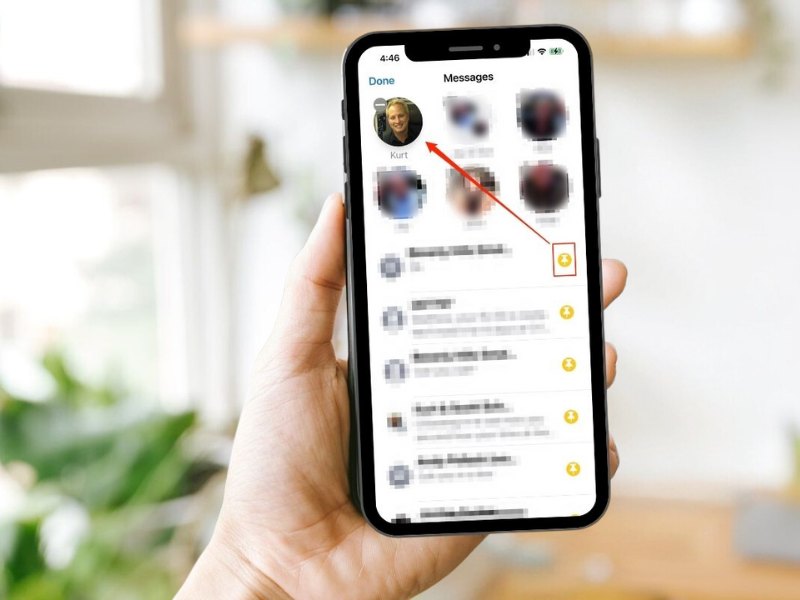
If you’re like me, you have a million text conversations going at once, but it’s important to keep some of those threaded conversations always at the top. Here’s a way you can pin those conversations so you never have to hunt for them.
How to pin favorite text message conversations in iOS
Beginning with iOS 14, here’s a quick way to keep those people who you message most frequently up at the top of the Messages screen. As you’ll see in the screen below, I already have 6 of my contacts pinned to the top, but how did I do it?
- Click on the Messages app
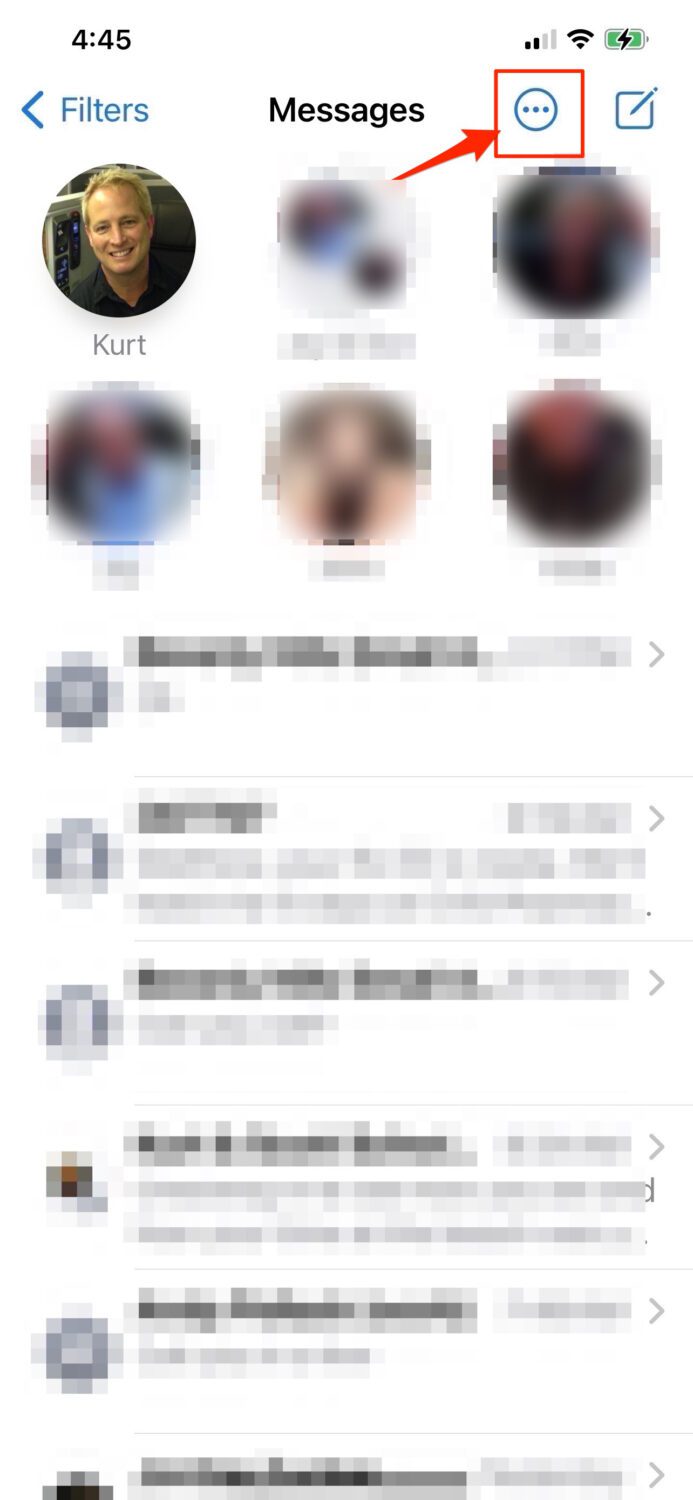
- First, click on the 3 buttons in the top right corner
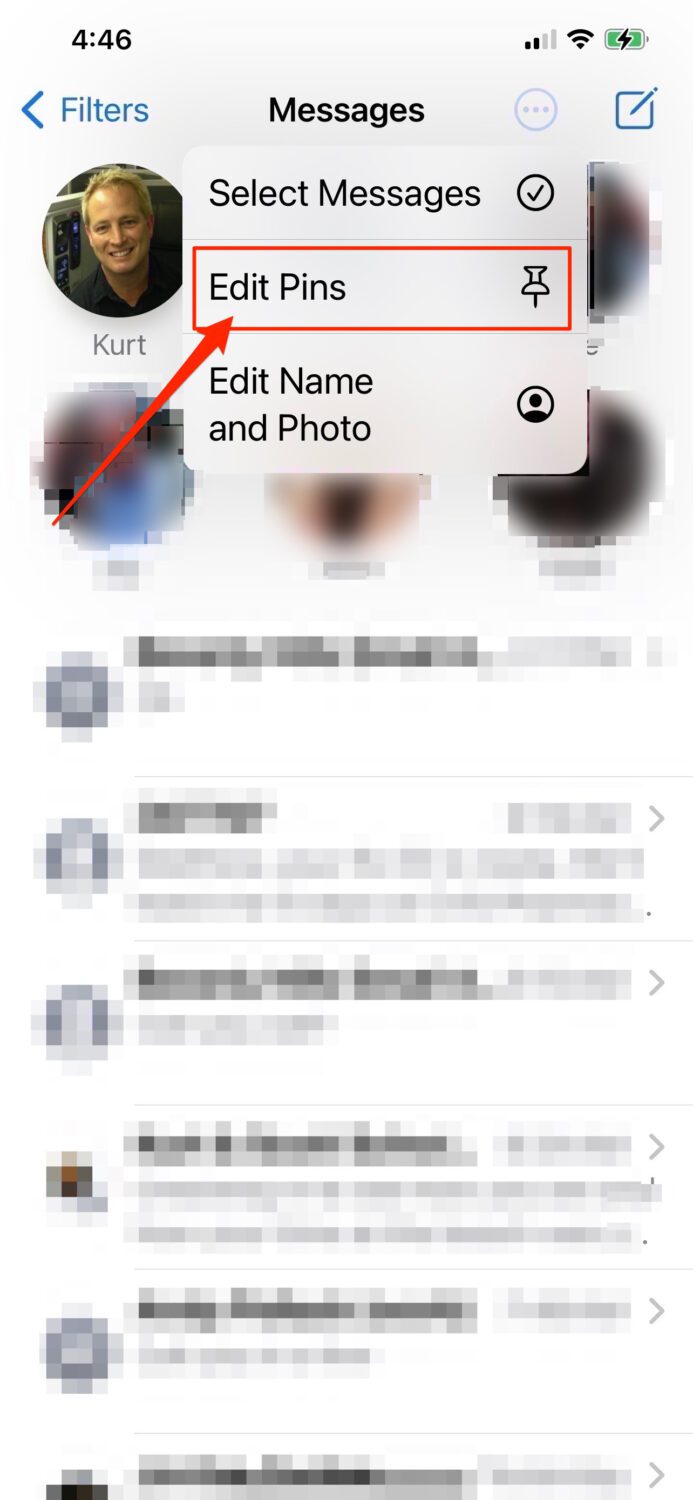
- Click edit pins
- Select the yellow icons at the end of the row of the people who you text regularly and their messages/icons will now be pinned at top. That’s it!

How to pin favorite text message conversations on an Android
Settings may vary depending on your Android phone’s manufacturer
-
- Click the Messages app
- Touch and hold one of the messages to select.
- Try one of these steps (varies depending on your Amazon device)
- On the bottom menu you’ll see a “More” button. Click it and select “Pin to top”
- OR:
- You’ll note that the top tool bar now contains a pushpin icon.
- Tap the pushpin icon and the conversation will now stay at the top of your message screen.
Related: