



Google shared a new update on November 5, confirming that Gemini Deep Research can now use context from your Gmail, Drive and Chat. This allows the AI to pull information from your messages, attachments and stored files to support your research.
Some people view this as a convenience. They like the idea of faster answers and easier searches. If you feel that way, too, that is completely fine.
However, many people do not want AI scanning private messages or personal documents. If that sounds like you, there is good news. You can turn these features off with a few quick taps in Gmail.

Why this update matters
This feature gives Google permission to scan every email in your Gmail account. That includes personal notes, financial documents, tax files and any sensitive information in your inbox. AI looks for patterns to improve responses, but Google says Gmail content is not used to train the Gemini model and that no user settings were changed automatically.
Google also says that Gmail, Docs and Sheets are not used for AI training unless you directly give Gemini that content yourself.
While Google says the feature improves your experience, some users prefer more control. You may want privacy first and convenience second. If so, you can opt out today.
How to stop AI from scanning your Gmail
Important: Some users will not see these Smart Features settings on mobile. Google currently makes these controls easiest to access on desktop, so use a computer if the menus do not appear.
You can turn this off directly in Gmail settings. Follow these steps:
- Open Gmail
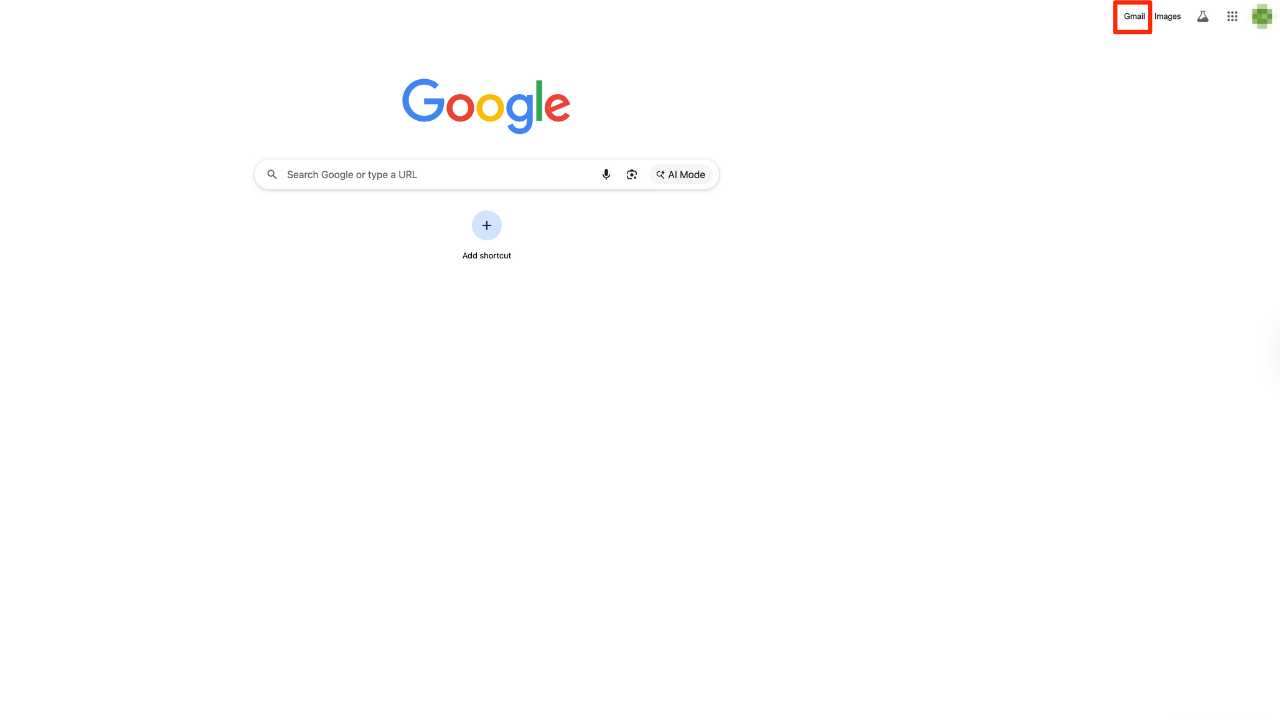
- Tap the gear icon in the top right

- Select See all settings

- Scroll until you find Smart Features
- Turn off Smart features by clicking it off.

- It will ask you to click “Turn off and reload.”

- After you click “Turn off and reload,” Gmail will refresh and return you to your inbox. You are no longer in Settings at this point, so you must go back in.
- Now, continue by scrolling to Google Workspace smart features and click, Manage Workspace smart feature settings”.

A Texas mom says she spent the night in jail after speaking up online about dirty water in her town. The case was later dropped, but her story raises a troubling question: could something you post online ever put you at risk?

Missed this event? Sign up via the registration form and see our live recording.
See Kurt’s Prime Day picks for useful gadgets, practical upgrades and everyday tech while the deals last.
- Turn off both checkboxes and then click Save.

- A pop-up will appear in the bottom left-hand corner of the screen that says ‘Your preferences have been saved.”
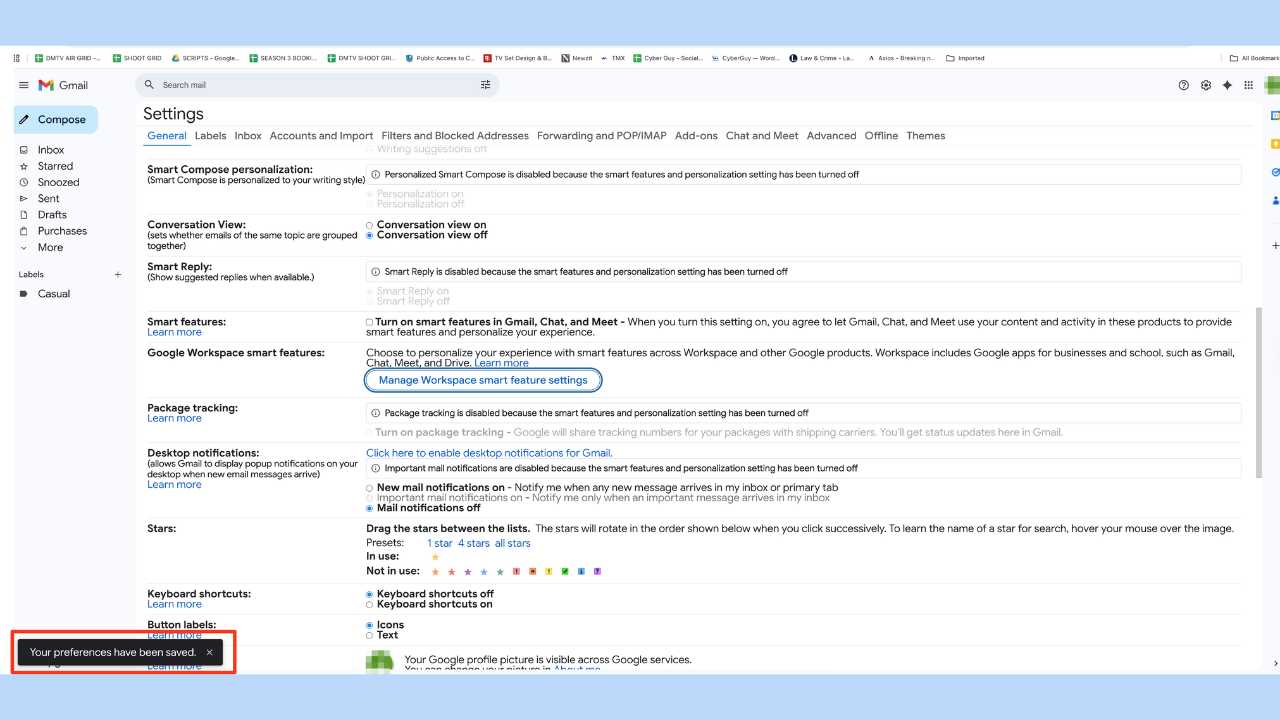
Once you switch these off, Gmail stops scanning your messages for smart features or AI enhancements. This returns control to you.
What happens when you turn it off
After you disable these settings, features like smart email suggestions may stop working. That includes predictive text, automatic bill reminders and quick booking prompts. You can always turn them back on if you change your mind.
Turning these off does not break Gmail. Your inbox works the same. You simply gain more privacy while you use it.
Want a more private inbox?
If you’d rather keep your email fully separate from AI features, you may want to consider a privacy-focused service like StartMail. It doesn’t scan your messages or use your inbox to train any systems. Everything stays private and encrypted.
You can get an Exclusive deal for CyberGuy readers: 50% off: $23.98 for first year ($2.50 per month, billed annually). Includes a free 7-day trial.
Some of StartMail's best perks include:
- StartMail email address
- 20 GB of email
- Unlimited aliases
- Access email on any device
- Import your contacts easily
- No ads, no tracking
- Send encrypted emails to anyone
Why it matters: You stay anonymous, avoid data leaks, and never have to change your main email address again.
Related Links:
- The #1 Google search scam everyone falls for
- AI guardrails can be hacked, warns ex-Google CEO
- How one man got scammed in seconds using Google
Kurt’s key takeaways
Google’s newest update blends convenience with automation. It can simplify research by tapping into your Gmail, Drive and Chat. Still, many people want a clear boundary between AI tools and personal messages. With a few quick steps, you can keep your inbox private without losing access to core Gmail features. Just keep in mind: Google says Gmail content isn’t used to train Gemini unless you explicitly give that content to the AI.
Do you think AI tools should have access to your messages by default or should companies ask before scanning anything? Let us know your thoughts in the comments below.
FOR MORE OF MY TECH TIPS & SECURITY ALERTS, SUBSCRIBE TO MY FREE CYBERGUY REPORT NEWSLETTER HERE
Copyright 2026 CyberGuy.com. All rights reserved. CyberGuy.com articles and content may contain affiliate links that earn a commission when purchases are made.
🎙 Now Streaming: My New Podcast: The CyberGuy Report
Kurt’s Top Deals
Deals move fast and inventory can be limited, so don’t wait too long.
| 🔥 Editor’s pick  Summer entertaining Ninja SLUSHi Machine (26% off) Frozen drinks and slushies at home in minutes. | |
| 💰 Top deal  Outdoor essential TYPEC Solar Bug Zapper (36% off) Solar-powered bug zappers for patios and camping. |


5 comments
I use Apples mail app to look at my Gmail. Do I still need to disable the AI feature in the Google app?
Hi Dean – The short answer: yes, you should still disable the AI-scanning feature even if you’re using the Apple Mail app to access your Gmail inbox — and here’s why:
Why you still should
Google LLC’s new AI capabilities (via its “Smart features” + “Workspace smart features”) allow its systems (for example, the Gemini Deep Research model) to scan the contents of your Gmail, Drive, and Chat for “context” unless you opt out. Even if you’re not using Gmail’s official web or mobile app, but instead using Apple Mail to pull in the same Gmail account via IMAP or another protocol, your Gmail account still resides on Google’s servers and those “smart features” settings are still associated with that account. Disabling them is about stopping Google’s scanning of that inbox — not just stopping their app.
I believe it is a major privacy invasion to simply allow by default any of my gmails or workspace areas unless granted by my permission. Please NO Default! Companies should ASK 1st!
This is one of the big reason I feel so skeptical about most things Google does these days. The fact that they did this by default without notification or permission should not be happening. I am so grateful to have gotten a heads up on it. Thanks!
Thanks very much for this. Google has definitely changed from it’s initial motto in ’98 “Don’t Be Evil”.