



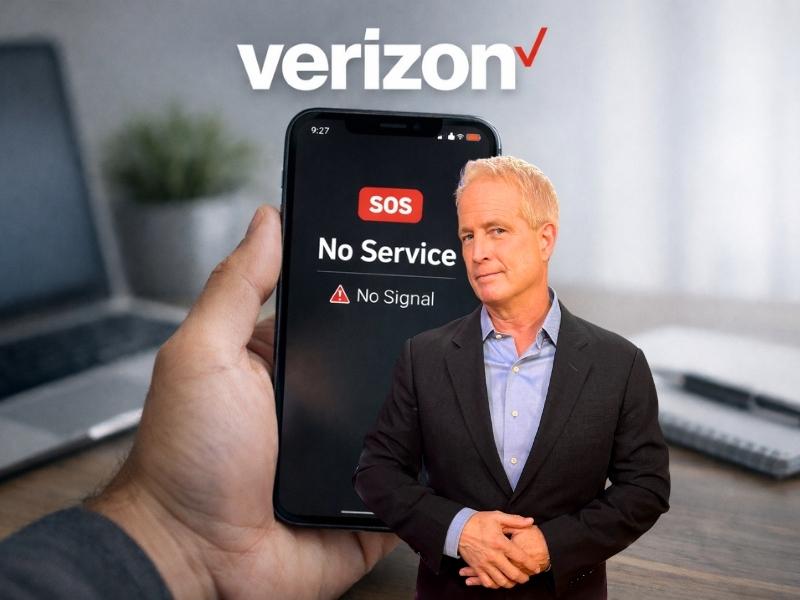
Starting around noon Eastern on Wednesday, many Verizon customers reported that their phones suddenly showed no bars or automatically entered SOS mode. Soon after, Verizon confirmed a widespread outage impacting wireless voice and data services. In a statement, the company said its engineers were engaged and working to identify and solve the issue quickly. Verizon says, “This was a software issue, and we are conducting a full review of what happened. “

Credit: Verizon
Verizon says the outage has been resolved
At 10:22 p.m. ET on Wednesday, Verizon wrote to CyberGuy saying the outage had been resolved and service was restored. Customers who are still experiencing issues are encouraged to restart their devices to reconnect to the network.
Verizon also said it will provide account credits for affected customers, with details shared directly. The company apologized for the disruption.
A company rep also provided CyberGuy with this statement,
“Today, we let many of our customers down and for that, we are truly
sorry. They expect more from us.We are working non-stop and making progress. Our teams will continue
to work through the night until service is restored for all impacted
customers. We will make this right – for any customer affected, we will provideaccount credits and share updates soon.”
Then, at 10:12 a.m. ET on Thursday, Verizon shared a follow-up update acknowledging the disruption and outlining customer credits.
The company said it will provide a $20 account credit to affected customers. The credit can be redeemed by logging into the myVerizon app and accepting it. Verizon said the amount typically covers multiple days of service. Business customers will be contacted directly about their credits.
Verizon said the credit is meant to recognize customers’ time, not fully make up for the outage. The company again apologized and said teams will continue working day and night to deliver reliable service. Customers who are still having trouble are encouraged to restart their devices to reconnect to the network.
A company spokesperson said,
“Yesterday, we did not meet the standard of excellence our customers expect and that we expect of ourselves. We are sorry for what you experienced and will continue to work hard day and night to provide the outstanding network and service that people expect from Verizon.”
What Verizon customers experienced during the outage
Reports flooded social media as customers tried to figure out what was happening. Many said they could not make calls, send texts, or use mobile data. Some devices showed only SOS, which signals a lack of normal cellular connection. According to user reports on X, the issues appeared to begin around 12:00 p.m. ET. About an hour later, Verizon posted an update on X saying,
“We are aware of an issue impacting wireless voice and data services for some customers. Our engineers are engaged and are working to identify and solve the issue quickly. We understand how important reliable connectivity is and apologize for the inconvenience.”
Verizon serves more than 146 million wireless subscribers in the United States, meaning even short outages can affect millions of people at once. We reached out to Verizon for additional details, and a representative told CyberGuy,
“Verizon engineering teams are continuing to address today’s service interruptions. Our teams remain fully deployed and are focused on the issue. We understand the impact this has on your day and remain committed to resolving this as quickly as possible.”

Credit: Verizon
Downdetector showed severe disruption
Outage tracking site Downdetector classified the situation as “Very High.” At its peak, more than 170,000 users reported problems, a number that dropped to about 60,000 by mid-afternoon. Most reports involved mobile phone issues and a complete loss of signal.
Downdetector’s outage map showed the heaviest disruption in major metro areas, including New York, Los Angeles, Chicago, Atlanta, Portland, Oregon, and Washington, D.C. Many users said their devices entered SOS mode, signaling a severe breakdown in cellular connectivity. When a phone switches to SOS mode, calls, texts, and data stop working. Emergency 911 calls may still go through via satellite, depending on the device.
Watch the latest episode of The CyberGuy Report.

Missed this event? Sign up via the registration form and see our live recording.
See Kurt’s latest Amazon picks for useful gadgets, smart home upgrades and everyday tech worth grabbing while the deals last.
Emergency alerts raised concern
As the outage stretched on, government agencies began issuing guidance. Washington, D.C.’s emergency notification system warned residents that the outage appeared to be nationwide. The AlertDC message urged anyone unable to connect on a Verizon device to use another carrier, a landline, or go directly to a police district or fire station to report an emergency. New York City’s Office of Emergency Management also acknowledged the outage, saying it was working with partners to assess any impact on city agencies and essential services.

Credit: Verizon
Tips to stay connected during the Verizon outage
If you are a Verizon customer, an outage can disrupt everyday communication fast. Calls, texts, and apps that rely on mobile data may stop working without warning.
To reduce the impact, keep these practical tips in mind:
- Turn on Wi-Fi calling if you have access to a stable Wi-Fi network (see below for steps)
- Use messaging apps like WhatsApp or Signal over Wi-Fi
- Borrow a phone from another carrier or use a landline for urgent calls
- Use built-in satellite emergency features if your phone supports them (See below for steps)
- Go directly to a police station or fire station in an emergency
- Save important contacts locally so you can access them offline
Also, check official updates from Verizon and the company’s official network status page. Staying informed can help you make quicker decisions during service disruptions.
How to make calls using Wi-Fi during an outage
If your cellular signal is down but you still have internet access, Wi-Fi calling can keep you connected. Wi-Fi calling lets your phone place and receive calls and texts over a Wi-Fi network instead of a cellular one.
Most newer smartphones support Wi-Fi calling, but the feature is not always turned on by default. During an outage, enabling it can restore basic communication quickly.
How to turn on Wi-Fi calling on your phone
On iPhone
- Open Settings
- Tap Cellular
- Select Wi-Fi Calling
- Turn on Wi-Fi Calling on This iPhone
On Android
Settings may vary depending on your Android phone’s manufacturer
- Open Settings
- Tap Network & Internet or Connections
- Select Wi-Fi Calling
- Toggle the feature on
Once enabled, your phone should automatically route calls through Wi-Fi when cellular service is unavailable. Call quality depends on the strength and stability of your internet connection.
When Wi-Fi calling works best
- You are connected to a strong home or office Wi-Fi network
- Cellular service is unavailable or unstable
- You need to make standard phone calls or send texts
Wi-Fi calling can be a reliable backup during major outages, especially when mobile networks are overloaded or down.
How to use iPhone messages via satellite
- When your iPhone detects that you’re outside of cellular and Wi-Fi coverage, it alerts you – on the Lock Screen, you get a prompt that you can send and receive messages via satellite.
- When you connect to the satellite, you’ll also see the option to text emergency services using Emergency SOS via satellite, get help with car troubles using Roadside Assistance via satellite, and share your location using Find My via satellite (where these services are available).
- To send a message, just open the Messages app – you’ll be prompted to start accepting messages if you haven’t already, and your iPhone provides instructions to connect to a satellite to send a text. If you have an iPhone 14 Pro or later, the Dynamic Island at the top of the screen has indicator dots that show the strength of your connection and, if your connection could be improved, arrows that direct you to turn left or right. You can tap the Dynamic Island to open Connection Assistant for more help.
- When you connect and start accepting messages via satellite, you’ll receive any SMS messages that were sent from your emergency contact or members of your Family Sharing group before you started accepting messages via satellite. You won’t receive iMessages until your emergency contact or family member returns to the conversation and taps Send via Satellite underneath their message bubble.
Android satellite messaging options
Android devices also offer similar satellite messaging feature capabilities:
Google Pixel Satellite Connectivity
Google introduced satellite connectivity for emergency services on Pixel phones in 2023, starting with the Pixel 8 and Pixel 8 Pro. This feature allows users to send emergency messages via satellite when cellular and Wi-Fi networks are unavailable.
Key features:
- Available on Pixel 8 series and newer models
- Enables text-based communication with emergency services
- Provides location sharing capabilities
Qualcomm Snapdragon Satellite
Qualcomm announced its Snapdragon Satellite technology in early 2023, which enables two-way messaging via satellite on Android devices. This technology is designed to work with smartphones powered by Snapdragon 8 Gen 2 and newer chipsets.
Benefits:
- Supports emergency messaging and non-emergency texting
- Compatible with a wide range of Android devices from various manufacturers
- Utilizes the Iridium satellite network for global coverage
Related Links:
- Never lose cell service again with this space-age satellite tech
- Android Emergency Live Video gives 911 eyes on the scene
- Connect in a crisis with iOS’s new video call feature for emergency services
Kurt’s key takeaways
This outage highlights how dependent daily life has become on mobile connectivity. From work calls to emergency alerts, a sudden loss of service can ripple quickly across cities and families. While Verizon works to restore service, the incident raises broader questions about resilience and backup options when large networks fail.
If your phone went into SOS mode today, did you have a reliable backup plan, or were you left completely disconnected? Let us know in the comments below.
FOR MORE OF MY TECH TIPS & SECURITY ALERTS, SUBSCRIBE TO MY FREE CYBERGUY REPORT NEWSLETTER HERE
Copyright 2026 CyberGuy.com. All rights reserved. CyberGuy.com articles and content may contain affiliate links that earn a commission when purchases are made.
🎙 Now Streaming: My New Podcast: The CyberGuy Report
Kurt’s Top Deals
Deals move fast and inventory can be limited, so don’t wait too long.
| 🔥 Editor’s pick  Summer entertaining Ninja SLUSHi Machine (26% off) Frozen drinks and slushies at home in minutes. | |
| 💰 Top deal  Outdoor essential TYPEC Solar Bug Zapper (36% off) Solar-powered bug zappers for patios and camping. |


7 comments
completely disconnected
WiFi calling did not work during outage. I use it many times in areas with weak signal and good WiFi so I know how to use it but it would not work on Wednesday. Only text would work. I’d be curious to know if other people had same problem?
Same, completely disconnected, only SOS available. WiFi calling would not work either using number associated with phone. But using Google voice with my additional number did work using WiFi calling. Interesting point, my iPhone 17 which was using 5g had no service. My wife’s iPhone 15 which was on LTE at the time had connection and could send and receive calls to contacts that used carriers other than Verizon.
Completely disconnected. Couldn’t get on internet so couldn’t even use the Verizon app.
Also our land phone (Comcast-Xfinity) was down. Totally dead.
Dear Kurt,
I was completely disconnected from Verizon cell service. My iPhone 14Pro went to SOS mode. My wife’s phone did not lose service and we have the same model phone, same account, and same plan. My question is, if she turned on her Hotspot, could I have connected to it and would have been able to call and send messages by WiFi? Just wondering…..
Thanks for your updates, keep them coming.
Hi Albert. Yes, if your wife’s iPhone still had Verizon service, you could have connected your iPhone in SOS mode to her Personal Hotspot and used it like regular Wi-Fi. Once connected, your phone would regain internet access through her cellular connection, allowing you to make and receive calls using Wi-Fi Calling, send and receive iMessages, send SMS texts, and use apps normally. As long as Wi-Fi Calling was enabled on your phone, the hotspot would have effectively bypassed the outage on your line and kept you fully connected.
My wifi calling was on but I still could not place a call. I couldn’t make calls or do emails, but could text.