



If you have an Android phone, you are definitely going to want to adjust some of these settings. It’s possible that your settings aren’t optimized for your specific needs and the frequencies you can hear, plus your phone just isn’t set up for the best listening experience when it comes to watching movies, TV shows, or listening to your favorite tunes.
How to adjust Samsung settings for the best quality sound
Note: These settings may vary depending on your Android model. The steps below were done on a Samsung Galaxy.
1. Turn on Dolby Atmos
This is a sound setting available on many Android phones that offers a “surround sound” effect. You can adjust it depending on what you’re watching or listening to.
How to turn on Dolby Atmos
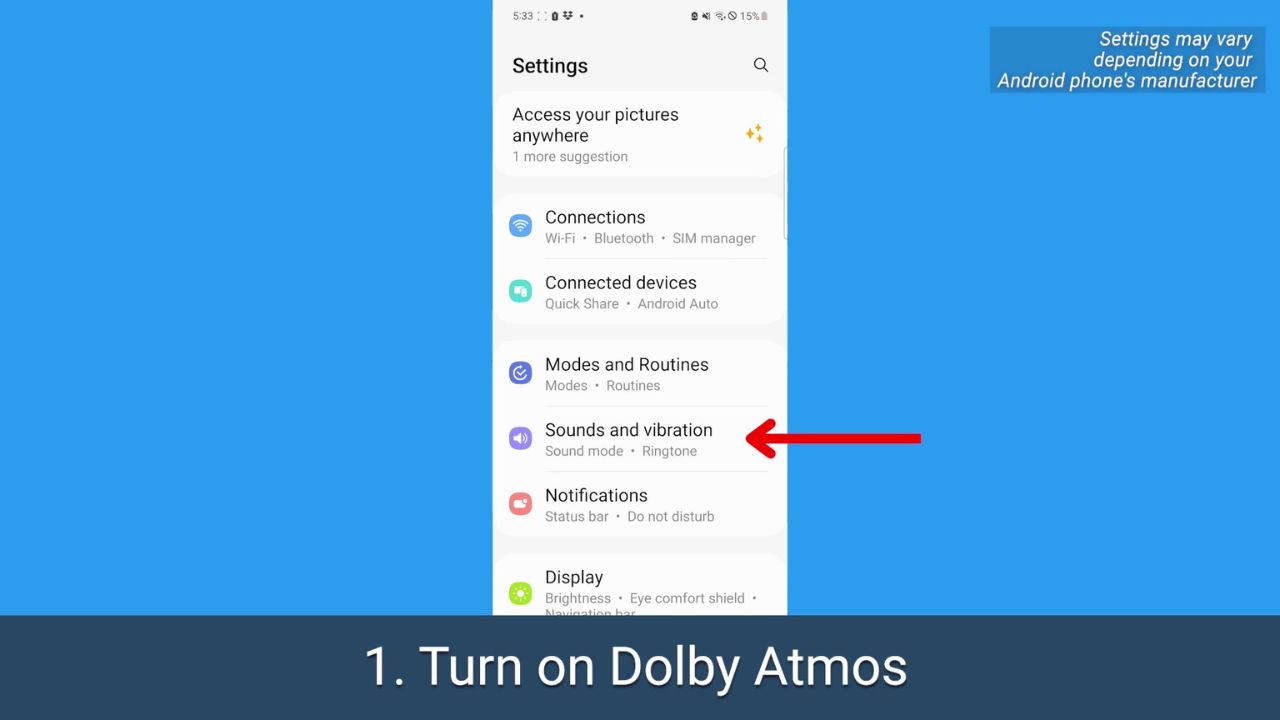
- Open your Android’s Settings
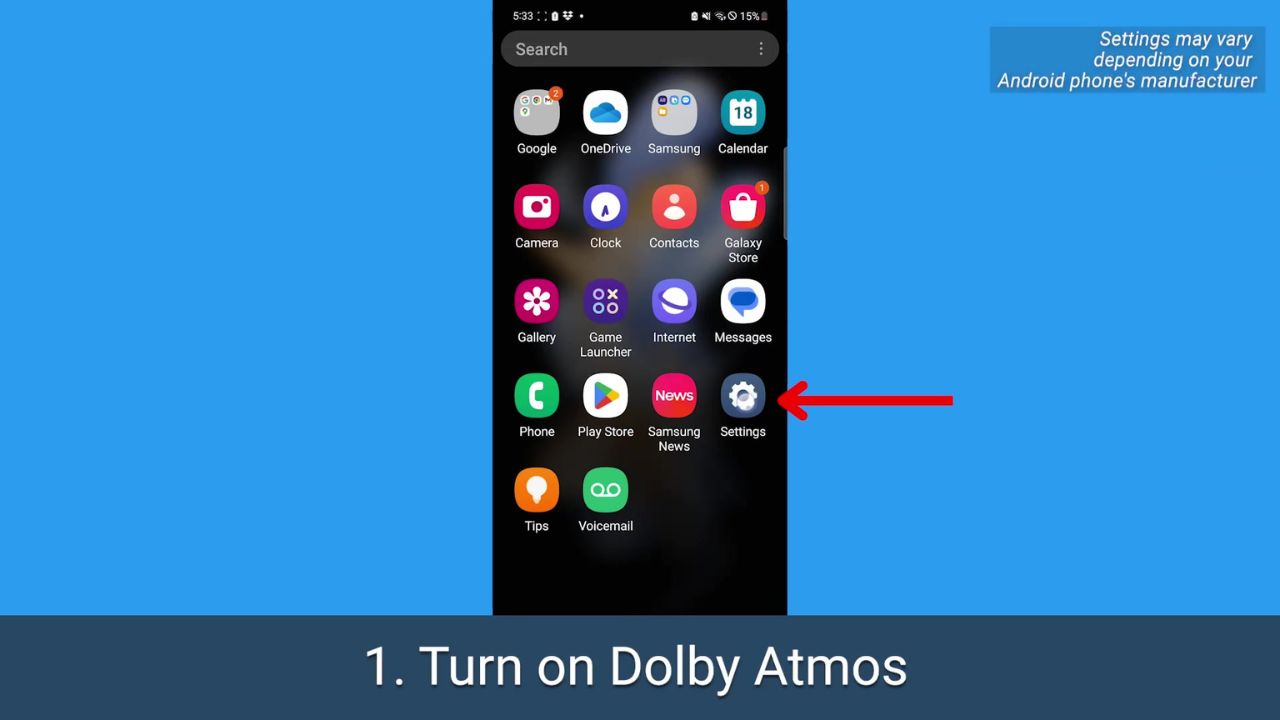
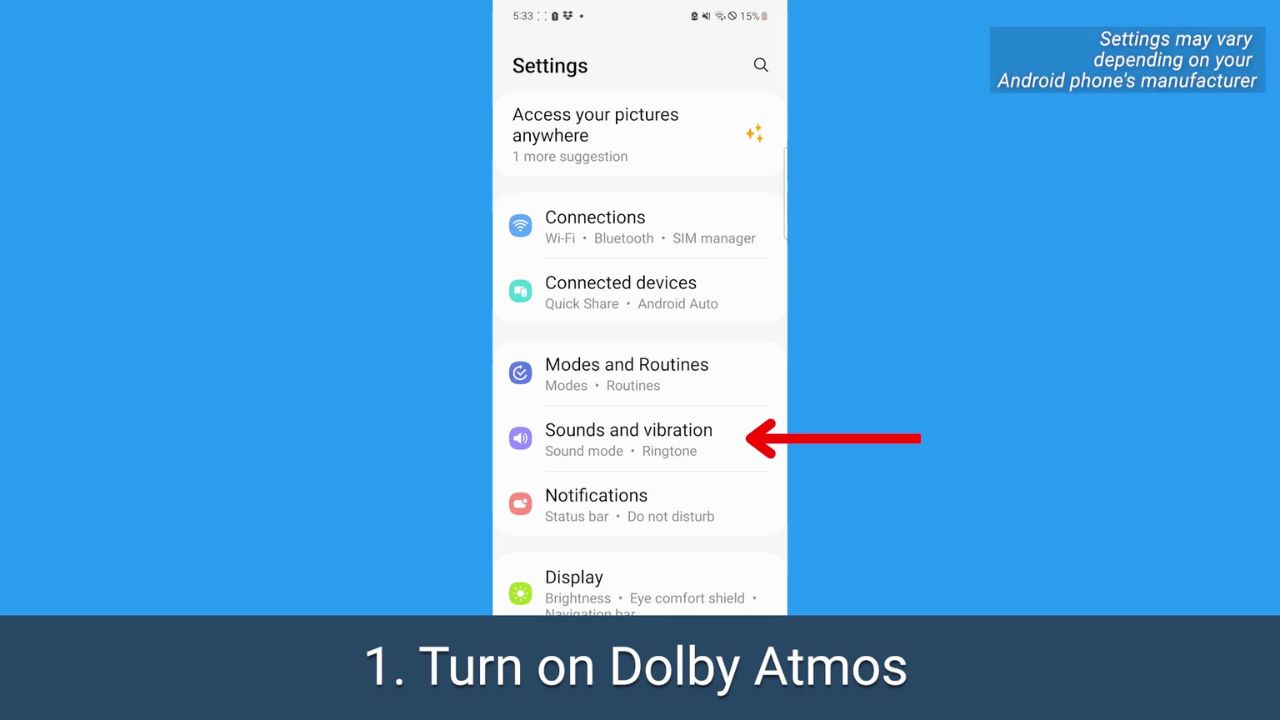
- Tap Sounds and vibration.
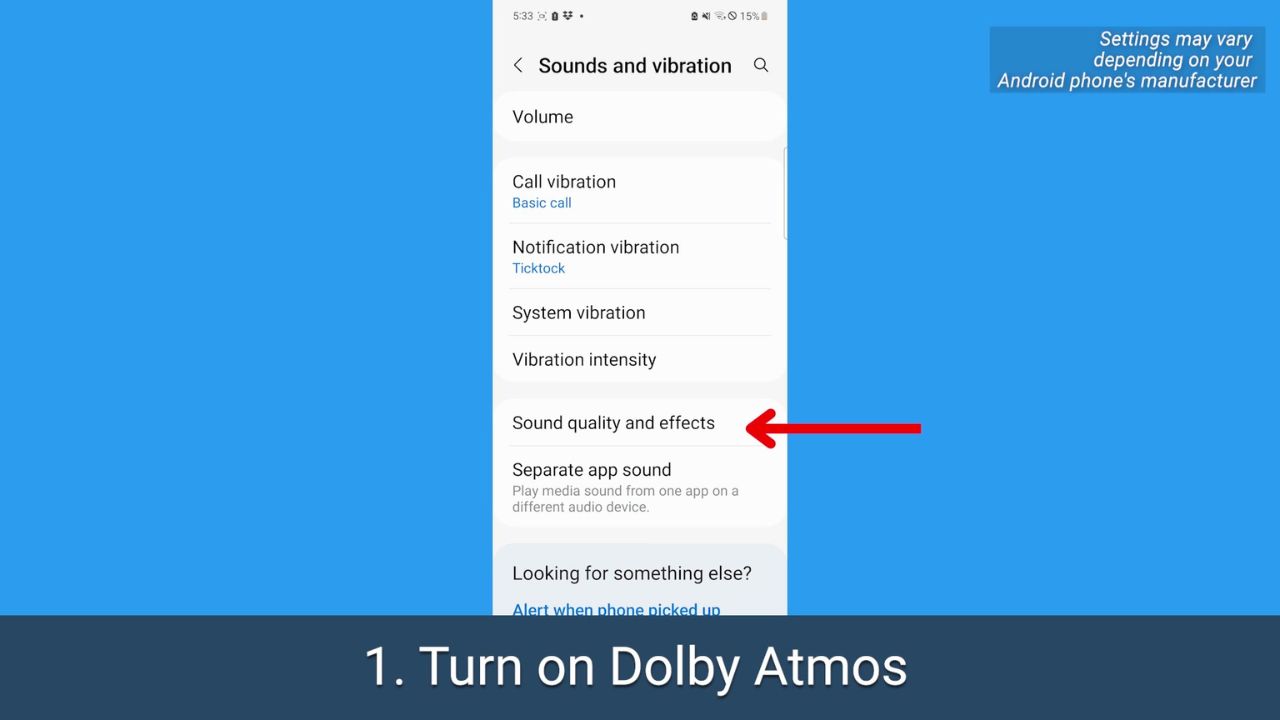
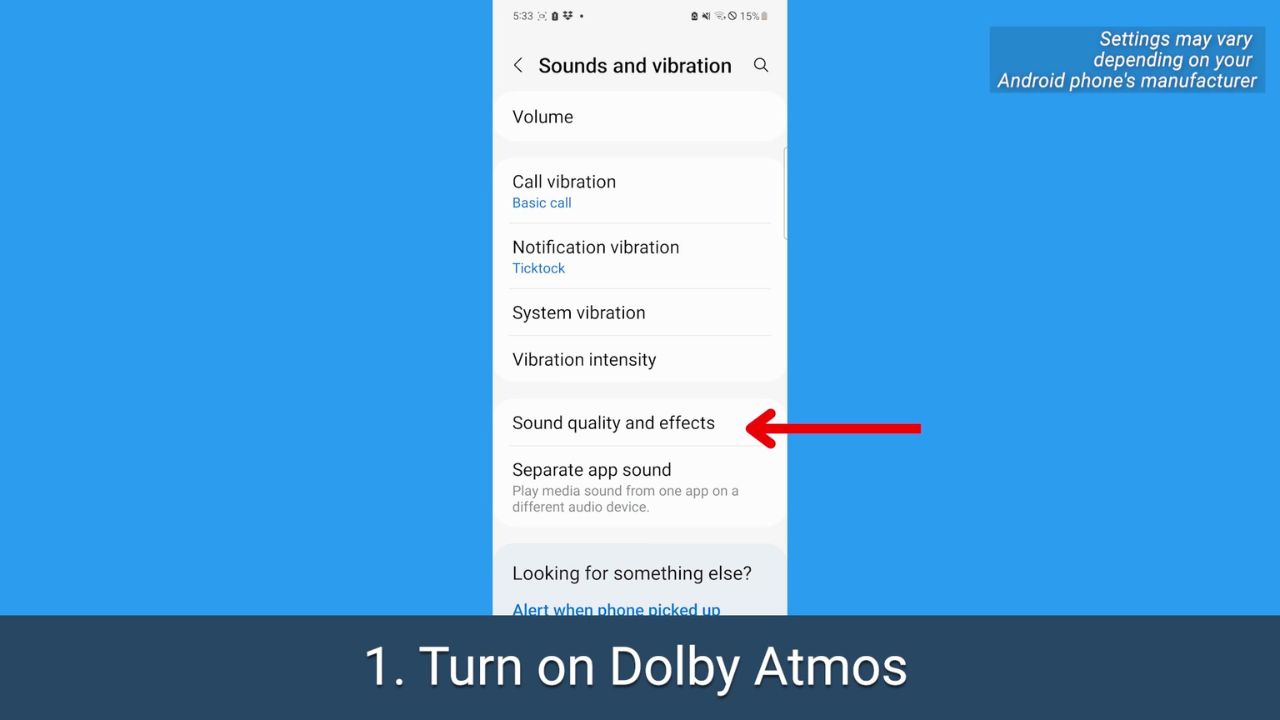
- Tap Sound quality and effects
- Before just toggling it on, tap Dolby Atmos
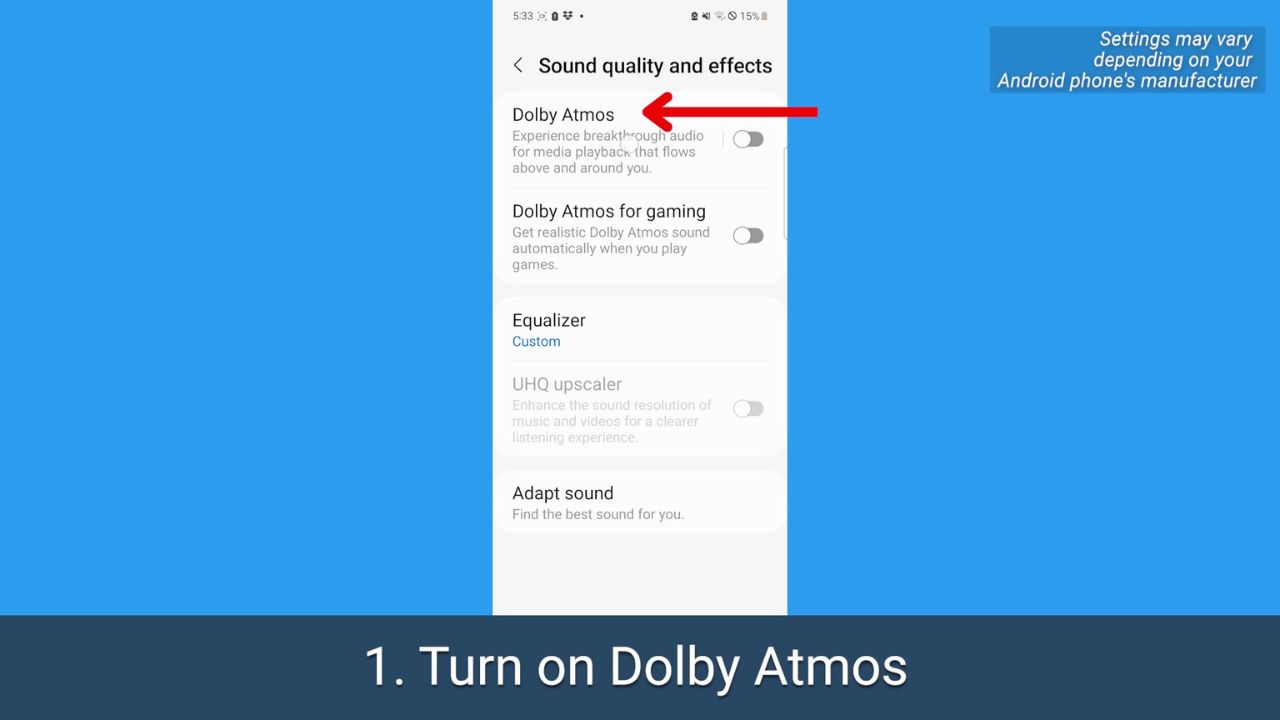
- On the Dolby Atmos page, toggle it on
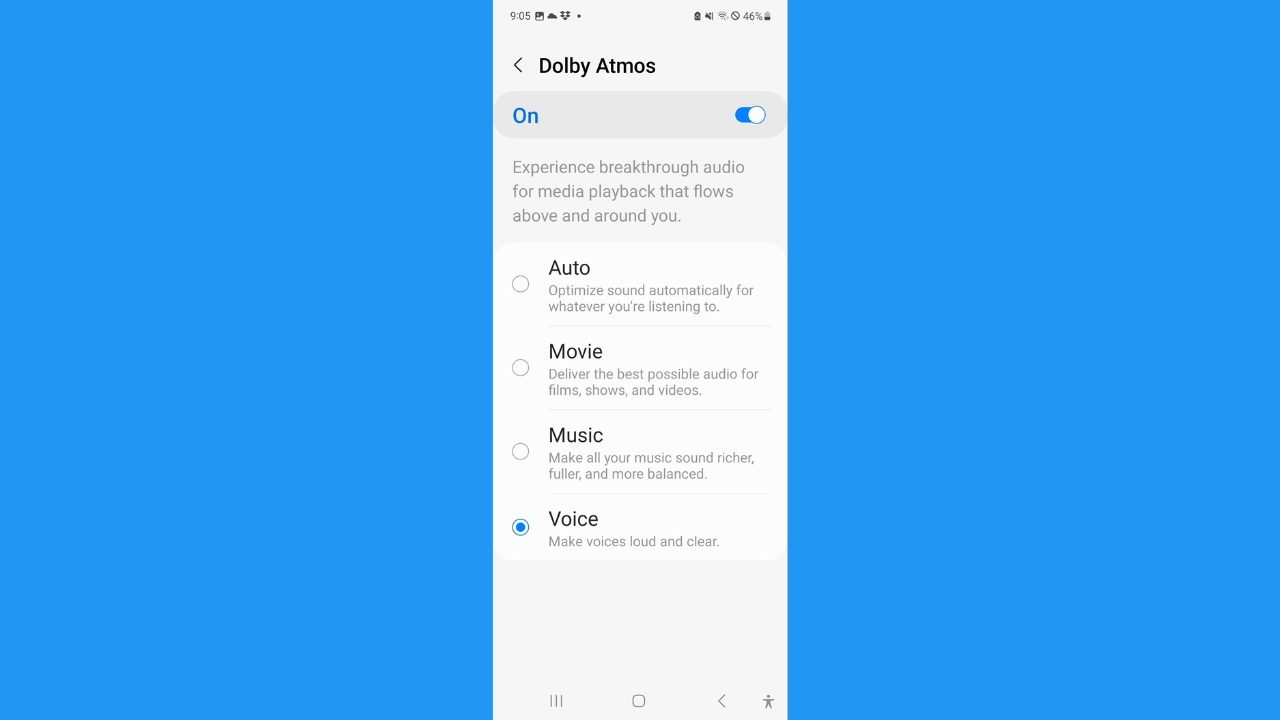
Depending on your operating system, you may be presented with these options: Select Movie to get better sound for movies and TV shows, tap Music if you want a richer, more balanced listening experience, or tap Voice if you want voices to come through louder while watching any video.
MORE: 5 THINGS YOU DIDN’T KNOW YOU CAN DO ON AN ANDROID
2. Adjust the equalizer
This setting lets you balance out sound depending on what you’re listening to or want to hear.
How to adjust the equalizer
- Open your Android’s Settings
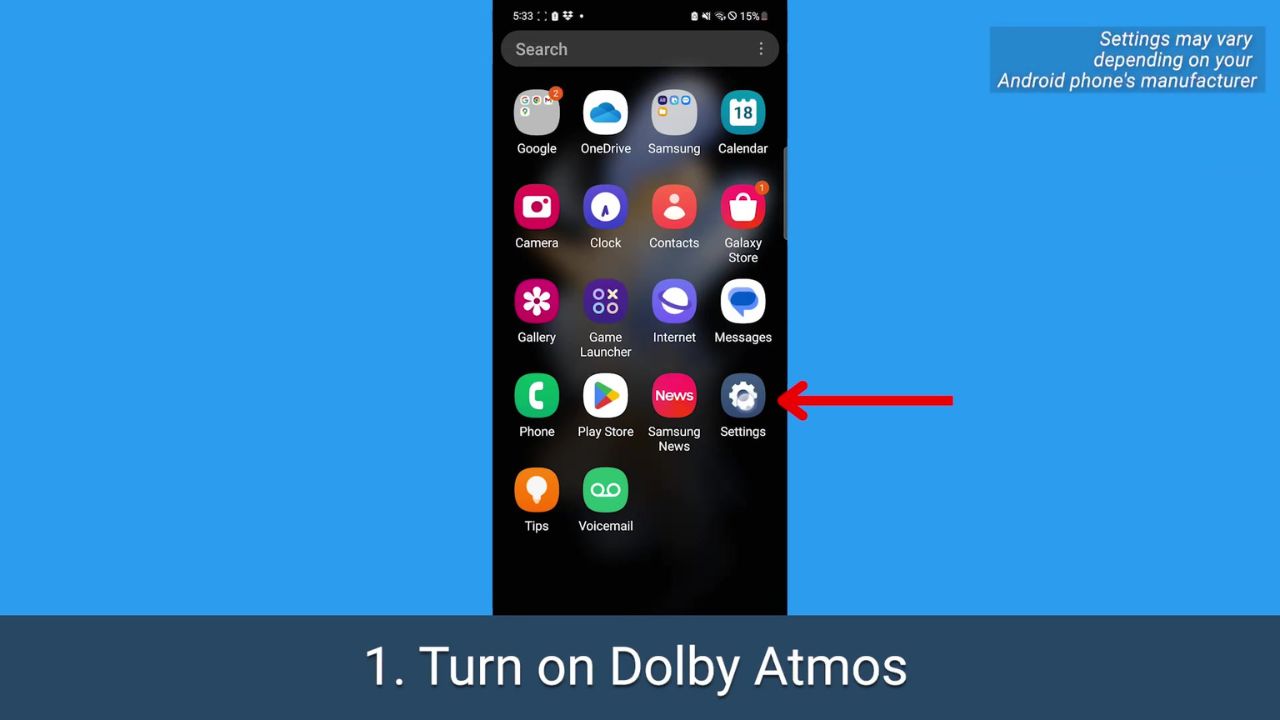
- Tap Sounds and vibration
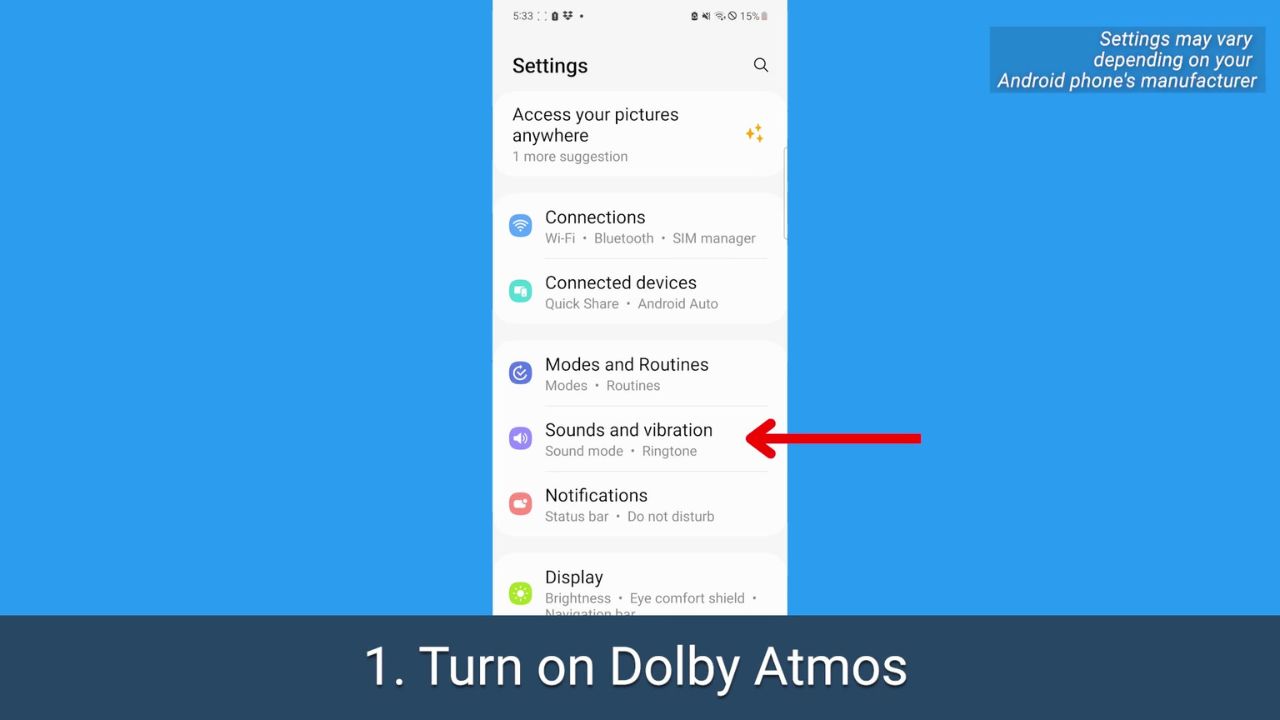
- Tap Sound quality and effects
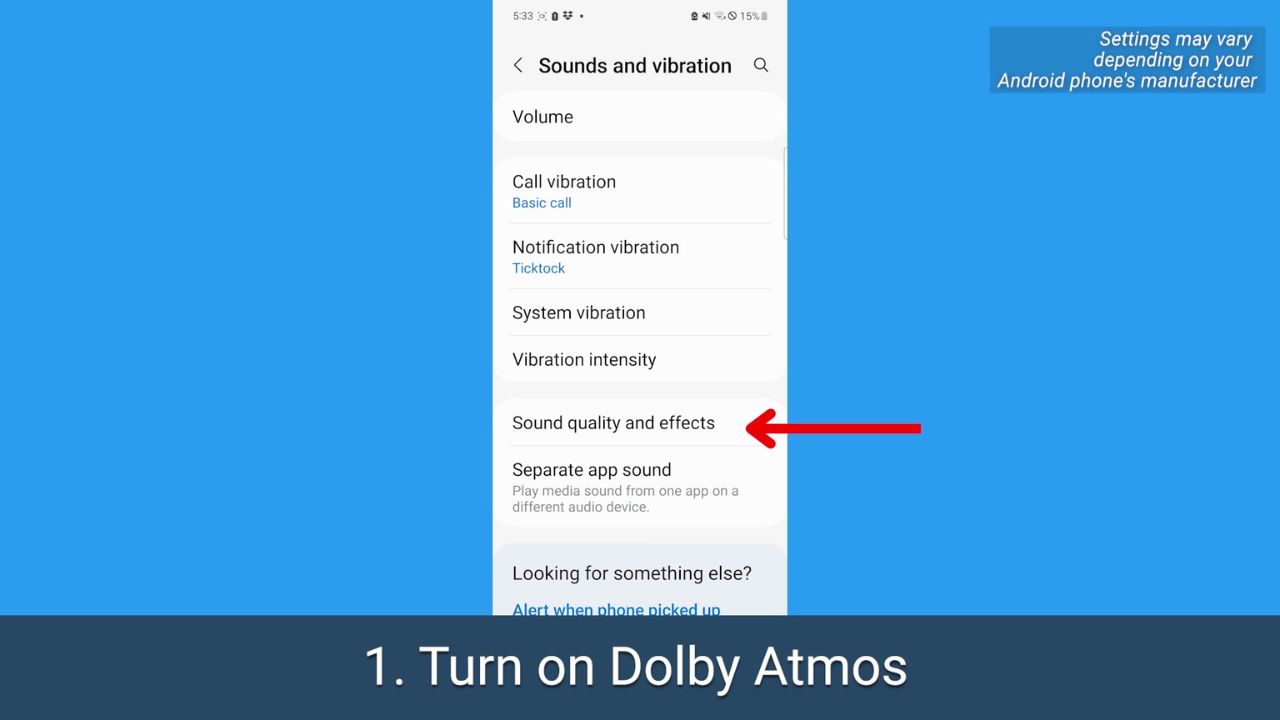
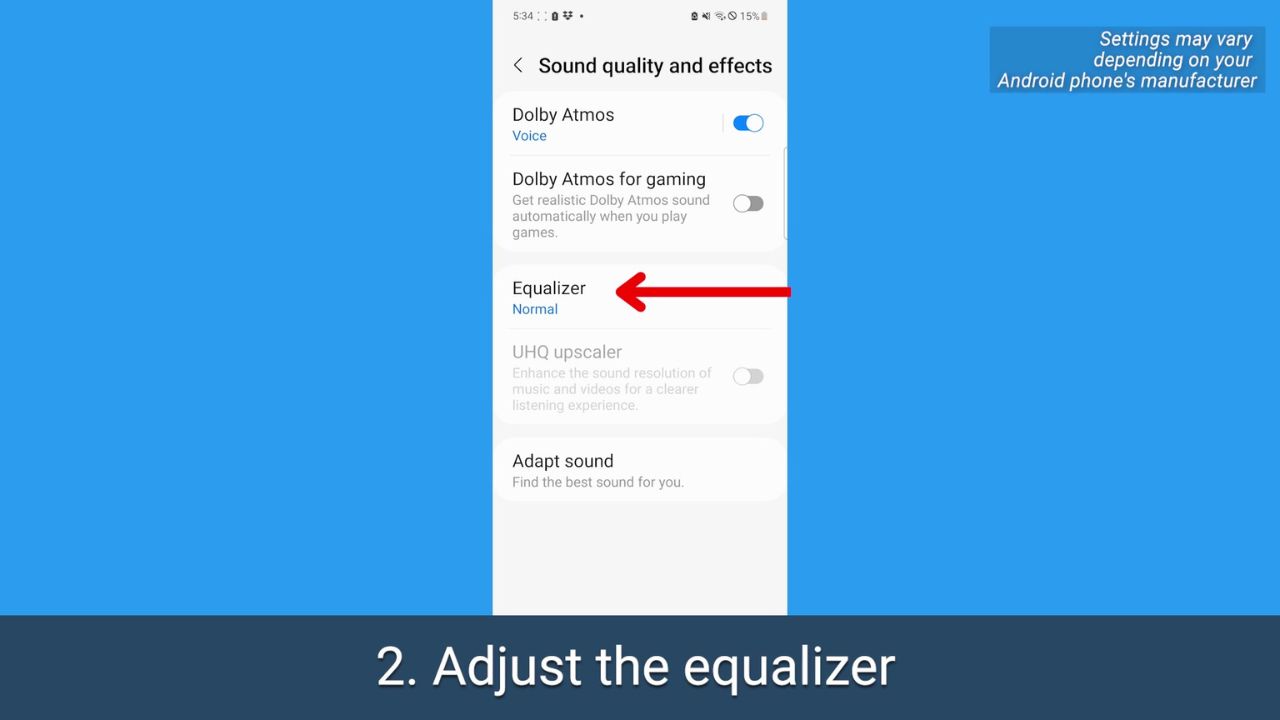
- Tap Equalizer
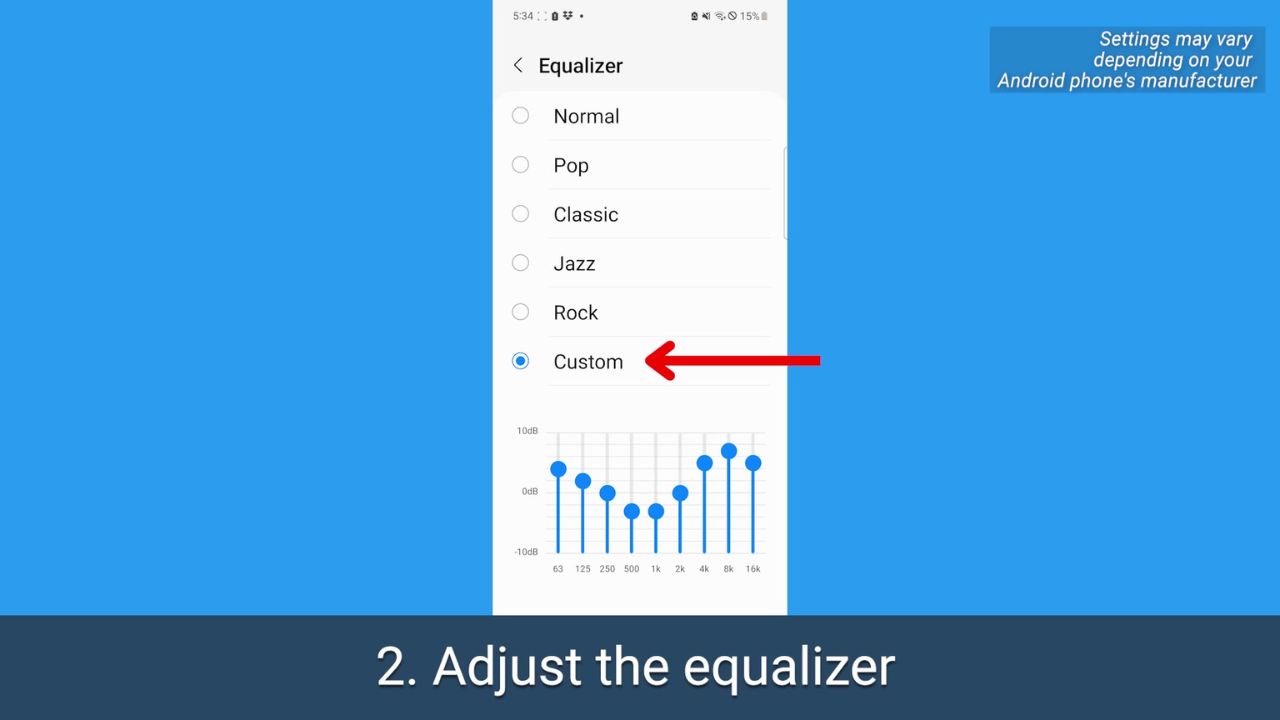
- Tap Custom
Watch the latest episode of The CyberGuy Report.

Missed this event? Sign up via the registration form and see our live recording.
See Kurt’s latest Amazon picks for useful gadgets, smart home upgrades and everyday tech worth grabbing while the deals last.
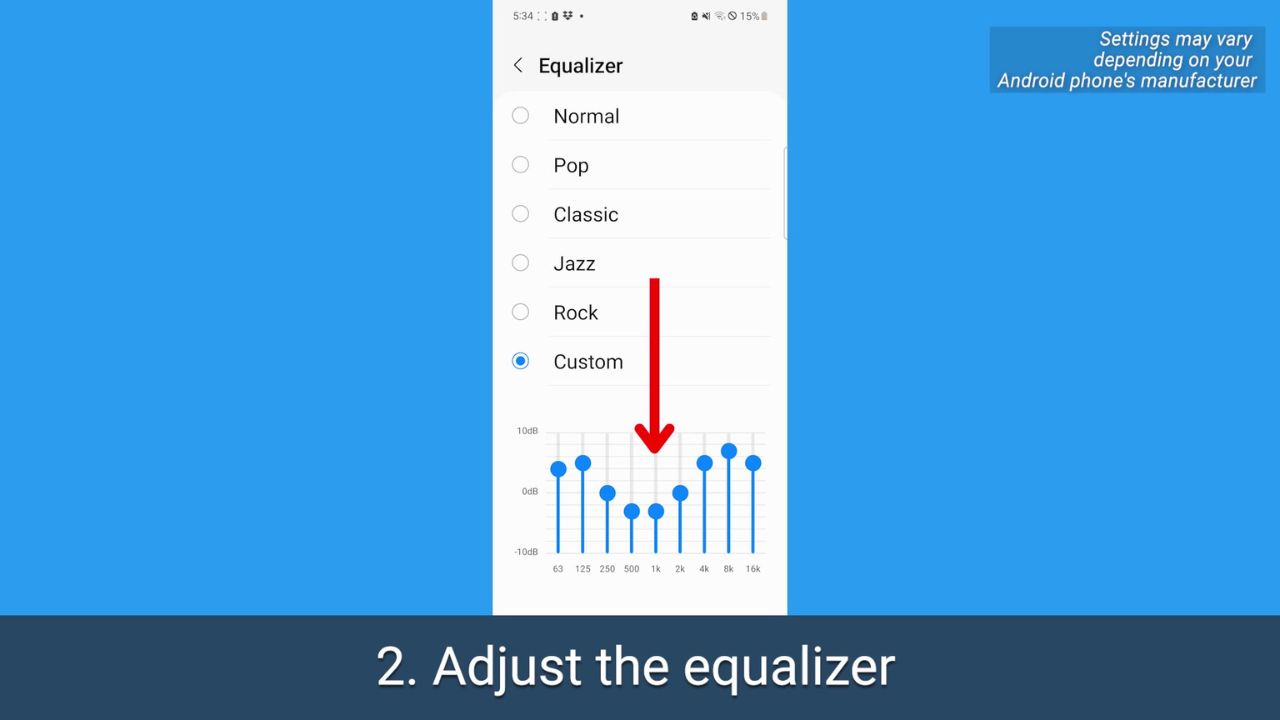
- Play around with these sound levels – you can even do it while you have something already playing in the background. You may want to up the ones on the left for a higher bass, or the opposite if the bass is already too loud.
FOR MORE OF MY TECH TIPS & SECURITY ALERTS, SUBSCRIBE TO MY FREE CYBERGUY REPORT NEWSLETTER HERE
3. Adapt your phone’s sound for your age
We all hear sounds differently, and higher frequencies also become harder to hear as we age. Android lets you take a hearing test targeted for different age ranges, which will make listening through your headphones a completely personalized experience.
How to adapt your phone’s sound for your age
- Open your Android’s Settings
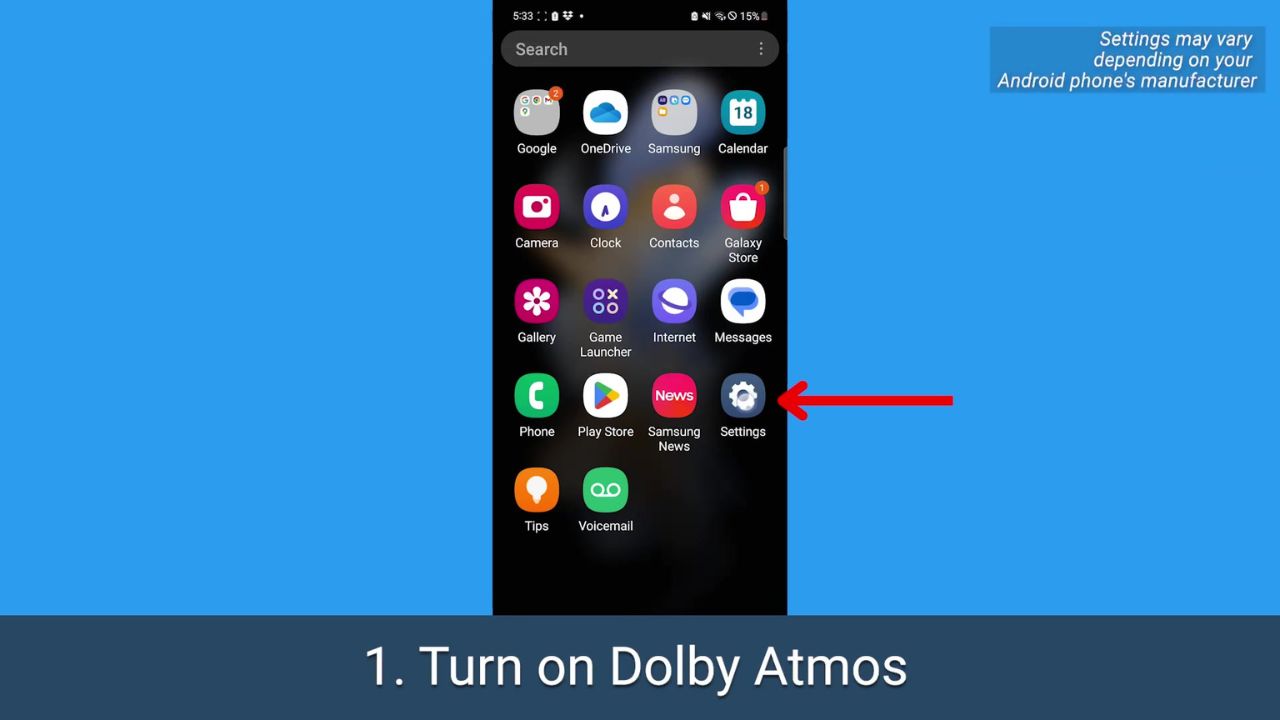
- Tap Sounds and vibration
- Tap Sound quality and effects
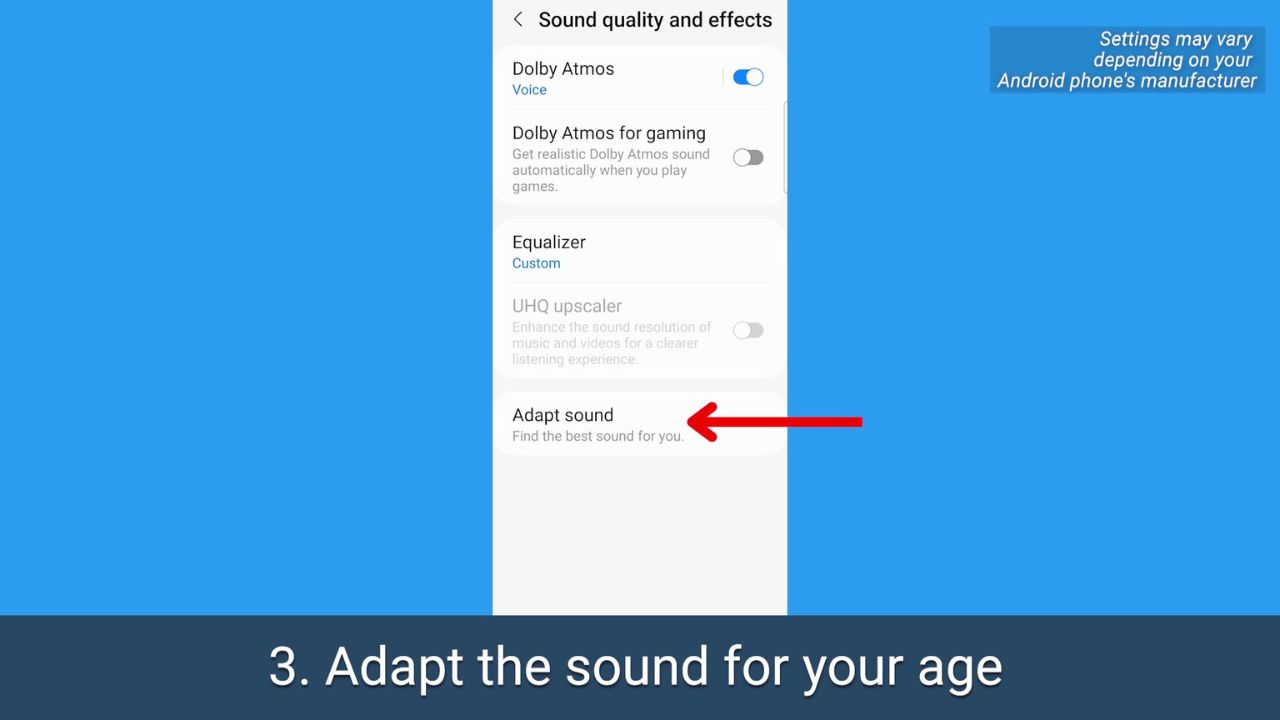
- Tap Adapt Sound
- Where it says Adapt Sound for be sure to select Media and calls
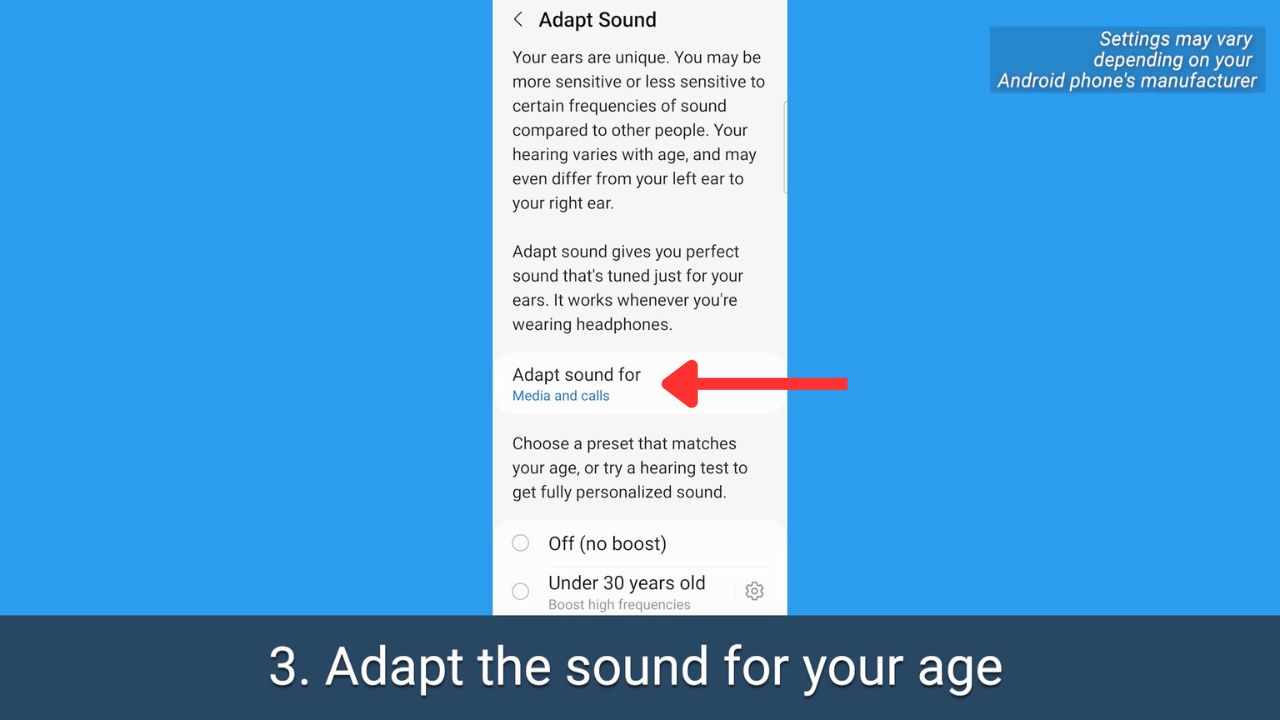
- Then scroll and select the age range that applies to you
- Tap Test my hearing
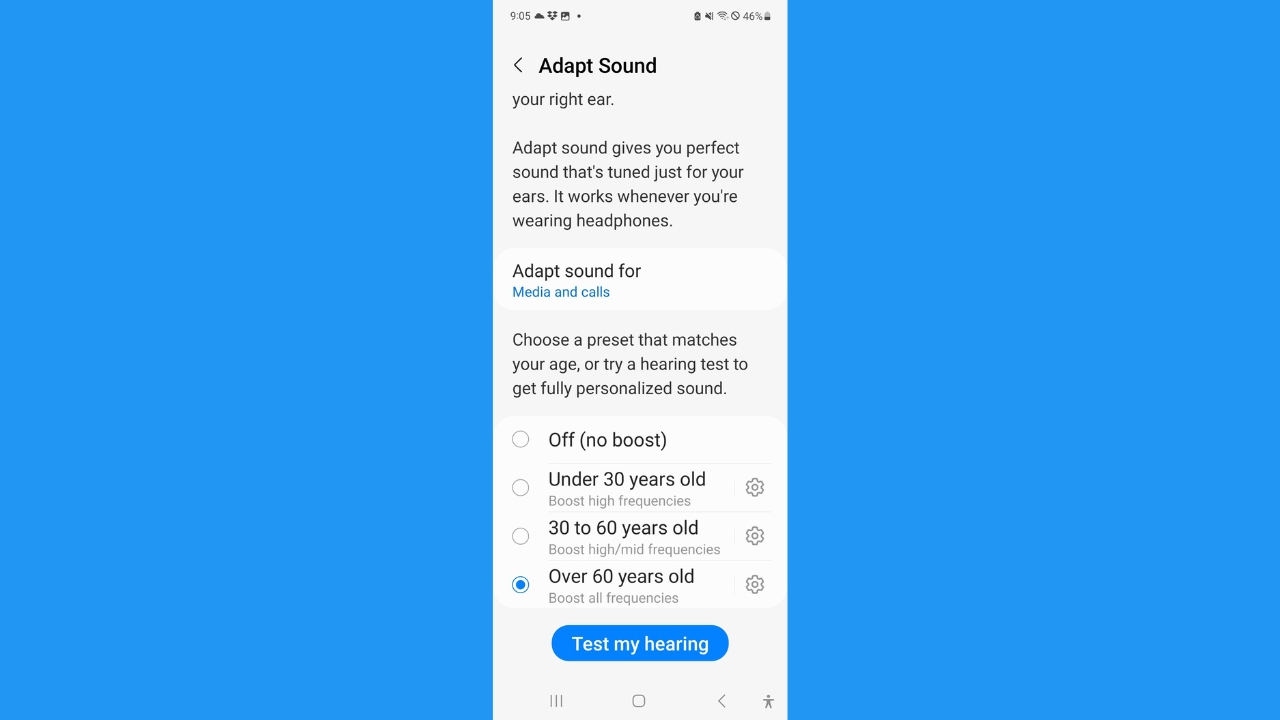
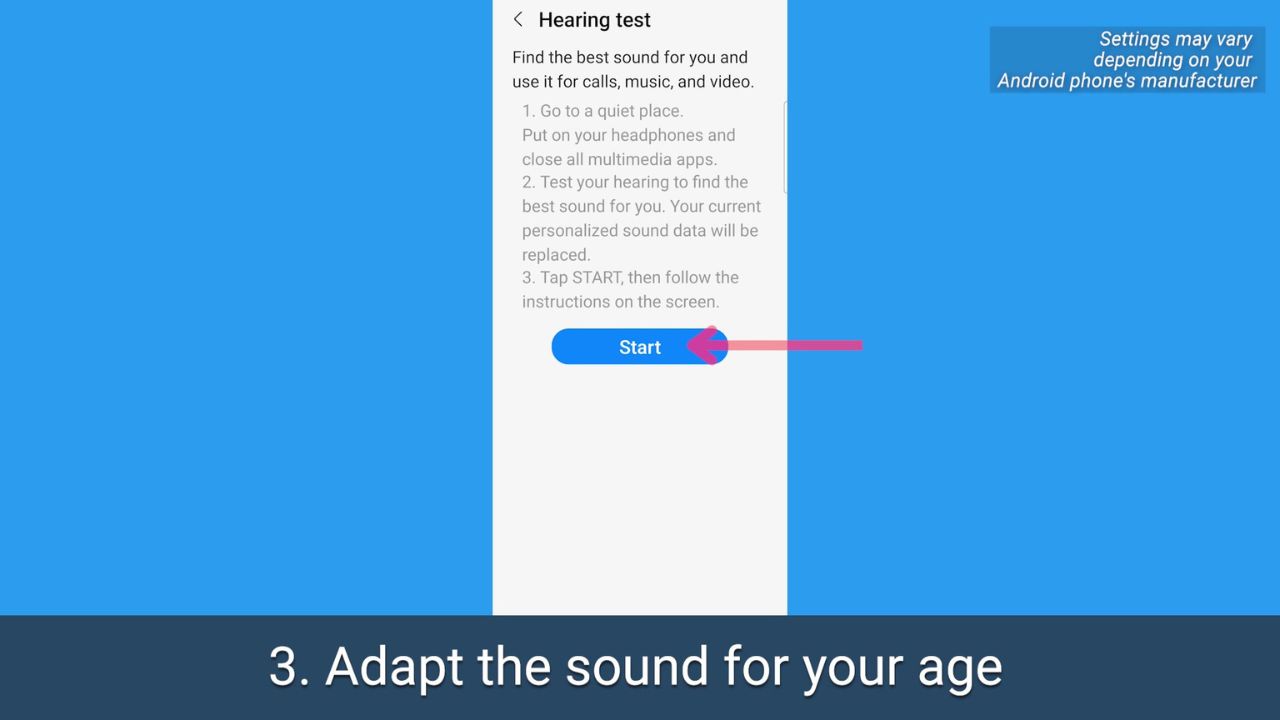
- Be sure you’re wearing headphones, and you’re in a quiet place
- Tap Start and follow the prompts to test your hearing and adjust your phone’s sound properly
MORE: HOW TO PICK WHICH WIRELESS EARBUDS ARE BEST FOR YOU
MORE: 5 BEST NOISE-CANCELLING HEADPHONES TO BOOST YOUR LISTENING FOR 2023
Kurt’s key takeaways
Our hearing changes as we age, and at the end of the day, we’re all looking for different outcomes when it comes to sound on our devices. It’s great to know the options that are available in case you do find watching videos or listening to certain podcasts to be a little iffy because of the sound quality. After all, as our ears gracefully age, it’s comforting to know that we can still savor the symphony of life with the right tune-up for our tech.
What are some other ways you personalize your sound experience on your devices? We would love to hear your tips and tricks for optimizing sound quality. Let us know by commenting below.
FOR MORE OF MY TIPS, SUBSCRIBE TO MY FREE CYBERGUY REPORT NEWSLETTER HERE
More:
🎙 Now Streaming: My New Podcast: The CyberGuy Report
Kurt’s Top Deals
Deals move fast and inventory can be limited, so don’t wait too long.
| 🔥 Editor’s pick  Summer entertaining Ninja SLUSHi Machine (26% off) Frozen drinks and slushies at home in minutes. | |
| 💰 Top deal  Outdoor essential TYPEC Solar Bug Zapper (36% off) Solar-powered bug zappers for patios and camping. |


3 comments
I just adjusted the sound and quality on my phone. I listen to music about 8 hours a day. After taking the hearing test and making adjustments, my ear pods have never sounded better. I know that I have a hard time hear some of the lower registers and now the sound is fantastic. Thank you.
I see the Dolby Atmos option but it’s ghosted where I cannot turn on. Any ideas on getting around this? Samsung A51. Thanks
On your Samsung A51, if the Dolby Atmos option is greyed out, it usually means that the phone is waiting for you to connect headphones or an external speaker before enabling it. Try plugging in a pair of wired earbuds or connecting a Bluetooth speaker, then go back to your sound settings to see if the toggle becomes active. This feature is often disabled for the built-in speakers on mid-range Samsung phones like the A51. If it remains unselectable even after connecting a device, restart your phone or boot into Safe Mode to check if a third-party app is interfering. Once enabled, you can choose between different Dolby Atmos modes for a richer audio experience.