



Just when you thought your phone had exhausted all its secrets, it pulls a rabbit out of the hat – *a disappearing act* for your phone number, no less. It’s no illusion; instead, we are about to turn you into a master of phone number invisibility. Let’s dive in.
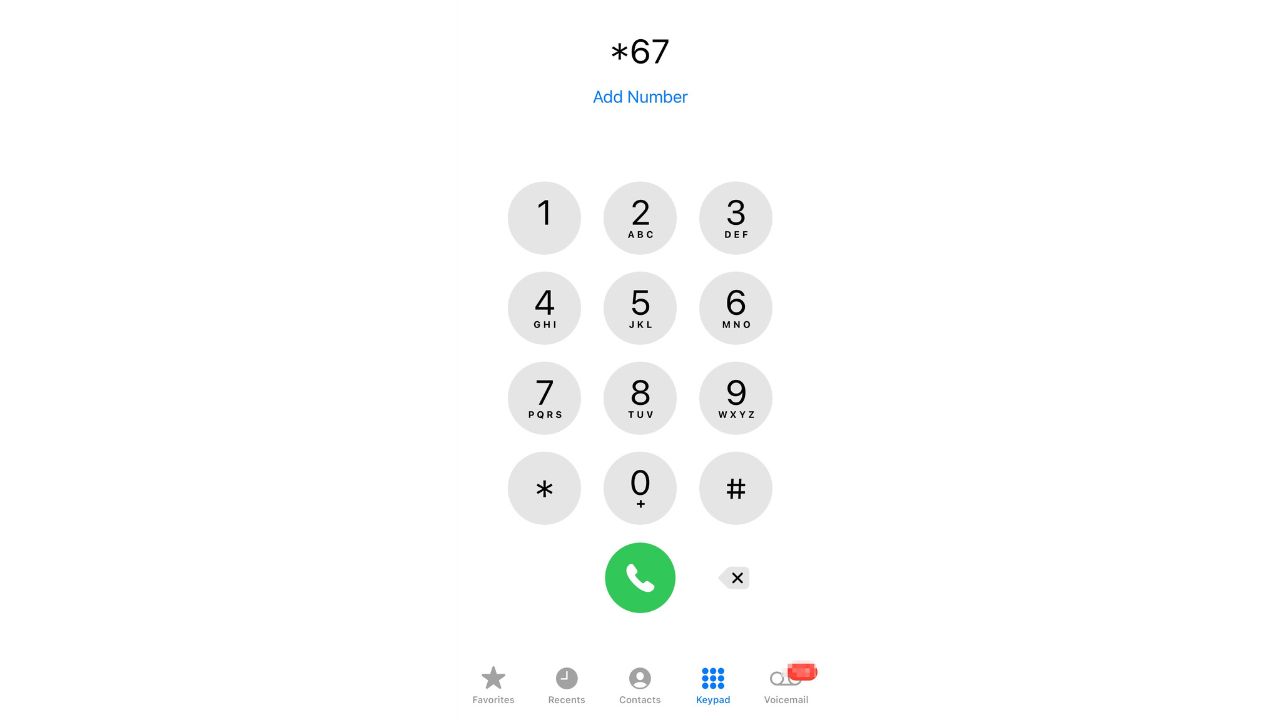
1. The magic number: *67
You want to call someone but keep your number undercover, like a cat burglar in the night. What to do? Simply dial *67, followed by the number you want to call. Presto! You’ve just turned into a phantom caller. The person on the other end will see “Private number” or “Unknown” on their caller ID. It’s a one-time vanishing act perfect for those moments you want to leave no trace.
HOW TO REMOVE YOURSELF FROM THE INTERNET
2. The grand disappearance: phone settings
For the more committed illusionists out there, you may choose to make your number permanently disappear on outgoing calls. Here’s the magic spell for that:
Abracadabra iPhone:
- Find your way into Settings and tap it
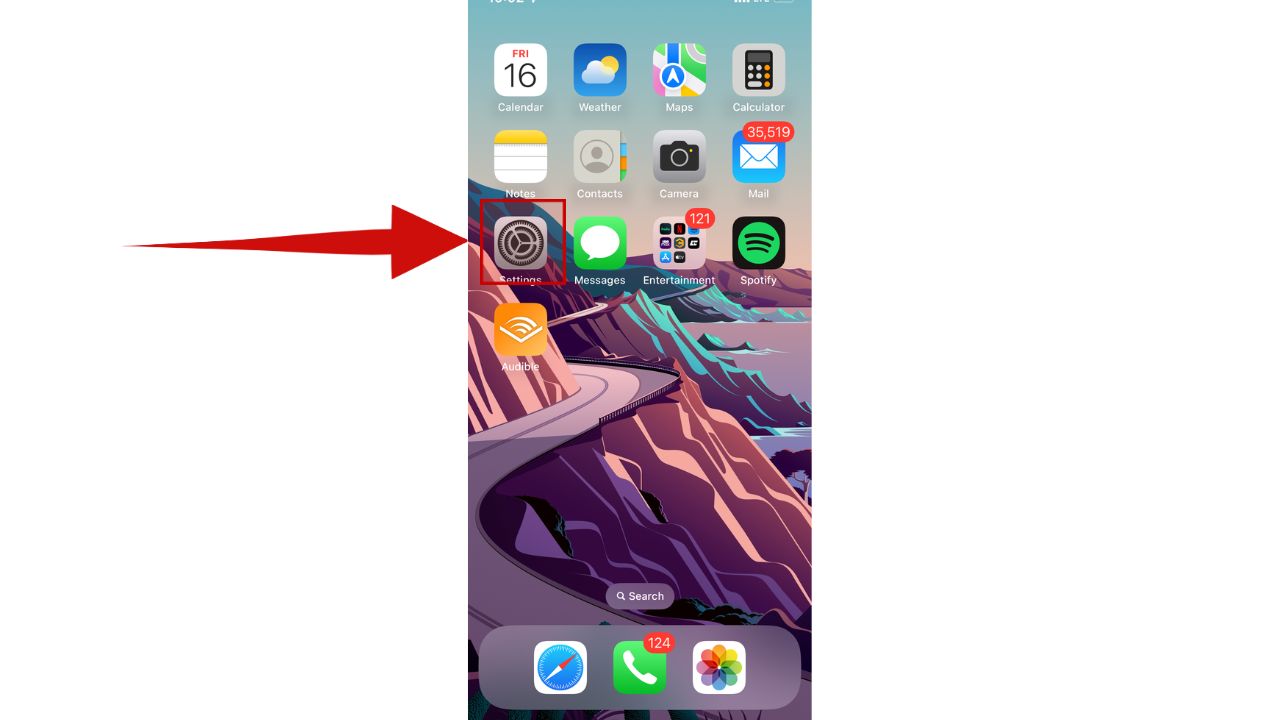
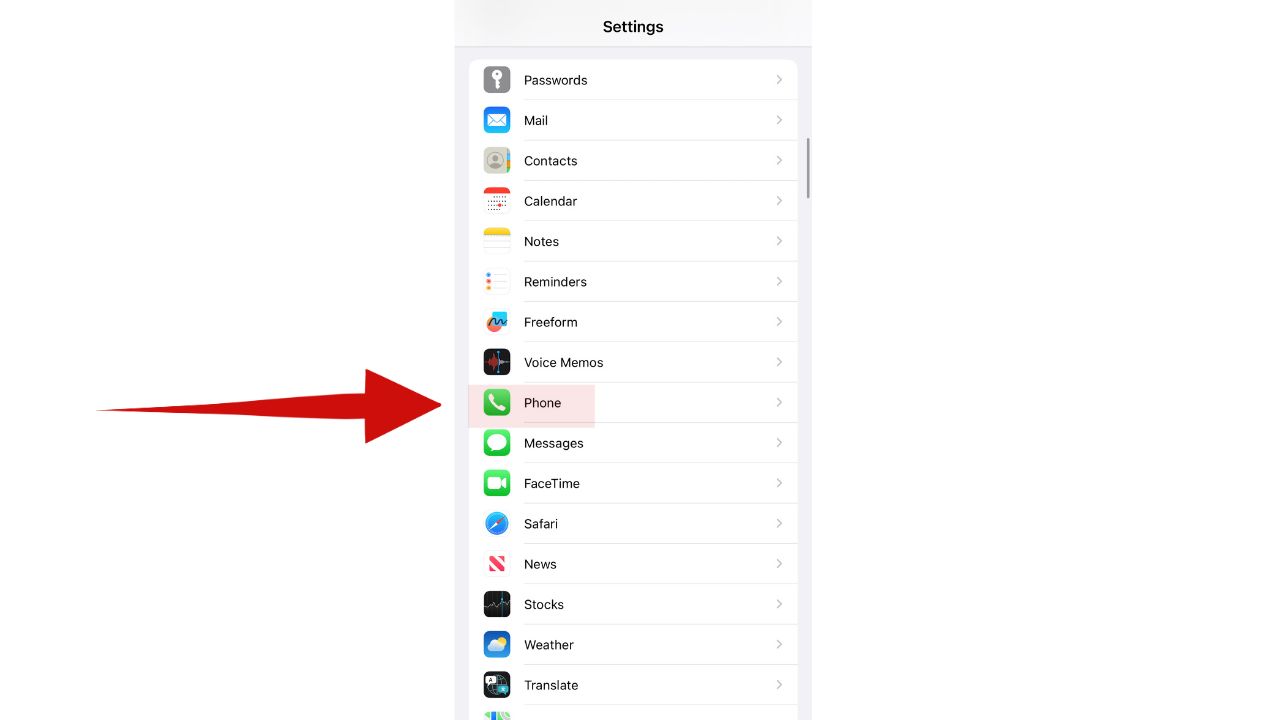
- Scroll down and tap Apps
- Then tap Phone
- You’ll see Show My Caller ID. Tap that
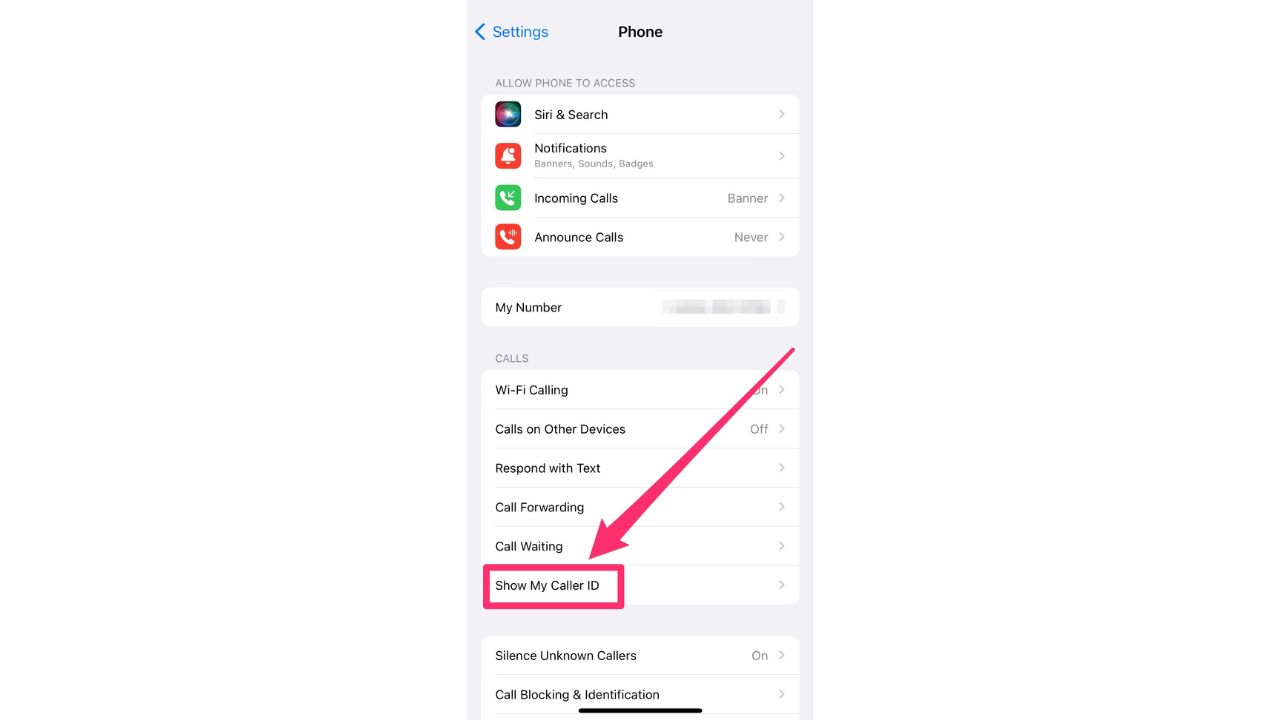
- Then, like the grand finale of a magic show, toggle off ‘Show My Caller ID.’ Poof. Your number is now invisible to all you call until you flip that switch back on.
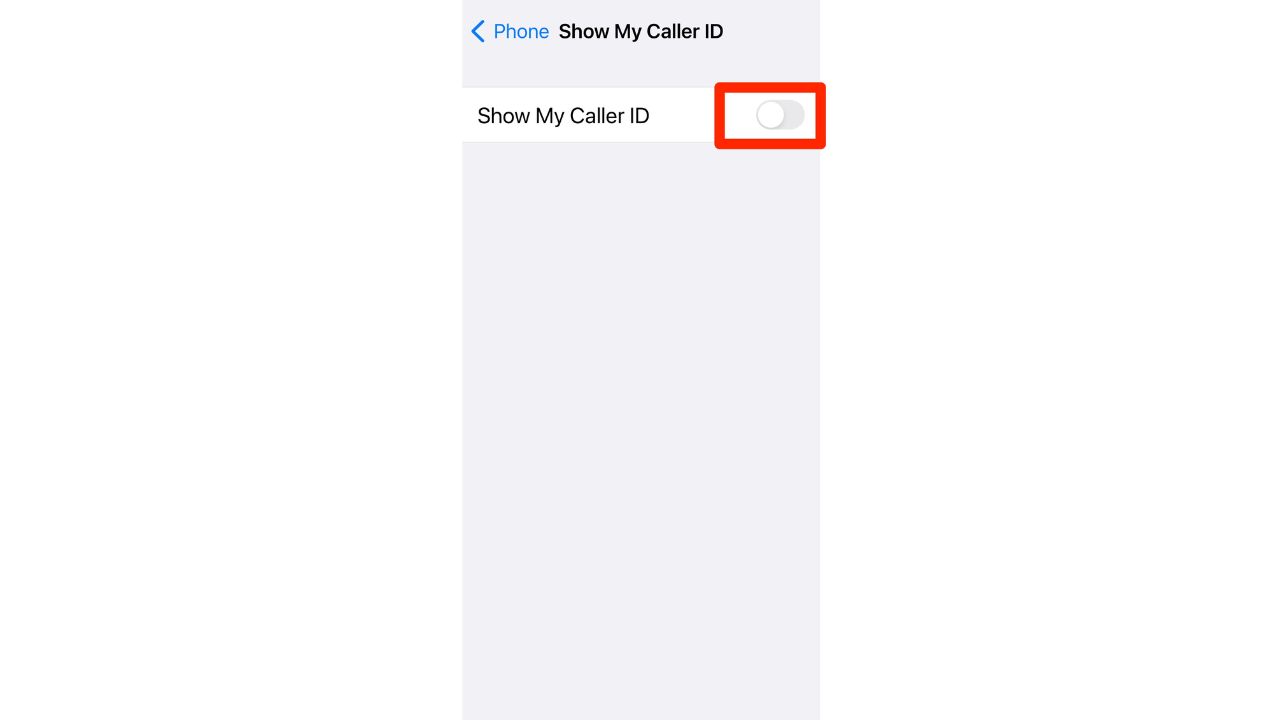
Note: The ability to hide your caller ID by toggling off “Show My Caller ID” is available on all iPhones running the latest software, provided your carrier supports this feature. If the option is missing in your settings, it may be due to regional restrictions or carrier limitations.
HOW TO SEND SPAM CALLS DIRECTLY TO VOICEMAIL ON PHONE
A Texas mom says she spent the night in jail after speaking up online about dirty water in her town. The case was later dropped, but her story raises a troubling question: could something you post online ever put you at risk?

Missed this event? Sign up via the registration form and see our live recording.
See Kurt’s 2026 picks for practical tech and everyday upgrades.
Alakazam Android:
Your trick might look slightly different, but it’s no less magical on an Android.
Settings may vary depending on your Android phone’s manufacturer
- Find your Phone app and tap it
- Tap the three-dot menu or More in the upper right
- Then tap Settings
- Tap Supplementary Services
- Tap Show my caller ID
- Tap Hide number.
With a wave of your digital wand, your number is now hidden.
HOW TO GET RID OF ROBOCALLS WITH APPS AND DATA REMOVAL SERVICES
3. The magic of a secondary phone number
One of the most effective ways to ensure privacy and minimize interruptions from unwanted calls is by not giving out the primary mobile number indiscriminately. By obtaining a free secondary phone number, individuals can maintain their privacy and limit disturbances. This strategy is particularly beneficial when registering at grocery stores, pharmacies, utilities, retailers, or any other platform where giving a primary number might not be ideal. Furthermore, people using dating sites who aren’t ready to share their main contact can provide this secondary number, adding an additional layer of safety.
The idea behind a secondary number is simple: keep the primary number reserved for close acquaintances, family, and trusted contacts, ensuring limited interruptions from sales calls or unwanted solicitations.
How does a free secondary phone number work?
To get a free phone number, you need to first choose an area code. This is essential as all phone numbers need area codes to function. Once this is done, services will offer a list of available phone numbers within that area code. This number is then available for use, allowing others to contact you without incurring extra charges. It also offers an added layer of privacy since the primary number remains undisclosed.
For those interested in delving deeper into the benefits of free secondary phone numbers, a comprehensive guide and our picks is available here.
Use a VPN for private browsing plus this new feature to keep your number private
You can keep your browsing private and secure by making sure you install a VPN on your computer. VPNs have other benefits as well, like increasing your connection speeds and preventing internet service providers from tracking any activity you do online.
Use Surfshark’s Alternative Phone Number to Shield Your Real Number
If you want to protect your real phone number from spam, robocalls, or being shared with third parties, Surfshark’s Alternative Phone Number is a smart solution. This comes bundled with Surfshark VPN here.
This feature lets you generate and use a realistic, working virtual phone number that can receive SMS messages — perfect for signing up for services, apps, or giveaways without ever revealing your personal number.
How to use Surfshark’s Alternative Phone Number
- Subscribe to Surfshark
- Download the Surfshark App
Available on iOS, Android, Windows, and macOS. Sign in with your Surfshark credentials. - Navigate to the Alternative Phone Number Tool
In the app, go to the “Identity Protection” section and select “Alternative Phone Number” from the menu. - Generate a Number
Choose your country (currently available in select regions). Tap to generate a virtual number instantly.
You can view and manage all active numbers inside the app. - Use the Number Online
Copy and paste the number into websites or apps when prompted. SMS codes and verification texts will appear
directly in the Surfshark dashboard — no need to check your personal phone. - Manage or Retire Numbers
You can delete and regenerate new numbers as needed. Great for one-time sign-ups or avoiding long-term spam.
Why it’s useful:
- Keeps your real phone number private
- Stops telemarketers, robocalls, and SMS spam
- Perfect for signing up for free trials, promotions, and new apps
- Works seamlessly with Surfshark’s VPN and identity protection tools
Surfshark operates under a strict no-logs policy and offers top-notch encryption to keep your data safe. However, Surfshark stands out by allowing unlimited devices on a single account—making it perfect for families, small businesses, or users with multiple gadgets. It also includes features like MultiHop (double VPN) and Camouflage Mode to bypass VPN restrictions in censored regions. With a budget-friendly price and feature-rich security, Surfshark is ideal for those who want privacy on a budget.
CyberGuy Exclusive Surfshark Deals:
VPN only
NEW: Surfshark VPN + Virtual Number Combo
Double your privacy with Surfshark’s powerful VPN and virtual number combo—designed to keep your personal phone number, email, and browsing activity completely private. With features like CleanWeb ad blocking, unlimited device protection, and secure virtual numbers, Surfshark gives you total control over your digital identity.
10 SIMPLE STEPS TO IMPROVE YOUR SMARTPHONE’S SECURITY AND PRIVACY
4. The ultimate vanishing act: call your service provider
But what if you want the supreme level of invisibility? The kind of hidden that even stubborn landlines can’t crack? Well, for that, you’ll need to call in the big guns – your phone service provider. Ask them to hide your outgoing caller ID. You might need to dig into your magical treasure chest for this one since it could incur a monthly charge and might take a few days to activate.
Bear in mind that even with these stealth moves up your sleeve, emergency services and toll-free numbers can still see your number. Those wizards have some magic of their own, it seems.
HOW TO TRACE AND BLOCK ANONYMOUS CALLS
Kurt key takeaways
However, if everyone starts dialing out incognito, how does that change how we communicate? Will it impact the trust we place in phone calls, or will it just become the new normal? How would you feel picking up a call from an ‘Unknown’ caller? Or would you just not pickup? Let us know by commenting below.
FOR MORE OF MY TECH TIPS & SECURITY ALERTS, SUBSCRIBE TO MY FREE CYBERGUY REPORT NEWSLETTER HERE
Copyright 2025 CyberGuy.com. All rights reserved. CyberGuy.com articles and content may contain affiliate links that earn a commission when purchases are made.
🎙 Now Streaming: My New Podcast: The CyberGuy Report
Kurt’s Top Deals
Deals move fast and inventory can be limited, so don’t wait too long.
| 🔥 Editor’s pick  Summer entertaining Ninja SLUSHi Machine (26% off) Frozen drinks and slushies at home in minutes. | |
| 💰 Top deal  Outdoor essential TYPEC Solar Bug Zapper (36% off) Solar-powered bug zappers for patios and camping. |


2 comments
Wow, that was easy!! Thank you…
I send unknown callers to voice mail