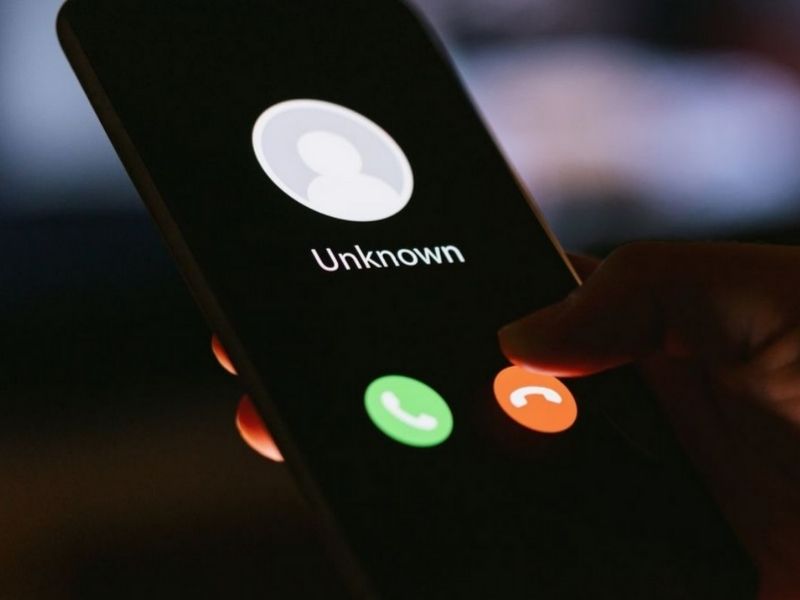
Tell scammers to leave a message at the sound of the tone!
If you never want to accidentally pick up a spam call (or a call from anyone you don’t know) ever again, follow these simple steps to send calls straight to voicemail on both iPhone and Android devices.
Table of Contents:
How to send spam calls directly to voicemail
iPhone
If you want to send scammers directly to voicemail on your iPhone, you must have iOS 13 or later installed. Some phone carriers let you detect Junk callers and silence them, while some carriers only let you display the caller’s business ID information when calling.
You can also silence unknown callers which is a great option to send any call from someone you don’t know directly to voicemail.
Call Blocking & Identification
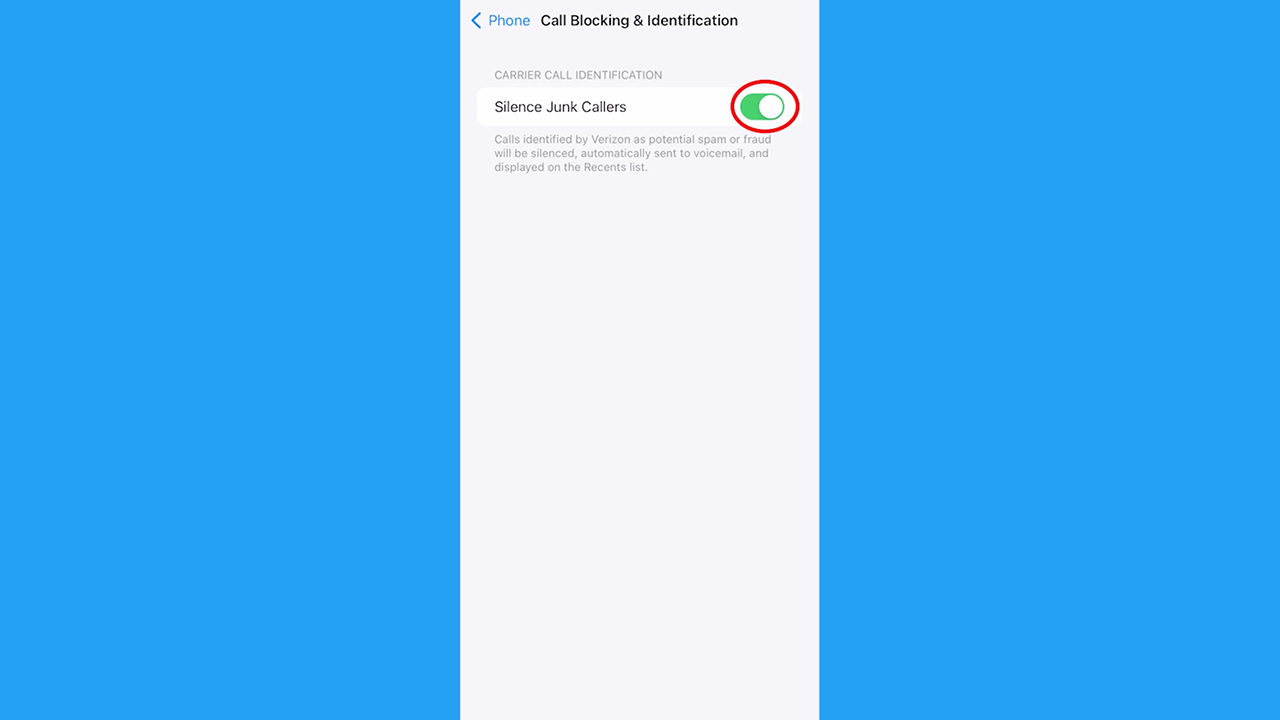
- Open your iPhone Settings > Apps
- Scroll down and tap Phone
- Tap Call Blocking & Identification
If your phone carrier offers it, you can toggle on:
- Silence Junk Callers – this option will automatically silence calls your phone carrier thinks is spam or junk
- Business ID – this option will display the caller’s verified business ID so you have a better idea if it’s a junk caller or someone you may know
Silence Unknown Callers
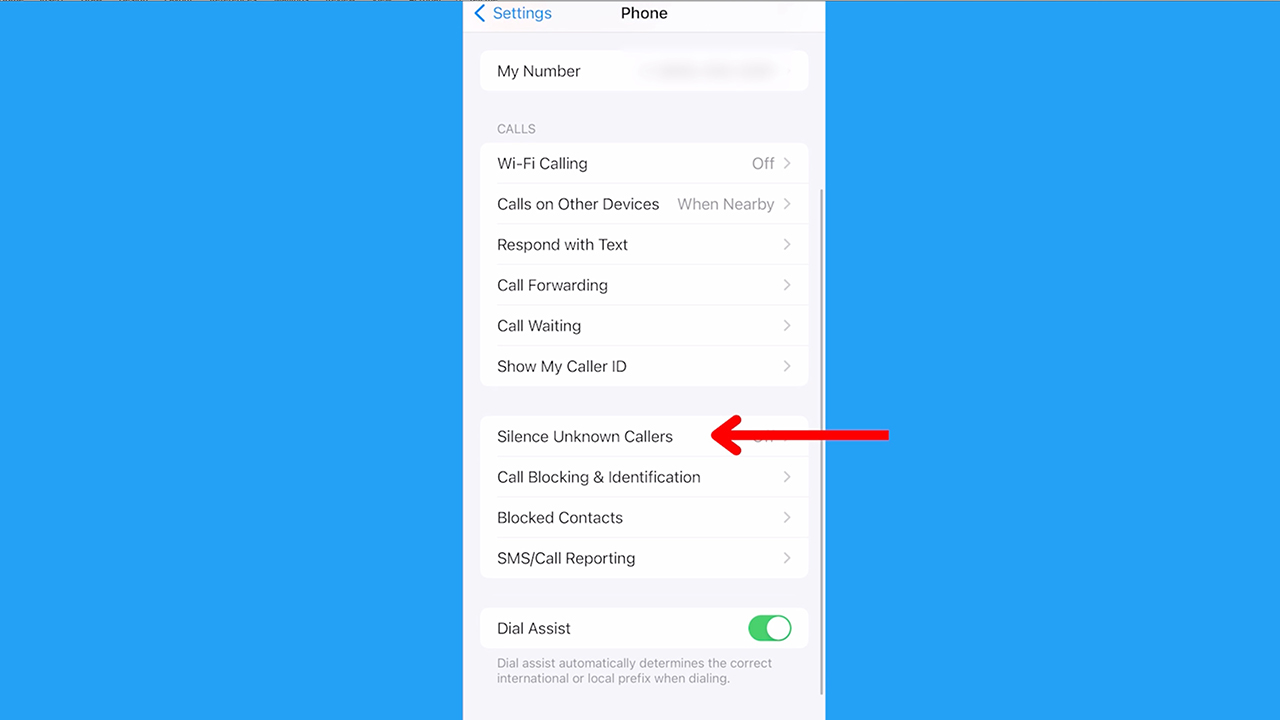
- Open your iPhone Settings
- Scroll down and tap Phone
- Tap Silence Unknown Callers
When this is toggled on, any call from someone who isn’t in your contacts, recent calls, Siri Suggestions, or texts will get sent straight to Voicemail.
Android
This was tested on a Samsung Galaxy. Settings may work on other Android devices although it may vary depending on your Android phone’s manufacturer
If you have a Google device like a Pixel that is updated or is from 2018 or later, your phone has a feature to filter out spam calls automatically. You can block (and sometimes report spam) calls in your phone’s settings.
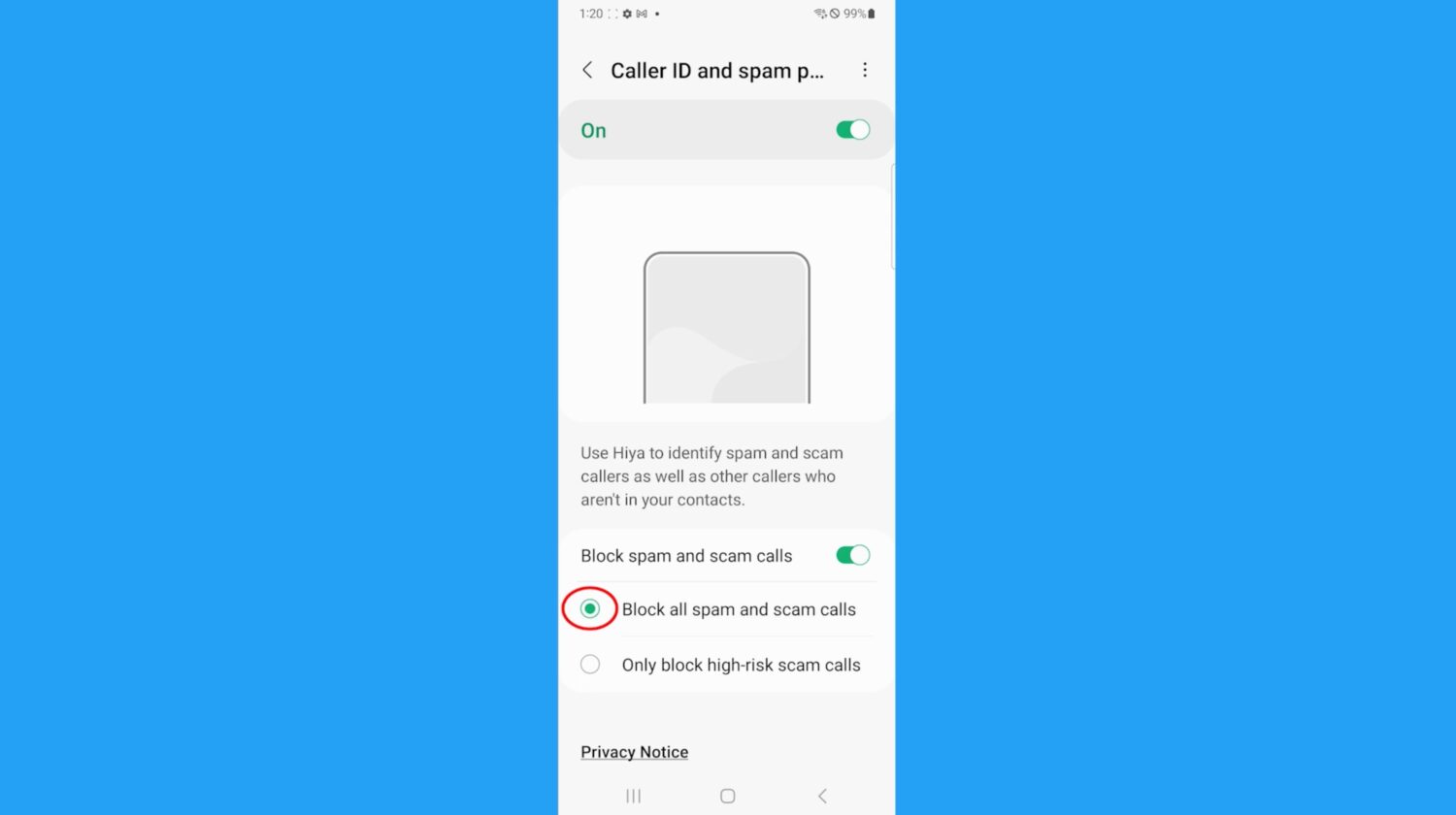
- Open the Phone app on your Android
- Tap the three dots for more menu options on the top right
- Tap Settings
- Tap Caller ID & Spam (this may be listed as Caller ID and Spam Protector or not listed at all, depending on the carrier settings)
- Toggle on “Turn Caller ID & Spam”
- Turn on “Filter spam calls” or “Block spam and scam calls” which will send them straight to voicemail
Learn more ways to keep your devices private here.
How to keep spammers from getting your phone number
Regrettably, there is a high probability that your phone number is readily available on many lists sold by data brokers to hundreds of people search websites. However, if you remove it from the web it can reduce the likelihood of spammers and telemarketers obtaining your number and contacting you.
Incogni, a service I trust 100% and use myself, helps automate the process by submitting removal requests to hundreds of data brokers and people-search sites on your behalf.
Incogni automatically contacts data brokers on your behalf and requests the removal of your personal information. It also continues monitoring those sites and submits new removal requests if your data reappears.
- Incogni currently removes personal data from 420+ data broker and people-search websites, and its Unlimited plan allows you to request removals from as many additional sites as you need.
- Incogni has also received third-party assurance from Deloitte, validating its marketing claims.
- The goal is simple: make it much harder for strangers, scammers, and cybercriminals to find your personal information online.
CyberGuy readers get 60% off Incogni’s annual plans using the links in this article.
The service also includes a 30-day money-back guarantee, so you can try it risk-free and see how much of your information is exposed online.
Related:
- Suspicious apps found on Apple iPhone and Android – Delete ASAP
- 6 cool iPhone hacks to get the most out of life
- 5 easy tricks to try on your Android
Copyright 2025 CyberGuy.com. All rights reserved. CyberGuy.com articles and content may contain affiliate links that earn a commission when purchases are made.
🎙 Now Streaming: My New Podcast: The CyberGuy Report
Kurt’s Top Deals
Deals move fast and inventory can be limited, so don’t wait too long.
| 🔥 Editor’s pick  Summer entertaining Ninja SLUSHi Machine (26% off) Frozen drinks and slushies at home in minutes. | |
| 💰 Top deal  Outdoor essential TYPEC Solar Bug Zapper (36% off) Solar-powered bug zappers for patios and camping. |