



Smartphones have tons of hidden features, and the iPhone is no exception. You can use your phone’s camera to scan documents – without a scanner. You can also up the quality of your photos and videos, and keep up with your favorite TV show while answering a message.
We’ve rounded up the 6 iPhone tricks you should know to get the most out of your phone.
Table of Contents:
iPhone tricks you didn’t know you needed
1) Scan Live Text
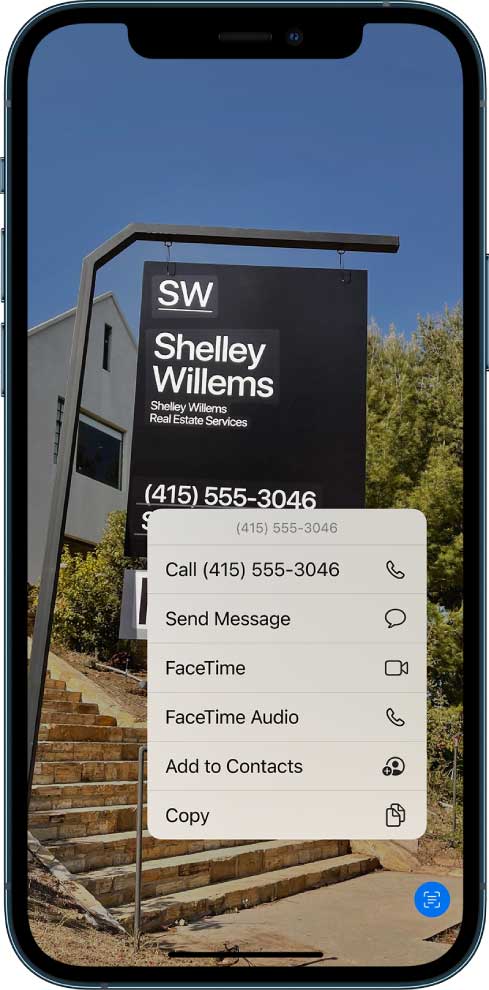
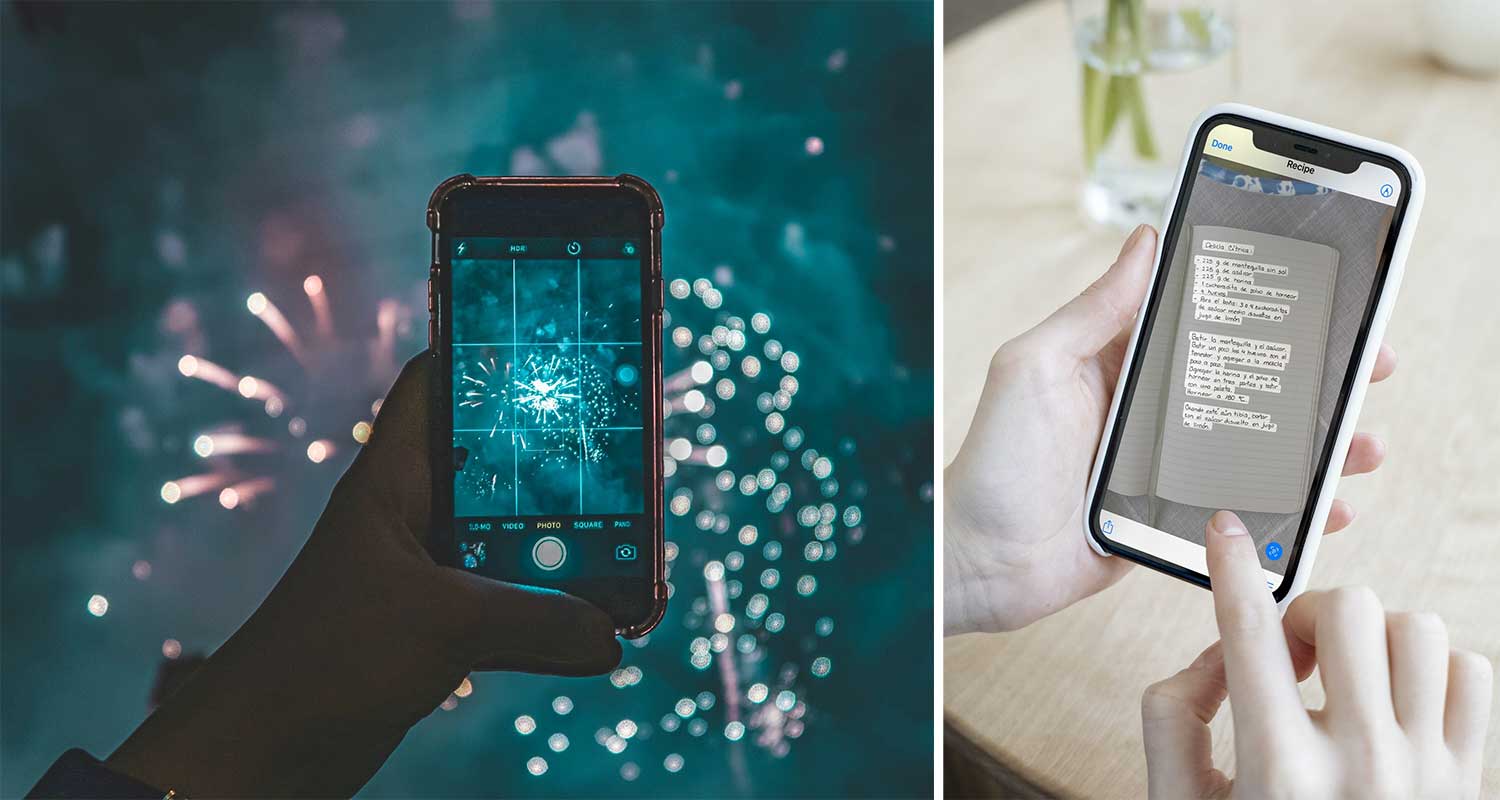
You can scan any text using your iPhone’s built-in camera. From phone numbers and email addresses, to notes on a piece of paper, the camera will pick up the numbers and words. You can choose to copy, select, look up, translate, or share any text you scan.
- Simply open your camera app, and place the object or text within view.
- A frame icon should appear in the bottom right of the screen, allowing you to detect the text. Go ahead and click it.
- Then choose what you’d like to do with the text such as copy, or share it with someone else, for example).
As of 2025, Live Text is supported on all iPhones running iOS 18, including the iPhone 17 lineup.
2) Cinematic Mode
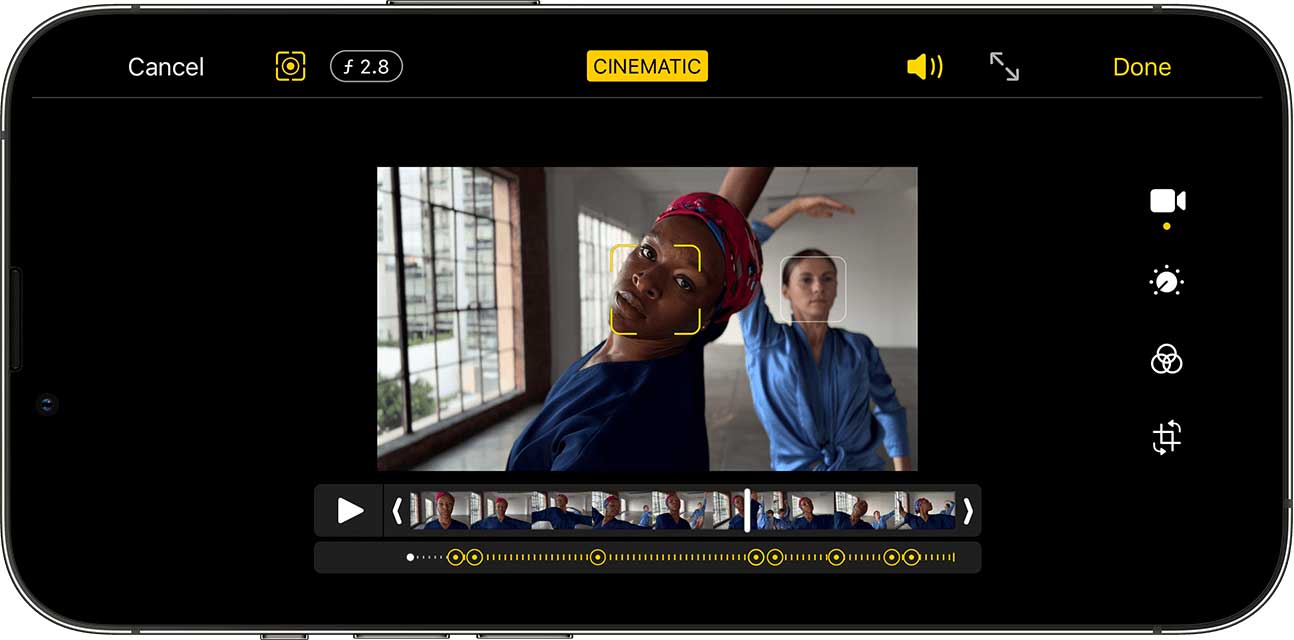
This is a great feature for anyone who is still lugging around a DSLR to try and get higher quality photos and videos than smartphone users. The best features in Cinematic mode are the ability to track a subject, and control your depth of field like never before. This is like using the Portrait Mode feature many iPhones already have, but with video.
Your iPhone will automatically track multiple subjects while in Cinematic mode, and you can select one (and later change that subject) before taking a video. Your background will be blurred as your subject stays in focus while filming.
Cinematic mode was first introduced on iPhone 13, but as of iOS 18 in 2025 it’s available across newer iPhones, including iPhone 14, 15, 16, and 17. It now supports 4K HDR recording with improved stabilization.
3) Night mode
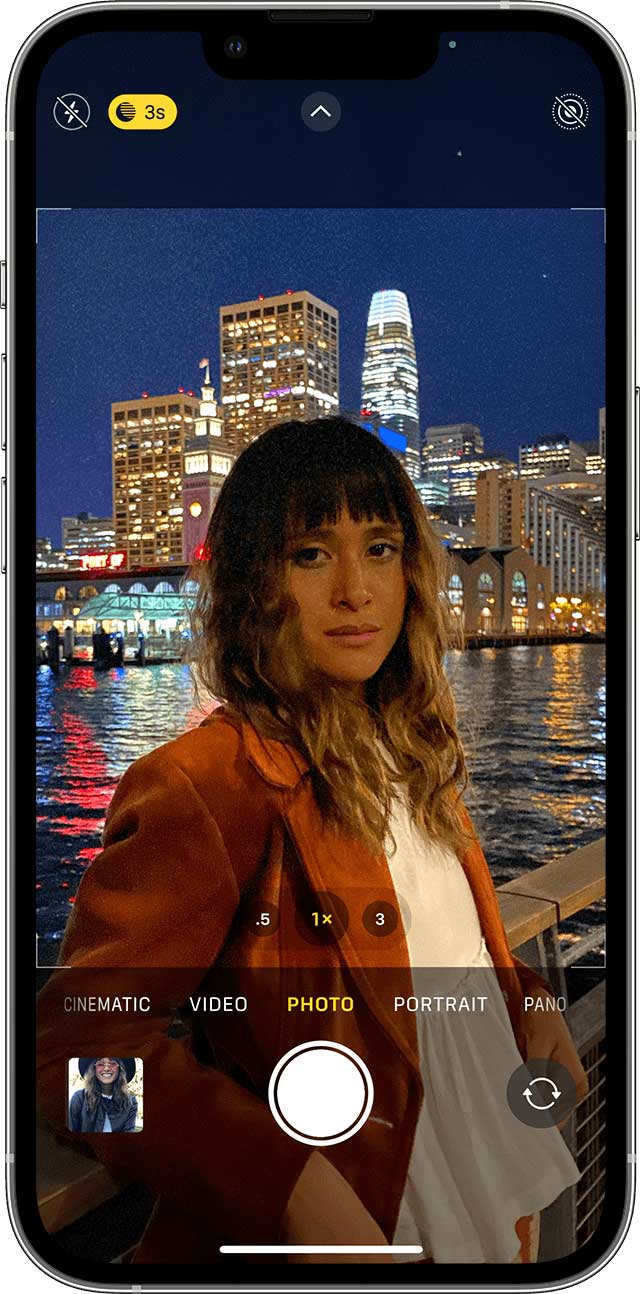
While Night mode has already been introduced to iPhones, it’s even better on the latest iPhones like the iPhone 17 Pro Max, which now uses advanced computational photography for clearer low-light shots. When you’re taking a picture and the camera can tell you’re in a low-light setting, it automatically turns night mode on. You can take a picture in almost pure darkness, and the photo will come out completely clear.
iPhone 12 and later can take selfies and use the time-lapse feature in Night mode. Portrait mode Night shots are now supported on iPhone 12 and newer iPhones.
4) Scan documents

You can scan documents and turn them right into PDFs directly from the Notes app. On newer iPhones running iOS 18, the old camera button is no longer visible in Notes. Instead, Apple moved the scan feature under the attachment (paper-clip) icon in the toolbar.
Here’s how to find it:
- Open the Notes app and make sure you’re working in a note saved under iCloud or On My iPhone (the scan option won’t appear if the note is stored under Gmail, Outlook, or other accounts).
- Tap the attachment (paper-clip) icon.
- Select Scan Documents from the menu.
- Position your document in view, adjust for good lighting, and tap Save after scanning.
Once saved, your scans turn into PDFs automatically. You can also sign, mark up, or share them right from Notes without needing a third-party app. Click the down arrow next to where it says SETTING FOR and you can share, save to files or print it.
5) Picture in Picture
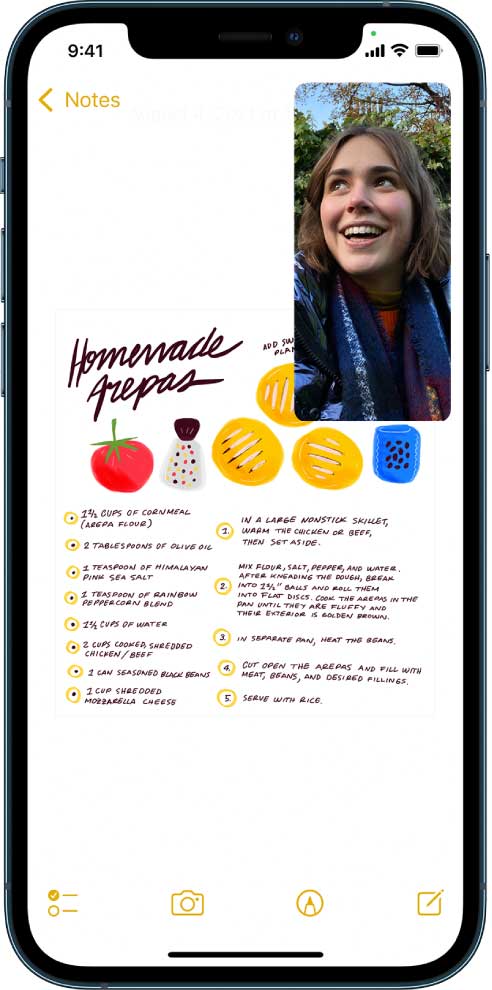
You can now multitask even further on iPhones using the Picture in Picture feature that comes with iOS 14 and above. You may have already noticed that you can use other apps while on FaceTime, and it will just bring the video chat window to one of the corners.
Picture in Picture can also be used for other apps playing videos. You can open Hulu and stream a TV show as you’re browsing recipes on your phone, or watch a news clip as you text back a friend.
In iOS 18, PiP supports more apps, including YouTube without a Premium subscription, and lets you resize or pin the floating window anywhere on the screen.
6) Slide to Type
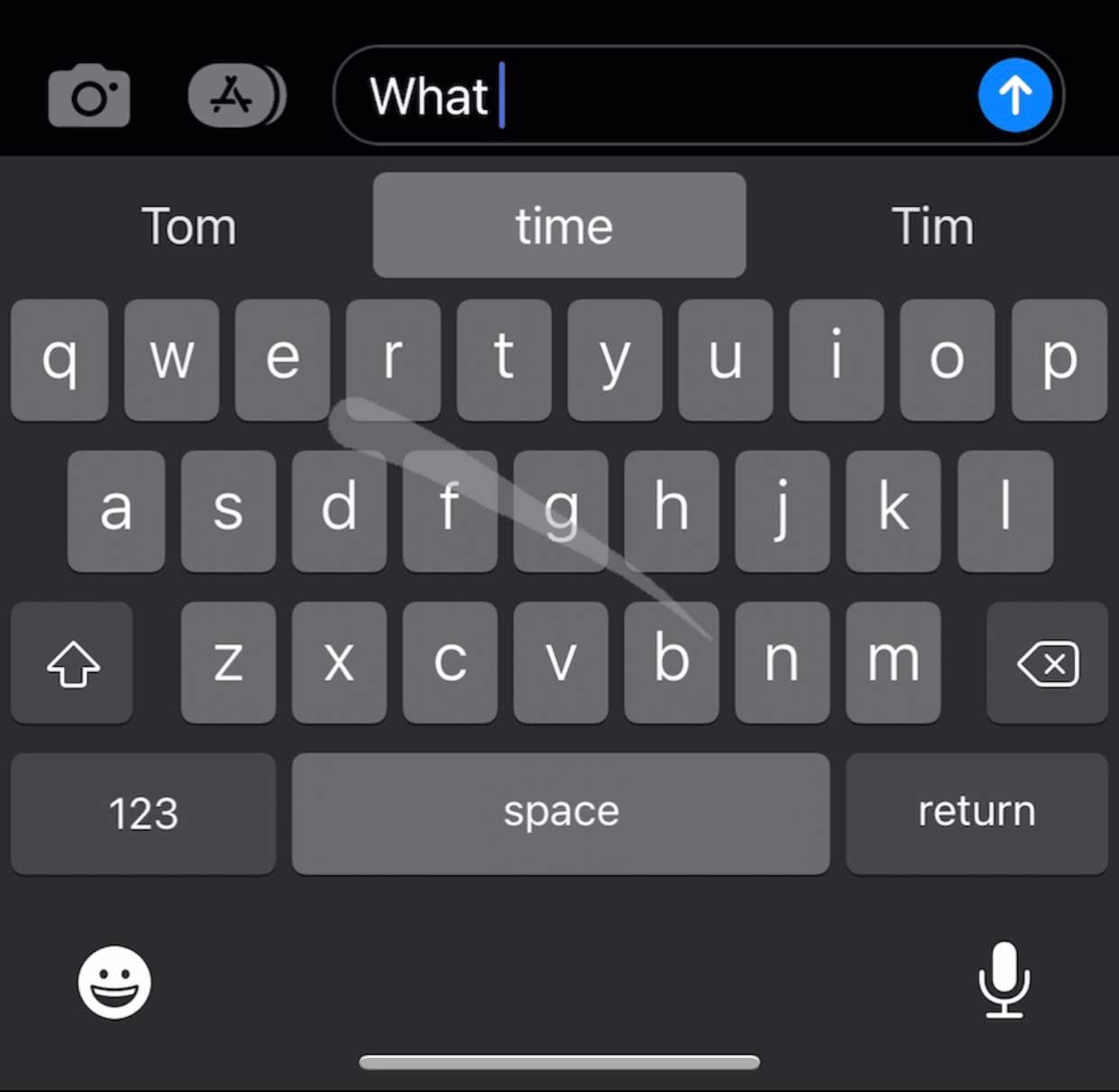
Apple features a keyboard setting called QuickPath, and it’ll make typing easier and quicker than ever. Instead of lifting your finger to press each letter of a word individually, you can glide your finger from letter to letter, lifting after each word. This feature is automatically embedded into any keyboard with iOS 13 and later, and you can use it mid-sentence or for every word.
This feature is automatically embedded into any keyboard with iOS 13 and later, and you can use it mid-sentence or for every word. By iOS 18, QuickPath has improved autocorrect and multilingual support, letting you swipe in multiple languages without changing keyboards.
Related Links:
- Even with Trump’s tariff blessing Apple hikes iPhone 17 prices
- 5 ways your iPhone can make international travel easier & safer
- iPhone notes trick lets you message in secret
Kurt’s key takeaways
These iPhone tricks make everyday tasks faster and easier. From scanning documents to recording cinematic videos, Apple keeps adding features that save you time. As you explore, try one or two tips and see how much smoother your phone feels.
Have a tip to share that we didn’t cover above? Share your favorite iPhone quick tip by commenting below.
Copyright 2025 CyberGuy.com. All rights reserved. CyberGuy.com articles and content may contain affiliate links that earn a commission when purchases are made.
🎙 Now Streaming: My New Podcast: The CyberGuy Report
Kurt’s Top Deals
Deals move fast and inventory can be limited, so don’t wait too long.
| 🔥 Editor’s pick  Summer entertaining Ninja SLUSHi Machine (26% off) Frozen drinks and slushies at home in minutes. | |
| 💰 Top deal  Outdoor essential TYPEC Solar Bug Zapper (36% off) Solar-powered bug zappers for patios and camping. |


1 comment
Love the phone tips!!!!