



At a glance
- Be cautious with “unsubscribe” links in suspicious emails, as they can confirm your address is active or lead to scams.
- For obvious junk mail, mark the message as spam or block the sender instead of clicking links.
- Use inbox cleanup tools to safely manage legitimate subscriptions and reduce clutter.
- Email aliases can help protect your real address and make it easier to spot spam and phishing attempts.
Do you ever feel like your inbox has been overtaken by spam or pesky emails?
We’ve all been there – emails from companies bombarding us with deals and savings that we don’t need, and certainly didn’t ask for. How did these companies even get your email address? While spam email may be annoying, clicking unsubscribe from the emails could lead to even greater danger.
Here’s why you should be careful when unsubscribing from emails – especially if they appear to be spam emails, and how to stop those unwanted emails from clogging your inbox.
Should I click “unsubscribe” from junk email in my inbox?
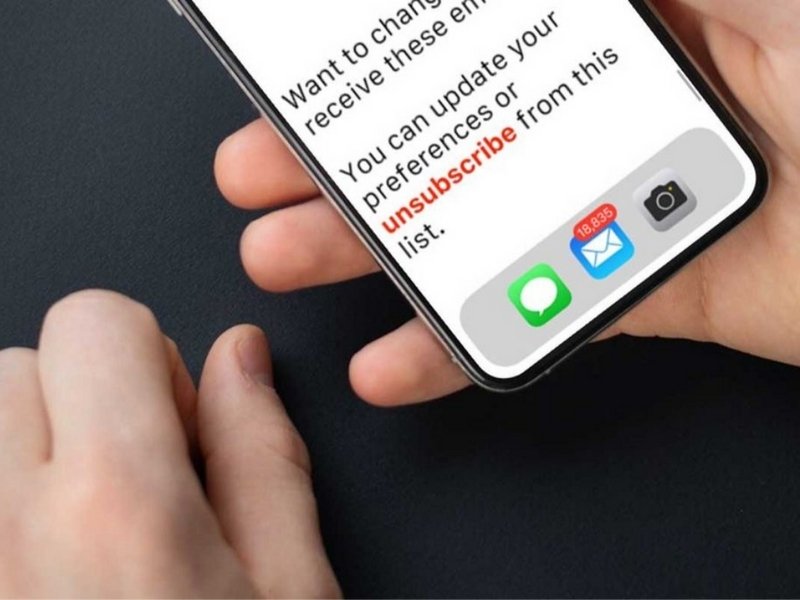
If you ever click an “unsubscribe” button or link in your email, you could be putting yourself at risk for two different potential threats.
The “unsubscribe” malware scam
Some hackers are using emails that are either extremely vague or look like a real email you may receive from a company you’re not interested in. The email may ask if you’d want to “unsubscribe” from future emails, or they may offer you a link to cancel a subscription.
Clicking these links could actually confirm that you’ve received the email to lead you straight to a spammer, who may have access to install malware onto your device now that you’ve clicked their link.
How to protect yourself
Scammers are always trying to disguise links so you need to always have a wall of defense that is always on. We’ve said this before and we’ll keep saying it: installing Antivirus software across your devices will identify malware and prevent you from ever clicking and installing a malicious link in the first place.
- Strong real-time protection against viruses, malware, ransomware and hacking attempts
- AI-powered scam protection to help identify suspicious emails, texts and websites
- Built-in password manager to securely store and manage logins
- 2 GB PC cloud backup to help protect important files from ransomware or hardware failure
- Smart firewall and phishing protection
- Protects 1, 3 or 5 devices
- Available for Windows, macOS, Android and iOS
- Includes real-time threat protection, smart firewall and phishing protection to guard against online attacks
Never click a link from an email address you don’t know.
You could be adding yourself onto yet another email spam list!
When you go through the effort of unsubscribing from a marketing email, you’ve just confirmed to the sender that your account is active. This could lead to companies selling your email address knowing there’s a higher chance you’ll open the emails you receive.
What should I do instead of “unsubscribing” from junk mail?
Smart Tip: Mark undesirable email as junk
While you could simply delete all of the spam email, marking it as junk will automatically move the email out of your inbox. You’ll also be offered an option to block the sender of your junk emails, which you’ll want to do if you see any sketchy links in the body of the email.
Watch the latest episode of The CyberGuy Report.

Missed this event? Sign up via the registration form and see our live recording.
See Kurt’s latest Amazon picks for useful gadgets, smart home upgrades and everyday tech worth grabbing while the deals last.
How can I quickly and easily unsubscribe at once from some of the legitimate emails I get?
Declutter your inbox with smart tools
If your inbox is overflowing but you still want to keep some coupon emails or updates, there are tools that can help you manage it all in one place. Services like Clean Email scan your inbox for subscriptions and let you decide what to keep, what to unsubscribe from, and what to bundle into a single daily summary email.
These tools even help you get rid of emails that don’t have a clear unsubscribe link, saving you the hassle of hunting each one down manually. Just sign in to your email through their site, review the list of senders they pull up, and choose which ones you want to keep, unsubscribe, or roll up into a cleaner daily digest.
How do I prevent getting spam in the first place?
With an email alias, you’ll be able to still access the email you created for a specific purpose AND keep it separate from your inbox. With our #1 private and secure mail provider StartMail, you can create unlimited alias email addresses (you can even use a fake name), and separate them all.
Why use an alias email address?
The most useful reason to use alias email addresses is for all of the websites you’re required to input your personal information on these days. If you’re looking for a promo code, or you have to sign up to use a website for some one-off reason, you really don’t want to give them your real name and email address. You’re signing yourself up for their constant flow of emails, and they may end up selling your information so you’ll end up with even more emails from people you don’t know.
You can also use different alias emails for people you have different relationships with:
- Create one for all of your family members to reach out to,
- Create one for work colleagues or job applications
- or if you’re helping take care of someone in your family, you can create one to handle all of their correspondence in one place.
- Or make an email address to handle all of your banking and financial logins and correspondences – that way you can easily identify a phishing attempt if someone tries using any email other than your alias.
If you start getting spam from this email address, you can assume that the company you signed up for either sold your email address to another source or that company got hacked. Regardless, you can delete that alias and never get any additional spam.
How to create an alias email address
First, you’ll want to sign up for StartMail. Exclusive deal for CyberGuy readers: 50% off: $29.95 for first year ($2.50 per month, billed annually). Includes a free 7-day trial.
Related:
- How to block those unwanted and annoying spam emails
- Control spam: How to create a quick alias email address
- How to stop the never-ending stream of spam emails
- How to stop spam email in Gmail
Copyright 2026 CyberGuy.com. All rights reserved. CyberGuy.com articles and content may contain affiliate links that earn a commission when purchases are made.
🎙 Now Streaming: My New Podcast: The CyberGuy Report
Kurt’s Top Deals
Deals move fast and inventory can be limited, so don’t wait too long.
| 🔥 Editor’s pick  Summer entertaining Ninja SLUSHi Machine (26% off) Frozen drinks and slushies at home in minutes. | |
| 💰 Top deal  Outdoor essential TYPEC Solar Bug Zapper (36% off) Solar-powered bug zappers for patios and camping. |


4 comments
I like to use the Gmail feature “Report Phishing.”
The email providers simply need to start charging email originators for every message that is sent. I’ll bet the volume of spam will drastically decrease.
Great information about email. Can you do the same thing for texts? I’m overloaded with political texts that always ends with a donation requirement in order to complete. There are texts that state if I complete the survey, they say that it will take care of the excessive text, no ask for donation, they state, then of course it won’t complete without a donation. I’ve tried the stop reply, and all the other choices. Any of those take time because there are 90-110 daily!
Hi Sharon – please see our “How to block unwelcome political text messages” article here