OpenAI just took a big leap forward with artificial intelligence. ChatGPT agent acts as more than just a chatbot; it serves as a real assistant that takes action on your behalf. We’re talking about planning trips, managing your email, making dinner reservations, summarizing long reports, and even running code, all with your permission.
If you’ve used tools like ChatGPT, Microsoft Copilot, or Google Gemini, you know they’re great at answering questions and writing content. But ChatGPT Aent goes beyond that. It doesn’t just suggest, it does.
If you didn’t know, OpenAI is one of the world’s leading AI research labs. Founded in 2015, it’s behind some of today’s most talked-about tools, including GPT, DALL·E, and ChatGPT.

Credit: OpenAI
How ChatGPT agent works: Tools, capabilities, and integration
This new agent feature is available to Pro, Plus, and Team users through ChatGPT’s tools dropdown by selecting ‘agent mode’ at any point in a conversation. It signals a shift from chat-based assistants to fully capable AI helpers.
ChatGPT agent powers itself with a unified agentic system that combines multiple strengths behind the scenes. It integrates Operator’s ability to interact visually with websites, clicking, filling forms, and navigating pages, with deep research’s capacity for synthesizing complex information. Added to this are new tools, including a text-based browser for efficient reasoning, a terminal to run code, and direct API access. The agent also uses connectors to apps like Gmail and GitHub to pull relevant data while maintaining security.
When you assign it a task, ChatGPT agent spins up a secure virtual workspace, effectively giving your assistant its own computer. From there, it intelligently decides which tools to use, such as browsing, document editing, or command line interaction, and remembers the task context. This makes workflows smoother and more consistent, letting the agent complete multi-step assignments autonomously yet under your supervision.

Credit: OpenAI
No separate download: Agent is built into ChatGPT
OpenAI’s agent isn’t a standalone product. It’s built right into the existing ChatGPT interface, whether you’re using the mobile app or the desktop version. That means you don’t need to download anything new or manage a separate tool. It feels more like a true assistant than a chatbot, capable of following multi-step instructions and updating you as it works.
Agent won’t spy on you or go rogue
OpenAI stresses that you remain fully in control. ChatGPT agent explicitly asks for your permission before sending emails, making bookings, or changing files. It actively refuses high-risk requests like bank transfers or actions with serious consequences without your consent.
The agent stops when you open sensitive websites, avoids following harmful web instructions, and lets you clear browsing histories and revoke permissions at any time. Sensitive data like passwords are never stored or exposed because the model does not need to see them.
Behind the scenes, the agent is trained to resist prompt injection attacks-malicious attempts to manipulate its behavior via web content-and OpenAI has layered multiple safeguards to prevent hallucinations, missteps, and misuse.
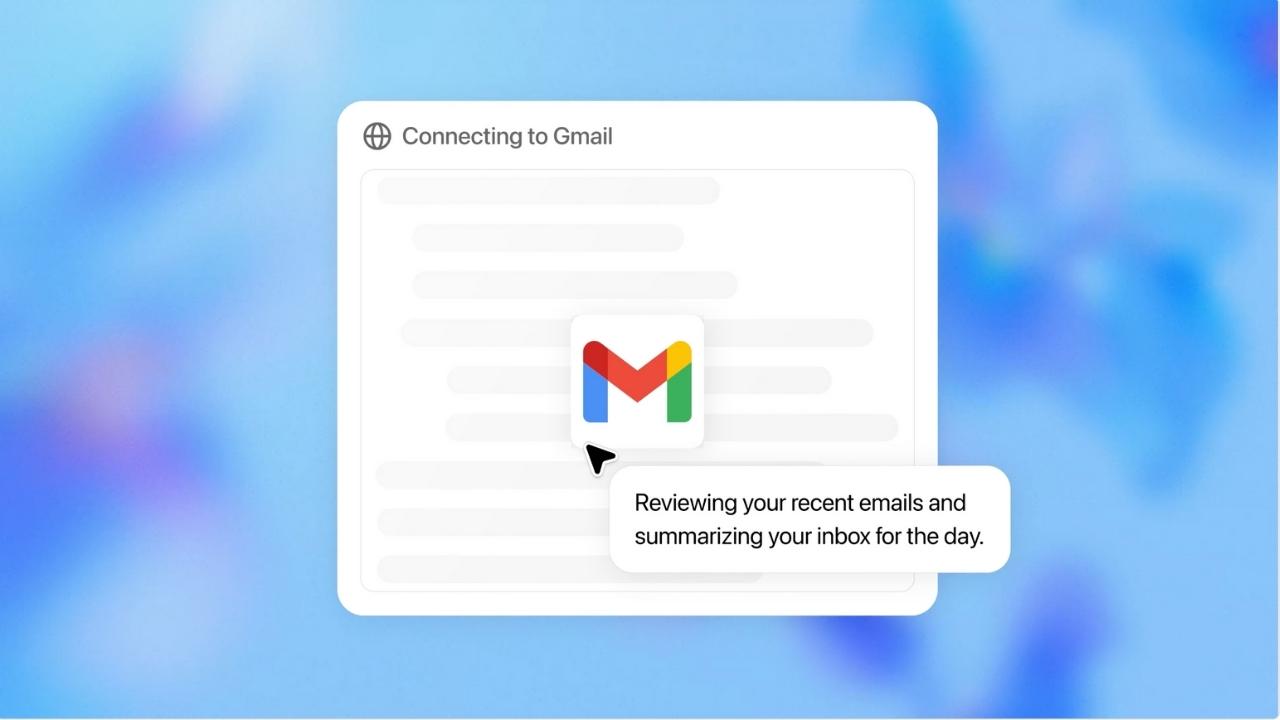
Credit: OpenAI
How to set up ChatGPT’s agent
ChatGPT’s agent feature is not available on the free version. To access this tool, you need a Plus, Pro, or Team subscription.
Watch the latest episode of The CyberGuy Report.

Missed this event? Sign up via the registration form and see our live recording.
See Kurt’s latest Amazon picks for useful gadgets, smart home upgrades and everyday tech worth grabbing while the deals last.
1) Make sure you have access
- Upgrade to a Plus or Pro plan at chat.openai.com.
- In the sidebar, click Explore GPTs.
- If you see a Create button or an “Agents” section, you’re good to go.
2) Start building your agent
- Click Explore GPTs in the sidebar.
- Select Create in the top right.
- You’ll be taken to the GPT builder interface, where you can begin customizing your agent.
3) Customize your agent’s behavior
You’ll fill in the following:
- Name: Give your agent a clear, helpful name.
- Instructions: Describe what your agent should do, how it should behave, and what tone it should use.
- Tools: Enable options like Code Interpreter, Web Browsing, or DALL·E.
- Knowledge: Optionally upload files or documents your agent can reference. Never upload any confidential, banking, or sensitive personal information.
4) Test your ChatGPT agent
- Use the preview window to interact with your agent.
- Make tweaks to instructions or settings as needed.
5) Save and use
- Once satisfied, click Save.
- Your custom agent will now appear under ‘My GPTs’, ready to use at any time.
Keep a few limitations of ChatGPT agent in mind
Although ChatGPT agent breaks new ground, it does not always deliver instant results. When handling complex multi-step tasks like planning an entire itinerary or generating slide decks, the process can take minutes or even hours because it requires your confirmation before performing sensitive actions.
Currently, slide deck creation remains in beta. While the outputs are organized and editable, they sometimes lack polish and may show formatting issues. The system does not yet support importing existing slideshow templates, but OpenAI plans to add this feature in future updates.
What this means for you
Now imagine delegating your most tedious tasks, such as replying to emails, booking dinners, or researching vacations, to an assistant that truly acts on your behalf. ChatGPT agent equips ChatGPT with both intelligence and action; it goes beyond suggesting ideas by actually getting things done.
You retain full control while avoiding the need to micromanage every click or keystroke. Whether your schedule fills quickly or you simply dislike digital grunt work, ChatGPT agent is built to manage these demands efficiently.
Looking ahead, OpenAI intends for the agent to work even more independently, completing your to-do list as you focus on what matters most. The key question remains: how much will you be willing to hand off?
Related links:
- AI and learning retention: Does ChatGPT help or hurt?
- Scammers can exploit your data from just one ChatGPT search
- How a researcher hacked ChatGPT’s memory to expose a major security flaw
Kurt’s key takeaways
With ChatGPT agent, we’re moving from AI chatbots that merely react to those that are proactive and decision-makers. As AI agents become increasingly autonomous, their capabilities will continue to expand. However, the biggest challenge for OpenAI will be striking the right balance between convenience, safety, and privacy.
Would you trust an AI agent to carry out important tasks for you? Let us know in the comments.
FOR MORE OF MY TECH TIPS & SECURITY ALERTS, SUBSCRIBE TO MY FREE CYBERGUY REPORT NEWSLETTER HERE
Copyright 2025 CyberGuy.com. All rights reserved. CyberGuy.com articles and content may contain affiliate links that earn a commission when purchases are made.
🎙 Now Streaming: My New Podcast: The CyberGuy Report
Kurt’s Top Deals
Deals move fast and inventory can be limited, so don’t wait too long.
| 🔥 Editor’s pick  Summer entertaining Ninja SLUSHi Machine (26% off) Frozen drinks and slushies at home in minutes. | |
| 💰 Top deal  Outdoor essential TYPEC Solar Bug Zapper (36% off) Solar-powered bug zappers for patios and camping. |