



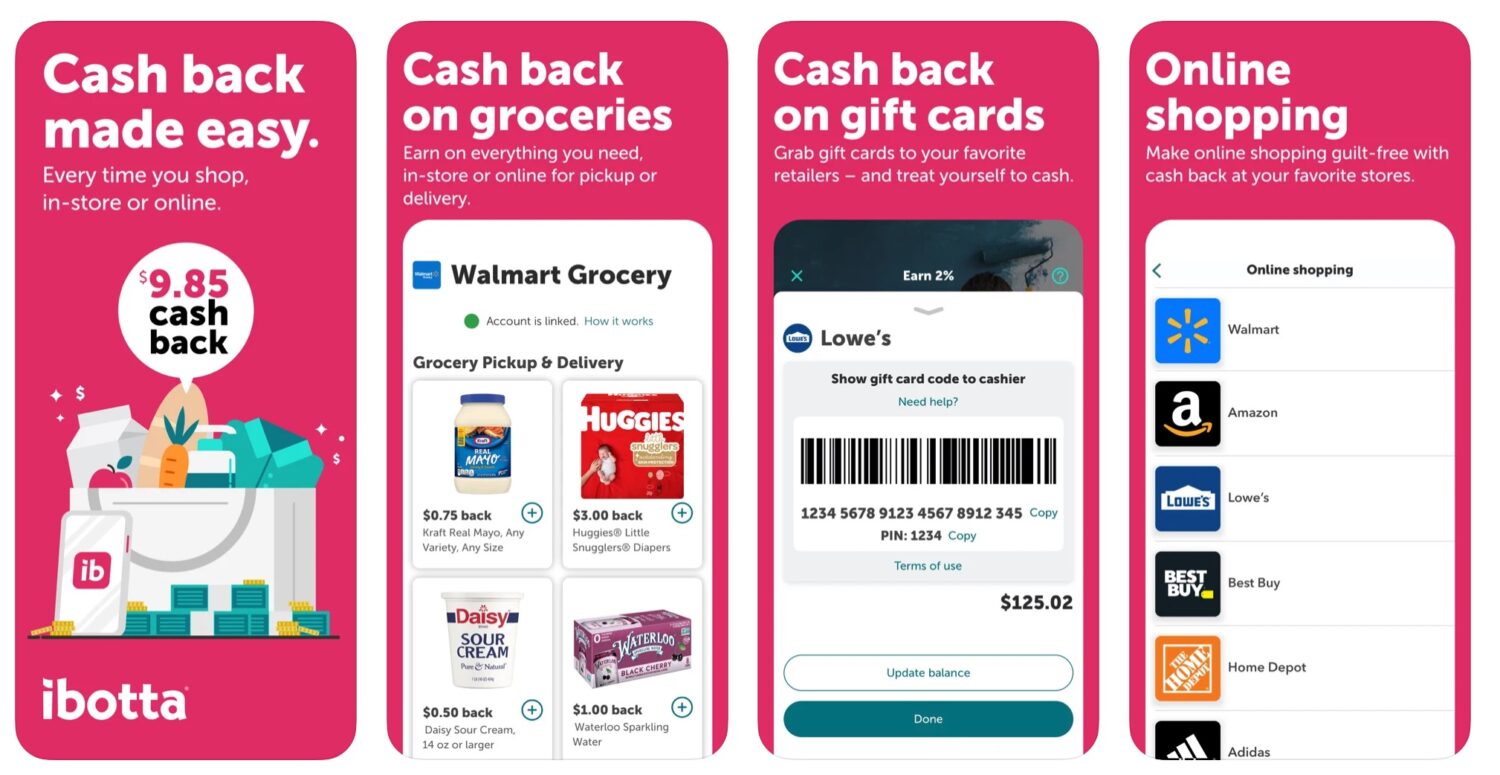
- Ibotta gives users cash back on groceries, household items, online shopping offers and some gift card purchases.
- Users should add offers before submitting receipts and upload receipts quickly because deals can expire.
- Cash back timing varies, with in-store rewards taking up to 72 hours and online offers sometimes taking longer.
- Offers, bonuses, retailers and gift card availability can change, so check the app before you shop.
Recently, we chatted about some great apps to save you money while you shop. I wanted to take a deeper dive into one of the apps: the Ibotta app.
Our team has been testing this app over the past year as we did our typical weekly grocery and household-related purchases. Since we started, we have saved/earned over $600. It’s been a very easy app to use and has now become my first stop to double-check that I’m not paying full price for any item.
What is Ibotta?
Ibotta is an app that you use for couponing and gives you cash back on items you’re already purchasing at your favorite stores, including grocery stores, food delivery, movie and concert tickets, and more. Some of the popular retailers you can find deals with through Ibotta include CVS, Walgreens, Target, Lowe’s, Petco, Domino’s Pizza, REI and many other participating brands and retailers. Offers and participating retailers can change, so it is always worth checking the app before you shop.
Click this link and use the referral code mpiaurm to earn $5 when you submit your first receipt
Copy code to insert into the Referral code box on the Ibotta “Create account” page: mpiaurm
How to use Ibotta
Using Ibotta is pretty simple once you know where to look, and the biggest trick is to check offers before you shop so you do not miss out on cash back.
Scan Receipts
Don’t throw out those receipts! A very easy way to use Ibotta is to scan your receipts right into the app. Some tips from our testing:
- Before you do any shopping, do a quick search to see if there is any discount available through Ibotta. Search for the offers in the app under the specific store. You can use the top search bar and either search for the specific store (i.e. “Target” or “CVS”) to see what offers are available or you can search for a specific item and see which stores the offer exists in.
- Before you scan your receipt, be sure to find the item you want and click the “+” button next to the item to add it to your Ibotta list. Offers generally need to be added before you submit your receipt.
- Look for offer details regarding offer limits and expiration dates. Ibotta says receipts that require app submission must be submitted within 7 days from the time of purchase, but it is best to upload them as soon as possible in case an offer expires.
- Cash back is often added quickly, but Ibotta says in-store cash back can take up to 72 hours. Online shopping offers may stay pending longer, depending on the retailer.
-
Check the offer details before you shop. Each offer may have a different size, quantity, limit and expiration rules. Also, avoid trying to claim the same product through multiple reward programs, since Ibotta says some duplicate rewards can be reversed.
Bonuses
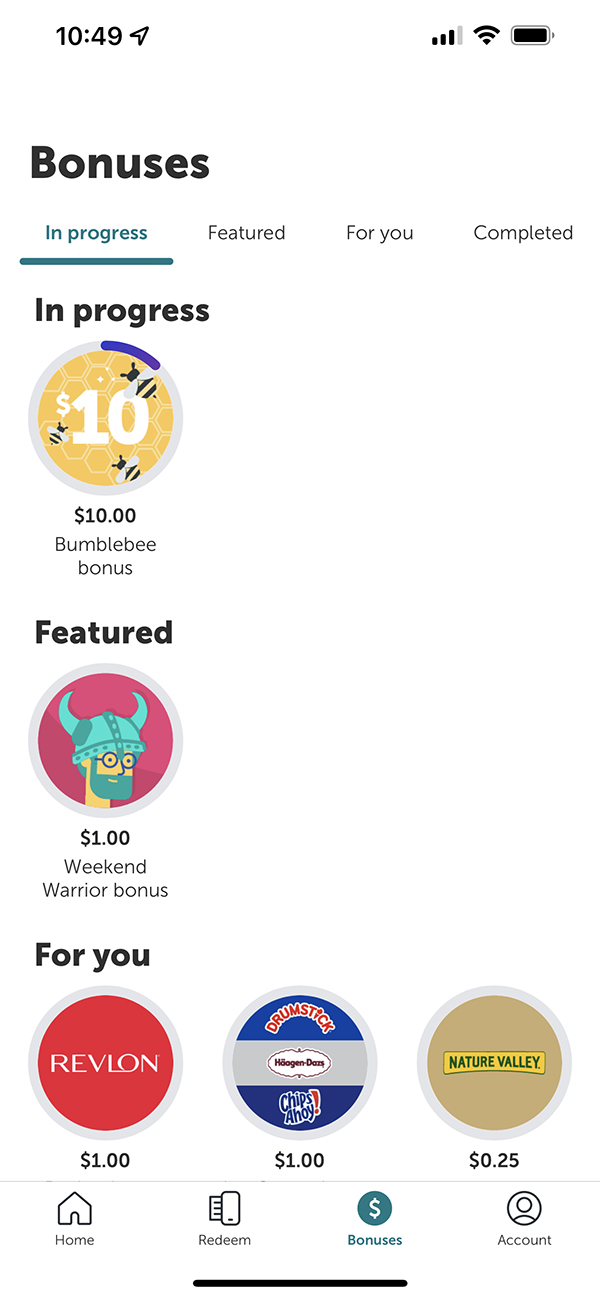
If you click the “Bonuses” button at the bottom of your app screen, you’ll see that you can earn extra cash back for completing specific offer redemptions. Bonus offers vary by user, account and time, so check the app for the current requirements before you shop. At the time of writing this article, a few examples of Bonuses included:
-
- $10 for redeeming 16 offers
- $1.00 for being a “Weekend Warrior” and redeeming 10 offers within the app
- $1.00 when you redeem 2 Revlon offers
Freebies
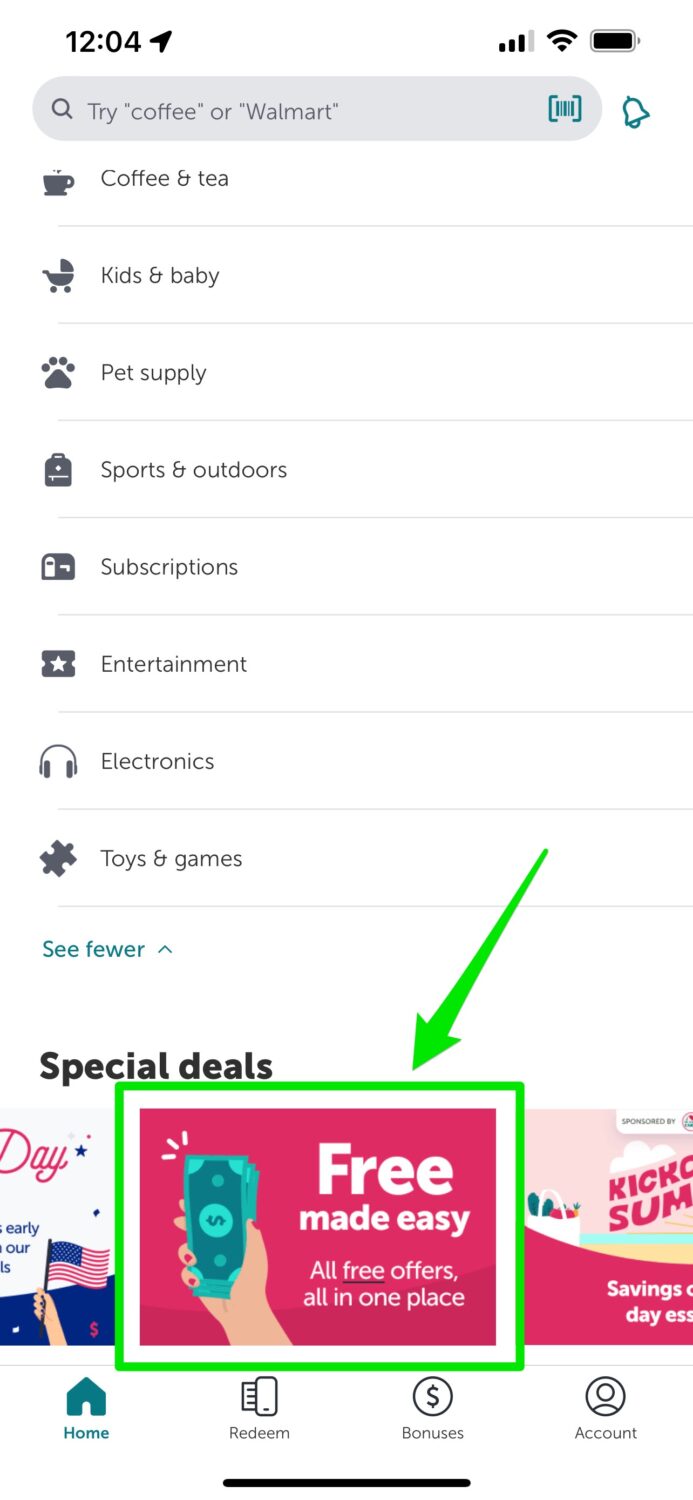
- If you scroll to the bottom of the app, you’ll see a section called “Special Deals”. If you scroll, you’ll see a panel called “Free made easy: All free offers all in one place”.
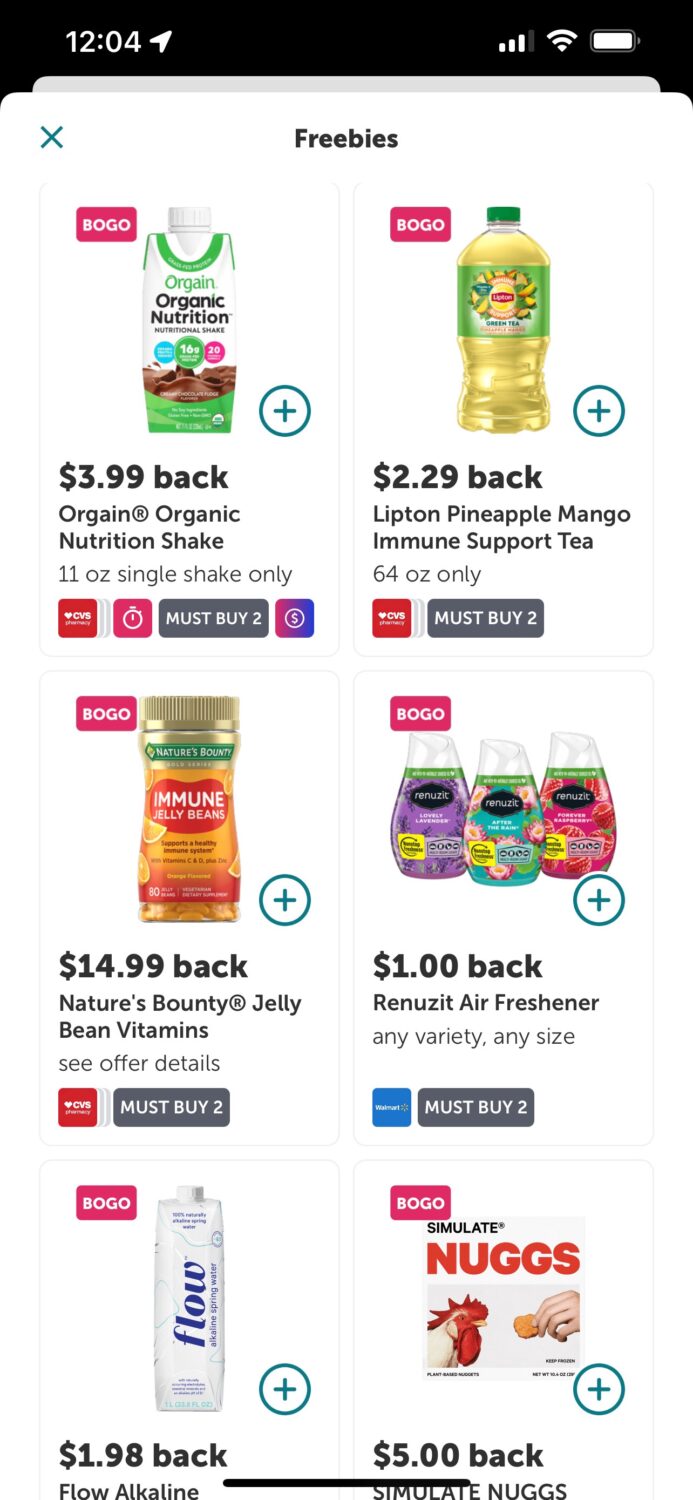
- Click the panel, and on the next screen, you’ll see the many offers. Pay attention to the details – especially which stores the offer is valid in. Also, note that in some cases, the offer is “BOGO”: buy one, get one free, where you need to buy 2 products to qualify for the deal. Having been testing this over the past year, pay attention to this area around some key times during the year, where there will be some great freebies around Back to School, Thanksgiving, Christmas, and July 4, to name a few.
Click this link and use the referral code mpiaurm to earn $5 when you submit your first receipt
Copy code to insert into the Referral code box on the Ibotta “Create account” page: mpiaurm
Automatic money back from purchasing products through Ibotta (app or website)
Another way to earn money is to search for the store within Ibotta. Stores include Walmart, Amazon, Costco and tons more. Once you find the offer, click the link in Ibotta to bring you to the store’s website to purchase the offer. Offers range from 1% per dollar up to 50% off.
Click this link and use the referral code mpiaurm to earn $5 when you submit your first receipt
Copy code to insert into the Referral code box on the Ibotta “Create account” page: mpiaurm
Watch the latest episode of The CyberGuy Report.

Missed this event? Sign up via the registration form and see our live recording.
See Kurt’s latest Amazon picks for useful gadgets, smart home upgrades and everyday tech worth grabbing while the deals last.
How to cash out of the Ibotta app
Once you have a balance of $20 or more and meet Ibotta’s withdrawal requirements, you can redeem your cash into your bank account, PayPal account or select gift cards through Ibotta.
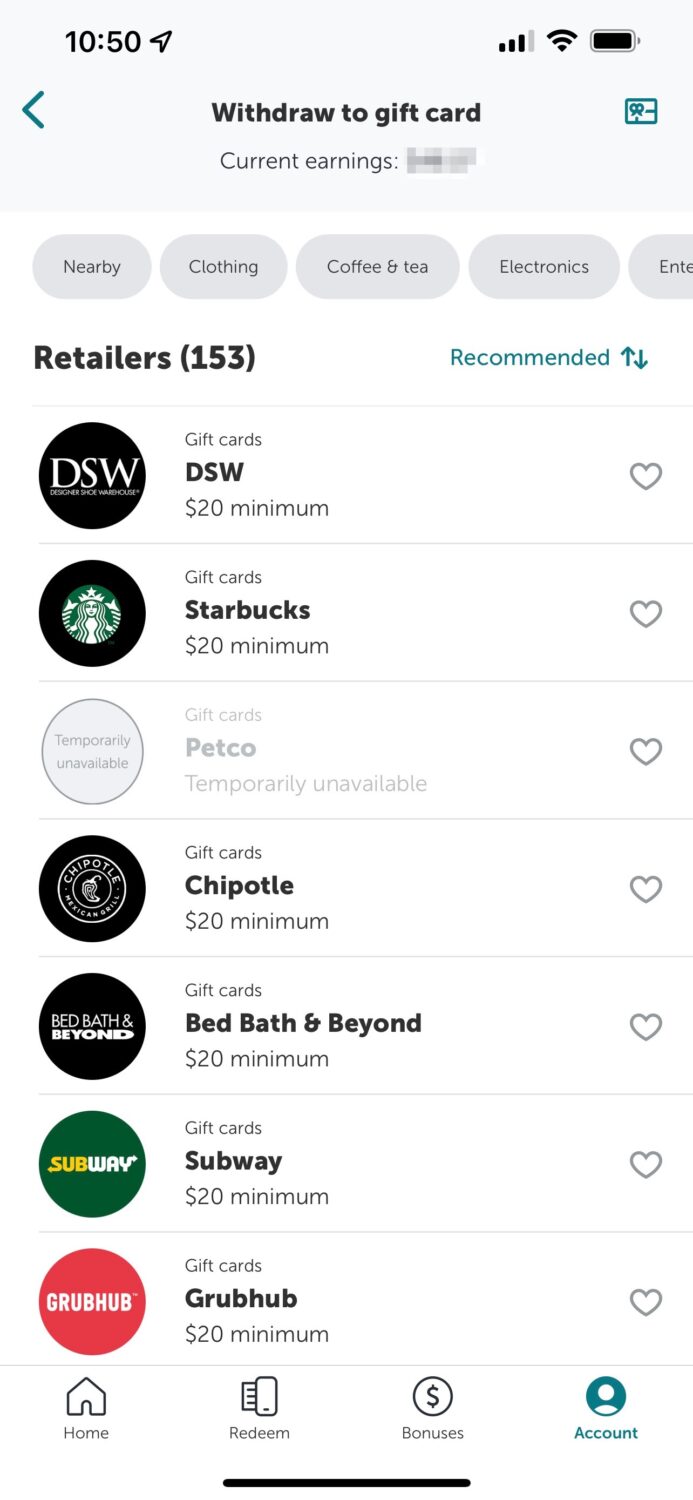
Click this link and use the referral code mpiaurm to earn $5 when you submit your first receipt
Copy code to insert into the Referral code box on the Ibotta “Create account” page: mpiaurm
How to buy gift cards in the Ibotta app …and earn money doing it!
Ibotta also lets eligible users buy digital gift cards from participating retailers and restaurants and earn instant cash back. Note: Ibotta says the Gift Cards feature may not be available to every user. Once you buy the gift card for your loved one, you’ll instantly receive cash back in your Ibotta account. Here’s how to purchase gift cards for others in the Ibotta app:
Under the “shop by category” section, go to Gift Cards on the Ibotta app home screen and search or browse retailers by categories such as “nearby,” “clothing,” “coffee and tea,” “electronics,” “health and beauty,” and more. If you do not see Gift Cards in your app, the feature may not be available on your account.
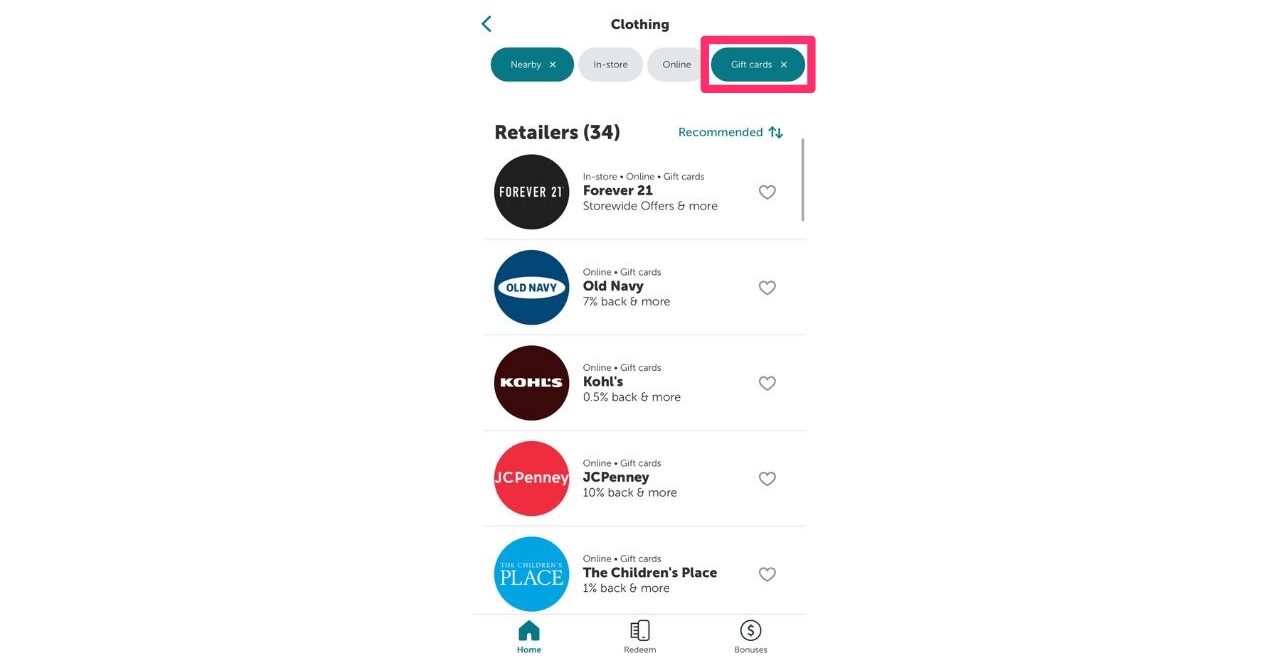
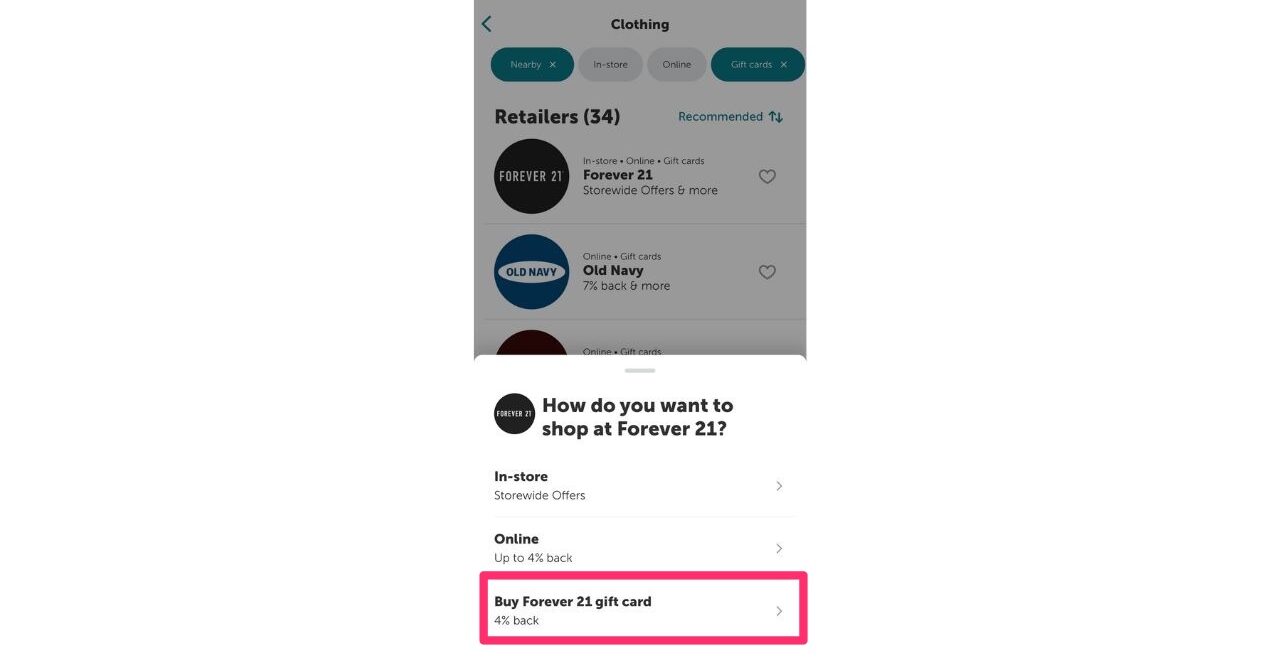
- Choose the store you want and select the buy gift card option. You’ll note the % back you’ll be receiving once you purchase the gift card. As you see in the example below, if you purchase an Old Navy gift card, you’ll receive 7% back. Some cards you can receive as much as 20% back.
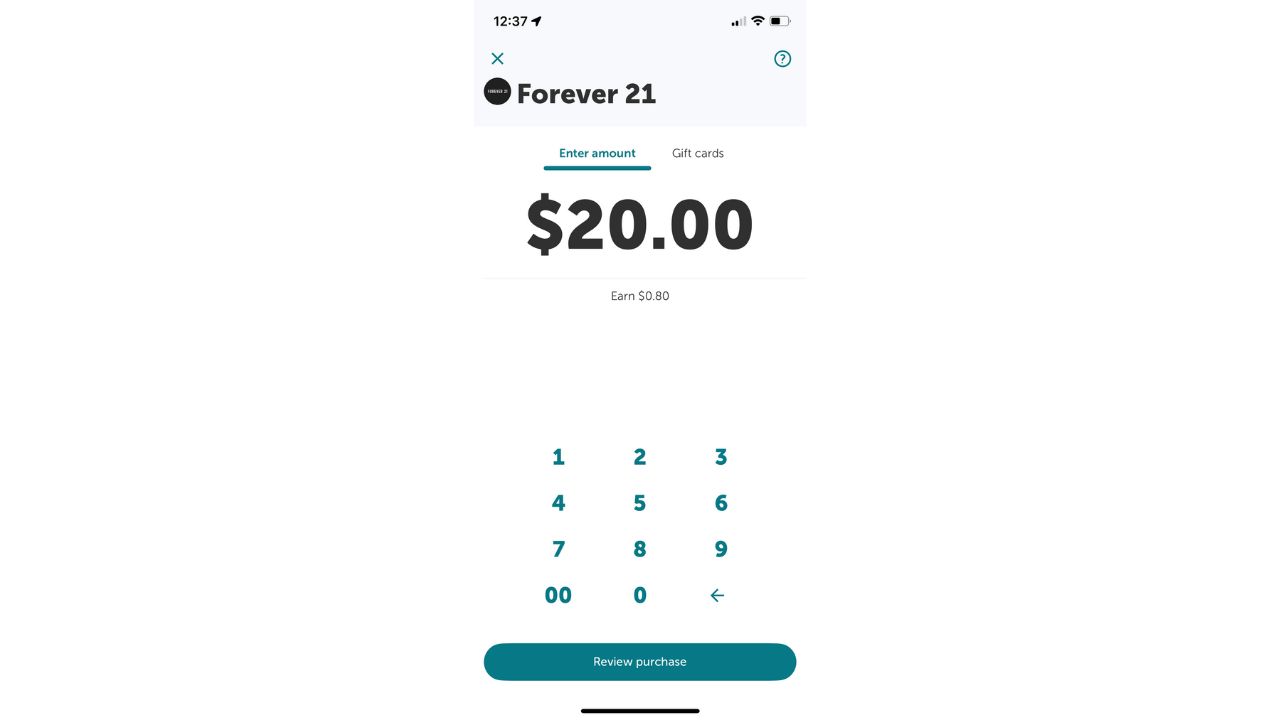
- Enter the amount you want to put on the gift card.
- Toggle This is a gift to send the card to your loved one once you buy it via email or text message (they do not need the Ibotta app in order to use the gift card)
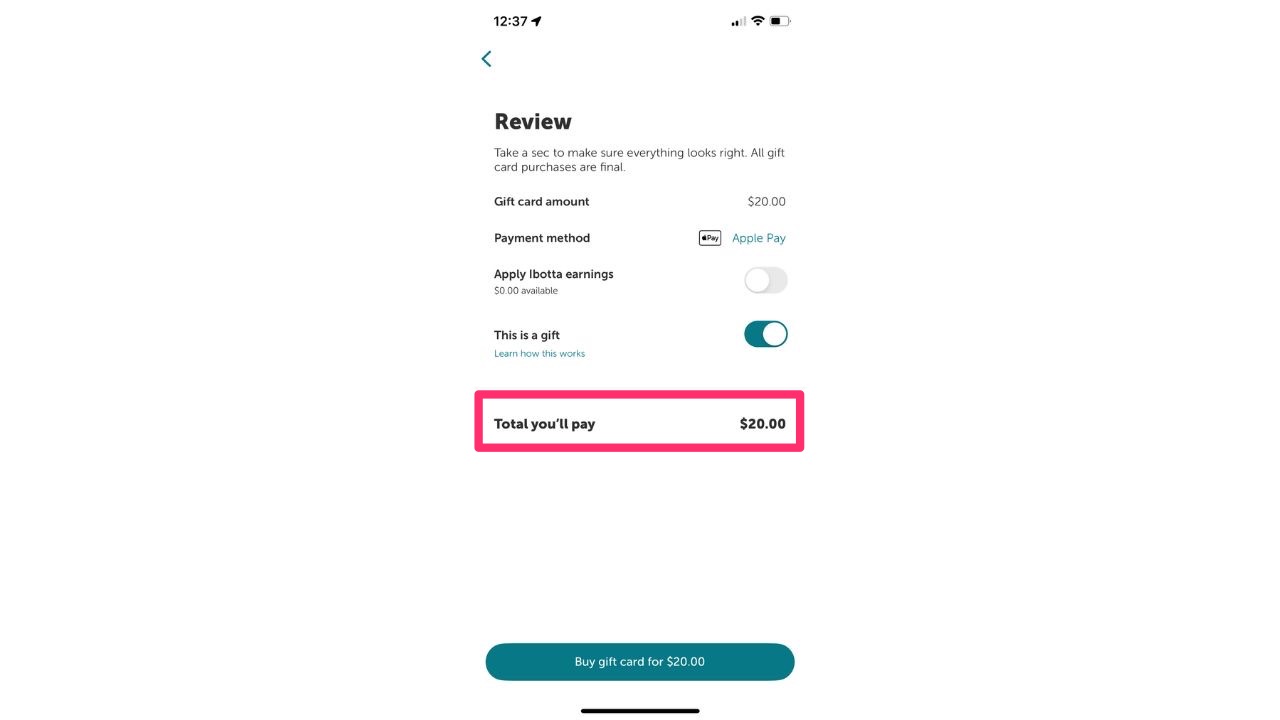
- Instantly find cash back within your Ibotta account once your purchase is complete.
Click this link and use the referral code mpiaurm to earn $5 when you submit your first receipt
Copy the code to insert into the Referral code box on the Ibotta “Create account” page: mpiaurm.
Related Links:
- CyberGuy Exclusive Coupons and Deals 2026
- How to lower your Car Insurance costs in 2026
- 10 things to stop paying for to save money now
Kurt’s key takeaways
Ibotta can be a simple way to get cash back on things you already buy, especially groceries and household basics. The biggest trick is remembering to check the app before you shop. Add the offers first, review the fine print and upload your receipt quickly. I also like that Ibotta gives you a few ways to earn, from receipt scans to online shopping offers and, for some users, gift card cash back. Just remember that offers, bonus amounts and participating retailers can change often. So, do not assume yesterday’s deal will still be there today. The bottom line is this: Ibotta will not make your groceries cheap overnight, but it can help you chip away at everyday costs. If you shop regularly and take a few minutes to check the app, those small cash-back rewards can add up faster than you might expect.
Have you used a cash-back app like Ibotta to save money, or do you find these apps too much work for the savings? Let us know by writing to us below.
FOR MORE OF MY TECH TIPS & SECURITY ALERTS, SUBSCRIBE TO MY FREE CYBERGUY REPORT NEWSLETTER HERE
Copyright 2026 CyberGuy.com. All rights reserved. CyberGuy.com articles and content may contain affiliate links that earn a commission when purchases are made.
🎙 Now Streaming: My New Podcast: The CyberGuy Report
Kurt’s Top Deals
Deals move fast and inventory can be limited, so don’t wait too long.
| 🔥 Editor’s pick  Summer entertaining Ninja SLUSHi Machine (26% off) Frozen drinks and slushies at home in minutes. | |
| 💰 Top deal  Outdoor essential TYPEC Solar Bug Zapper (36% off) Solar-powered bug zappers for patios and camping. |


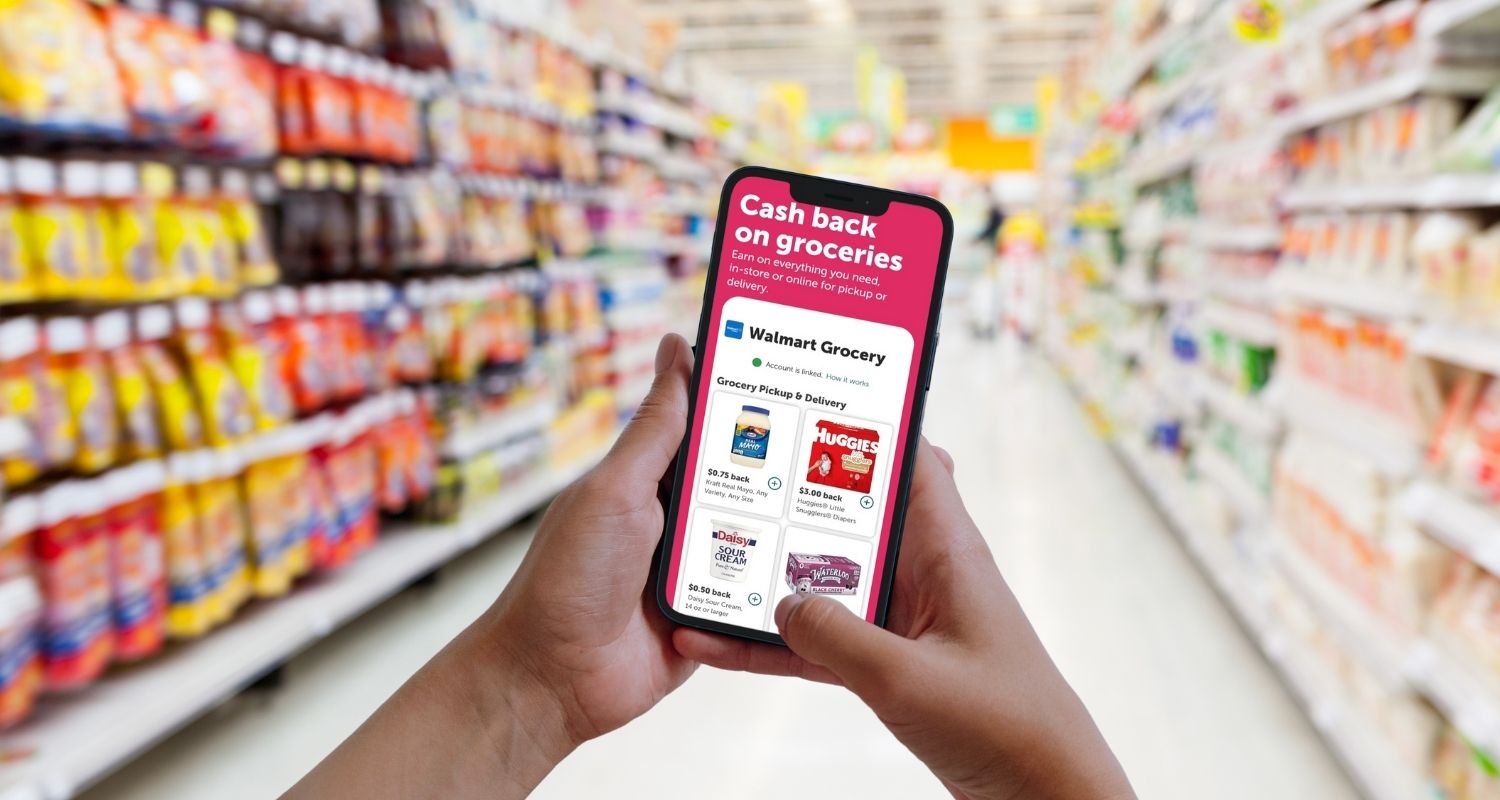
1 comment
Sounds GREAT, Lets see if it works!