



Apple’s iOS 26.1 update is more than a standard patch. It boosts security, speeds up performance and adds practical upgrades to features you already use. Released on November 3, 2025, the update fixes dozens of vulnerabilities that impact Safari, Photos and Apple Account settings. It also introduces stronger privacy controls, design tweaks and expanded support for Apple Intelligence. Since iOS 26.1 is the first major follow-up to iOS 26, it builds on the foundation of the original release with key fixes and refinements. If you value protection, speed and reliability, updating now is an easy way to keep your iPhone secure and performing at its best.

How to update to iOS 26.1
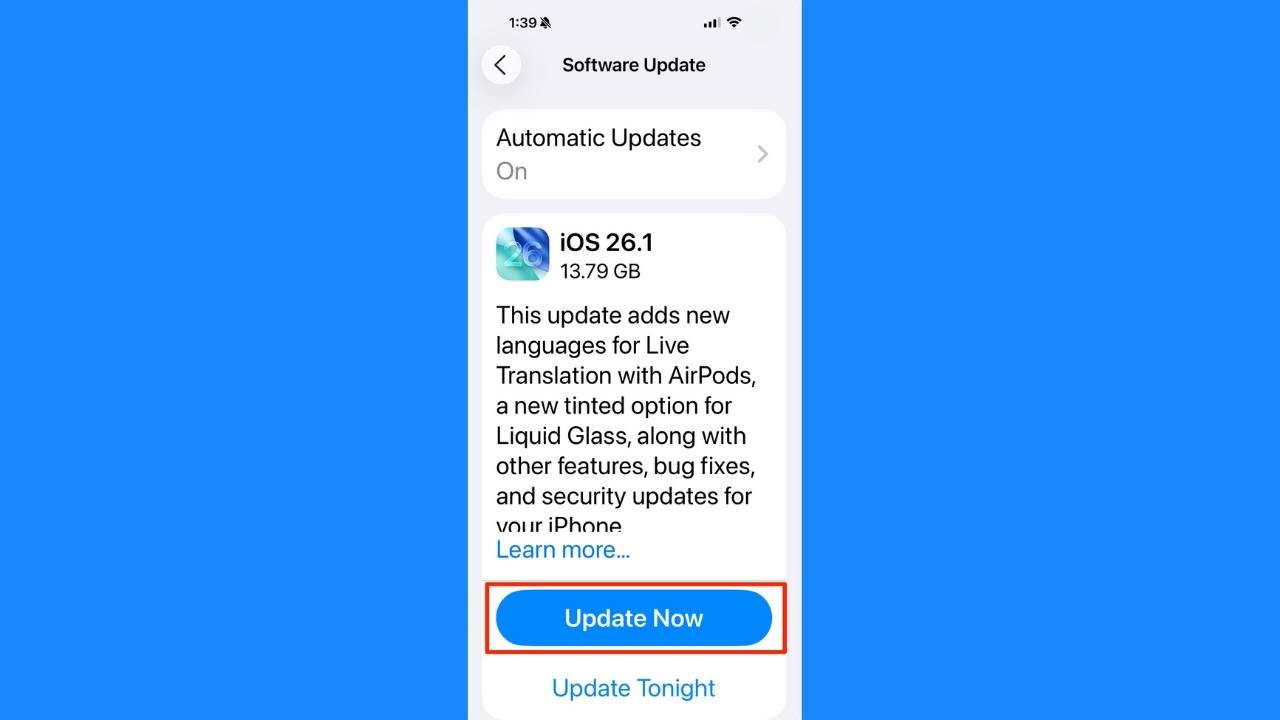
Here are a few simple steps to install iOS 26.1:
- Plug in your iPhone and connect to a reliable Wi-Fi network to prevent interruptions.
- Go to Settings.
- Tap General.
- Click Software Update.
- Tap Update Now or Download and Install when iOS 26.1 appears.
- Follow the prompts and wait for your phone to restart.
Once complete, your iPhone will have the latest protections and performance enhancements. iOS 26.1 is available for all iPhones from the iPhone 11 and later. Because it is a smaller point update, installation is quick and delivers immediate benefits without the delays of a major version upgrade.
Top 10 Reasons to Update to iOS 26.1
Apple packed plenty of improvements into this release, but these ten stand out as the most important reasons to install iOS 26.1 right now.
1) Stronger security protections
Apple fixed over 50 vulnerabilities in this update. Those include serious flaws that could let apps access sensitive data or take screenshots without permission. Installing iOS 26.1 keeps your personal information safer than before.
2) Streamlined security
Apple added a new option in iOS 26.1 that quietly keeps your iPhone protected between major updates. Go to Settings > Privacy & Security > Background Security Improvements, then turn on the toggle for automatic background security updates. These smaller patches install automatically without waiting for the next iOS version, helping your device stay protected against new threats with less effort.
3) Alarm upgrade
Apple changed how alarms work in iOS 26.1 to make mornings more reliable. You now need to swipe across the screen to turn an alarm off, rather than tapping it. The snooze button still works with a single tap, so you can easily tell the difference between stopping and snoozing. This simple change helps prevent accidental silencing and makes it easier to wake up on time.
4) Customizable liquid glass look
The semi-transparent iOS 26 design now includes new options for opacity. You can make screens easier to read and reduce glare with more visual clarity.
Open Settings > Display & Brightness > then choose Liquid Glass. From there, select either Clear for a sharper background or Tinted for a softer, more subdued look that reduces glare.
5) New camera toggle
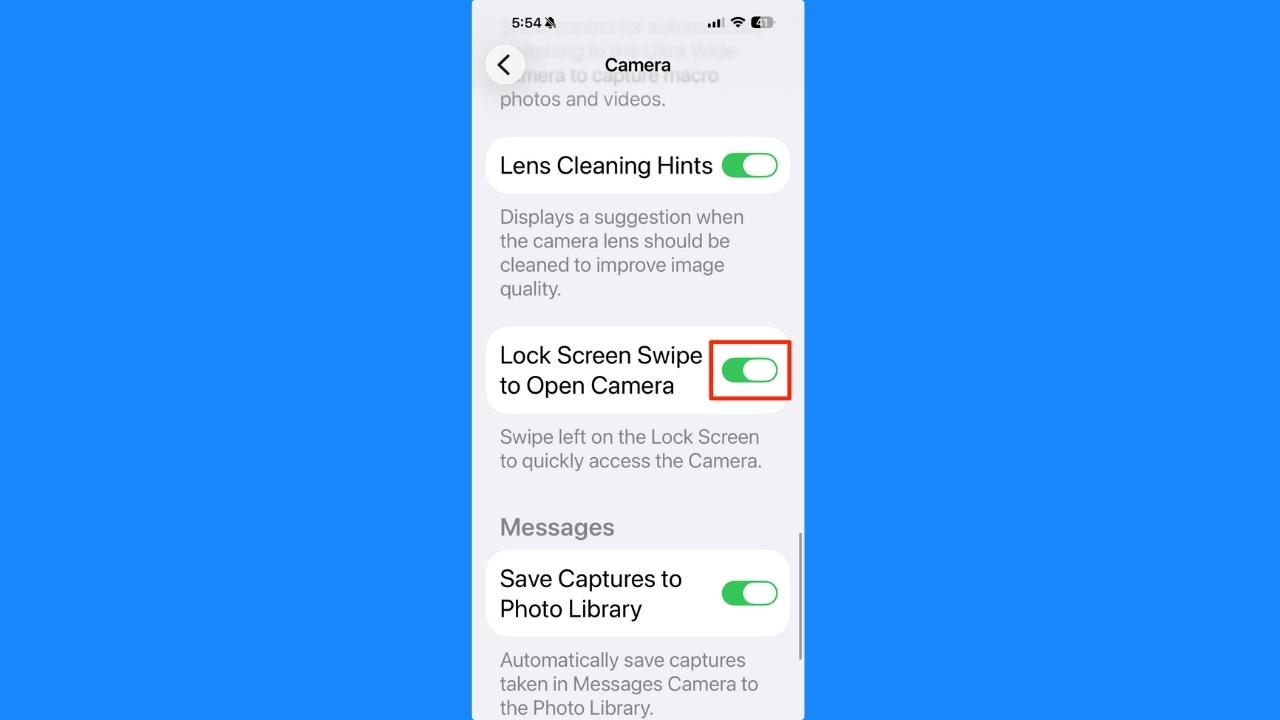
iOS 26.1 adds a new setting that gives you control over the camera shortcut on your lock screen. Go to Settings > Camera, then look for the option “Lock Screen Swipe to Open Camera.” You can now turn this feature off if you often trigger the camera by accident or prefer using the dedicated Camera Control instead. It’s a small but useful change for anyone who wants fewer unintentional photos or faster access to other lock screen tools.
6) Expanded live translation
Frequent travelers and language learners will appreciate the expanded real-time translation. iOS 26.1 adds Italian, Japanese, Korean and Chinese to AirPods translation, making global communication smoother.
7) More languages for Apple Intelligence
Apple Intelligence now understands additional languages, including Dutch, Danish, Swedish, Norwegian, Portuguese, Turkish and Vietnamese. That expands how Siri and on-device AI respond to more users.
8) Smarter music and audio controls
Apple added handy gesture controls to the Apple Music MiniPlayer in iOS 26.1. You can now swipe left to go back or right to skip ahead while a song plays, making it easier to control music without opening the full player. The update also adds AutoMix support over AirPlay and lets creators adjust USB microphone gain directly from their iPhone for clearer recordings.
9) Phone call haptics control
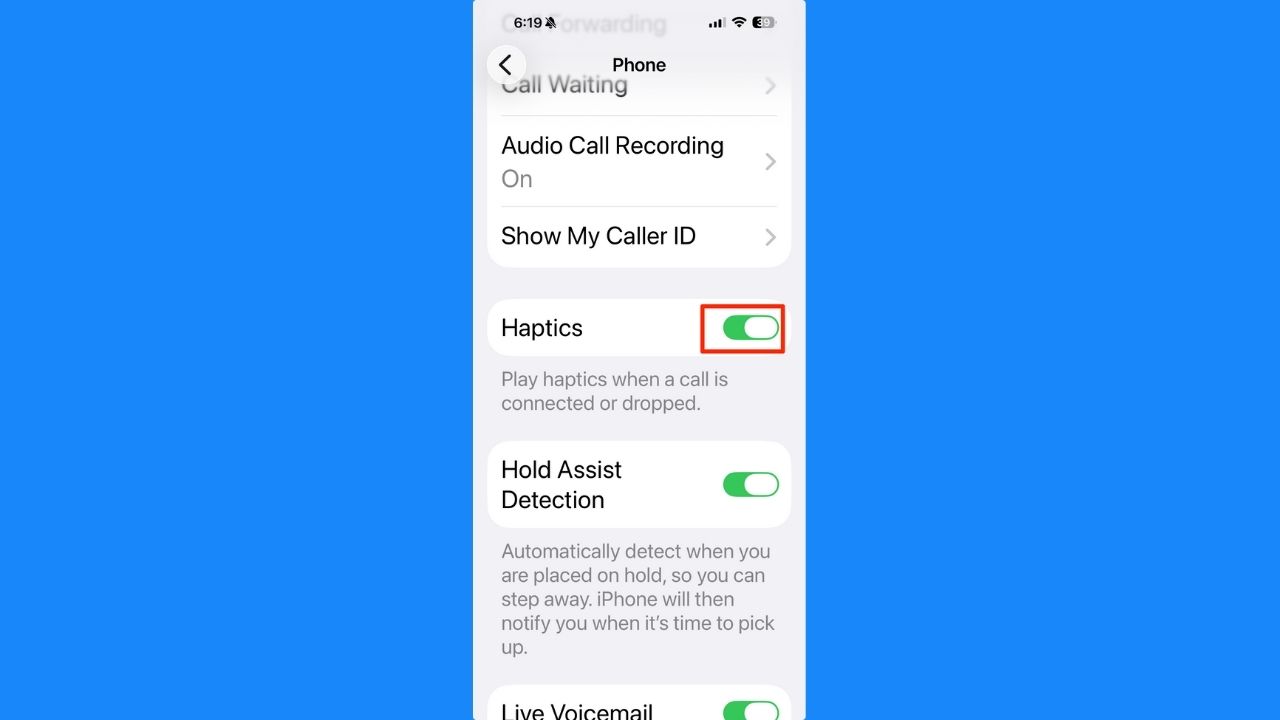
iOS 26.1 adds a simple but welcome change for anyone who prefers fewer distractions. You can now turn off the vibration feedback that happens when a call connects or ends. Go to Settings > Apps > Phone and toggle Haptics off to stop those subtle buzzes that can feel like extra notifications. It’s a small tweak that makes phone calls feel cleaner and less intrusive.
10) Local Capture options
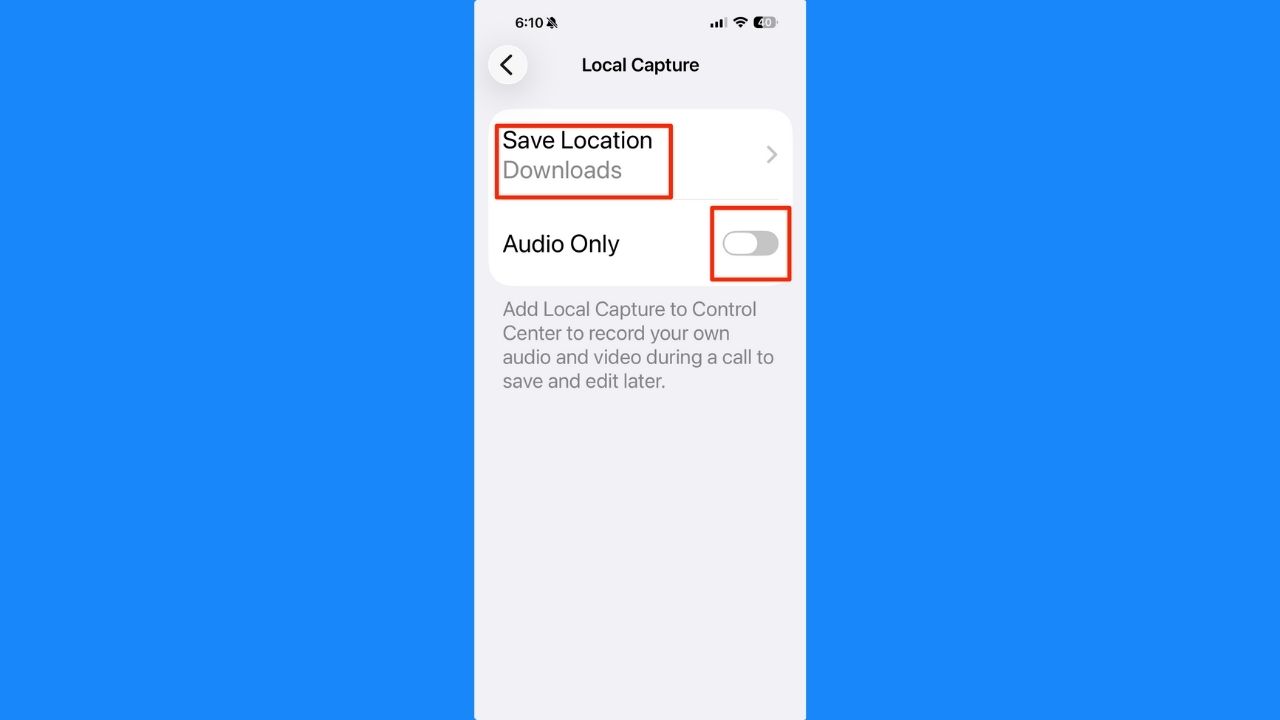
iOS 26.1 adds a new Local Capture menu that makes it easier to record high-quality audio and video from your own device during calls. Go to Settings > General > Local Capture to choose where your recordings are saved or to enable audio-only recording.
Pro Tip: Use strong antivirus software
Use trusted antivirus software as an extra layer of protection for your iPhone or iPad. While Apple’s built-in defenses are strong, security threats evolve fast. Installing strong antivirus software adds real-time protection against phishing, unsafe links, and rogue apps. Keep it updated and run regular scans to catch potential risks early. This extra step helps your device stay clean, fast, and fully protected between iOS updates.
TotalAV is easy to set up and offers real-time protection for paid users, keeping your devices safe around the clock. It includes tools to block phishing scams, remove ransomware and spyware, and clean up adware and junk files. The software also features a browser manager, system tune-up tools, and protects across Windows, Mac, Android, and iOS devices.
GET MY EXCLUSIVE CYBERGUY TOTALAV DEAL:
Please note:
1) If you're having difficulty seeing either of the above deals, do this:
- If you're on a mobile device, hold down the link above, "Copy Link", and then paste it into a private or incognito browser.
- If you're on a laptop or desktop, right click the link, "Copy Link", and then paste it into a private or incognito browser.
2) During registration you may see optional upsells you can decline. Our top pick is the core antivirus product.
3) If you need help after your purchase, you can reach TotalAV directly through their official support page here.
Related Links:
- 10 iOS 26 tricks that help you get more out of your iPhone
- Is it time for me to upgrade to a new iPhone?
- Apple brings its powerful Preview app to iPhone for the first time
Check out more iOS 26 tips here
Kurt’s key takeaways
The iOS 26.1 update brings more than simple fixes. It fine-tunes how your iPhone works, sounds and protects your information. With expanded translation, smarter music gestures, new privacy options and better camera controls, every improvement makes daily use smoother. Features like Local Capture, streamlined security updates and the ability to turn off phone call haptics highlight Apple’s focus on practical upgrades that matter. If you have not updated yet, now is a good time. iOS 26.1 strengthens your phone’s security, improves stability and adds thoughtful details that make your device easier to use every day.
Which new iOS 26.1 feature will you try first, the enhanced privacy tools or the camera and haptic settings? Let us know in the comments below.
FOR MORE OF MY TECH TIPS & SECURITY ALERTS, SUBSCRIBE TO MY FREE CYBERGUY REPORT NEWSLETTER HERE
Copyright 2025 CyberGuy.com. All rights reserved. CyberGuy.com articles and content may contain affiliate links that earn a commission when purchases are made.
🎙 Now Streaming: My New Podcast: The CyberGuy Report
Kurt’s Top Deals
Deals move fast and inventory can be limited, so don’t wait too long.
| 🔥 Editor’s pick  Summer entertaining Ninja SLUSHi Machine (26% off) Frozen drinks and slushies at home in minutes. | |
| 💰 Top deal  Outdoor essential TYPEC Solar Bug Zapper (36% off) Solar-powered bug zappers for patios and camping. |


