



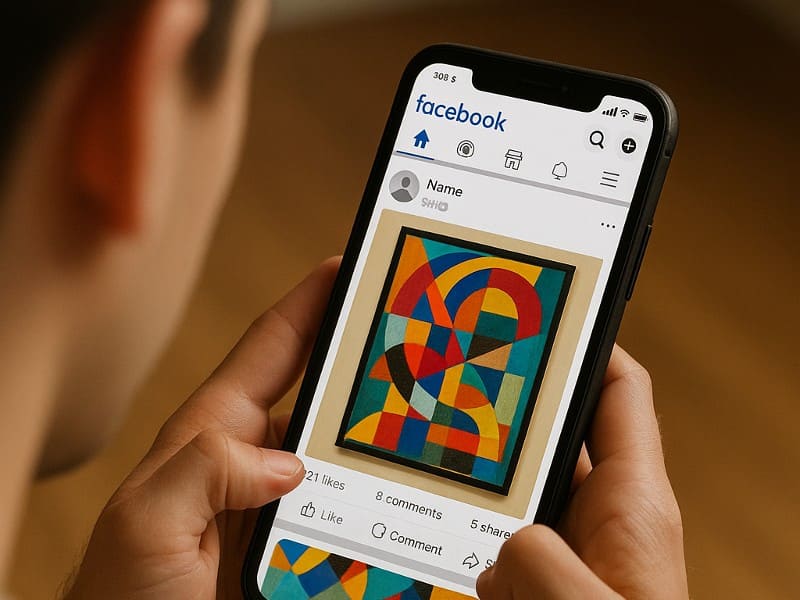
If you create and share art online, you might have seen messages warning that Facebook’s parent company, Meta, claims the right to use or even sell anything you post, whether it’s pictures, poems, or artwork. Robert from Edmond, Oklahoma, reached out with this concern:
“I keep getting messages warning me that Facebook/Meta has let all subscribers know that Meta claims the right to own or use anything one puts on their social media systems, including any message, pictures, artwork, etc., that belong to you. I like to post some of my artwork but I am being warned it can be loaded by Meta and sold or given to others without my permission. Is this true? If so, is there a way to protect one’s pictures, art, poems, etc. from this grab?”
This is a common concern, and it’s essential to distinguish fact from fiction. Let’s explore what really happens to your creative content on Facebook, what rights you keep, and how you can protect your work while sharing it on the platform.
The truth about the ownership and rights of content posted on Facebook
Here’s the truth: You retain ownership of your intellectual property rights, including copyright, of everything you share on Facebook. Your creative work, art, photographs, poems, or videos, is still yours to control.
With that said, Facebook has a license to use the content you post on the platform, but it doesn’t mean they own it. If you don’t want Facebook to use it, you should delete it. However, Facebook can still access it if you’ve shared it with others and they haven’t deleted it.
The claim that Facebook or Meta can sell or give away your content without your permission is false. This rumor has circulated for years but is not based on Facebook’s actual policies. While Facebook does have a license to use your content as part of its platform, it does not own your work or have the right to sell it outside of Facebook without your consent.
SPOT FAKE ONLINE STORES AND AVOID FACEBOOK SUBSCRIPTION SCAMS
You still need to protect your content from social media piracy
Social media piracy happens when someone uses your social media content without your permission. Here’s how to protect it:
Make sure you watermark your artwork
Adding a watermark to your work can help protect it from unauthorized use. You can use any image editor, including the Windows Photos app or Canva. To maximize protection, place the watermark where it cannot e easily cropped out without damaging the artwork, such as across the center.
Adjust your Facebook privacy settings (Desktop)
You should configure your privacy settings to limit who can see your posts:
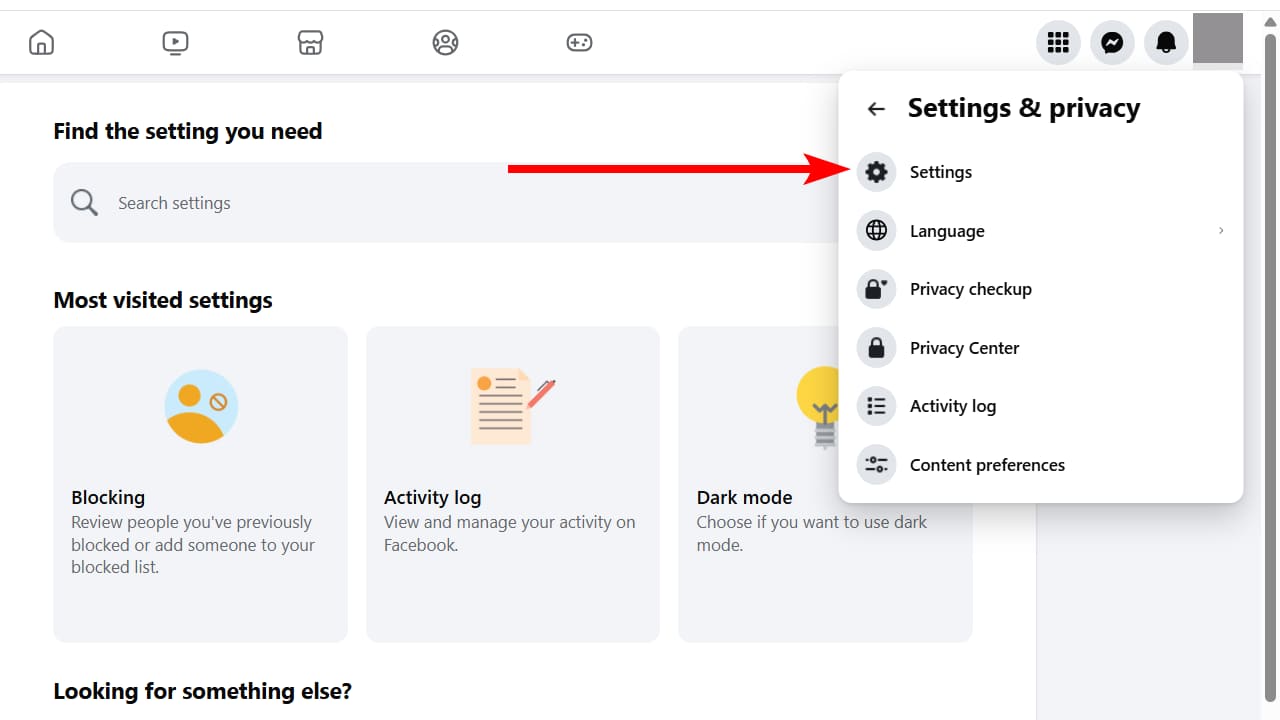
- On your Facebook profile, click your profile picture in the top-right corner and select Settings & privacy

- Click Settings
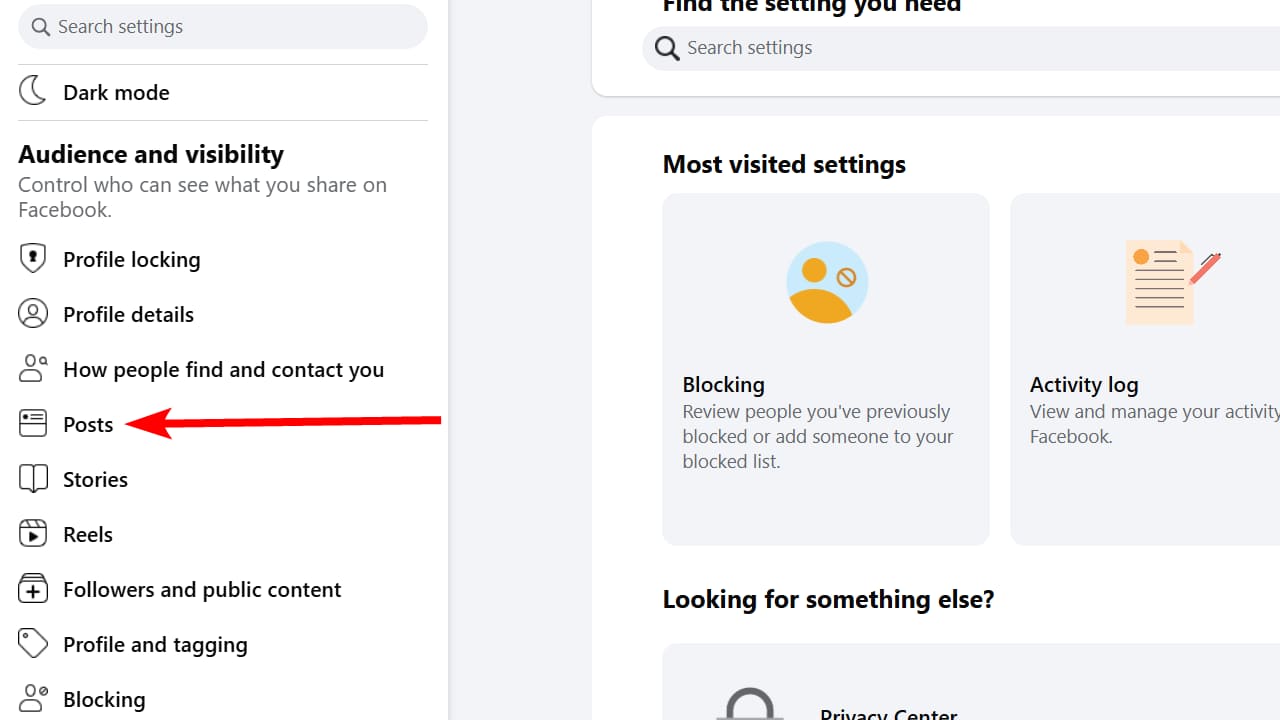
- In the Audience and visibility section, click Posts
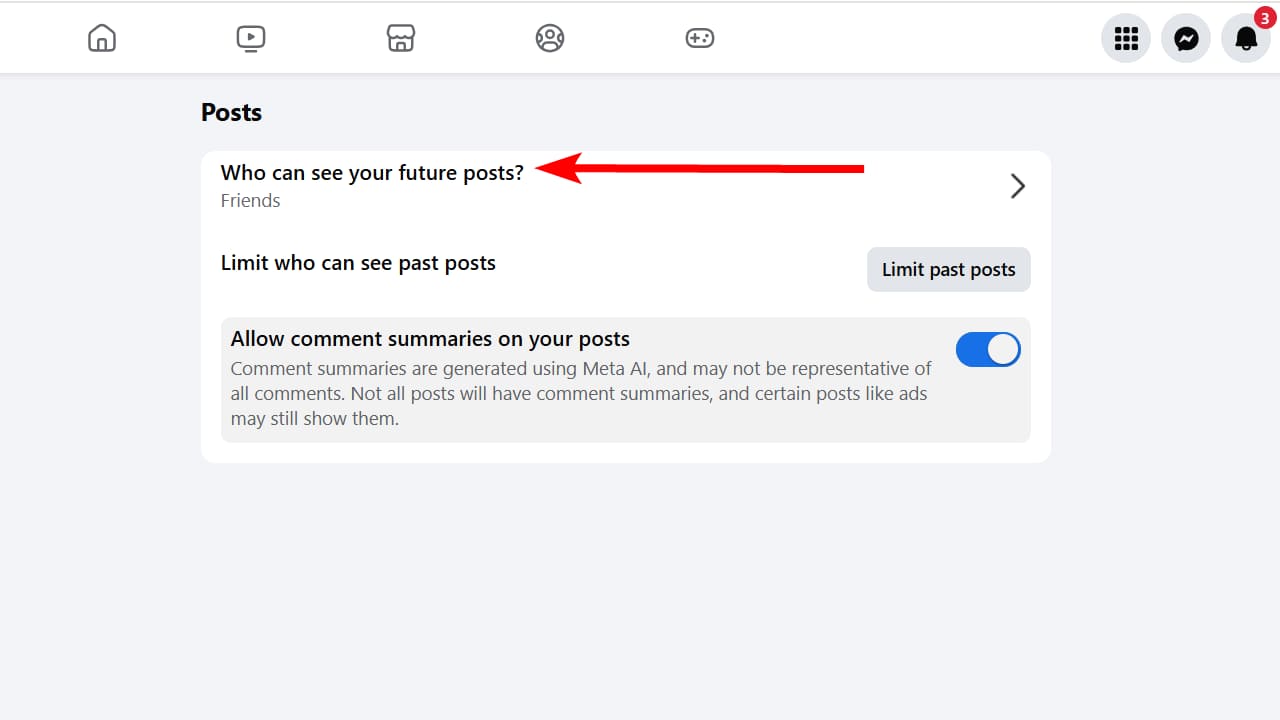
- Click Who can see your future posts?
A Texas mom says she spent the night in jail after speaking up online about dirty water in her town. The case was later dropped, but her story raises a troubling question: could something you post online ever put you at risk?

Missed this event? Sign up via the registration form and see our live recording.
See Kurt’s 2026 picks for practical tech and everyday upgrades.
- Select Friends and click Done

Put a copyright notice on your Facebook posts
You can also include a copyright notice in your posts to remind others that the content is protected by copyright law. Something as simple as “© [Your Name], [Year]” can work and is legally recognized.
HOW I WAS TRICKED AND LOCKED OUT OF FACEBOOK AFTER BEING HACKED
Kurt’s key takeaways
It’s important to know that you keep ownership of your creative work on Facebook. While Meta can use your content within the platform, it cannot sell or give it away without your permission. Protecting your art is still up to you; watermark your work, adjust privacy settings, and add copyright notices to help prevent misuse.
How do you protect your creative content on social media? Share your experiences in the comments below.
FOR MORE OF MY TECH TIPS & SECURITY ALERTS, SUBSCRIBE TO MY FREE CYBERGUY REPORT NEWSLETTER HERE
🎙 Now Streaming: My New Podcast: The CyberGuy Report
Kurt’s Top Deals
Deals move fast and inventory can be limited, so don’t wait too long.
| 🔥 Editor’s pick  Summer entertaining Ninja SLUSHi Machine (26% off) Frozen drinks and slushies at home in minutes. | |
| 💰 Top deal  Outdoor essential TYPEC Solar Bug Zapper (36% off) Solar-powered bug zappers for patios and camping. |


2 comments
Also, read the Terms and Services for Facebook (which you would have agreed to by signing up). I see a lot of people posting a comment saying some form of they do not authorize Facebook to use their content as if FB will read that and check the box on not using the data.
After Mark Zuckerberg posted a half-page opinion piece in the WSJ, I wrote a letter to the editor highlighting 4 areas in which they denied me ability to control my information. Once it was published, my site was closed. I then wrote about the censorship on Linkedin and included “And, Facebook, if you are reading this post, kindly restore my account. This is really inconvenient.” Two hours later my site was restored. Mr. Zuckerberg believes everyone should share all information and for that reason he is dangerous.