



Falls are a significant concern for older adults, often leading to serious consequences that could have been prevented. The Centers for Disease Control and Prevention (CDC) highlights that falls are the leading cause of injury-related deaths among adults aged 65 and older. This risk poses a real threat to the independence of many seniors.
Even those who are fully capable might find themselves in assisted living sooner than necessary because their families worry about the potential aftermath of a fall, especially if they live far away. While not all falls result in injuries, they often require medical attention or limit mobility, making it tough for even the most independent seniors to manage daily activities on their own.
Personal alert systems can be a game-changer, offering peace of mind to both older adults and their families. These systems help ensure that seniors can live independently and safely, knowing that help is just a button press away.

Top personal alert systems
While technology can be intimidating, it can also be such a great resource for keeping you and your loved ones safe, even from a distance. Often, families make the choice to admit their parents and relatives to assisted living because they fear potential risks from living alone and with their family so far away. Personal alert systems and assistance products can both create more ease for the user and peace of mind for their family.
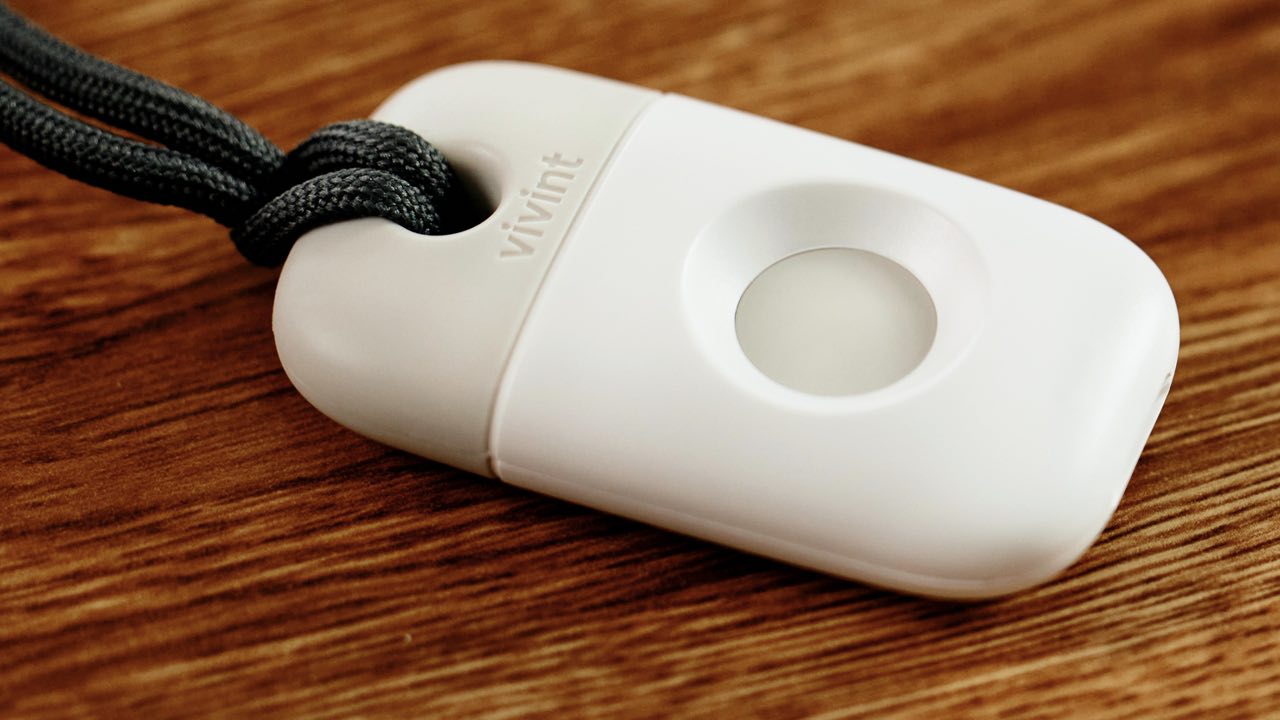
1) Vivint Emergency Pendant
Credit: Vivint
A cornerstone of Vivint’s comprehensive senior alert system, the Vivint Emergency Pendant is a small device that can be worn in several ways, including as a necklace, on a belt, or as a bracelet. The small size and ability to be worn in multiple ways gives its user access to help with a single press of a button. Once the button is pressed, Vivint’s 24/7 monitoring team can quickly assess the situation and, if necessary, dispatch emergency services. Both the 300-foot range and being water resistant allows for continuous monitoring throughout the home. Costing just $50, which is applied toward your equipment purchase, the Vivint Emergency Pendant allows older adults to live both independently and securely.
SPECIAL OFFER: Get a FREE Emergency Pendant and FREE Professional Installation* | Click here or call 888-225-0189 and mention code FREEPENDANT
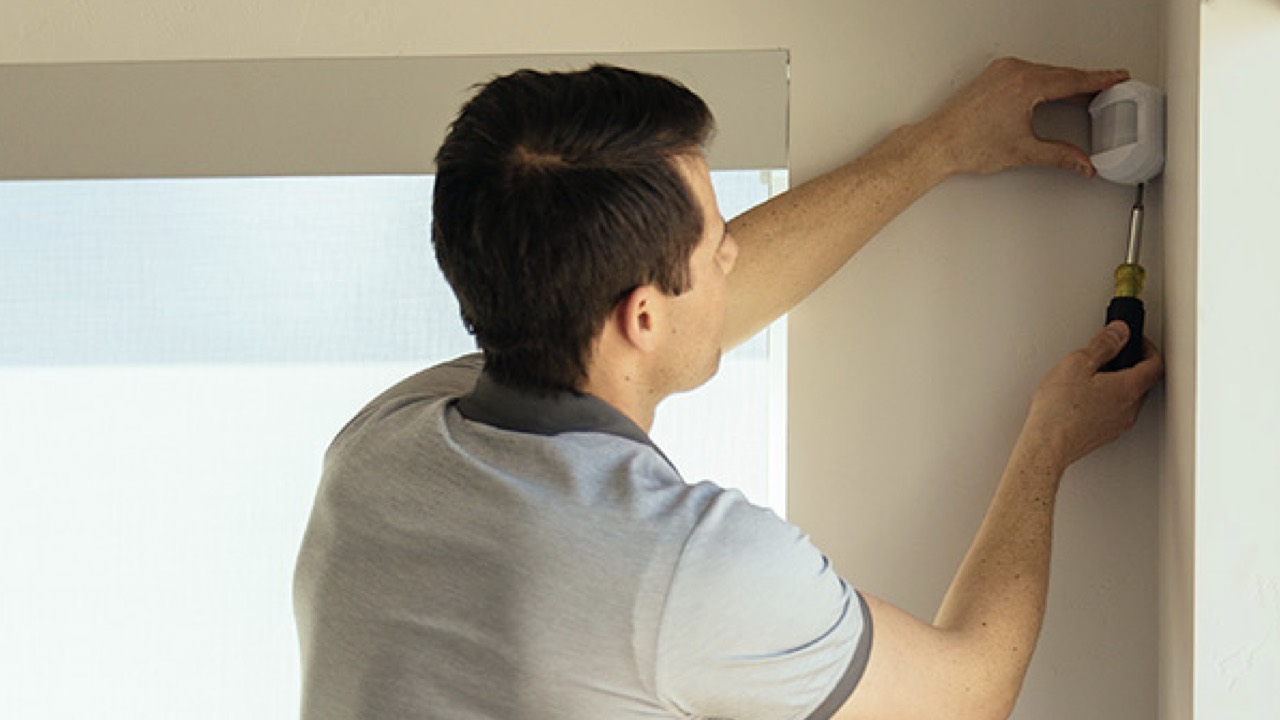
2) Vivint sensors
A part of the Vivint alert system, these motion sensors are always on, which means the safety of your loved one is constant. The system adjusts and responds according to the armed status of the home when motion is detected. The accompanying app lets you receive a notification when these sensors detect motion. Because anyone with the app can view this timeline, you can be alerted should any movement occur. If you are not receiving notifications, you can still view the timeline of detected movements. The app allows you to see the history of motion events, providing a detailed timeline of when the last movement was detected. Typically, you can look back at least 30 days on the timeline to review past movements.
Credit: Vivint
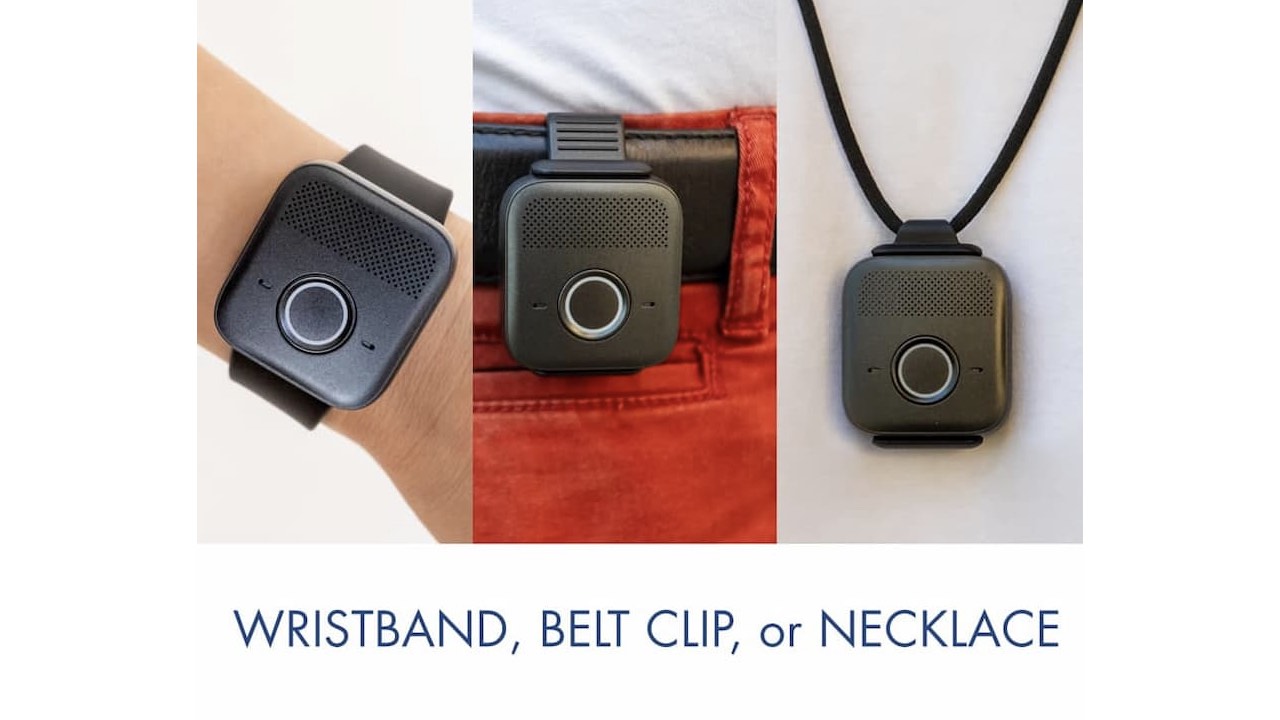
3) LifeFone’s VIP flex™ with GPS service
LifeFone’s VIP flex™ with GPS service is a small, light mobile medical alert device with versatile wearing options. Used in tandem with the LifeFone personal medical response service, this device not only protects you 24/7 but also protects your loved ones both in the home and anywhere they go in the US, where Verizon or AT&T cellular service is available. It can be worn on a wristband, on a belt clip, or as a necklace. It is water resistant with a very long-lasting battery life (up to 5 days). The fall detection is an optional service that can be added for $5/month.
Credit: LifeFone
Watch the latest episode of The CyberGuy Report.


Missed this event? Sign up via the registration form and see our live recording.
See Kurt’s Prime Day picks for useful gadgets, practical upgrades and everyday tech while the deals last.
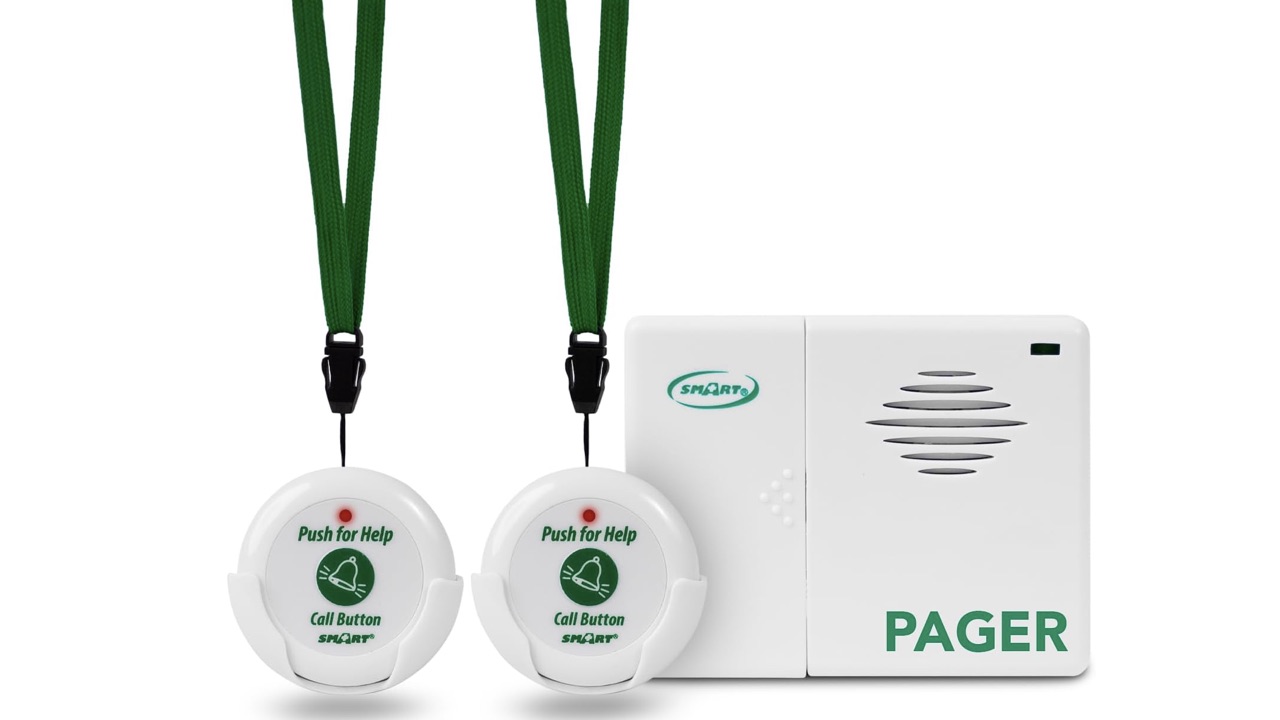
4) Smart Caregiver Two Call Buttons & Wireless Caregiver Pager
The Smart Caregiver is a wireless paging alarm system that comes with two wireless pagers that can be worn around the neck with the lanyards included. This makes sure that your loved one and any on-duty caregiver are connected when they are needed. For instance, one can go on the shower wall with a pull cord in case of fall, one on the nightstand, and a pager worn by the caregiver. It’s inexpensive and works well for homes with multiple rooms or stories where a caregiver is not always next to your loved one.
Credit: Smart Caregiver
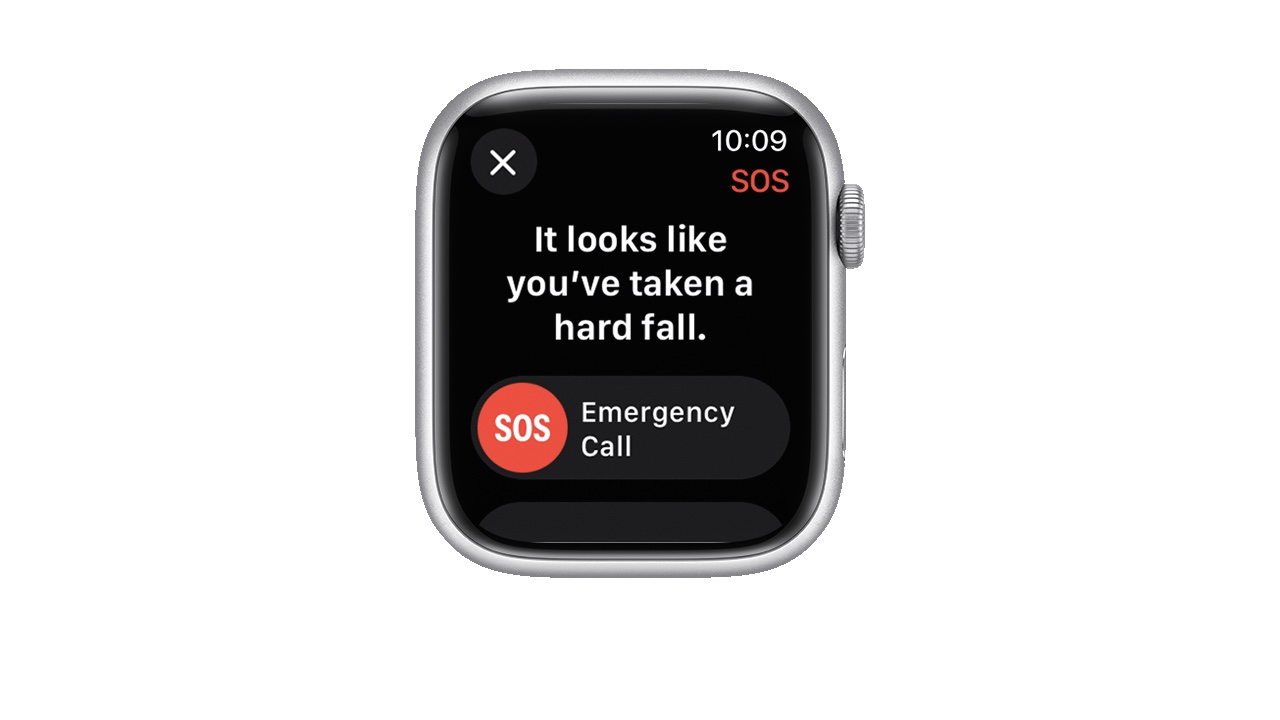
5) Apple Watch’s fall detection
If you’re wearing an Apple Watch SE, Apple Watch Series 4 or later, or Apple Watch Ultra or later and a hard fall is detected, it taps you on the wrist, sounds an alarm, and displays an alert. You will get two choices: 1) contact emergency services or 2) dismiss the alert by pressing the Digital Crown, tapping Close, or tapping “I’m OK.”
Manual Activation of Fall Detection on iPhone
If you want to manually enable this feature in your Apple Watch settings. Here’s how:
- Open the Watch app on your iPhone
- Go to the My Watch tab
- Select Emergency SOS
- Toggle on Fall Detection
- If Fall Detection is on, you can select Always on or Only on during workouts
Credit: Apple
Related Links:
- How vr technology is curing loneliness in seniors
- Preserve loved ones voicemails on iphone
- Best tech to help a loved one with memory issues
Kurt’s key takeaways
Technology, especially personal alert systems, can really empower your aging adult loved one to live independently longer and safer. In addition to being the ‘eyes’ and ‘ears’ should your loved one need help without your presence, it also gives you & your family peace of mind.
Do you have loved ones who live separately or further away? Do you worry about their well-being? What products do you use to help take care of a relative? Let us know in the comments below.
FOR MORE OF MY TIPS, SUBSCRIBE TO MY FREE CYBERGUY REPORT NEWSLETTER HERE
*Standard Disclaimer: *Qualifying system purchase requires minimum $599.99 equipment purchase, professional installation and applicable services agreement. DIY system purchases and reactivations of previously-installed systems not eligible for offer. Offer not available in all states or provinces. Equipment purchase may be financed separately subject to an agreement with one of Vivint’s third-party financing partners. Monthly $1.48 cellular network maintenance fee applies. Taxes and local permit fees may apply. New Vivint Customers only. Financing eligibility and terms subject to credit approval by one of Vivint’s third-party financing partners. Qualified customers may finance equipment purchase at 0% APR for up to 60 months. Month-to-month service agreement available when equipment is purchased upfront. Without a Vivint services plan, product and system functionality is limited (including loss of remote connectivity). See comprehensive Vivint license numbers on Vivint.com. Use promo code: CYBERGUY.
Copyright 2025 CyberGuy.com. All rights reserved. CyberGuy.com articles and content may contain affiliate links that earn a commission when purchases are made.
1 comment
My Mother is in Memory Care, probably Stage 5-6 Alzheimer’s and kept in the common area all day. I use Alexa Drop In as a speaker and Blink camera to observe her in the morning and at bed time when she is being assisted by staff. The facility knows she has a camera in room and it does make a difference in her care.