Prices are up. Airline tickets, electric bills, everyday groceries, and also video streaming services are seeing higher price tags.
Disney+, Apple TV+ and Hulu are set to increase recurring subscription fees to offset higher production and licensing costs.
Netflix currently offers three streaming plans: Standard with Ads, Standard, and Premium, ranging from $7 to $23 a month.
Ways to avoid overpaying for streaming services
Add up all of your monthly streaming bills and you are likely spending more than you are aware of. Almost 60% of US households with video streaming have 3 or greater subscriptions according to Nielsen.
Half of Americans spend $20 or more per month. Others are paying more and sometimes don’t know it. There is an easy way to get a handle on out-of-control spending on streaming.
#1 Check for hidden subscription charges
Audit your credit card bill to discover recurring streaming charges. While looking at your bill online, sort by name over a number of months to help recurring charges stand out.
Then check your app store settings for subscriptions you may not be using any longer but are still paying for each month.
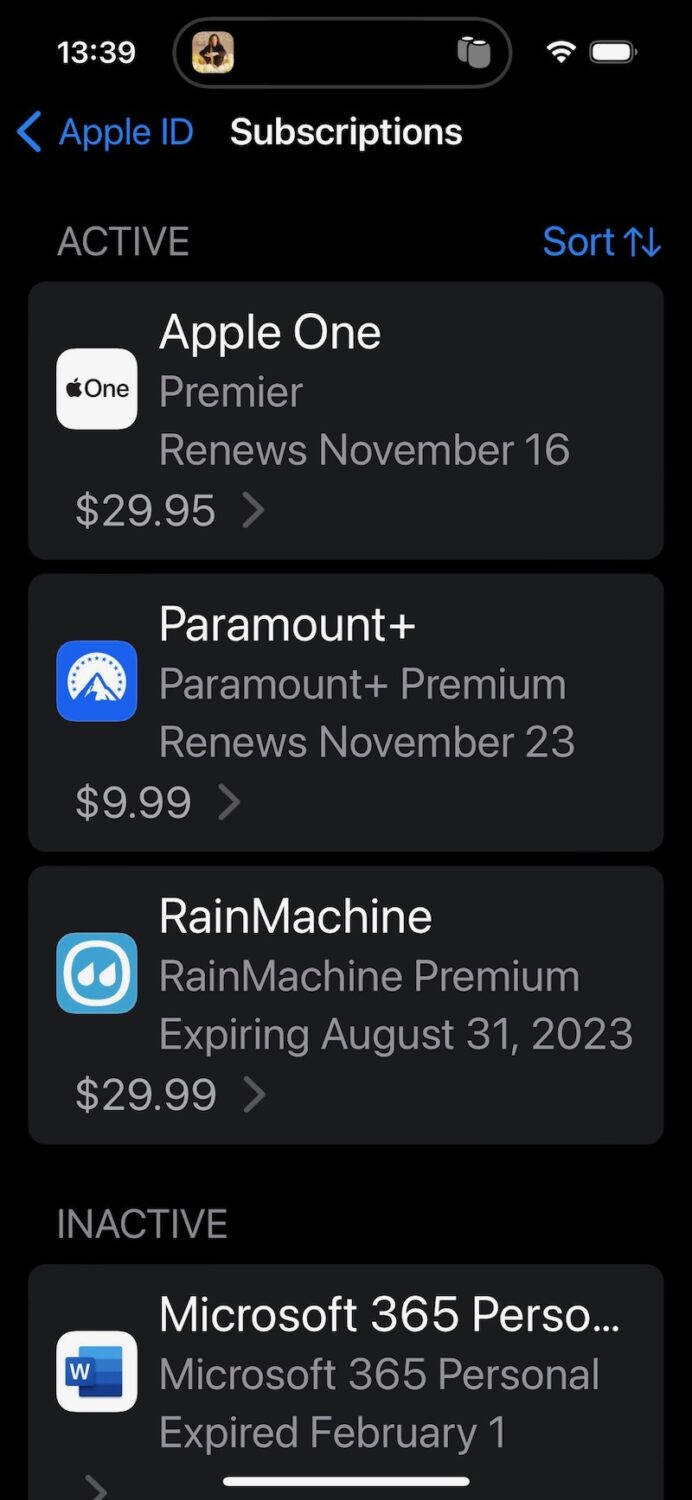
How to check iPhone subscriptions
To check recurring app subscriptions on iPhone, start by tapping Settings > tap your name > and tap Subscriptions
How to check Android subscriptions
To check recurring app subscriptions on Android, launch the Play Store > tap your profile photo > then Payment & subscriptions.
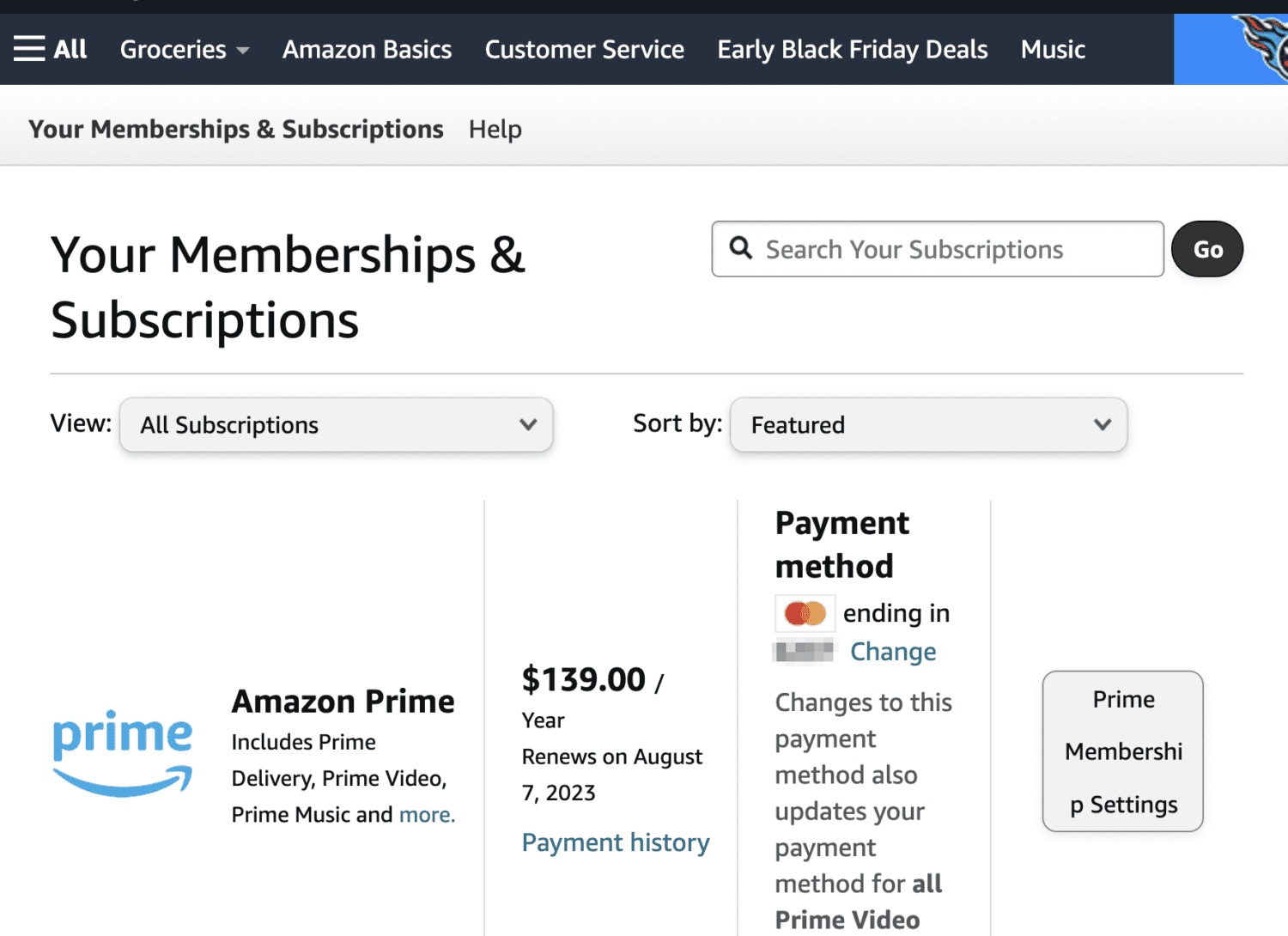
How to check Amazon subscriptions
To check recurring subscriptions on Amazon, click your account settings tab after logging into Amazon > then tap Memberships and Subscriptions to see what recurring services are subscribed.
#2 Change to a cheaper tier
Over the past year, Netflix just started offering advertising-supported subscriptions at a reduced monthly rate of $6.99.
Disney Plus costs $8 a month for ad-supported streaming, or $14 a month for ad-free playback.
Watch the latest episode of The CyberGuy Report.

Missed this event? Sign up via the registration form and see our live recording.
See Kurt’s latest Amazon picks for useful gadgets, smart home upgrades and everyday tech worth grabbing while the deals last.
#3 Start and stop subscriptions
Most streaming services are month-to-month and offer the ability to cancel at any time. Signing off and then signing back on can make sense between big seasons of popular series.
#4 Split and share subscriptions
Splitting a subscription can save money when done right.
Amazon Prime – $139 a year or $14.99 a month subscription – which includes Prime Video can be shared by two adults at separate addresses.
Apple TV offers various tiers:
(1) If you buy an Apple device, Apple TV+ is included free for 3 months.
(2) A monthly subscription is just $9.99 per month after a free seven-day trial.
(3) Apple TV+ is included in Apple One, which bundles up to five other Apple services into a single monthly subscription. Apple One plans start at $19.95 per month.
(4) The Apple Music Student Plan comes with a free subscription to Apple TV+.
Some services let you share with friends and family who reside outside your home address. Other streaming companies including Disney+, Hulu, Paramount+, Netflix, and Max say those who share the same plan need to live under the same roof.
Netflix is starting to check subscriber locations in some Latin American countries that could come to the U.S. in the future to enforce shared accounts at different addresses. Netflix began fees for extra subscripts sharing the same account.
#5 Free streaming services
Watch free tv shows and movies at a variety of apps worth adding to your streaming device. Both Tubi from Fox Entertainment, Amazon’s Freevee, PlutoTV, and Roku Channel are free channels to watch with ads.
Some ad-free streaming services like Hoopla and Kanopy let you watch for free by entering in your active library card membership.
More: Best sites to stream free movies, TV shows, and live news
Free movie and tv search
A video search site called Reelgood can point your way to free offerings available. It also helps with remembering which tv series or movie is available at various paid and free streaming services. All you do is add the streaming services you subscribe to make searching streaming services in one place.
Another free service to check out is an app called Queue (iOS) where you can discover new shows across streamers and build a queue of all your favorites into your profile to then share with friends. Add what services you have and Queue will automatically split your watchlist into “Free for Me” or “Paid” so you know what’s included on your streamers and what titles require additional payment through either a subscription or purchase/rental.
More:
Click here for our picks for the latest movies and TV shows to stream
Copyright 2024 CyberGuy.com. All rights reserved. CyberGuy.com articles and content may contain affiliate links that earn a commission when purchases are made.
🎙 Now Streaming: My New Podcast: The CyberGuy Report
Kurt’s Top Deals
Deals move fast and inventory can be limited, so don’t wait too long.
| 🔥 Editor’s pick  Summer entertaining Ninja SLUSHi Machine (26% off) Frozen drinks and slushies at home in minutes. | |
| 💰 Top deal  Outdoor essential TYPEC Solar Bug Zapper (36% off) Solar-powered bug zappers for patios and camping. |