



Using a Virtual Private Network (VPN) can significantly enhance your online security, especially when accessing sensitive information like banking apps. However, it can also lead to complications, such as being blocked from accessing your bank’s services.
Melissa from Dallas wrote to us asking,
How can I use a VPN without getting locked out of my banking app? It’s very frustrating, and I worry about my security when I have to turn off the VPN. Are there any specific tips to ensure I stay both secure and connected?
Melissa, we totally understand how that can be aggravating. We’ll guide you through the steps to use VPNs effectively while ensuring your banking activities remain secure and accessible.
What is a VPN?
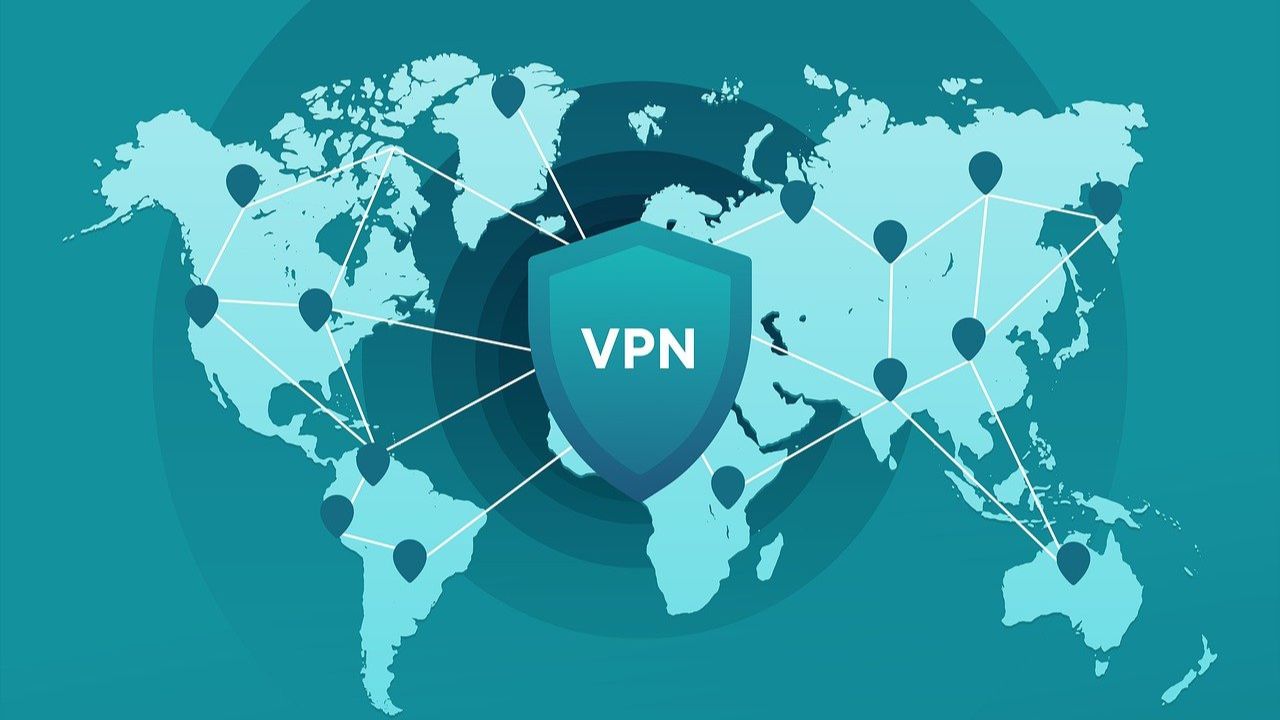
A virtual private network, or VPN, encrypts your internet traffic and reroutes it through a server in a different location than your own. VPNs make it appear that you are connecting to the internet from whichever location the server is hosted in rather than your actual location.
When you first connect to a network using a VPN, your device will establish a secure connection with the VPN server, and your device’s IP address will appear as the VPN server, meaning that only your internet service provider will see that you’re connecting to a VPN server. Normally, when you connect to a website, the website or any online services you visit can see your device’s technical information, including location-sensitive data such as IP addresses.
Understanding VPNs and their benefits
A VPN creates a secure tunnel between your device and the internet, encrypting your data to protect it from prying eyes. The 3 key benefits of using a VPN for online banking include:
1) Enhanced security: Encrypts your connection, making it difficult for hackers to intercept sensitive information.
2) Privacy protection: Masks your IP address, helping you maintain anonymity while browsing.
3) Access to geo-restricted content: Allows you to access banking services when traveling abroad.
Steps to use a VPN safely with banking apps
1) Choose the right VPN
Select a reputable VPN service that prioritizes security and privacy. Look for features such as:
- Military-grade encryption (256-bit AES)
- No-logs policy to ensure your activities are not tracked
- Kill switch functionality to prevent data leaks if the VPN connection drops
- Servers in your home country to avoid triggering alerts from your bank.
2) Install the VPN software
Download and install the VPN application on your device. Most VPN services offer user-friendly interfaces compatible with various operating systems, including Windows, macOS, Android, and iOS.
3) Connect to a server
Before accessing your banking app:
- Launch the VPN application.
- Connect to a server located in your home country. This helps prevent your bank from flagging your access as suspicious.
4) Log into your banking app
Once connected:
- Open your banking app or website.
- Log in as you normally would. If you encounter issues, consider clearing browser cookies or switching servers within the VPN.
5) Monitor for any Issues
If you experience difficulties logging in:
- Disable the VPN temporarily and try accessing the app again.
- Change the VPN city/location to match the city where you live or are currently located.
- When traveling, be sure to change the VPN to the city where you live to avoid issues.
- Contact customer support for both your bank and the VPN provider if problems persist.
What to do when your VPN gets blocked by your bank
Now, some websites, especially banking sites, might get a little suspicious when they see you’re using a VPN. They might even block you out. So, what do you do if your bank’s website won’t let you in with your VPN on? Don’t panic. Here are a few quick fixes:
- Try contacting your bank’s customer support. They might have a solution or be able to whitelist your VPN, which basically means allowing your connection to bypass security blocks.
- Change the VPN city/location to match the city where you live or are currently located.
- If all else fails, you can always temporarily disable your VPN when accessing your banking app. Just remember to turn it back on when you’re done.
Now, you might be wondering, “Is it safe to turn off my VPN for banking?” Well, as long as you’re on a secure, private network (not public Wi-Fi), you should be okay. Just make sure to enable it again as soon as you’re done. Remember, while VPNs can sometimes be a bit of a hassle, the privacy and security they provide are totally worth it.
Choosing a VPN for banking security and safety
Securing your financial information with reliable VPN services and following these practical safety tips are important.
1) Choose a reliable VPN: Select a reputable VPN service with strong encryption protocols. Surfshark and ExpressVPN are both trusted VPN services that prioritize your privacy and security and are available on a wide range of platforms, including Mac, Windows, iOS, Android, and popular browsers.
ExpressVPN is the go-to choice for those who prioritize ultra-fast speeds, reliability, and top-tier security. With servers in 105 countries, ExpressVPN delivers blazing-fast performance for streaming, gaming, and secure browsing. It supports P2P file sharing, offers best-in-class encryption, and maintains a strict no-logs policy—with all servers running on RAM for enhanced privacy. You can connect up to 10 devices simultaneously, and setup takes under 2 minutes. Plus, with 24/7 live customer support and a 30-day money-back guarantee, ExpressVPN is a premium choice for security-focused users who want speed without compromise.
CyberGuy Exclusive ExpressVPN Deals:
✅ Save 61% – Get 3 months FREE with 12-month plan for $4.99/month. Try 30 days risk-free.
✅ Save 78% – Get 4 months FREE with 24-month plan for $2.79/month. Try 30 days risk-free.
Surfshark – Best for Unlimited Devices & Budget-Friendly Security
If you're looking for a more affordable VPN without sacrificing security, Surfshark is an excellent choice. Surfshark operates under a strict no-logs policy and offers top-notch encryption to keep your data safe. However, Surfshark stands out by allowing unlimited devices on a single account - making it perfect for families, small businesses, or users with multiple gadgets. If you're looking for a more affordable VPN without sacrificing security, Surfshark is an excellent choice. Surfshark operates under a strict no-logs policy and offers top-notch encryption to keep your data safe. It now runs on upgraded 100 Gbps servers, delivering faster speeds, smoother streaming, and greater reliability even during peak hours. The upgrade also makes Surfshark more future-proof with improved stability, scalability, and load balancing for growing bandwidth demands.
Surfshark stands out by allowing unlimited devices on a single account—making it perfect for families, small businesses, or users with multiple gadgets. It also includes features like MultiHop (double VPN) and Camouflage Mode to bypass VPN restrictions in censored regions. With a budget-friendly price and feature-rich security, Surfshark is ideal for those who want privacy on a budget.
CyberGuy Exclusive Surfshark Deals:
✅ Save 81% – Get 3 extra months FREE with 12-month plan for $2.98/month. Try 30 days risk-free.
✅ Save 88%/b> – Get 3 extra months FREE with 24-month plan for $1.78/month. Try 30 days risk-free.
For best VPN software, see my expert review of the best VPNs for browsing the web privately on your Windows, Mac, Android & iOS devices
Both VPNs offer top-notch security, ensuring that your browsing history, IP address, and online activities remain private.
Steps to follow for peace of mind
1) Always use VPN on public Wi-Fi: Never access financial accounts on public networks without activating your VPN first.
2) Enable two-factor authentication (2FA): Add an extra layer of security to your accounts by enabling 2FA.
3) Use strong, unique passwords: Create complex passwords for each of your accounts and consider using a password manager. Consider using a password manager to generate and store complex passwords.
4) Regularly monitor your accounts: Check your retirement accounts frequently for any suspicious activity.
5) Keep software updated: Ensure your devices and apps are always up-to-date with the latest security patches.
6) Be wary of phishing attempts: Don’t click on suspicious links or provide personal information in response to unsolicited emails. The best way to safeguard yourself from malicious links that install malware, potentially accessing your private information, is to have strong antivirus software installed on all your devices. This protection can also alert you to phishing emails and ransomware scams, keeping your personal information and digital assets safe.
TotalAV is easy to set up and offers real-time protection for paid users, keeping your devices safe around the clock. It includes tools to block phishing scams, remove ransomware and spyware, and clean up adware and junk files. The software also features a browser manager, system tune-up tools, and protects across Windows, Mac, Android, and iOS devices. GET MY EXCLUSIVE CYBERGUY TOTALAV DEAL: Please note: - If you're on a mobile device, hold down the link above, "Copy Link", and then paste it into a private or incognito browser. - If you're on a laptop or desktop, right click the link, "Copy Link", and then paste it into a private or incognito browser. 2) During registration you may see optional upsells you can decline. Our top pick is the core antivirus product. 3) If you need help after your purchase, you can reach TotalAV directly through their official support page here.
1) If you're having difficulty seeing either of the above deals, do this:
Pro tip: Use split tunneling. This feature allows you to route only specific traffic through the VPN while keeping other traffic on a regular connection. It can be beneficial for banking apps while allowing general browsing without interference.
Related Links:
- The best VPNs for browsing the web
- How to remove your private data from the internet
- How VPNs shield your identity and secure your financial transactions from theft
- Can you be tracked when using a vpn?
Kurt’s key takeaways
Using a VPN can significantly enhance your online banking security by encrypting sensitive data and providing privacy protection. However, it’s essential to choose a reliable service and connect appropriately to avoid access issues with banking apps. By following the outlined steps and tips, you can enjoy the benefits of a VPN without compromising your ability to manage your finances securely. Always stay vigilant about potential security threats and maintain good online habits for optimal safety while banking online.
Are there any misconceptions about VPNs and online banking that you’d like clarified? Let us know in the comments below.
TO GET MORE OF MY SECURITY ALERTS, SUBSCRIBE TO MY FREE CYBERGUY REPORT NEWSLETTER
Copyright 2025 CyberGuy.com. All rights reserved. CyberGuy.com articles and content may contain affiliate links that earn a commission when purchases are made.
🎙 Now Streaming: My New Podcast: The CyberGuy Report
Kurt’s Top Deals
Deals move fast and inventory can be limited, so don’t wait too long.
| 🔥 Editor’s pick  Summer entertaining Ninja SLUSHi Machine (26% off) Frozen drinks and slushies at home in minutes. | |
| 💰 Top deal  Outdoor essential TYPEC Solar Bug Zapper (36% off) Solar-powered bug zappers for patios and camping. |


1 comment
Regarding banking app and VPN…
I found that one of my banks blocked me with VPN on.
I would turn it off -lig in – then immediately turn VPN on again, and. navigate within the banking app. Generally, it seems that only the login page blocks your VPN….
TURN IT OFF
LOG IN
IMMEDIATELY TURN VPN ON AGAIN
You should now be able to navigate inside your banking app with VPN ON.