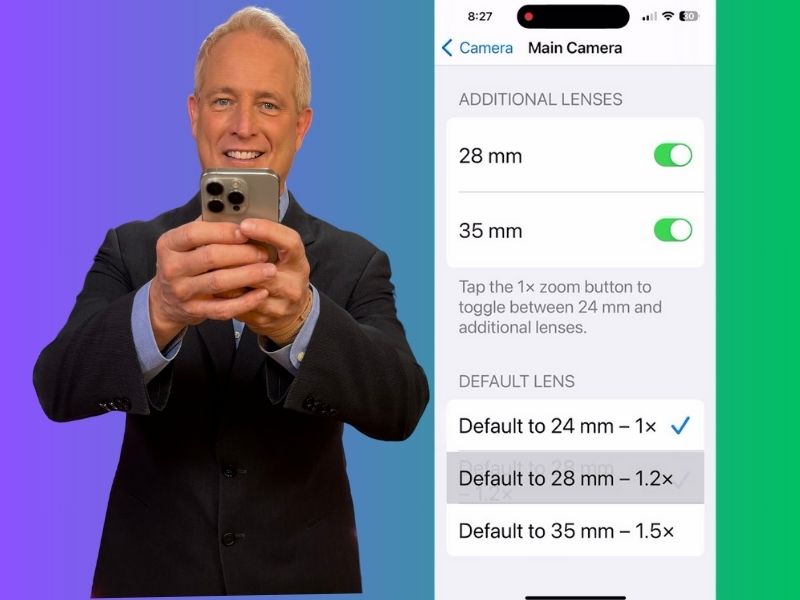
Have you ever gone to take a photo and wished you could capture it with just the right amount of zoom on your iPhone? Well, if you’re the proud owner of an iPhone 15 Pro or Pro Max, you’re in luck because these devices have an amazing camera setup.

iOS17 and later allows you to change camera zoom levels
Let’s talk about the main camera first. It offers a standard 1x zoom, perfect for crisp, clear shots that capture life as it happens. But wait, there’s more. The ultrawide camera brings a whole new perspective with a 0.5x zoom, allowing you to soak in more of the scene in a single frame. Now, here’s where it gets exciting—with iOS 17 and later, you can tweak your zoom levels directly from the menu. That’s right—no more fiddling around.
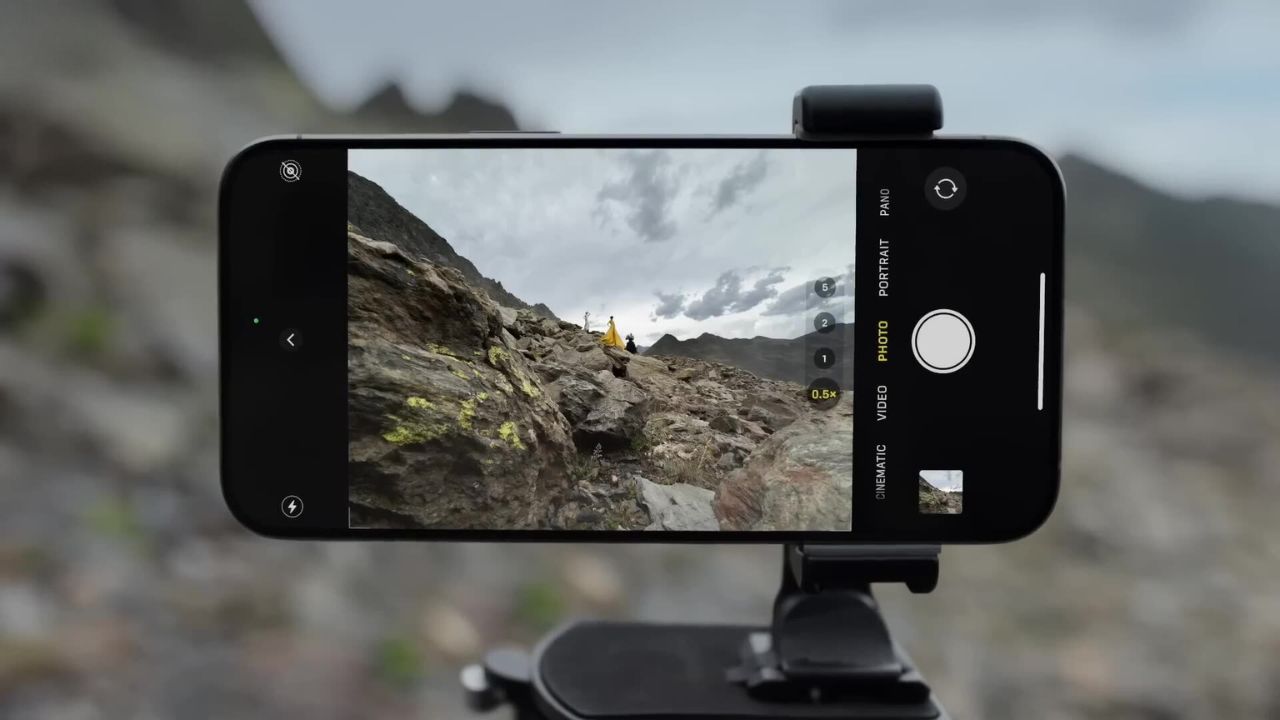
Credit: Apple
MORE: THE HIDDEN CAMERA APP ON YOUR PHONE UNLOCKING AN AMAZING PERK
How to set up default zoom for main camera
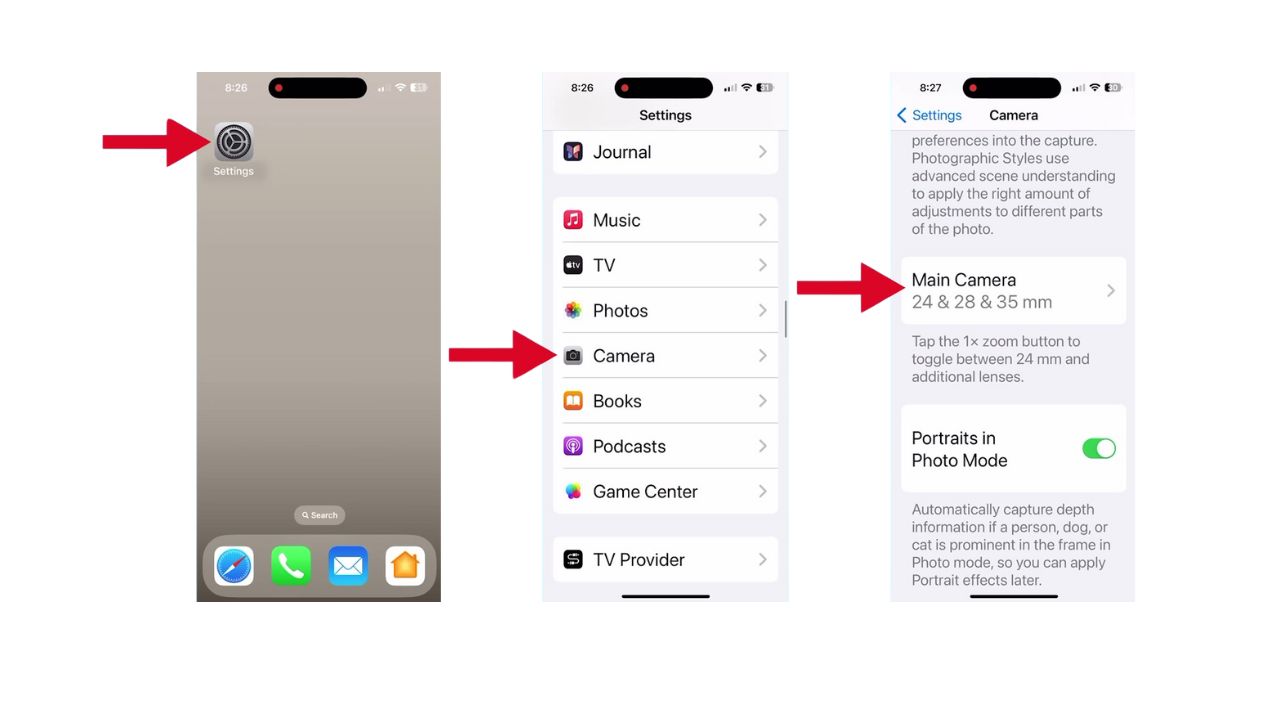
Want to jump straight to your preferred zoom level every time you open the camera? It’s a breeze. Just follow these steps:
- Open your Settings app
- Tap on Camera
- Then scroll down to Main Camera and tap it
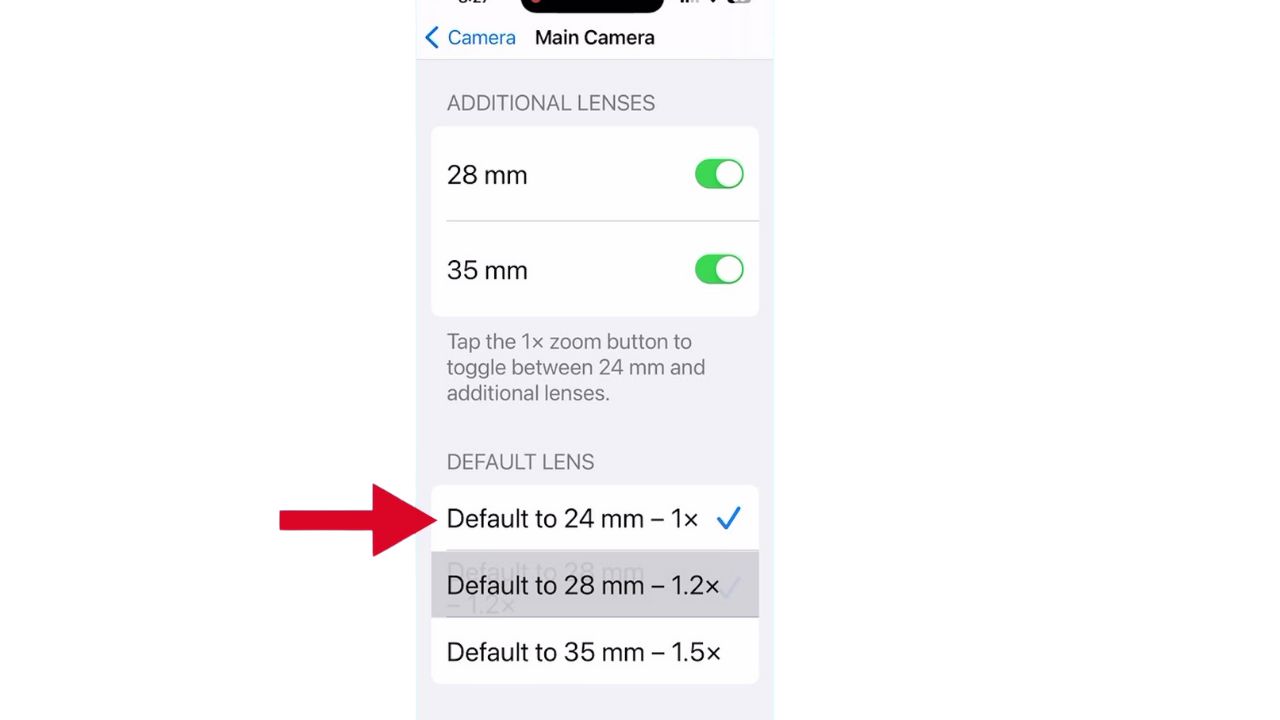
- Here, you’ll find options to adjust your camera zoom. You can set it to Default to 24 mm – 1x, Default to 28 mm – 1.2x, or Default to 35 mm – 1.5x
MORE: HOW TO SNAP THE PERFECT SHOT TAKING PHOTOS WITH YOUR CAMERA’S BURST MODE
How to adjust the zoom on the camera app for a specific moment
For those times when you need to quickly adjust the zoom for a specific moment, the Camera app makes it a breeze.
- Open the Camera app
- Press and hold down the 1x button
- A wheel will appear, allowing you to dial in the zoom level for that specific moment.
- Spin it to your desired magnification and snap away with precision from ultrawide to telephoto.
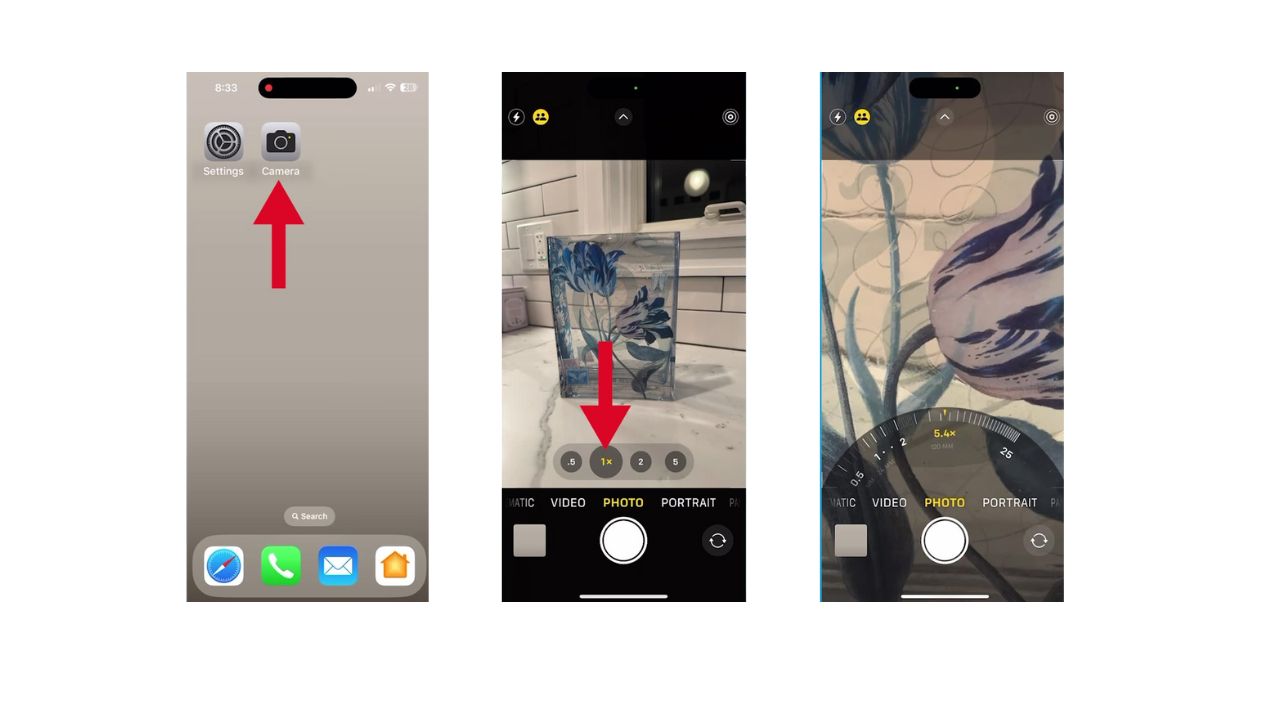
With these simple steps, you’ve just unlocked the secrets to becoming a zoom master on your iPhone 15 or later. So go ahead, give it a spin, and capture those perfect shots that’ll make your friends go, “Wow.”
MORE: THE AI CAMERA STRIPPING AWAY PRIVACY IN THE BLINK OF AN EYE
Kurt’s key takeaways
So whether you’re looking to capture sweeping landscapes or get up close with your subject, the zoom features on the iPhone 15 Pro and Pro Max make it easy to frame the perfect shot every time.
How has the evolution of smartphone cameras, particularly with the iPhone 15 Pro or Pro Max, changed how you capture and share your life’s moments? Let us know in the comments below.
FOR MORE OF MY TECH TIPS & SECURITY ALERTS, SUBSCRIBE TO MY FREE CYBERGUY REPORT NEWSLETTER HERE
A Texas mom says she spent the night in jail after speaking up online about dirty water in her town. The case was later dropped, but her story raises a troubling question: could something you post online ever put you at risk?

Missed this event? Sign up via the registration form and see our live recording.
See Kurt’s 2026 picks for practical tech and everyday upgrades.
🎙 Now Streaming: My New Podcast: The CyberGuy Report
Kurt’s Top Deals
Deals move fast and inventory can be limited, so don’t wait too long.
| 🔥 Editor’s pick  Summer entertaining Ninja SLUSHi Machine (26% off) Frozen drinks and slushies at home in minutes. | |
| 💰 Top deal  Outdoor essential TYPEC Solar Bug Zapper (36% off) Solar-powered bug zappers for patios and camping. |