



With someone getting hacked almost every 32 seconds worldwide, it’s no wonder the thought, “has my computer been hacked?” will likely cross your mind. Even if you’re running antivirus software and making safer choices online, it is possible that viruses, malware, or ransomware can penetrate your best effort as hackers get smarter and even more relentless.
That’s why it is important to understand the signs that are common in hacked computers. After all, the sooner you notice something is as amiss the likelier you’ll be able to reduce the level of damage these hackers can cause.
Telltale signs that your computer has been hacked
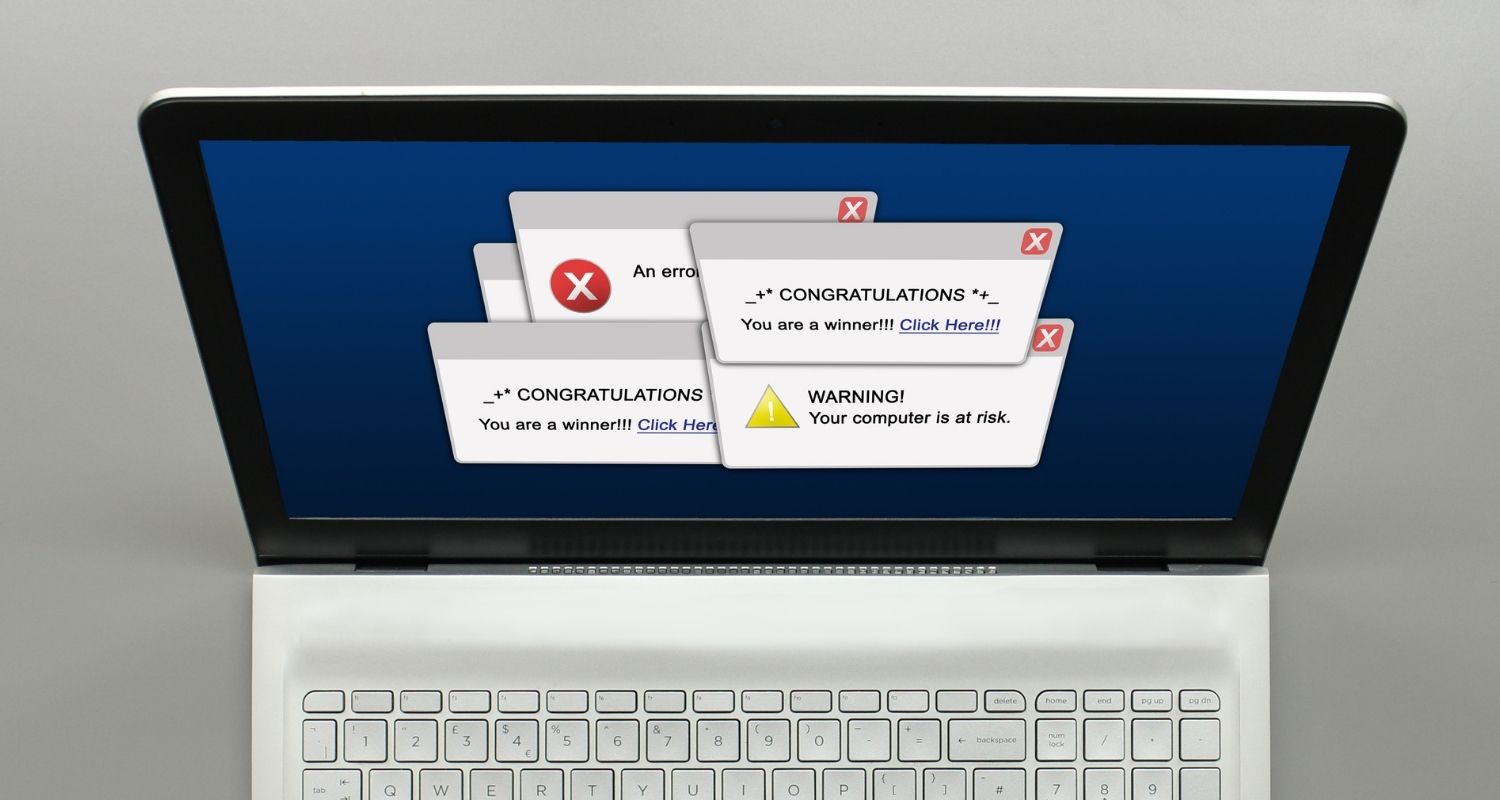
In addition to fortifying your defenses with up-to-date antivirus software, you may already be prudent with your online and computing practices. However, hackers are now targeting these behaviors to gain control of your device.
Just the other day my friend told me her father got a pop-up notification that a virus had been found on his computer. Thinking he was being diligent, he clicked the notification and proceeded to troubleshoot with a ‘representative’. It was only when he received a call from his bank about strange wire transfer requests that he realized he had been duped! He had clicked on a fake virus notification, which then allowed malware to be installed on his computer.
Not only did the hackers get their malware in his system, but by pretending to authenticate his identity during the troubleshooting process they were able to access the remaining information necessary to withdraw funds from his bank! Had those wire transfers not been completely out of character for him, those hackers would’ve cleaned out his ENTIRE account! Now his computer remains unplugged from any power or data source as he waits for professional help. Sadly, his story is not rare.
As hackers get savvier, access to your computer may be inevitable. But keeping an eye out for the top 7 signs outlined below can help you notice if your computer has been hacked:
1. Sluggish performance
You haven’t downloaded any new programs and you’re not uploading or streaming any services that take up too much bandwidth, yet your basic programs are running or responding slower than usual on your computer? This might mean you’ve been hacked. Hackers can infiltrate your computer and then release viruses, malware, or ransomware to run quietly in the background. But once these malicious entities are released into your system, it is siphoning data or impairing your ability to use your device. Often times because it is running in the background it is eating up data, battery, and CPU speed.
2. Random and/or Constant Shutdowns
While your computer turning on and off or restarting randomly could be a sign of a hardware issue, it could also be a sign that you’ve been hacked. Some types of malware or viruses reboot computers to continue their installation process. Other types of ransomware turn off the computer every time a user tries to eradicate the virus.
3. Strange pop-ups
Hackers are banking on reactive behaviors from their victims. They love baiting users with urgent pop-ups mimicking antivirus software or other computing notifications or alerts. Even though the notifications may be crude, the fear of being hacked often overrides levelheaded individuals to click the pop-up to resolve the issue. Once clicked it downloads the malicious entity or even refers you to a fake representative to ‘help’ you troubleshoot the issue. Often they will ask for personally sensitive information to compromise your identity and/or security.
4. Messages you never sent
If you’re lucky, you’ll have family, friends, or acquaintances who reach out to you to let you know if they got a strange email or another message from you that you never sent. That’s a sure sign that malware or a virus has been successful at infiltrating your system.
5. New programs or applications installed
Another benefit to keeping your desktop and menus clean or organized is that you’re more likely to notice if programs or applications your never installed suddenly show up. That likely means malware has successfully launched on your computer to log keystrokes or gain access to accounts or other sensitive information from you.
6. Sudden username, password, or contact information changes
If you’ve turned on 2-step authentication, you’ll be notified if any username, password or pertinent contact information changes in your accounts. If you never made those changes, it is likely you’ve been hacked and that account compromised. If you didn’t turn on 2-step authentication, you’ll know you got hacked if you can no longer use the same password and username to log into your usual accounts.
7. Browser redirections
If you’ve opened your browser and you’re suddenly sent to a different landing page than the one you designated, you’ve likely been hacked. Or if you’ve input a URL or link to a site you’re familiar with only to be redirected to a different site, then you have likely been hacked.
Lock up your tech
My biggest desire is to educate and inform you about the increased real threat to each of our connected devices and encourage you to use strong antivirus security protection on everything in your life connected to the rest of the world.
The best way to protect yourself is to install antivirus software on your devices. Our top choice for Antivirus software is TotalAV. It’s super easy to install and you’ll have peace of mind knowing you’ll have real-time protection, phishing scam protection, ransomware protection plus more. Protects Windows, Mac, Android & iOS Devices.
TotalAV is easy to set up and offers real-time protection for paid users, keeping your devices safe around the clock. It includes tools to block phishing scams, remove ransomware and spyware, and clean up adware and junk files. The software also features a browser manager, system tune-up tools, and protects across Windows, Mac, Android, and iOS devices.
GET MY EXCLUSIVE CYBERGUY TOTALAV DEAL:
Please note:
1) If you're having difficulty seeing either of the above deals, do this:
- If you're on a mobile device, hold down the link above, "Copy Link", and then paste it into a private or incognito browser.
- If you're on a laptop or desktop, right click the link, "Copy Link", and then paste it into a private or incognito browser.
2) During registration you may see optional upsells you can decline. Our top pick is the core antivirus product.
3) If you need help after your purchase, you can reach TotalAV directly through their official support page here.
Related:
Copyright 2026 CyberGuy.com. All rights reserved. CyberGuy.com articles and content may contain affiliate links that earn a commission when purchases are made.
🎙 Now Streaming: My New Podcast: The CyberGuy Report
Kurt’s Top Deals
Deals move fast and inventory can be limited, so don’t wait too long.
| 🔥 Editor’s pick  Summer entertaining Ninja SLUSHi Machine (26% off) Frozen drinks and slushies at home in minutes. | |
| 💰 Top deal  Outdoor essential TYPEC Solar Bug Zapper (36% off) Solar-powered bug zappers for patios and camping. |


3 comments
Hi Ted, please refer to our recommendations here.
Can Apple phones be hacked?
Hi Carole, please read our article here about this topic.