The iPhone 14 Plus and iPhone 14 Pro Max models are perfect for those who wish to have big screens for easier reading. However, the downfall of a bigger device is that you have to stretch your hands much further to type, which can get tiresome. That’s why Apple included a feature that can make using your iPhone much easier, and it’s even available for iPhones with smaller screens as well.
Table of Contents:
What is the feature Apple is offering?
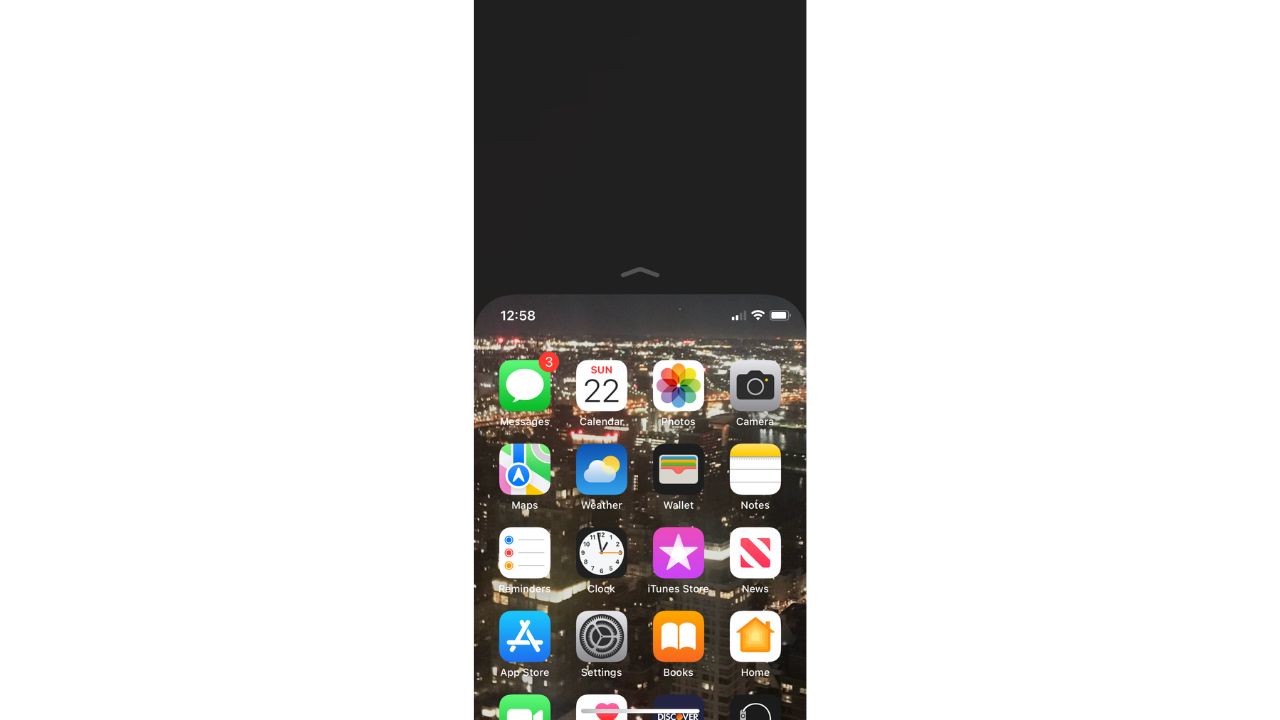
The feature is called Reachability, and it’s an accessibility feature that allows iPhone users to pull down the top of their screen displays to the middle of their screen. This makes everything much easier to reach with your thumb than it would normally be. Once the top of your screen is relocated to the middle, you can then operate your iPhone as normal, enjoying the perk of having a larger screen yet still allowing your hands to not have to do all that extra stretching.
How to activate Reachability
- Open your Settings app
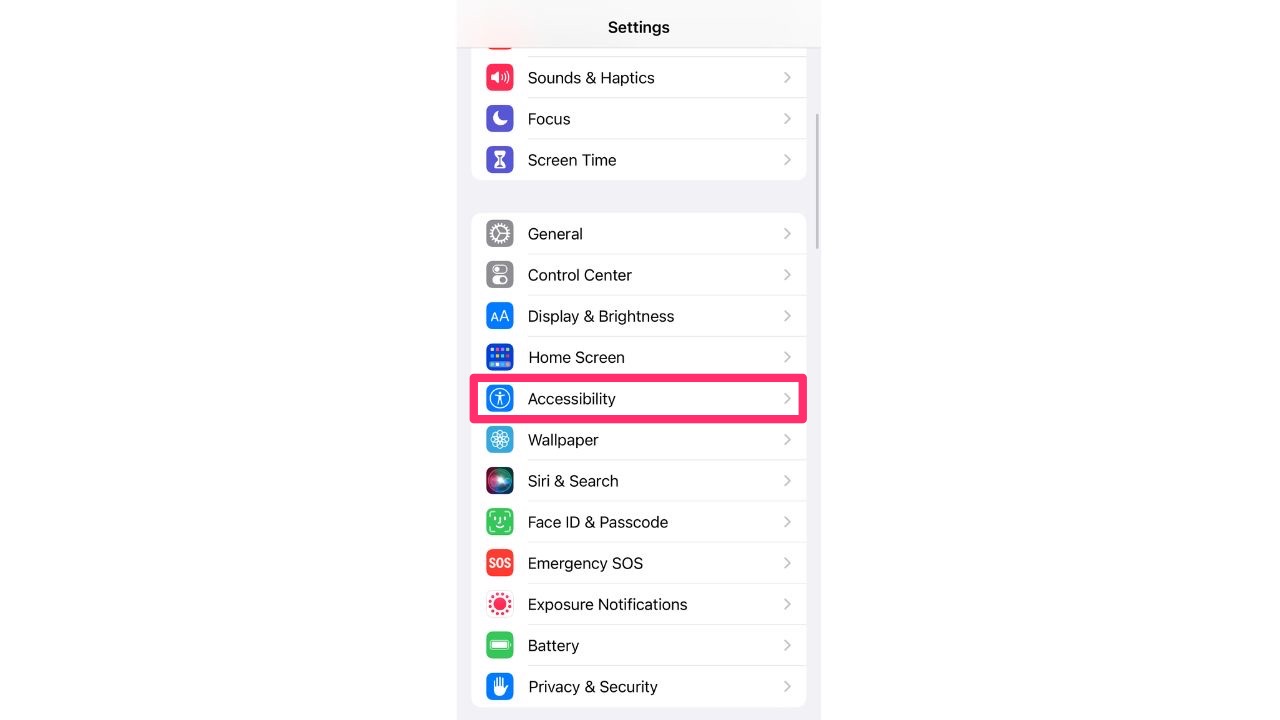
- Select Accessibility
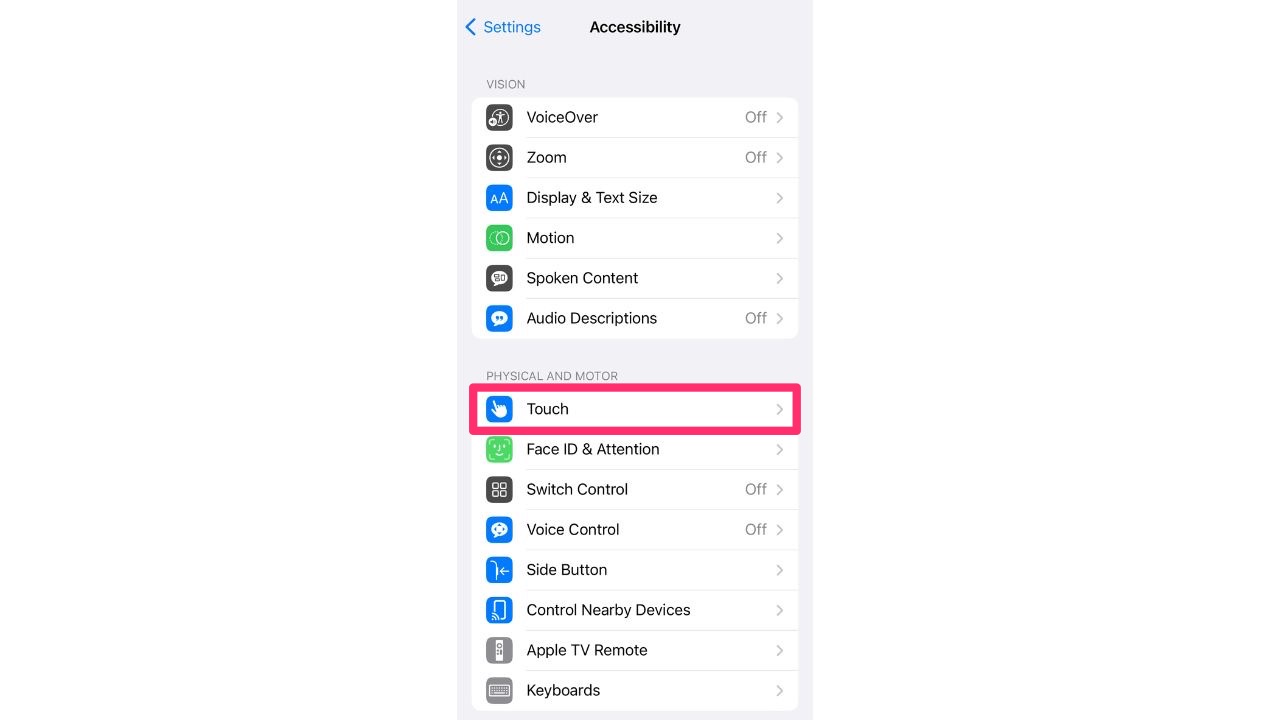
- Under the PHYSICAL AND MOTOR section, select Touch
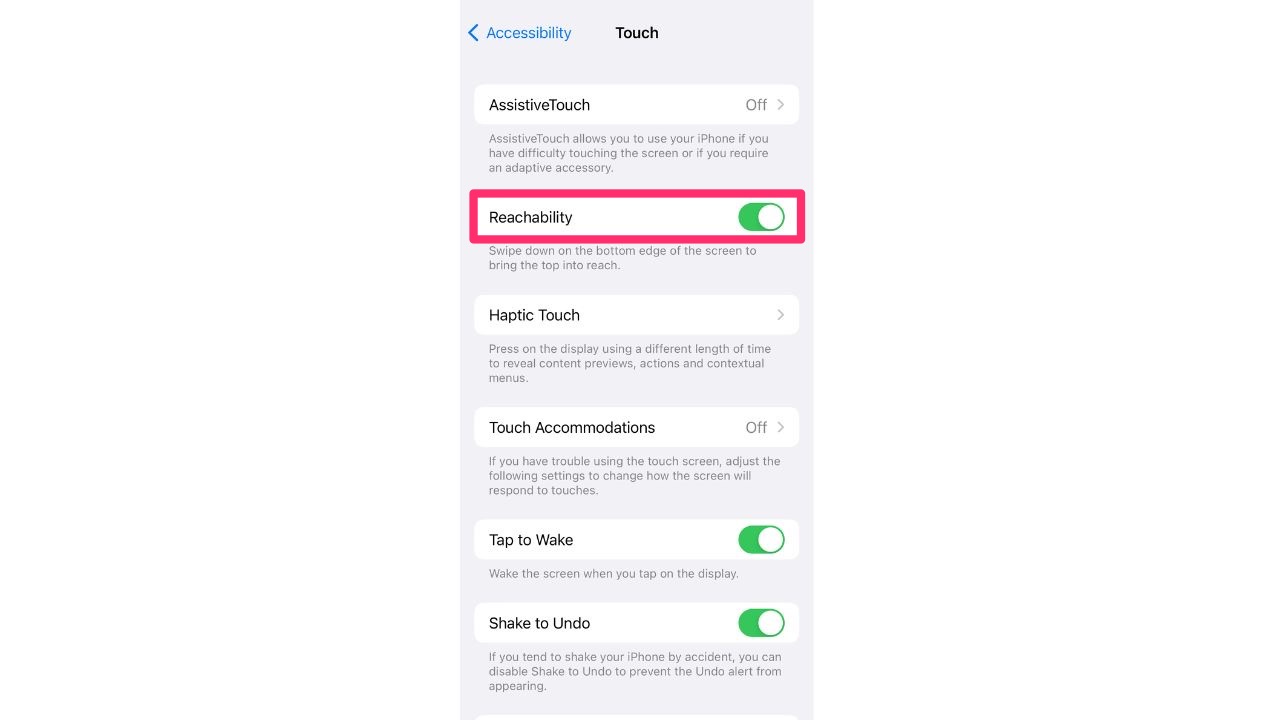
- Toggle on Reachability
- Go back to your Home Screen and short swipe down from just underneath the Spotlight Search tab
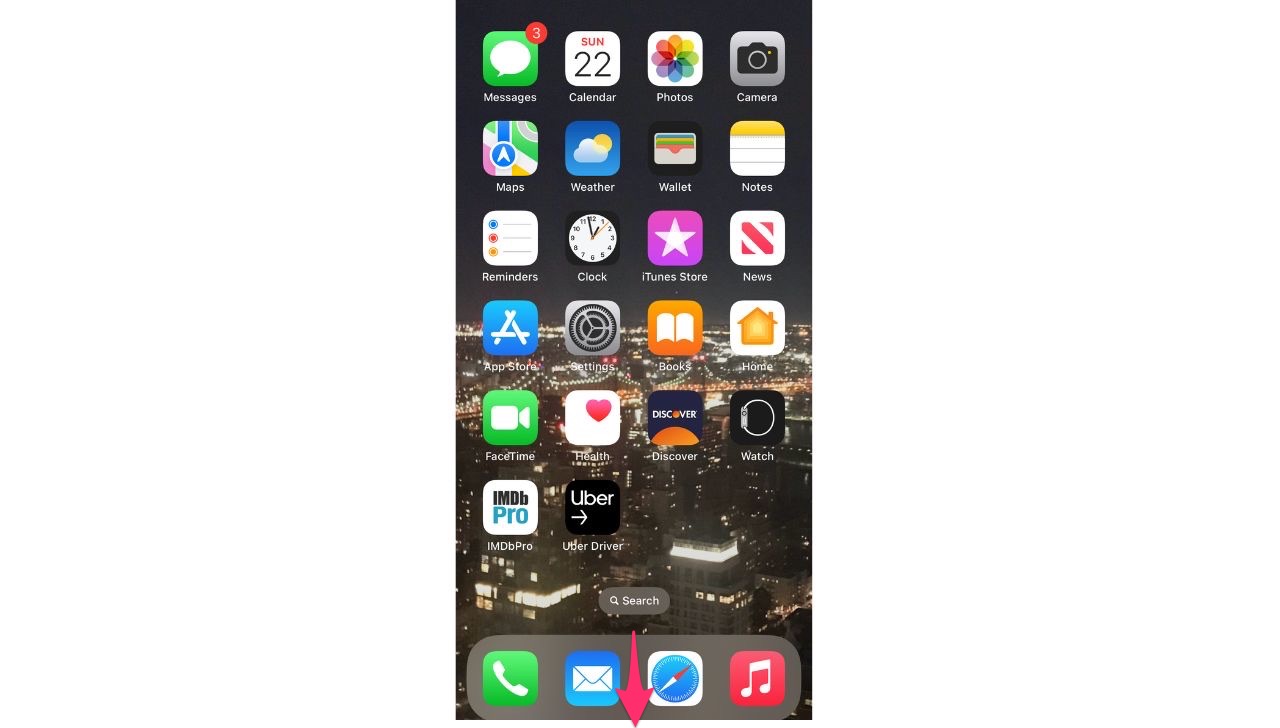
- This will bring the top of your screen to the middle of your screen for easier accessibility
What if my iPhone has a home button?
If you have an older iPhone that comes with a home button, follow all the steps listed above to activate Reachability. Once it’s activated, double-tap your home button without pushing the button in. If you push the button in, it will reveal your recent apps tray, so make sure you’re just tapping it as you would if it were a touchscreen.
Was this helpful? We’d love to hear how you’re using your iPhone settings to cater to your needs.
More of our iPhone tips here
Related:
- Take back your privacy with this new iPhone safety feature
- Here’s how to use Apple’s new Emergency SOS feature
🎙 Now Streaming: My New Podcast: The CyberGuy Report
Kurt’s Top Deals
Deals move fast and inventory can be limited, so don’t wait too long.
| 🔥 Editor’s pick  Summer entertaining Ninja SLUSHi Machine (26% off) Frozen drinks and slushies at home in minutes. | |
| 💰 Top deal  Outdoor essential TYPEC Solar Bug Zapper (36% off) Solar-powered bug zappers for patios and camping. |