



Apple has made several important privacy and safety updates to AirTag tracking devices since they launched, largely in response to concerns about stalking and unwanted tracking.
From the beginning, critics warned that AirTags could be misused by abusive partners, stalkers, or thieves by slipping one into a purse, backpack, or attaching it to a car without the owner’s knowledge. Those concerns are still valid – but Apple’s protections are far stronger today than they were back then.
Apple has also expanded how AirTags can be used responsibly, including new sharing and recovery features designed for everyday use rather than surveillance.

Credit: Apple
How AirTag alerts work now
Early on, AirTags would only chime after about three days if separated from their owner and moving. Only iPhone users received alerts, while Android users had no automatic warning at all.
As of 2026, that has changed significantly:
- Unwanted tracking alerts now appear much sooner, typically within a few hours if an AirTag is moving with you and isn’t linked to your Apple ID.
- iPhone users receive clear, persistent notifications that an unknown AirTag is detected nearby.
- Precision Finding helps iPhone users visually locate the AirTag using arrows, distance indicators, and sound.
- AirTags now emit audible sounds more frequently when separated from their owner to make them harder to hide.
- Apple has added on-screen guidance explaining what to do if you believe you’re being tracked.
Keeping your iPhone updated is critical. These protections rely on the latest versions of iOS.

Credit: Apple
Android users are no longer left out
One of the biggest gaps when it first launched was Android support. That’s no longer the case.
Apple now offers Tracker Detect, a free Android app that scans for nearby AirTags and other Find My network devices that may be traveling with you.
With Tracker Detect, Android users can:
- Scan manually for unknown trackers
- Receive sound alerts from detected AirTags
- View serial numbers tied to an Apple ID
- Get step-by-step instructions to disable a tracker
This closed one of the most serious safety loopholes from the early AirTag days.
How to detect an AirTag near you
On iPhone
- Watch for alerts that say an unknown AirTag is moving with you
- Tap the alert to see when it was first detected
- Use Precision Finding to locate it if available
- Play a sound to help find it
On Android
- Install Tracker Detect from Google Play
- Run a scan if you suspect tracking
- Follow in-app instructions if a tracker is found
Third-party Bluetooth scanner apps can still work, but Apple’s built-in tools are now more reliable and easier to use.
Watch the latest episode of The CyberGuy Report.

Missed this event? Sign up via the registration form and see our live recording.
See Kurt’s latest Amazon picks for useful gadgets, smart home upgrades and everyday tech worth grabbing while the deals last.
How to disable an AirTag safely
If you believe an AirTag is tracking you without consent:
- Hold an NFC-capable phone near the white side of the AirTag
- Tap the notification that appears
- View and document the serial number (screenshot or photo)
- Press down on the white cover and twist counterclockwise
- Remove the battery
Once the battery is removed, the AirTag stops sharing its location.
If you feel threatened or unsafe, contact local law enforcement. Apple has stated it will cooperate with valid law-enforcement requests tied to AirTag misuse.
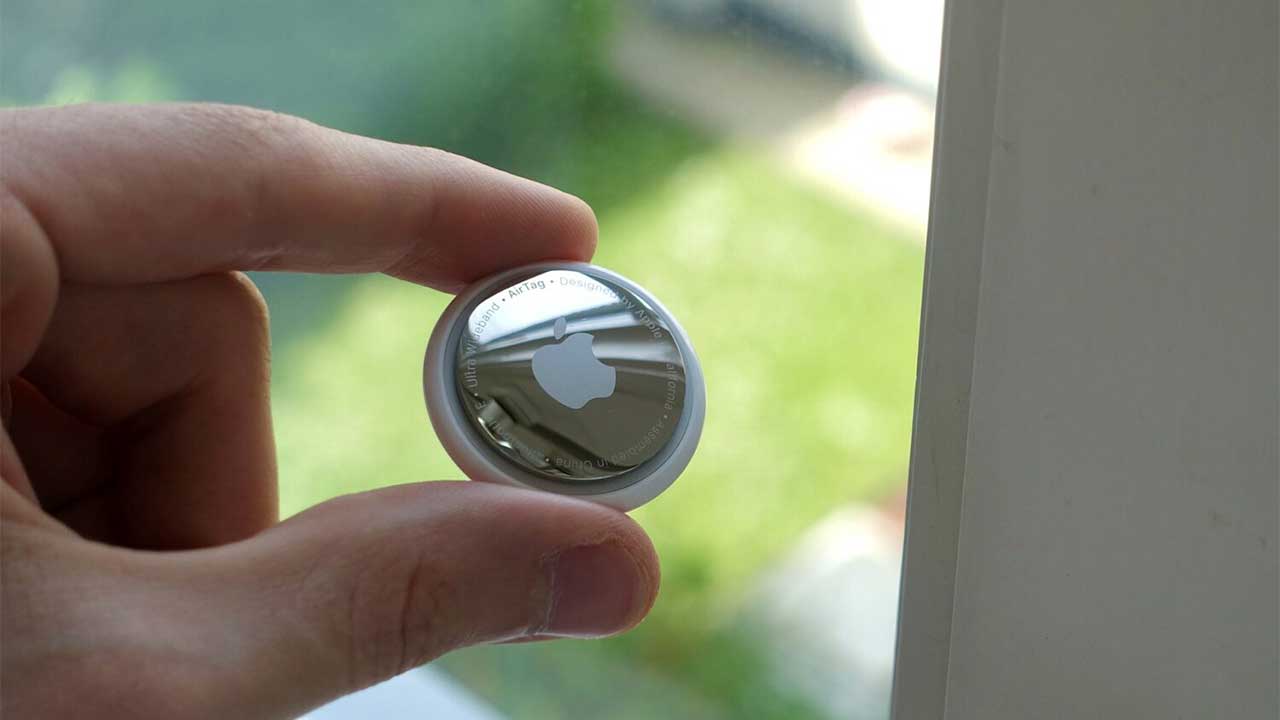
Why AirTags remain popular
Despite ongoing privacy concerns, AirTags remain one of the most effective Bluetooth trackers available. They’re especially useful for everyday items that are easy to misplace.
AirTags can now be shared with up to five people, making them useful for items like family car keys, bikes, or shared luggage – while still requiring users to manage who has access.
AirTags are:
- Extremely accurate in populated areas
- Small and easy to attach to keys, bags, bikes, or pet collars
- Powered by a replaceable battery that lasts about a year
- Supported by Apple’s large Find My network rather than GPS
AirTags also support Lost Mode with NFC contact info, allowing someone who finds a lost item to tap the AirTag with an NFC-capable phone and see the owner’s contact details.
When used as intended, AirTags help people locate lost items, track luggage, and keep tabs on pets. Used responsibly, they’re practical, reliable, and widely adopted.

Credit: Apple
Extra AirTag safety tips worth knowing
AirTag alerts work best when you stay proactive. These additional steps can help you spot unwanted tracking early and reduce risk.
1) Check for trackers before long drives or travel
If you’re heading on a road trip, flying, or using a rideshare, do a quick scan before leaving. Cars, luggage, and backpacks are common places where trackers get hidden.
2) Disable Find My sharing with people you no longer trust
Review who has access to your location. Old relationships, former roommates, or shared family devices can create privacy blind spots if sharing is left enabled.
3) Trust the alert — don’t dismiss it
If your phone warns you that an unknown tracker is moving with you, take it seriously. Alerts are designed to trigger only after repeated proximity, not brief encounters.
4) Update your phone regularly
AirTag safety improvements rely on the latest operating system updates. Delayed updates can mean delayed warnings. Update your phone regularly by going to Settings → General → Software Update, then install the latest available update to ensure AirTag safety alerts work properly.
5) Be cautious with second-hand items
Used bags, vehicles, or electronics can sometimes carry forgotten trackers. A quick scan after a purchase is a smart habit.
6) Document before disabling
If you find a suspicious AirTag, capture the serial number before removing the battery. This can be important if you need to report the incident.
7) Educate teens and older family members
Make sure they understand what tracking alerts look like and why they matter. Many people ignore alerts because they assume they’re harmless or accidental.
Apple AirTag 4 Pack (2nd generation)

The Apple AirTag 4 Pack makes it easy to keep track of your most important belongings with precision and peace of mind. Each AirTag connects to your iPhone or iPad in a single tap and integrates seamlessly with the Find My app. You can attach them to your keys, wallet, backpack, or luggage and instantly see their location. When something goes missing, use Precision Finding with Ultra Wideband technology to guide you right to it, or play a sound through the built-in speaker. For items farther away, the vast Find My network of Apple devices helps you locate them anywhere in the world. You can even share an AirTag with up to five people so friends or family can help keep track of shared items.
Backpack AirTag holder
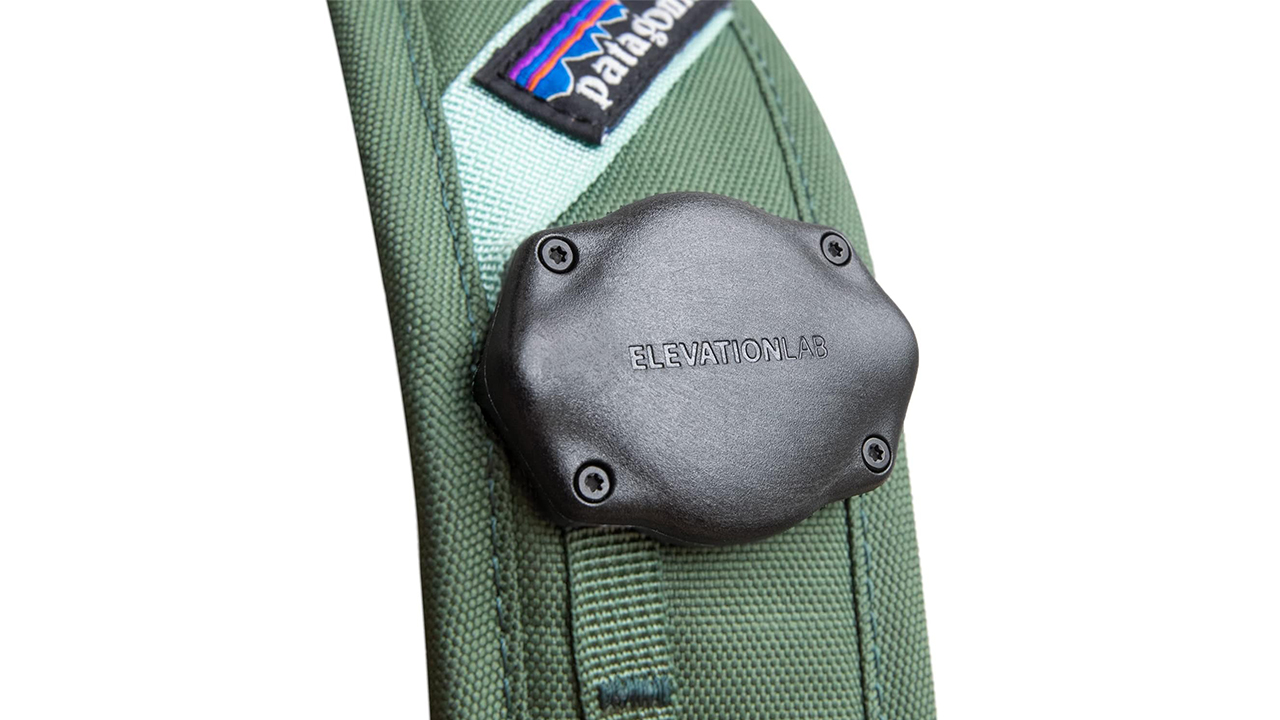
The Elevation Lab TagVault is a rugged, low-profile AirTag mount that locks securely onto backpack, camera, or gym bag straps without dangling or drawing attention. Its waterproof, fiber-reinforced design and stainless steel hardware make it a smart choice for travel gear and everyday items you don’t want to lose.
Credit Card AirTag Wallet holder
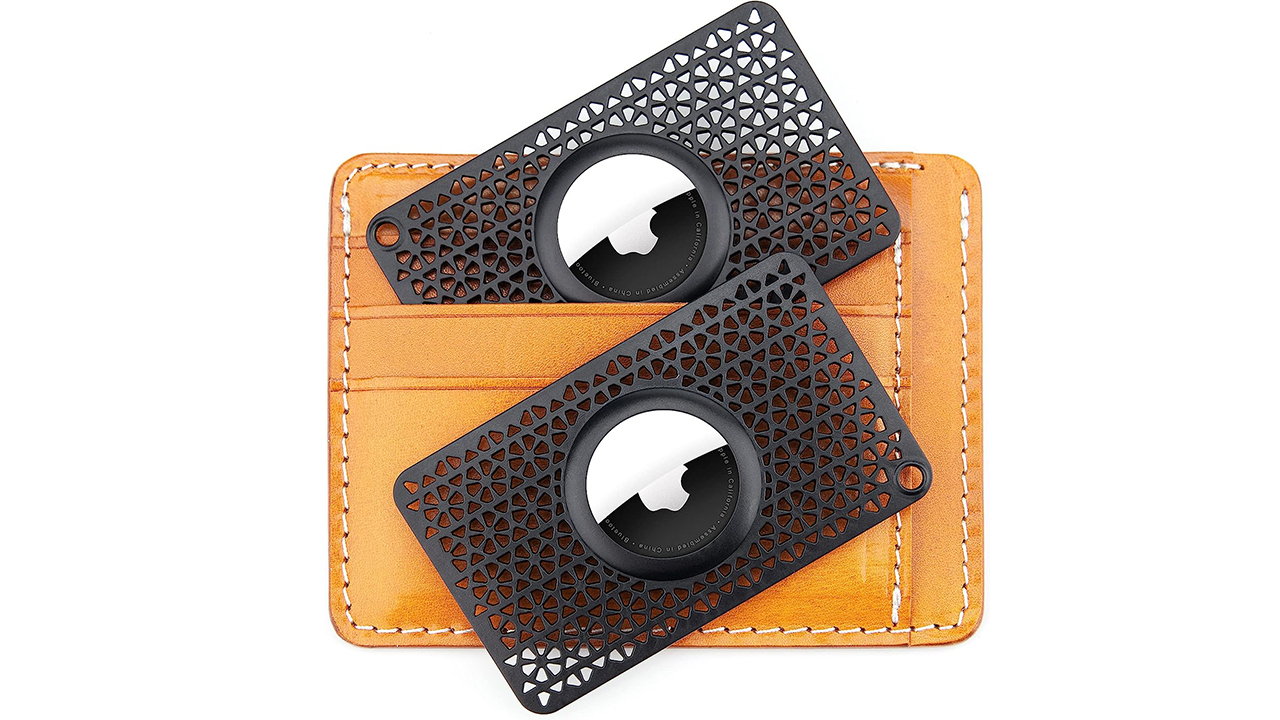
This ultra-thin CITYWAY AirTag wallet holder slips into a standard card slot and adds tracking without bulk, measuring just 0.1 inches thick and weighing almost nothing. It’s a simple, affordable way to keep tabs on a wallet, purse, or bag, and the two-pack makes it easy to protect more than one item.
What kind of batteries should I use for my AirTag?
AirTag uses a coin battery called CR 2032 Lithium 3V. You can buy these at almost any electronics, hardware, or regular drug store where you would buy batteries. I personally order mine from Amazon, as it sells an 8 Pack CR2032 3 Duracell Lithium Coin Cell Battery for about $10 dollars at the time of publishing.
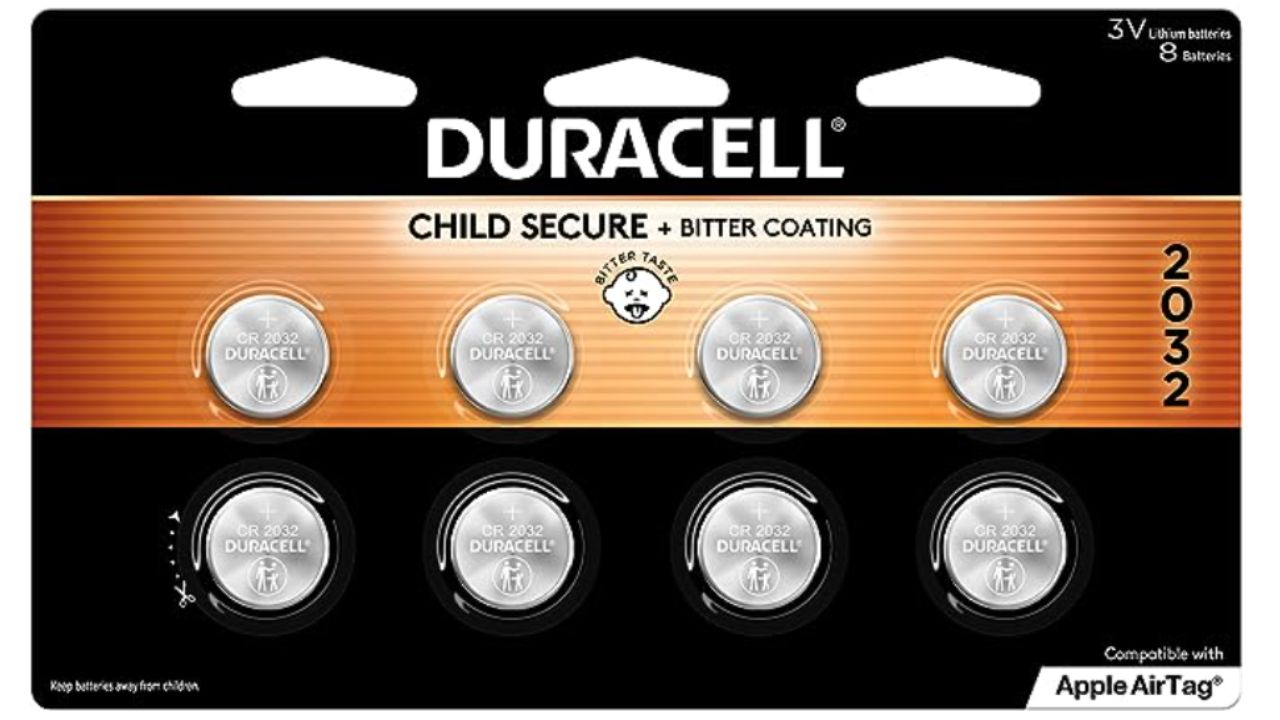
Get Duracell Lithium Batteries
Related Links:
- Pros and cons of tracking your lost items using Apple’s AirTag and Tile by Amazon Sidewalk
- How to outsmart a thief using AirTags
- How to set up and use Apple AirTags to track items
Kurt’s key takeaways
AirTags haven’t become risk-free, but Apple has made meaningful improvements to reduce misuse and alert people sooner when something isn’t right. Faster alerts, clearer guidance, and Android support have closed major safety gaps that existed in the early days. Still, technology alone isn’t enough. Staying aware, keeping devices updated, and trusting alerts remain essential to protecting yourself from unwanted tracking.
Have you ever received an unexpected AirTag or tracker alert, or discovered a tracker you didn’t recognize? Tell us what happened and how you handled it in the comments below.
FOR MORE OF MY TECH TIPS & SECURITY ALERTS, SUBSCRIBE TO MY FREE CYBERGUY REPORT NEWSLETTER HERE
Copyright 2026 CyberGuy.com. All rights reserved. CyberGuy.com articles and content may contain affiliate links that earn a commission when purchases are made.
🎙 Now Streaming: My New Podcast: The CyberGuy Report
Kurt’s Top Deals
Deals move fast and inventory can be limited, so don’t wait too long.
| 🔥 Editor’s pick  Summer entertaining Ninja SLUSHi Machine (26% off) Frozen drinks and slushies at home in minutes. | |
| 💰 Top deal  Outdoor essential TYPEC Solar Bug Zapper (36% off) Solar-powered bug zappers for patios and camping. |



4 comments
Thank you Mr Kurt Godbless you. This helps me alot. I have alot of haters. And bad neighbors.
Great article with useful information. One question, though. What if someone stole your backpack and disables the AirTag you put in it to retrieve said backpack? This is a tough one.
Hi Rick, Great question! We actually recently answered it in this article
So, Apple is secretly allowing someone else’s device tap into the Bluetooth on someone else’s device? Why stop there? Why don’t they secretly allow other devices to tap into other people’s hotspot when they have them enabled? Seriously? How can prevent basically unauthorized bluetooth devices from communicating w/ or connecting to other peoples phone?