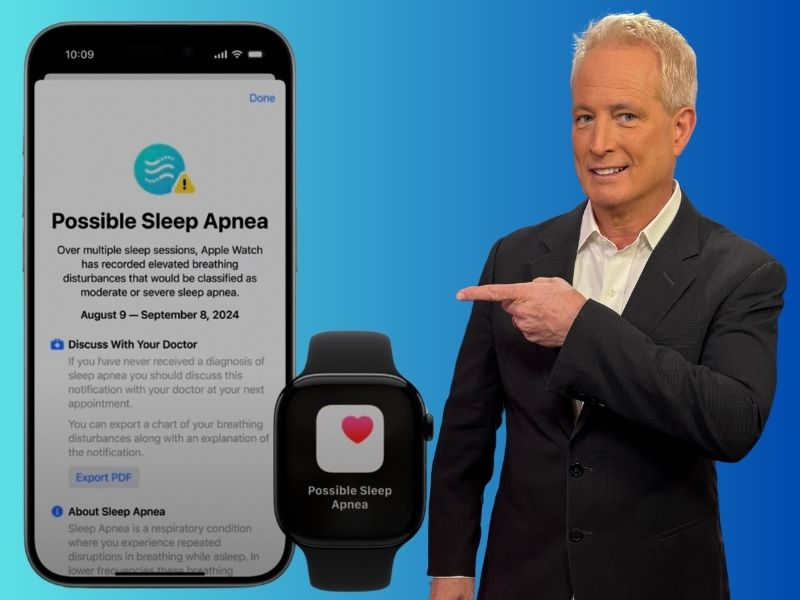
Do you often wake up feeling exhausted, even after a full night’s sleep? You might be one of the millions unknowingly living with sleep apnea. Now, Apple Watch can help. Apple’s latest sleep apnea detection feature is available on the Series 10, Series 9, or Ultra 2 models, turning your smartwatch into a powerful health tool.
Using its built-in sensors, the Apple Watch monitors your nighttime breathing patterns to detect signs of sleep apnea, eliminating the need for overnight lab visits or expensive equipment. With this new capability, identifying a common but often undiagnosed condition has never been easier or more accessible.
Credit: Apple
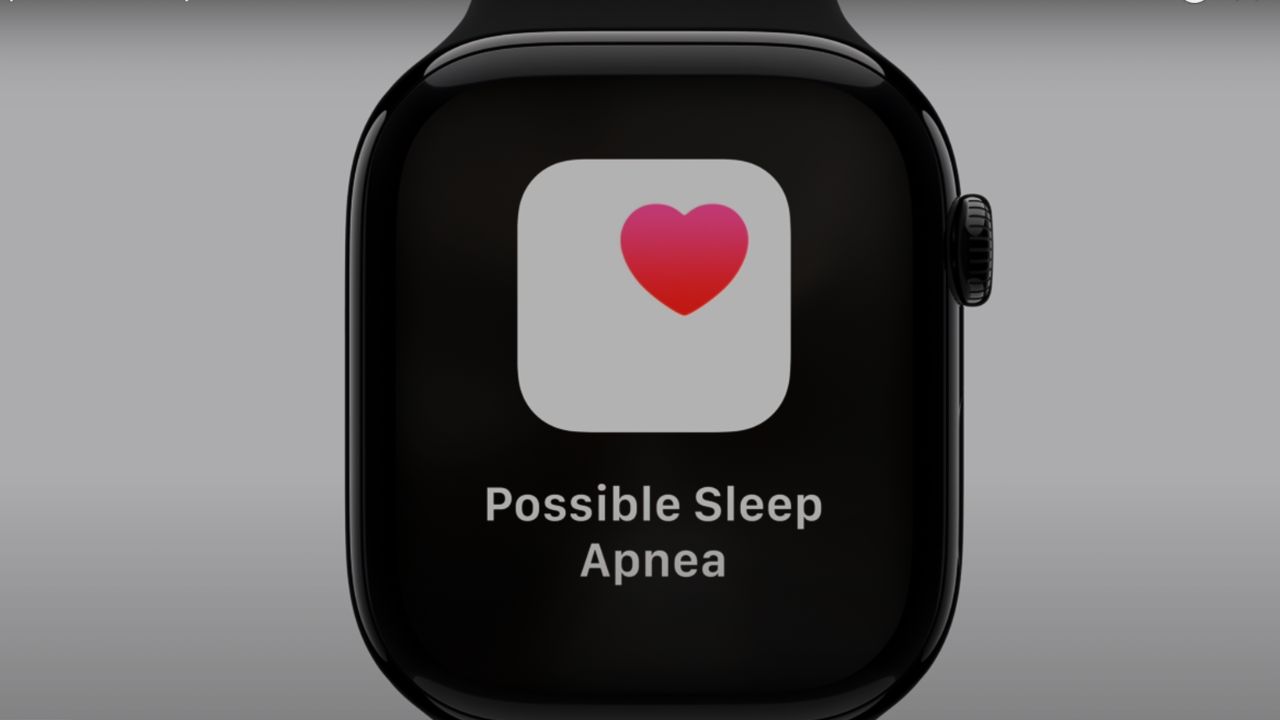
How Apple Watch detects sleep apnea using breathing disturbance data
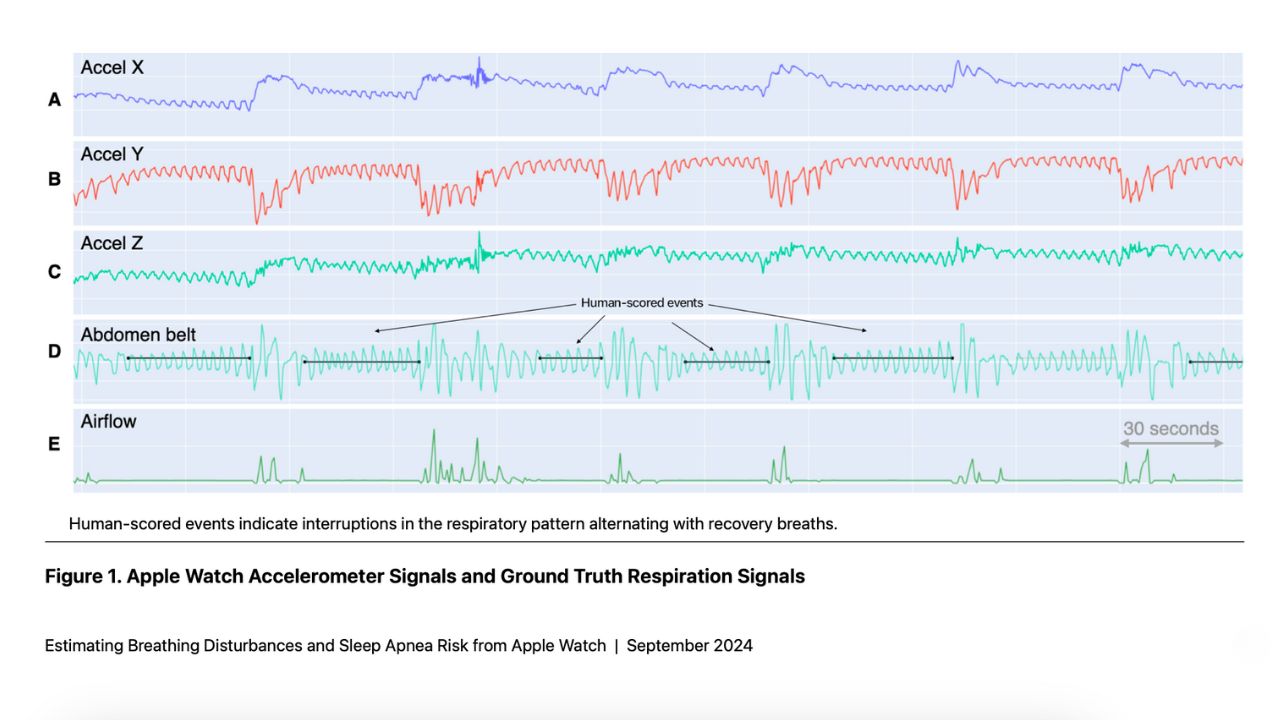
The sleep apnea detection feature utilizes the watch’s built-in accelerometer to monitor a new metric called “breathing disturbances” during sleep. By analyzing these disturbances over time, the watch can identify patterns consistent with moderate to severe sleep apnea.
Credit: Apple
Apple Watch sleep apnea feature receives FDA approval and global rollout
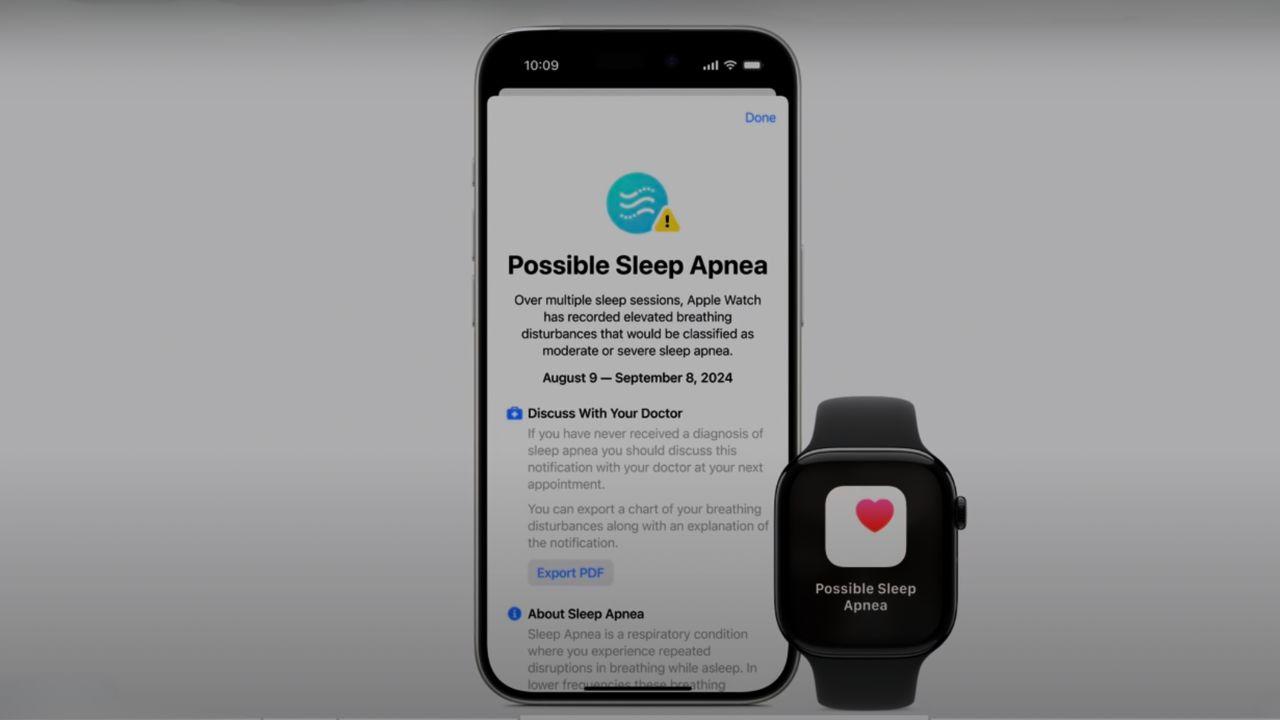
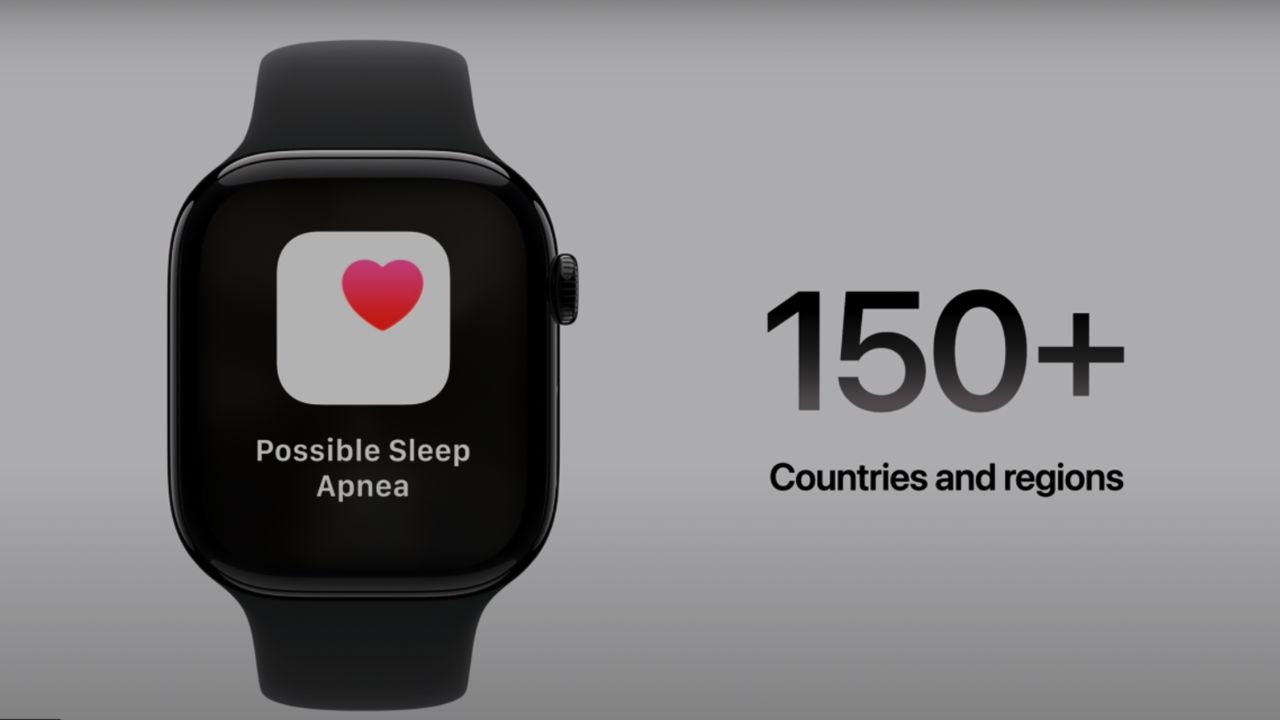
Apple’s sleep apnea detection feature is officially live following FDA approval. This marks a major step forward for wearable health tech. The feature is now rolling out across more than 150 countries and regions, including the United States, Europe, and Japan, bringing sleep apnea screening directly to users’ wrists worldwide.
Credit: Apple
How users can track sleep apnea risk in the Apple Health app
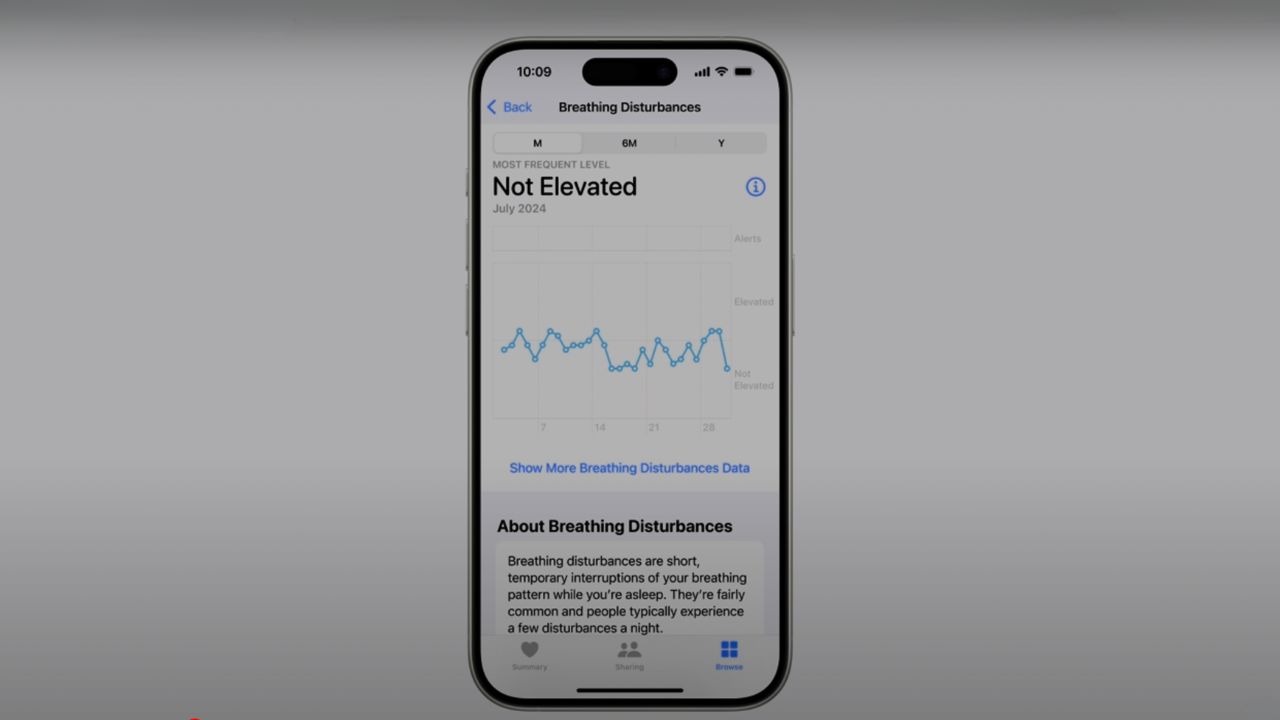
You can view your nightly breathing disturbance data in the Health app on your iPhone, where it will be categorized as either “elevated” or “not elevated.” The watch analyzes this data over a 30-day period and notifies users if it detects consistent signs of sleep apnea.
Credit: Apple
Watch the latest episode of The CyberGuy Report.

Missed this event? Sign up via the registration form and see our live recording.
See Kurt’s latest Amazon picks for useful gadgets, smart home upgrades and everyday tech worth grabbing while the deals last.
Apple Watch sleep apnea detection accuracy: What the data shows
In clinical validation studies, the notification performance achieved a sensitivity of 66.3% and specificity of 98.5%. This means that while the algorithm is effective at identifying those with moderate to severe sleep apnea, it also minimizes false positives, ensuring that you can trust the notifications you receive.
Credit: Apple
Why Apple’s sleep apnea detection could help millions go undiagnosed
Dr. Sumbul Desai, Apple’s vice president of Health, emphasized the rigorous development process behind this feature. The detection algorithm was created using advanced machine learning with extensive datasets from clinical-grade sleep apnea tests. The studies included diverse participants across various demographics and evaluated both at-home and in-lab sleeping environments.
This feature has the potential to significantly impact public health by helping identify undiagnosed cases of sleep apnea. Research suggests that up to 80% of sleep apnea cases remain undiagnosed, making this tool invaluable for many people who may not exhibit obvious symptoms.
How to set up sleep apnea alerts on Apple Watch and iPhone
To use the new sleep apnea detection feature on your Apple Watch, follow these steps:
1) Update your devices
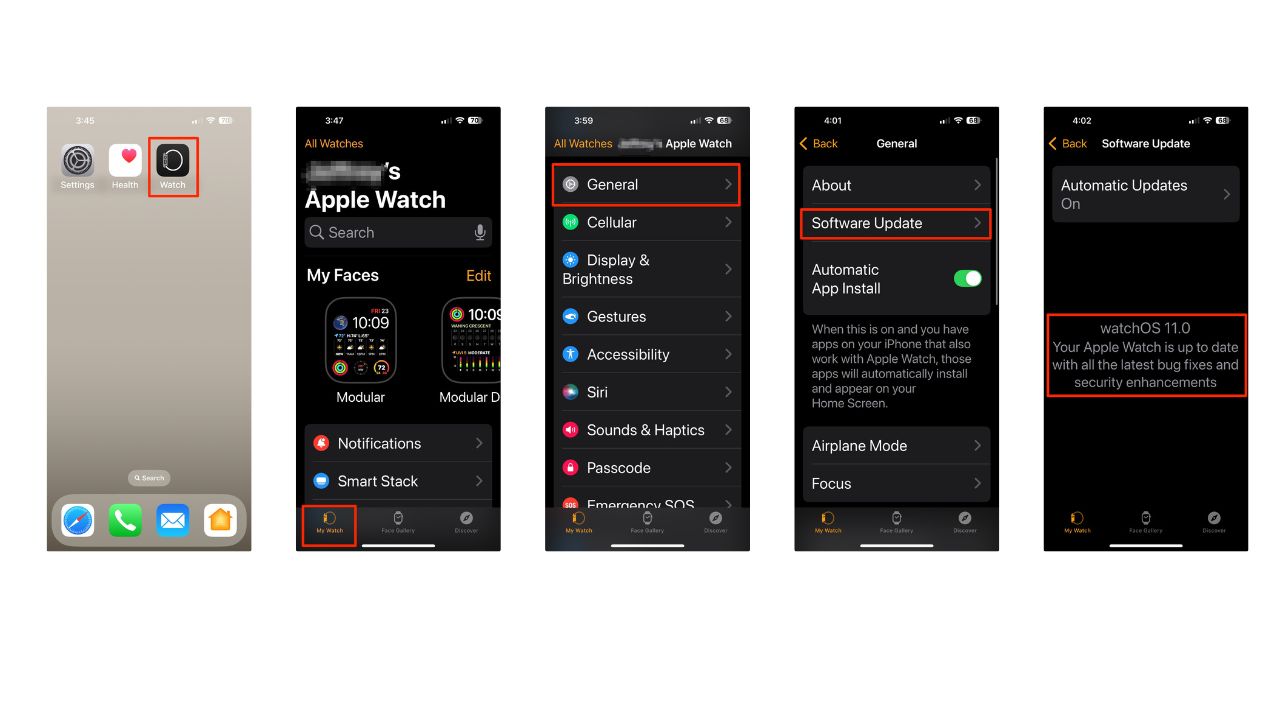
Ensure your Apple Watch is running the latest version of watchOS. Here are the steps:
- Tap on the Watch app icon on your iPhone’s home screen.
- In the Watch app, tap on My Watch at the bottom of the screen.
- Scroll down and tap on General.
- Select Software Update. Your iPhone will check for available updates for your Apple Watch.
- If an update is available, tap Download and Install. You may need to enter your iPhone passcode.
- Follow any additional prompts that appear on your screen.
- The update process may take some time, so be patient. Your Apple Watch will restart automatically once the update is complete.
- After your watch restarts, you can confirm that the update was successful by going back to the Watch app, tapping on My Watch, and then selecting General and About to view the current version of watchOS.
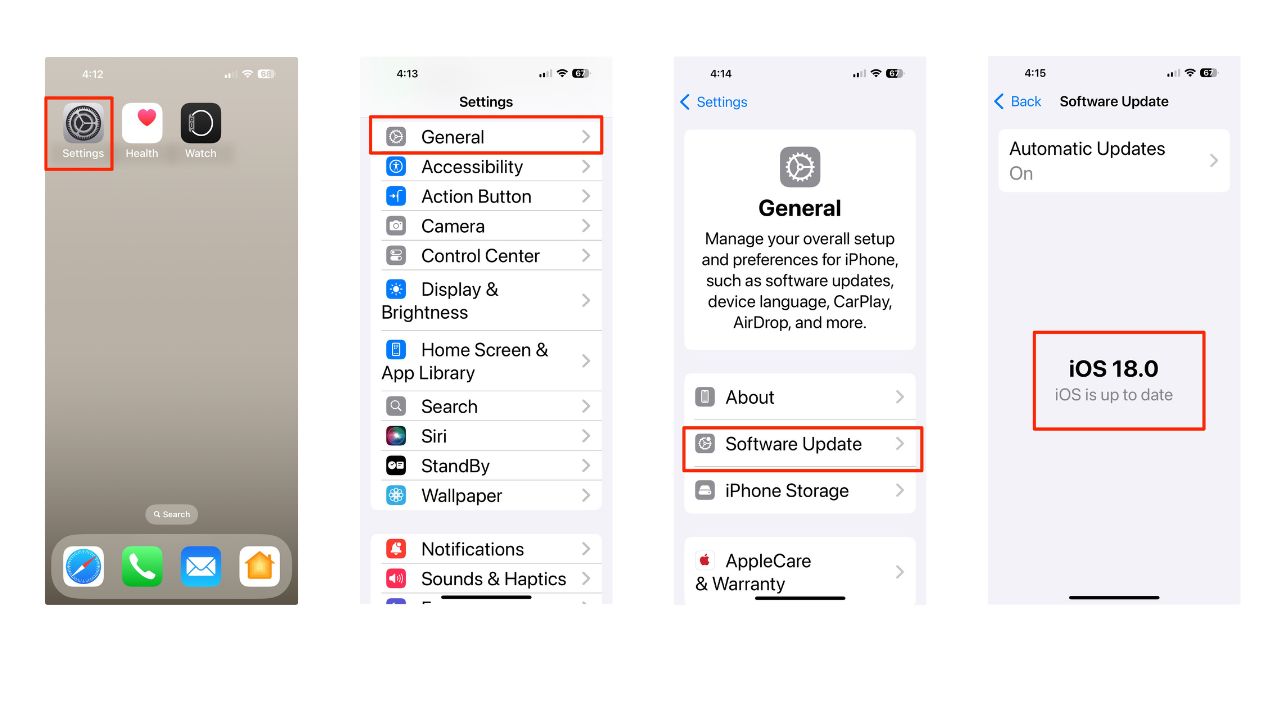
Update your iPhone to the latest iOS version. Here are the steps:
- Tap on the Settings app on your iPhone’s home screen
- Scroll down and select General
- Tap on Software Update. Your device will check for available updates
- If an update is available, you’ll see a prompt with options to Download and Install. Tap this option
- If prompted, enter your passcode
- Read and agree to Apple’s terms and conditions if required.
- Once the download is complete, tap Install Now. Your iPhone will restart during this process.
2) Set up sleep apnea notifications
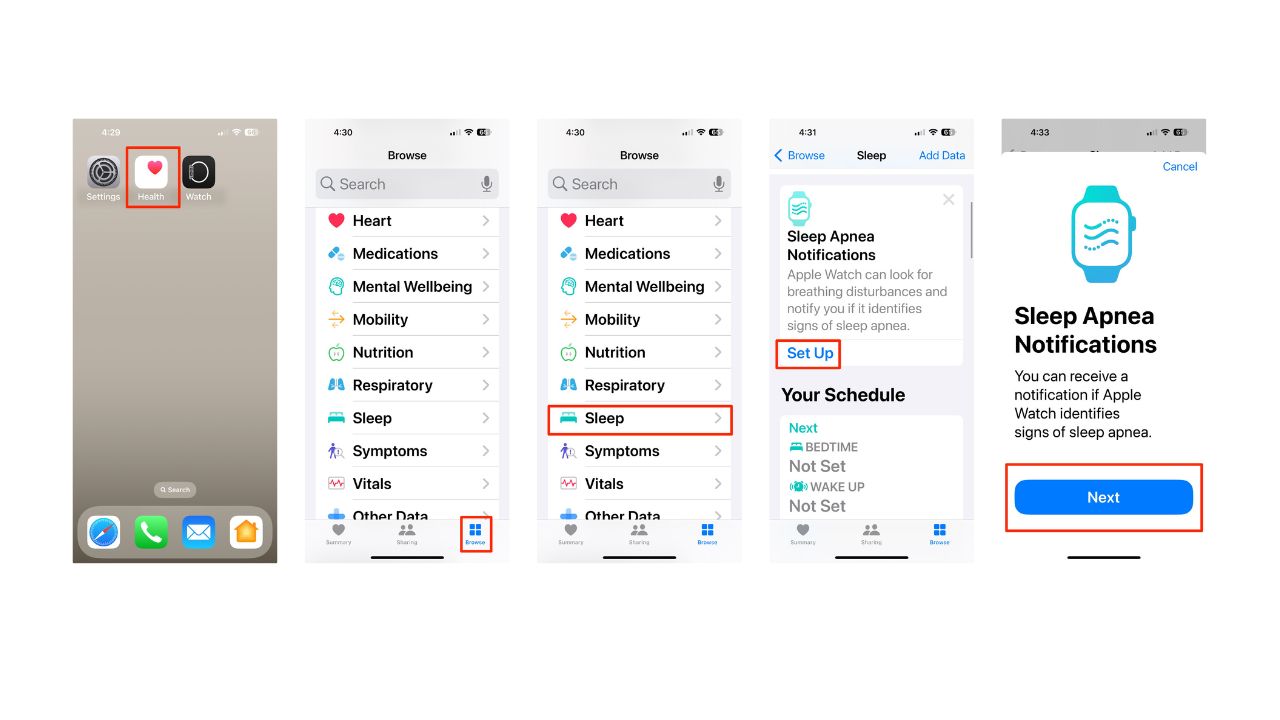
- In the Health app on your iPhone, tap Browse
- Then click Sleep
- Under “Sleep Apnea Notifications,” tap Set Up
- Next, tap Next
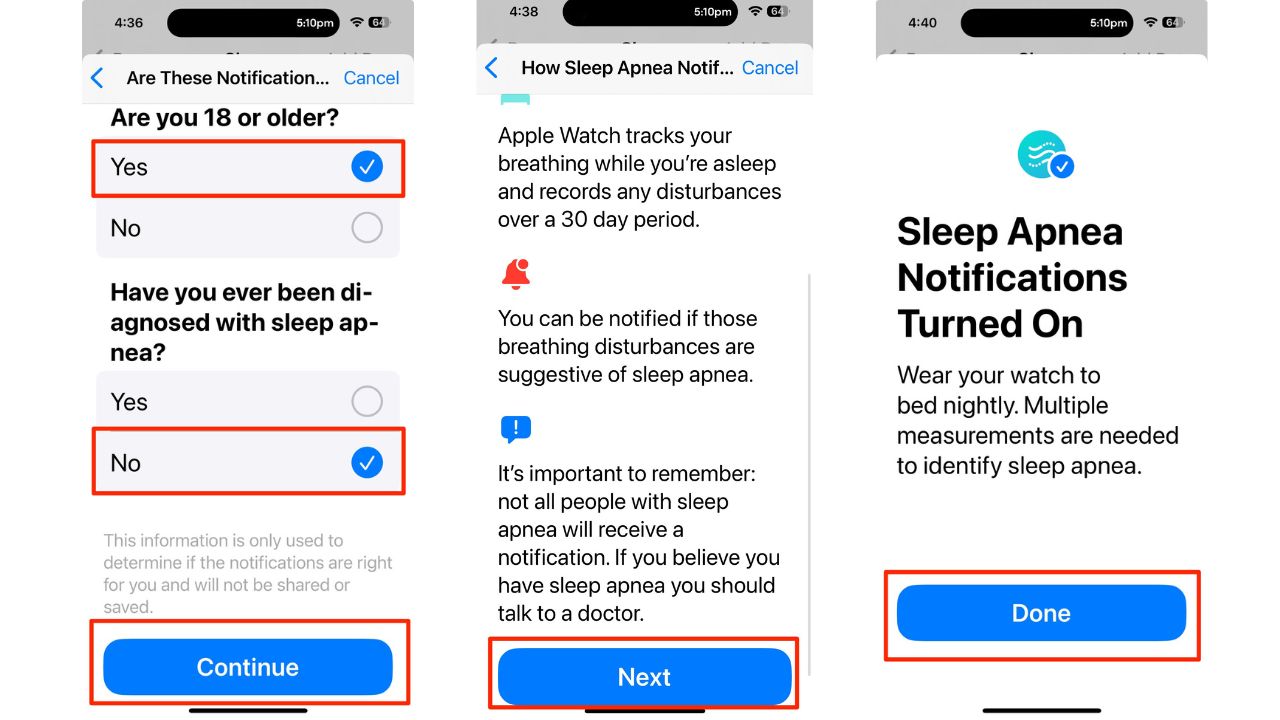
- Then, confirm that you are 18 or older by tapping the circle next to Yes or No
- Indicate whether you’ve been diagnosed with sleep apnea by tapping the circle next to Yes or No
- Then, tap Continue
- After reading “How sleep apnea notifications work”, tap Next
- Finally, tap Done
3) Wear your watch to sleep
- Wear your Apple Watch to bed for at least 10 nights within a 30-day period
- Ensure your watch is charged to at least 30% before bedtime
- After the initial 30-day evaluation period, check the Health app for any notifications
- View your breathing disturbances data in the Respiratory section of the Health app
Remember, this feature is designed for users 18 years or older who have not been diagnosed with sleep apnea. If you receive a notification suggesting signs of sleep apnea, it’s important to consult with your healthcare provider for proper evaluation and diagnosis.
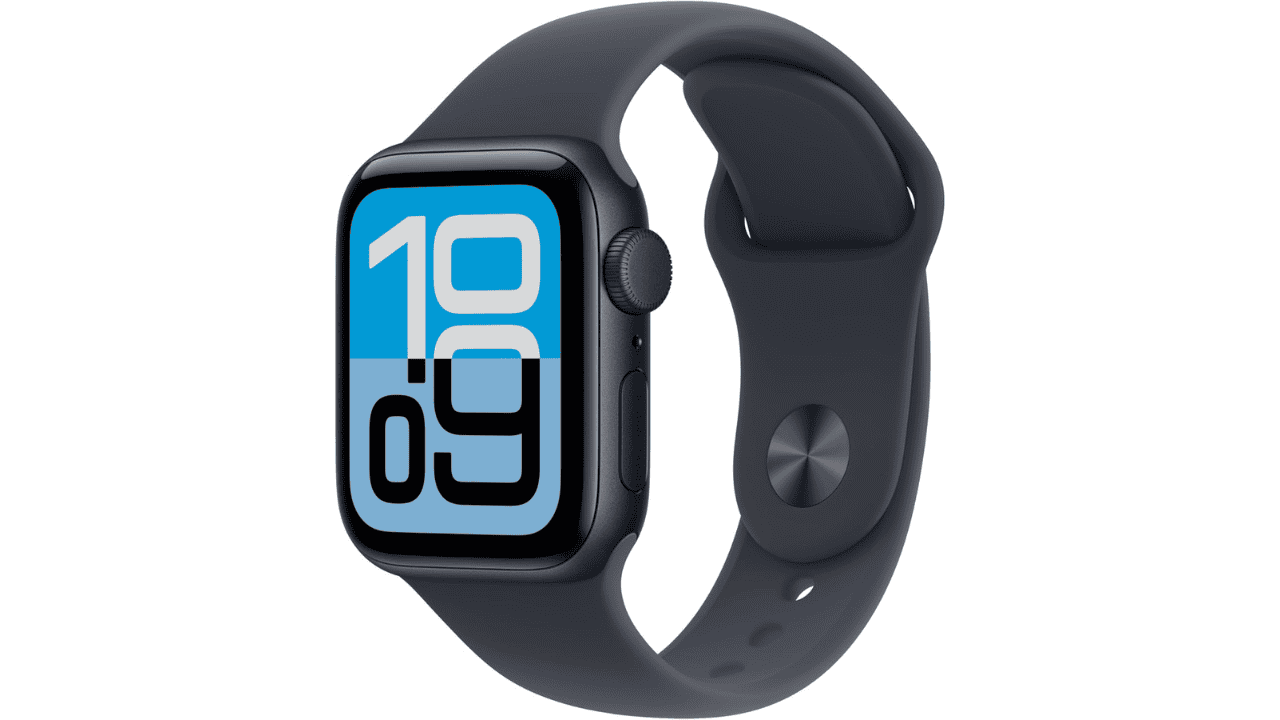
Apple Watch SE 3 (GPS, 40mm)
Credit: Apple
Stay on top of your health and fitness with the Apple Watch SE 3. Featuring heart rate monitoring, sleep and fitness tracking, and an always-on display, this smartwatch keeps you connected with calls, texts, music, and Siri. With water resistance, all-day battery life, and a sleek Midnight design, it’s the perfect balance of style, performance, and value.
Get Apple Watch SE 2nd Generation
Apple Watch Series 11 (GPS, 42mm)

Credit: Apple
The newest Apple Watch combines sleek design with powerful health and fitness tools. Series 11 introduces hypertension notifications, detailed sleep scores, and advanced heart monitoring, all in a thin, lightweight case. With built-in GPS, always-on display, and workout coaching powered by Apple Intelligence, it’s built to track your day seamlessly-from the gym to bedtime. Water-resistant and comfortable enough to wear 24/7, it’s your ultimate everyday smartwatch.
Apple Watch Ultra 3 (GPS + Cellular, 49mm)

Credit: Apple
Engineered for endurance, the Apple Watch Ultra 3 is built with a tough titanium case and sapphire crystal display. It offers satellite connectivity for emergencies, advanced health monitoring, and precision dual-frequency GPS for running, cycling, and outdoor adventures. With up to 72 hours of battery life in Low Power Mode and water resistance up to 100m, it’s designed for athletes and explorers who need power, durability, and safety in one smartwatch.
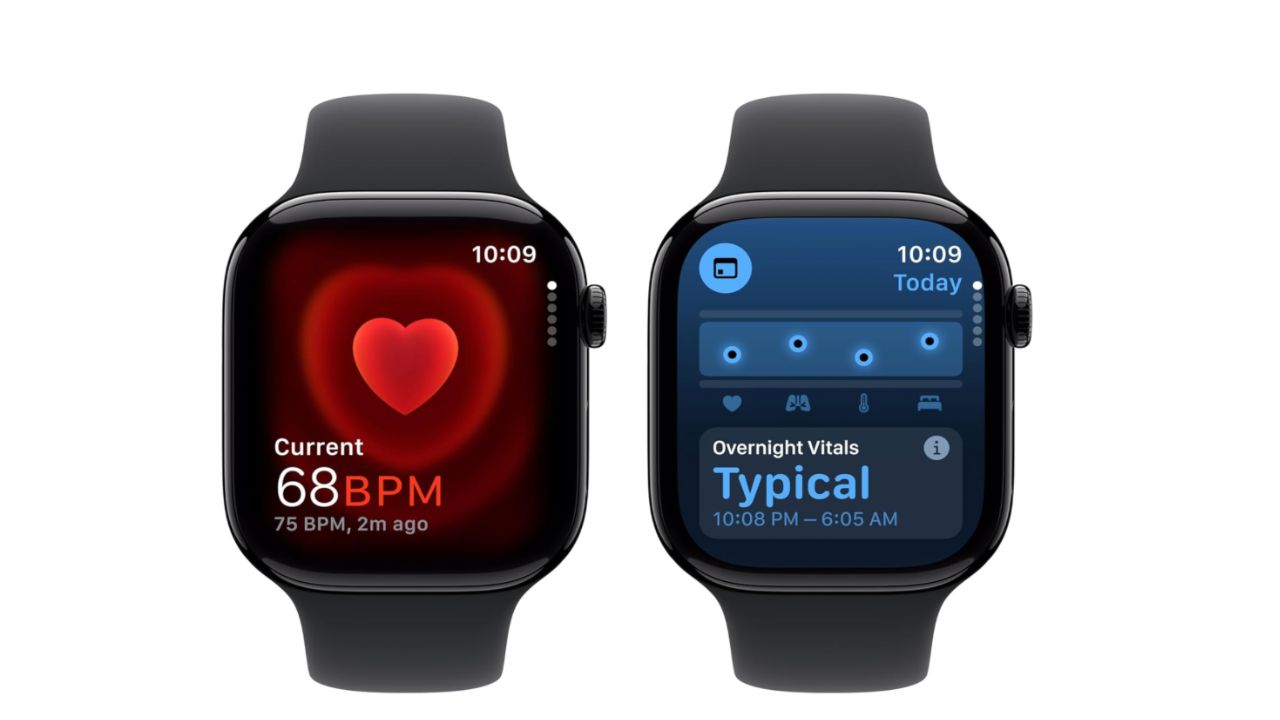
Apple Watch Series 10
Credit: Apple
The Apple Watch Series 10 introduces several exciting features and enhancements, making it the most advanced model to date. It boasts the largest screen area of any Apple Watch, with up to 75% more display space than Series 3 and 30% more than Series 4-6 and SE, complemented by a wide-angle OLED display that is 40% brighter, especially from an angle. This model is also the thinnest Apple Watch ever, thanks to re-engineered components.
New features include a water temperature sensor for improved swim workout tracking, a depth sensor for swimming and snorkeling, and a Tides app that provides conditions for over 115,000 beaches and 5,000 surf spots. Powered by the S10 SiP (System in Package), the watch delivers enhanced performance and includes on-device Siri access to health data, along with a Precision Finding feature for locating your iPhone. New finishes include a striking Jet Black aluminum option and three polished titanium finishes that are 20% lighter than stainless steel. The Series 10 also introduces a training load feature to monitor workout intensity over time and remains compatible with Apple Fitness+ for on-screen metrics during workouts, making it a comprehensive tool for health and fitness enthusiasts.
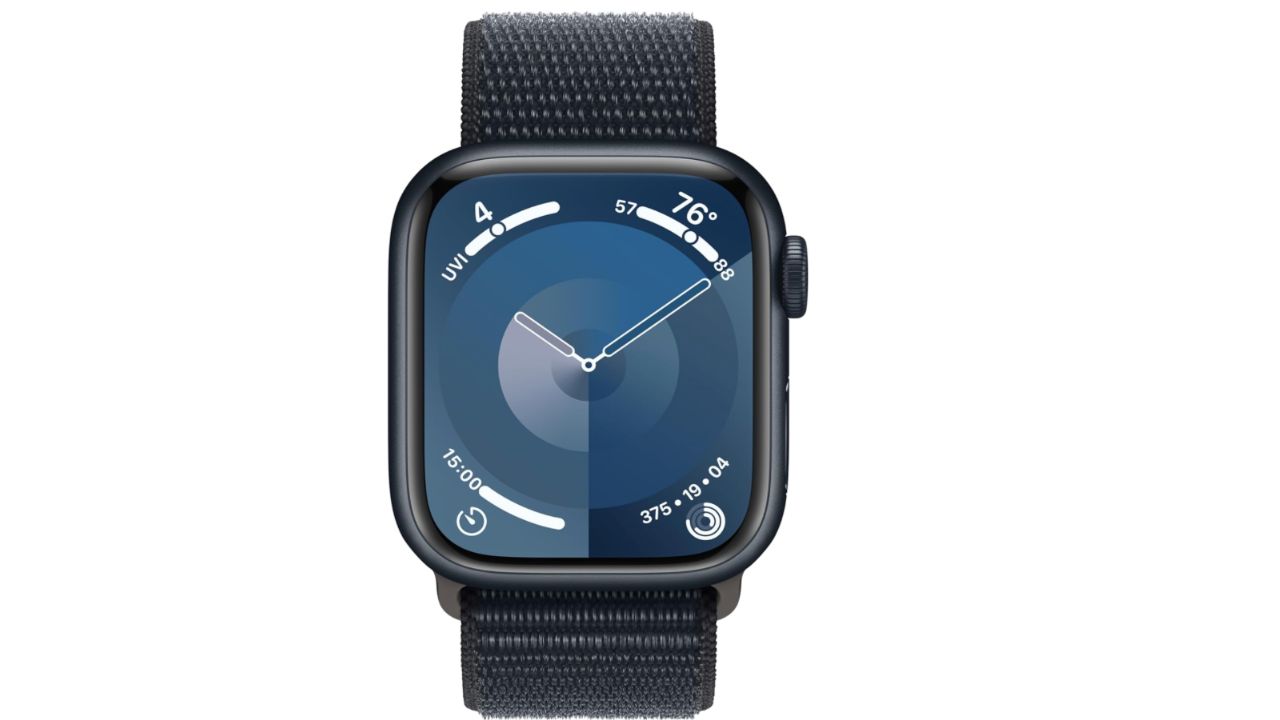
Apple Watch Series 9
Credit: Apple
The Apple Watch Series 9 is a great gift for your loved one this holiday season. It comes with advanced health features, powerful fitness tracking qualities, and great safety features like crash detection and fall detection. You can also customize it to your style with its wide variety of settings. At the time of publishing, this product had over 300 global reviews with 81% giving it 5 stars.
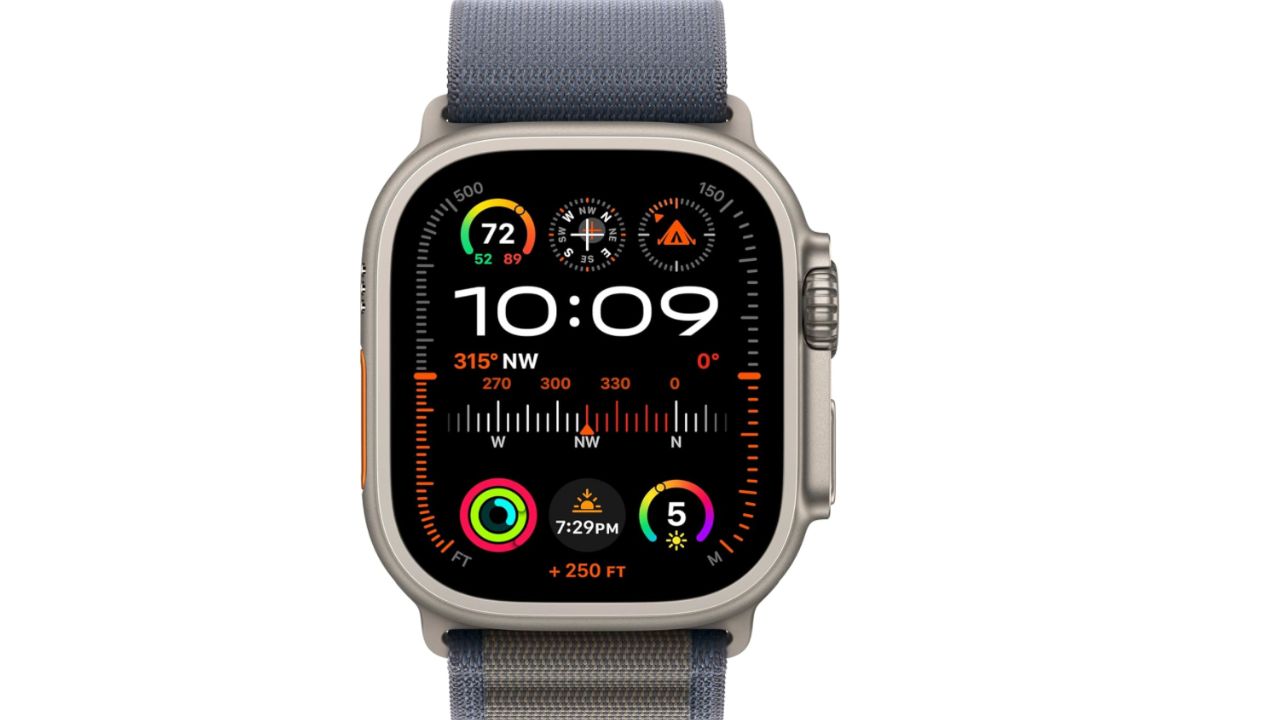
Apple Watch Ultra 2
Credit: Apple
If you really want to get fancy this holiday season, you can get the Apple Watch Ultra 2 for your loved one. This one is carbon neutral and can meet the demands of the most athletic people with its workout settings. It has the biggest and brightest display of any other Apple Watch model and you can even call and text on it without having your phone on you. At the time of publishing, this product had over 100 global reviews with 81% giving it 5 stars.
Related Links:
- Top sleep accessories 2025
- Apple transforms airpods pro 2 into low-cost hearing aids
- Apple’s bold move into ai: new iPhone 16, Airpods and watches
Kurt’s key takeaways
It’s incredible how technology can empower us to take charge of our health, and the new sleep apnea detection feature on the Apple Watch 10, 9, and Ultra 2 is a perfect example. With this tool, you can monitor your breathing patterns while you sleep, potentially uncovering issues that have gone unnoticed for far too long. Just remember, while this feature is a fantastic step toward better health, it’s essential to consult with a healthcare provider if you receive a notification about possible sleep apnea. Embracing these advancements could lead to a more restful night and a healthier life.
How do you feel about using wearable technology like the Apple Watch for health monitoring? Are you excited about these advancements, or do you have concerns about privacy and accuracy? Let us know in the comments below.
FOR MORE OF MY SECURITY ALERTS, SUBSCRIBE TO MY FREE CYBERGUY REPORT NEWSLETTER HERE
Copyright 2025 CyberGuy.com. All rights reserved. CyberGuy.com articles and content may contain affiliate links that earn a commission when purchases are made.
🎙 Now Streaming: My New Podcast: The CyberGuy Report
Kurt’s Top Deals
Deals move fast and inventory can be limited, so don’t wait too long.
| 🔥 Editor’s pick  Summer entertaining Ninja SLUSHi Machine (26% off) Frozen drinks and slushies at home in minutes. | |
| 💰 Top deal  Outdoor essential TYPEC Solar Bug Zapper (36% off) Solar-powered bug zappers for patios and camping. |