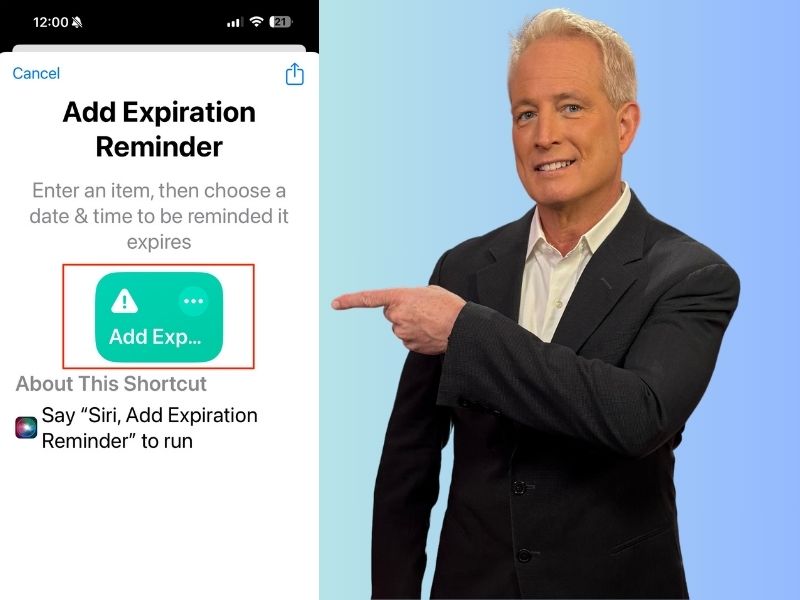
We all have items that we need to use or consume before they expire, such as food, prescriptions, or medication. But sometimes, we forget to check the expiration dates and end up wasting money or risking our health. Wouldn’t it be nice if our iPhone could remind us when these items are about to expire? Well, guess what? It can.
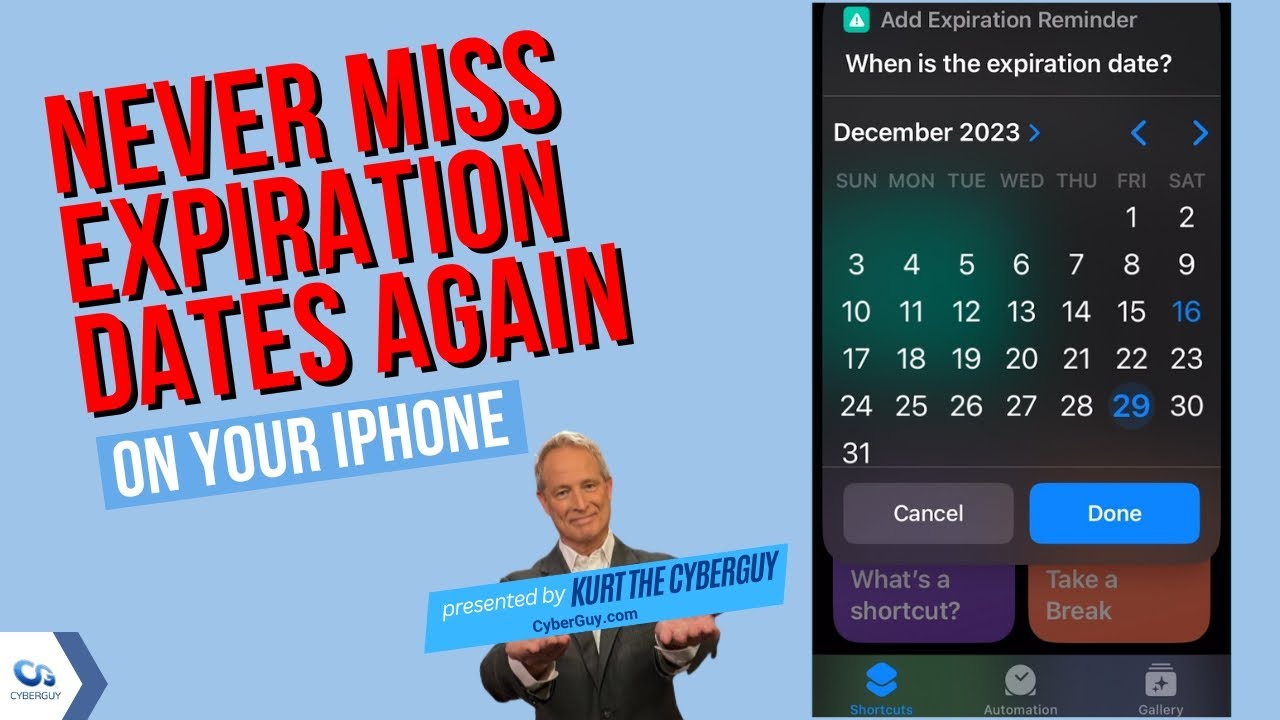
Using iPhone’s handy Shortcuts app
The Shortcuts app is a great tool that lets you automate tasks and create custom actions on your iPhone. You can use it to create shortcuts that run with a single tap, a voice command, or a scheduled time.
One of the shortcuts that you can create is an expiration reminder. This shortcut will make your iPhone notify you when an item of your choice is about to expire. You can use it for any item that has an expiration date, such as food, prescription, medication, or cosmetics.
How to create an expiration reminder shortcut
Creating an expiration reminder shortcut is very easy. Just follow these steps:
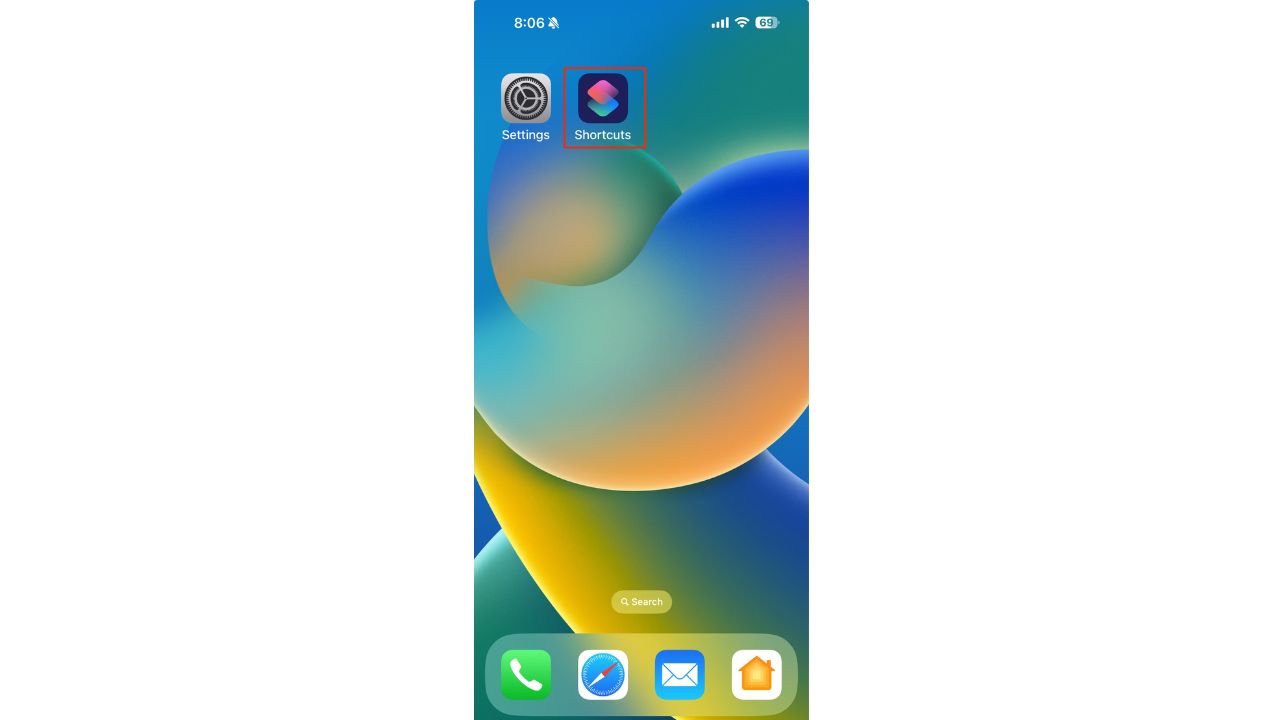
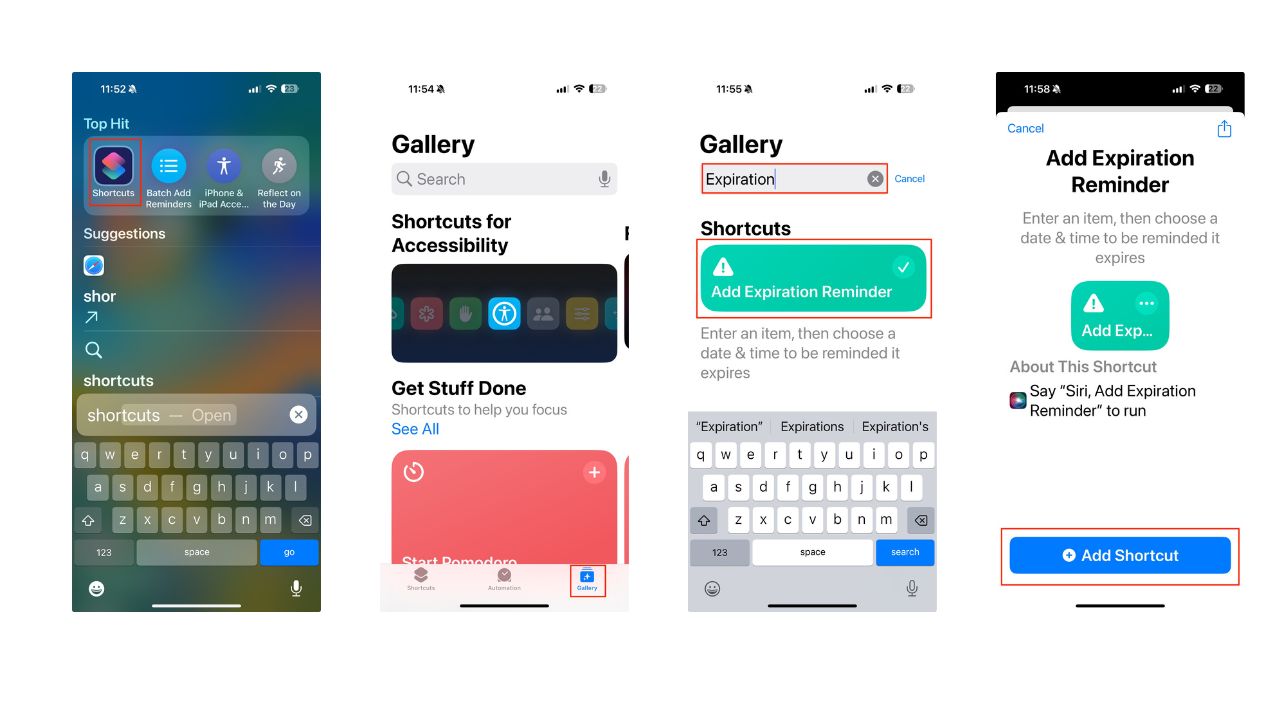
- If the Shortcuts app isn’t already on your home screen, swipe down from the top of your phone and type “Shortcuts”
- Then, open the Shortcuts app
- Tap Gallery in the bottom right corner of your screen
- Now, search for the word “Expiration” in the search bar
- Press Add Expiration Reminder
- Then tap – Add Shortcut
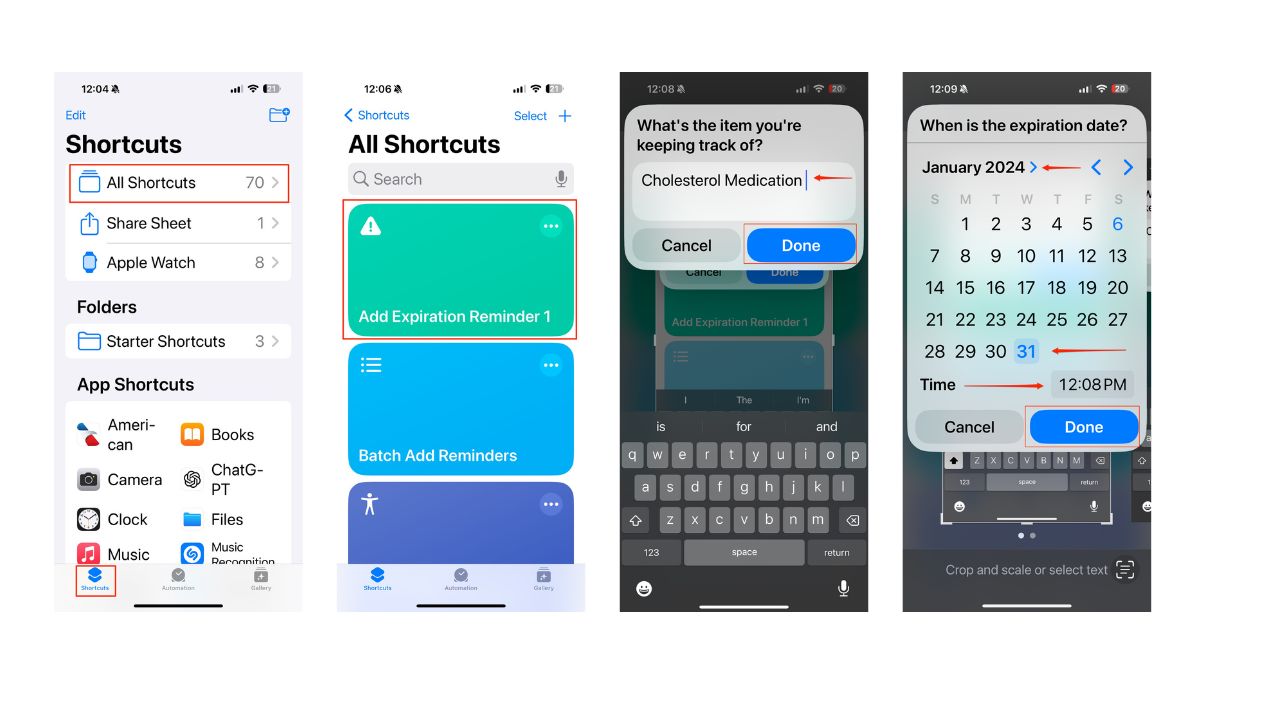
- Return to My Shortcuts by tapping Shortcuts in the bottom left of the screen
- Then tap – All Shortcuts
- Tap Add Expiration Reminder
- Type the item you’re keeping track of and want your iPhone to remind you of when it expires, for instance – Cholesterol medication
- Then tap Done
- Now, choose a date and time
- Then tap Done
MORE: POLICE URGE PARENTS TO TURN OFF APPLE IPHONE SETTING DANGEROUS TO KIDS
How to create an expiration reminder shortcut using Siri
You can also add a voice command that will trigger the shortcut.
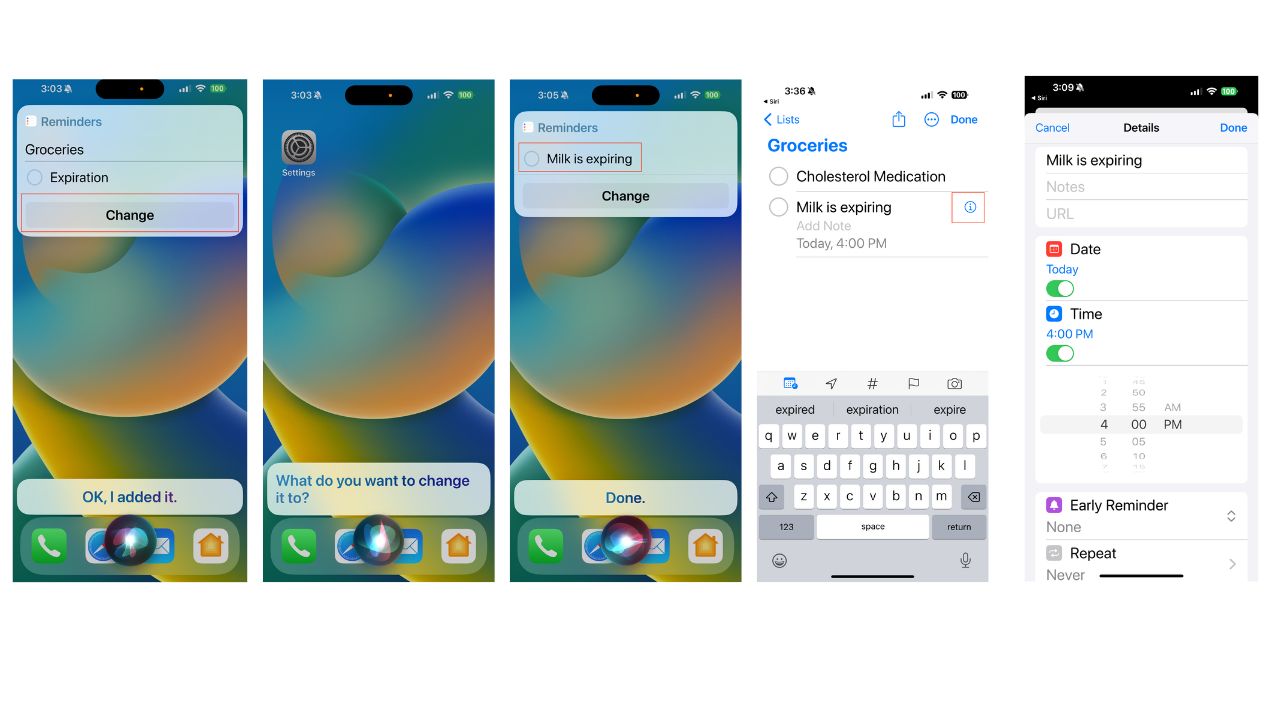
- You can say, “Siri, add expiration reminder.” Then Siri will add it.
- Then, you can tap Change, and Siri will ask, “What do you want to change it to? For example, you could say, “Milk is expiring. “
- Then tap those words “Milk is expiring,” and I will take you to your Lists. Then tap the expiration reminder that you created again.
- Tap on the i with a circle around it.
- Next, toggle on the date and it will allow you to add a date. Toggle on time, and it will allow you to add a specific time.
- Then tap Done
MORE: THE NEW IPHONE SECURITY THREAT THAT ALLOWS HACKERS TO SPY ON YOUR PHONE
How to use and delete an expiration reminder notification
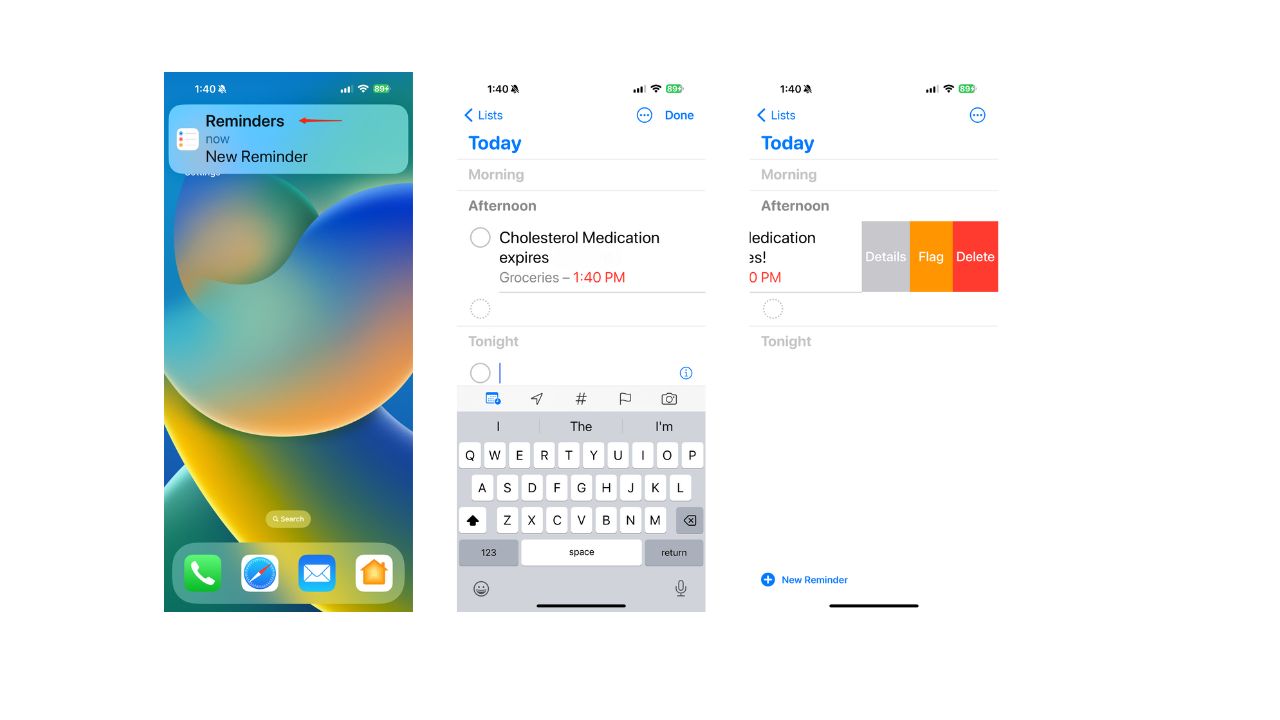
When the date and time you have chosen arrive, your iPhone will send you a reminder notification. You can tap on it and see more details. Once you’ve read it, you can swipe left and tap delete to remove it.
MORE: HOW TO PROTECT YOUR IPHONE FROM CYBERATTACKS WITH LOCKDOWN MODE
Kurt’s key takeaways
The expiration reminder shortcut is a handy way to make your iPhone remind you when your food, subscriptions, or medication is about to expire. It can help you save money, avoid waste, and stay healthy. You can create as many expiration reminders as you want for different items and dates.
Watch the latest episode of The CyberGuy Report.

Missed this event? Sign up via the registration form and see our live recording.
See Kurt’s latest Amazon picks for useful gadgets, smart home upgrades and everyday tech worth grabbing while the deals last.
What’s the one item you always let expire and think this shortcut would help? Let us know in the comments below.
FOR MORE OF MY SECURITY ALERTS, SUBSCRIBE TO MY FREE CYBERGUY REPORT NEWSLETTER HERE
Answers to the most asked CyberGuy questions:
🎙 Now Streaming: My New Podcast: The CyberGuy Report
Kurt’s Top Deals
Deals move fast and inventory can be limited, so don’t wait too long.
| 🔥 Editor’s pick  Summer entertaining Ninja SLUSHi Machine (26% off) Frozen drinks and slushies at home in minutes. | |
| 💰 Top deal  Outdoor essential TYPEC Solar Bug Zapper (36% off) Solar-powered bug zappers for patios and camping. |