



- Google and Apple let you request blurring of your home in street-level map images.
- Google Maps uses Street View’s “Report a problem” link to start the home-blur request.
- In the U.S., Google may require proof of address before approving a home-blur request.
- Once a home is blurred on Google Maps, the change is permanent.
There is a little-known way to blur your home from the street-level view on Google Maps and Apple Maps. This is the viewpoint available to anyone that shows your front door, windows, driveway and, in some cases, whether a side gate has been left open when the mapping vehicle photographed your neighborhood.
Few people realize that both Google and Apple allow you to request that private details of your home’s exterior be blurred. The reason it is not so apparent is that the option is tucked away inside small reporting links and help pages.
Why give burglars and nosy people a clear view into your property just because big tech companies want to show street-level imagery?
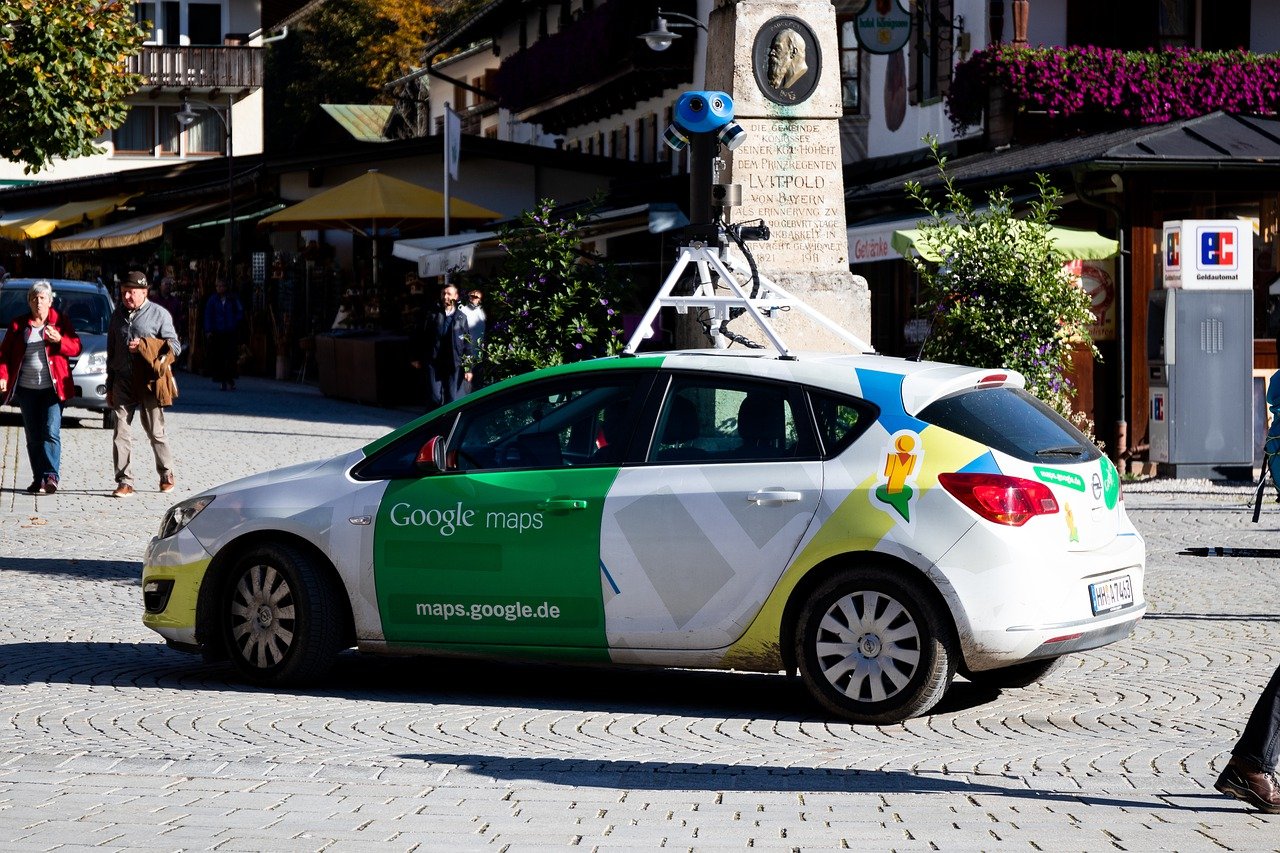
Google Maps surveillance vehicle recording everything it can see at your home
How to blur your home on Google Maps and Apple Maps
Let’s start with Google Maps on iPhone and iPad
- Launch the Google Maps app.
- Enter your home address into the search field.
- Tap the Street View box in the portion of the map.
- Tap the image of your home.
- From the Street View map showing your home, tap the three-dot menu on the upper right.
- Select “Report a problem” from the menu.
- Fill out the following form, making sure to select “Request blurring” of “My home.”
- If you are in the U.S., Google will ask you to certify that you have the authority to make the request. Only the homeowner or tenant is eligible to request a house blur.
- Upload proof of address if prompted. Google says acceptable documents include a letter, utility bill or bank statement that contains the address and is dated within the last 6 months. A lease is also acceptable, even if it is older than 6 months.
- Before uploading, redact your name, account numbers and other sensitive details. Leave the address and document date visible. Google says handwritten documents and government-issued IDs are not accepted.
- Use a working email address in the next required field, then tap the square to confirm “I’m not a robot” if asked.
- Tap “Submit.”
How to request blurring of your home on Google Maps using Android
- Open the Google Maps app.
- Search your home address.
- Find and open the Street View photo showing your house.
- Tap the screen once to show the menu bar.
- In the top right, tap More.
- Select “Report a problem.”
- Fill out the following form, making sure to select “Request blurring” of “My home.”
- If you are in the U.S., Google will ask you to certify that you have the authority to make the request. Only the homeowner or tenant is eligible to request a house blur.
- Upload proof of address if prompted. Google says acceptable documents include a letter, utility bill or bank statement that contains the address and is dated within the last 6 months. A lease is also acceptable, even if it is older than 6 months.
- Before uploading, redact your name, account numbers and other sensitive details. Leave the address and document date visible. Google says handwritten documents and government-issued IDs are not accepted.
- Use a working email address in the next required field, then tap the square to confirm “I’m not a robot” if asked.
- Tap “Submit.”
How to request blurring of your home on Google Maps using a computer
- Open a web browser and go to google.com/maps.
- Enter your home address into the search field.
- Open the Street View image showing your home.
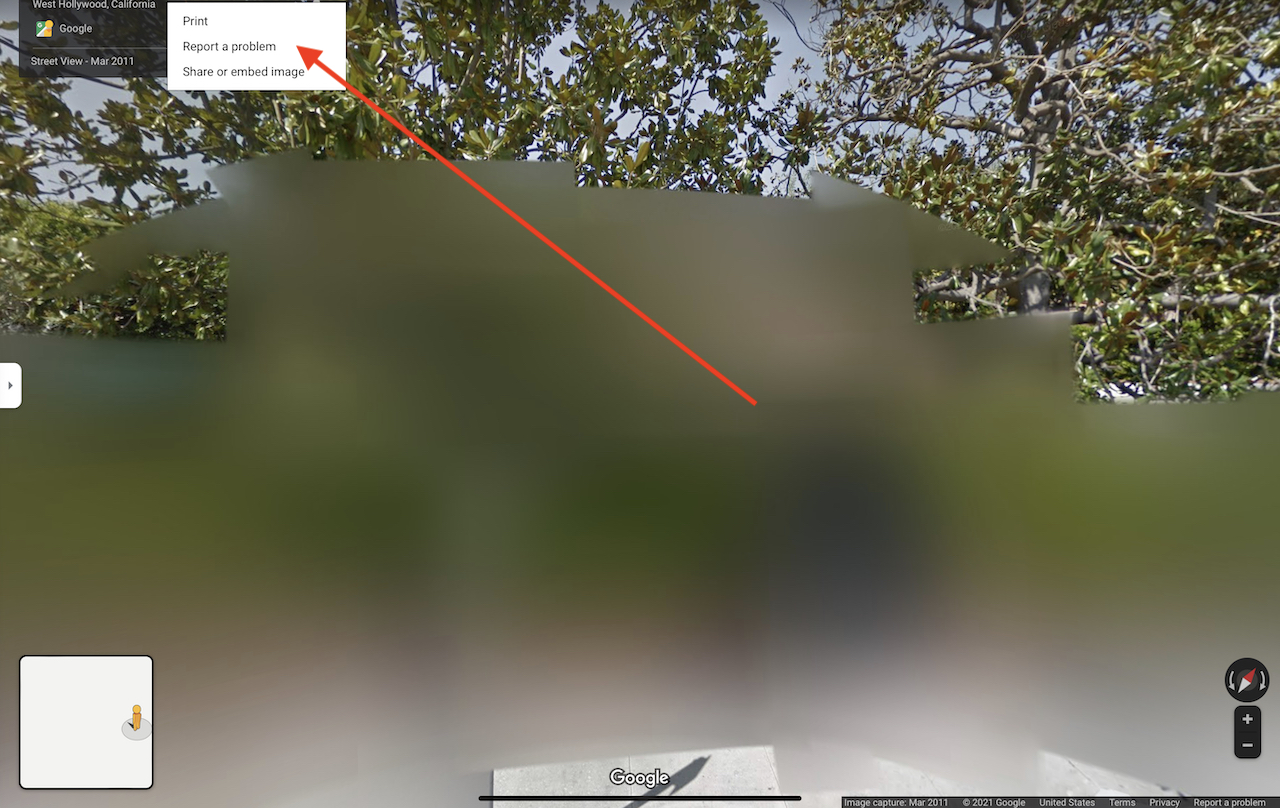
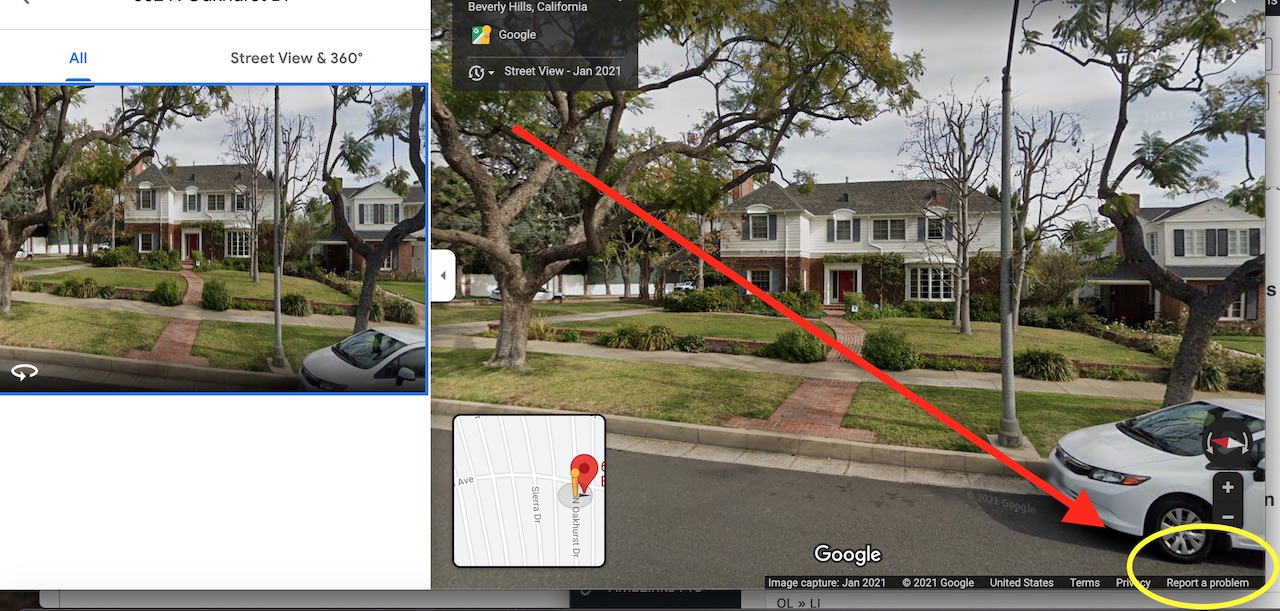
- Look for the small text link on the bottom right of the screen labeled “Report a problem.”
- Follow the instructions on the next page, including selecting “Request blurring” of “My home.”
- If you are in the U.S., Google will ask you to certify that you have the authority to make the request, upload proof of address, enter the residential address to be blurred and indicate whether the residence lacks a formal street address.
- Google says acceptable proof includes a recent letter, utility bill or bank statement that contains the address. A lease is also acceptable, even if it is older than 6 months. Redact your name, account numbers and other sensitive details before uploading.
- Enter your email address and select the Submit button.
- One more thing to know: this process applies to Google Street View, not satellite or aerial images. Also, once Google applies the blur, the blur is permanent.
- Remember to check your email for any verifications or follow-up requests after you submit your removal request. After a few days, search your own address again on the app or website to see whether the Street View image has been blurred.
What happens if Google denies your request?
Google may reject a U.S. home-blur request if the proof of address does not match the requested location, only shows a P.O. box or does not meet Google’s document rules.
If your request is denied, review the document requirements, make sure the Street View image is centered on your home and submit the request again with clearer information.
Second mission: blurring your home on Apple Maps
- Launch the Apple Maps app.
- Enter your home address into the search field.
- If you can see your home’s curbside view in the square box with binoculars in the map section, you may be able to request that the street-level imagery of your home be blurred. This feature on Apple Maps is called Look Around. Look Around is not available everywhere, so you may not see this option for every address.
- You can make the request by sending an email message to Apple at MapsImageCollection@apple.com.
- In the email, include the exact address, the city and state, and a clear description of what you want blurred, such as the front of your home in Apple Maps Look Around. Do not include unnecessary personal documents unless Apple asks for more information.
Another option is to use Apple Maps’ reporting tools.
- Tap your profile photo or initials in Maps
- Tap Reports
- Then tap Report a New Issue
- You can also press and hold a location on the map, scroll down and choose the reporting option shown on your device.
Apple’s in-app options may focus on map problems such as a wrong address, missing place or incorrect directions. For a home-blur request, emailing Apple directly is still the clearest route. According to Apple’s image collection privacy language, Apple blurs faces and license plates in Look Around imagery and allows requests to censor a face, license plate or your own house.
More: How to delete photos of your house from real estate websites
How to delete photos of your house from real estate websites
More ways to take back your privacy:
- 5 Best outdoor security cameras
- QR Codes are chopping away at your privacy
- 6 Important Amazon Privacy Settings to change right now
Kurt’s key takeaways
Your home’s street-level image may seem harmless until you realize how much it can reveal. A clear view of your front door, windows, driveway, gates and entry points can give strangers more information than you may want online. The good news is that Google and Apple give you a way to ask for that view to be blurred. The big change to know is that Google may now require proof of address in the U.S. before approving a home-blur request. That extra step may feel annoying, but it is also meant to stop someone else from requesting changes to a property they do not own or rent. Just make sure you redact sensitive details before uploading anything.
Would you blur your home on Google Maps or Apple Maps, or do you think street-level images are useful enough to leave alone? Let us know your thoughts in the comments below.
FOR MORE OF MY TECH TIPS & SECURITY ALERTS, SUBSCRIBE TO MY FREE CYBERGUY REPORT NEWSLETTER HERE
Copyright 2026 CyberGuy.com. All rights reserved. CyberGuy.com articles and content may contain affiliate links that earn a commission when purchases are made.
🎙 Now Streaming: My New Podcast: The CyberGuy Report
Kurt’s Top Deals
Deals move fast and inventory can be limited, so don’t wait too long.
| 🔥 Editor’s pick  Summer entertaining Ninja SLUSHi Machine (26% off) Frozen drinks and slushies at home in minutes. | |
| 💰 Top deal  Outdoor essential TYPEC Solar Bug Zapper (36% off) Solar-powered bug zappers for patios and camping. |


9 comments
Is there a way to remove the blurred part of the image? Previous owner of the property had the image blurred and new owner wants it removed.
Thank you.
Hi Mark, Good question. Try contacting their customer support about this issue here: https://about.google/intl/ALL_us/contact-google/
Yeah but if you check my blurry neighbor’s house mine is in practically full view..
Doug, is your house also blurred out already? It seems that if you request your house be blurred it should be blurred no matter what angle you’re looking at it from. If they haven’t blurred out your house, you should resubmit the request.
Can you please write an article about how to prevent people from finding my home address on the Internet using my personal information (full name, DOB, SSN,etc.).
Hi Jacky. The best thing you can do is to remove your personal information from the internet. You can read more on how to do that in our article here.
Thanks Kurt this was easy, I’ll check back in a few days to see if mission was accomplished.