



- SIM swapping lets scammers take over your phone number to intercept calls, texts and security codes.
- Criminals use stolen personal data to convince carriers to transfer your number to their device.
- Warning signs include sudden loss of service, account lockouts and unauthorized financial activity.
- Using carrier PINs, authentication apps, and strong security habits can help protect your accounts.
There are all kinds of scams out there, and one that’s growing fast in the U.S. right now is known as SIM swapping. Instead of hacking your phone directly, scammers go after your phone number. Once they take control of it, everything from calls and texts to banking logins can quickly spiral into a nightmare.
And yes, the risk can still apply even if your phone uses an eSIM instead of a removable SIM card.
Here’s exactly how SIM swapping works, how to spot it and the steps you can take right now to protect yourself.
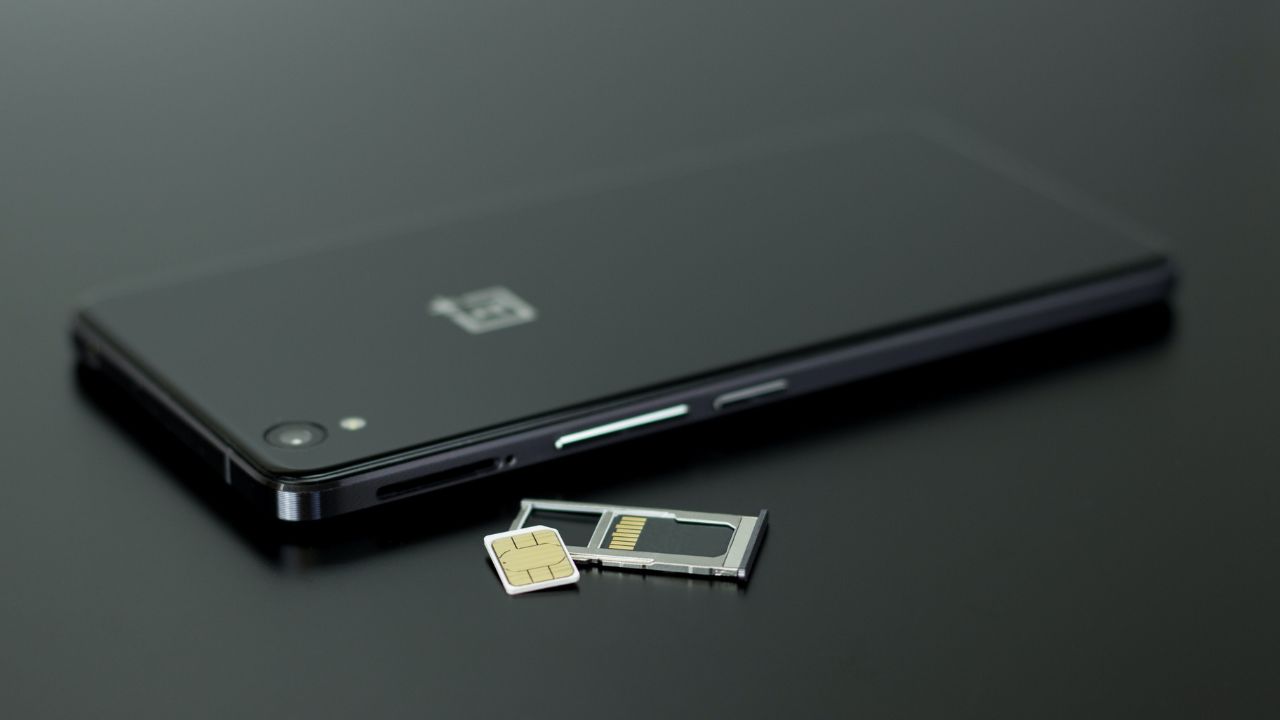
What is a SIM card?
A SIM card, or subscriber identity module, is a small chip inside your phone that connects you to your mobile carrier.
It allows you to make calls, send texts and use cellular data. Today, many phones use eSIM, which is a digital version built into the device, but it serves the same purpose.
An eSIM is more convenient and harder for someone to physically steal because it is built into your phone. However, it does not eliminate SIM swap fraud. That is because most SIM swap scams are not about stealing the physical SIM card. They are about tricking or pressuring your wireless carrier into moving your phone number to a device the scammer controls.
Without a SIM or eSIM, your phone can still work on Wi-Fi, but you won’t have access to your mobile number or carrier network.

How do SIM swap scams work?
Scammers want control of your phone number because many accounts still rely on text messages for security codes and password resets.
First, they gather as much information about you as possible. For example, they may:
- Search your social media
- Send phishing emails or texts
- Buy leaked data from breaches on the dark web
Once they have enough details, they contact your mobile carrier and pretend to be you. They may claim your phone was lost, stolen or damaged and request that your number be moved to a new SIM or eSIM. That means this scam can happen whether you use a physical SIM card or an eSIM. The real target is your phone number, not the tiny chip or digital SIM inside your device. If the carrier is convinced, your number gets transferred to the scammer’s device. This process is often called a SIM swap or number port-out fraud.
At that point, your phone loses service, and the scammer starts receiving your calls and texts instead.
From there, things can escalate quickly. They can request password resets, intercept verification codes and break into your:
- Bank accounts
- Email accounts
- Social media profiles
In some cases, criminals have drained bank accounts within hours of taking over a number.

How do I know if I’m a victim of SIM swapping?
Here are some common warning signs:
You suddenly lose service
If your phone shows “No Service” or can’t send texts or make calls without explanation, that’s a major red flag.
You get alerts about SIM or account changes
Your carrier may send a notification when a new SIM or eSIM is activated. If you didn’t request it, act immediately.
Your accounts stop working
If your passwords no longer work, a scammer may have already changed your login details.
You see suspicious transactions
Unexpected charges or transfers could mean someone has gained access to your financial accounts.
How can I protect myself from SIM swapping?
The good news is you can lower your risk with a few smart steps.
1) Be careful with personal information
Avoid oversharing online, especially details like your phone number, birthday or address.
2) Use strong, unique passwords
Every account should have its own password. A password manager like Nordpass can help.
3) Set up a carrier PIN or port-out protection
Call your wireless carrier and ask them to add extra security to your account. Ask for a port-out PIN, number transfer lock or similar protection so your number cannot be moved without extra verification.
4) Use authentication apps instead of texts
Whenever available, switch from SMS codes to apps like Google Authenticator or similar tools. These are much harder for scammers to intercept. For important accounts like banking and email, use an authenticator app, security key or passkey instead of text-message codes whenever available. Also, turn on two-factor authentication (2FA) for your carrier account, but avoid SMS-based codes when another option is available.
5) Turn on account alerts
Enable notifications from your bank and mobile carrier so you can spot unusual activity right away.
6) Ask about extra verification steps
Some companies offer callbacks or additional identity checks before making account changes.
7) Stay alert to phishing attempts
Scammers often try to trick you into giving up personal information first. If something feels off, don’t engage. Using strong antivirus software such as Norton Antivirus Plus (CyberGuy Deal: 58% off) an also help detect malicious links, fake websites and suspicious downloads before they cause harm.
- Strong real-time protection against viruses, malware, ransomware and hacking attempts
- AI-powered scam protection to help identify suspicious emails, texts and websites
- Built-in password manager to securely store and manage logins
- 2 GB PC cloud backup to help protect important files from ransomware or hardware failure
- Smart firewall and phishing protection
- Protects 1, 3 or 5 devices
- Available for Windows, macOS, Android and iOS
- Includes real-time threat protection, smart firewall and phishing protection to guard against online attacks
8) Consider an identity theft protection service
These services can monitor your personal data, alert you to suspicious activity and help you recover if something goes wrong. They may also flag if your information appears in known data breaches.
Exclusive CyberGuy deal: Save up to 68% today: Get Aura’s award-winning identity theft protection and credit monitoring for as low as $9/month when billed annually.
Related Links:
- Best prepaid SIM & eSIM cards for travelers
- 7 simple ways to protect your credit cards while traveling
- How to protect your credit and bank cards from getting hacked
Kurt’s key takeaways
SIM swapping is a powerful reminder that your phone number is now one of your most important digital assets. As scammers get more sophisticated, relying on text messages for security is becoming riskier. That’s why it’s critical to layer your defenses with stronger authentication methods and carrier protections. Stay aware, act quickly if something seems off and take a few minutes now to lock down your accounts. Those small steps can make a big difference when it matters most.
Have you been the victim of a SIM-swapping scam? Tell us about your experience in the comments below.
TO GET MORE OF MY SECURITY ALERTS, SUBSCRIBE TO MY FREE CYBERGUY REPORT NEWSLETTER
Copyright 2026 CyberGuy.com. All rights reserved. CyberGuy.com articles and content may contain affiliate links that earn a commission when purchases are made.
🎙 Now Streaming: My New Podcast: The CyberGuy Report
Kurt’s Top Deals
Deals move fast and inventory can be limited, so don’t wait too long.
| 🔥 Editor’s pick  Summer entertaining Ninja SLUSHi Machine (26% off) Frozen drinks and slushies at home in minutes. | |
| 💰 Top deal  Outdoor essential TYPEC Solar Bug Zapper (36% off) Solar-powered bug zappers for patios and camping. |


2 comments
I read your report each day. Thanks for all the great information.
I have been sim scammed. it’s crazy I still don’t get all my calls or texts. I can’t get help any where. the ppl lied and told the phone company they were me and then said they were cops lol. they’re getting good 💯