



- Daylight Saving Time is a built-in reminder to reset key home privacy and security settings.
- Software updates can quietly change smart speaker, TV and router privacy controls.
- Checking smoke detector batteries and expiration dates can prevent deadly failures.
- Securing your Wi-Fi router twice a year reduces the risk of hackers accessing your home network.
When we change the clocks for Daylight Saving Time, most of us focus on sleep. But the time change is also a smart reminder to check the technology running quietly inside our homes.
Daylight Saving Time begins on Sunday, March 8, at 2:00 a.m., when clocks move forward one hour (“spring forward”). It ends on Sunday, November 1, 2026, at 2:00 a.m., when clocks move back one hour.
Twice a year, you already adjust your clocks. Use that same moment to reset key privacy and security settings across your home devices. Software and firmware updates can quietly change settings without you realizing it. This quick checklist helps keep your home secure and your data protected.
Here are five critical daylight-saving tech tune-ups to do right after you change your clocks.

1) Adjust your clocks (and double-check connected devices)
On March 8, 2026, clocks move forward one hour at 2:00 a.m. Most smartphones, smartwatches, connected cars and computers update automatically. Still, check:
- Alarm clocks
- Ovens and microwaves
- Coffee makers
- Thermostats
- Older vehicles without connected dashboards
If you rely on alarms, confirm they are set correctly. A missed alarm on a Monday morning is not how you want to start the week. If sleep remains a problem, even with the extra hour, be sure to check out Top sleep solutions.
2) Replace smoke detector batteries and check expiration dates
Daylight Saving Time is the perfect reminder to check:
- Smoke detectors
- Carbon monoxide detectors
- Fire alarms
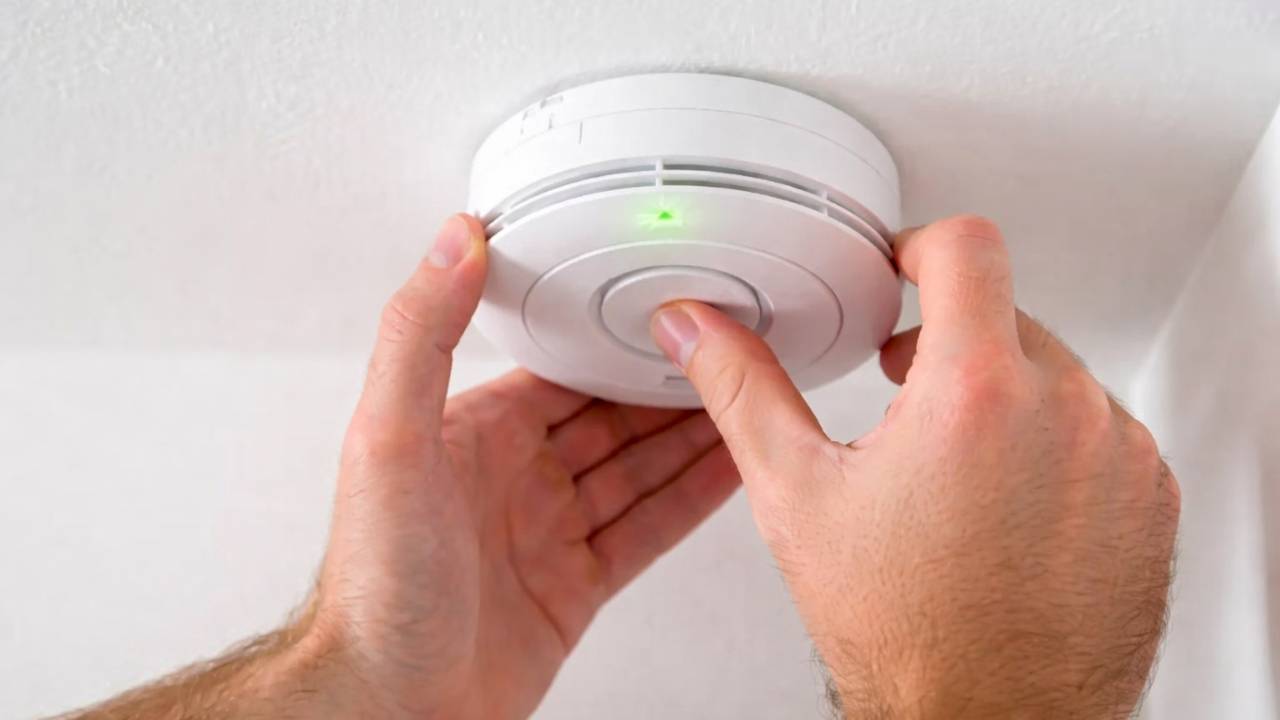
Replace batteries and check the manufacturer’s date on the back of each unit. According to the National Fire Protection Association (NFPA), most smoke alarms should be replaced every 7 to 10 years. Many newer units include an expiration date. If yours does not, look up the model online and write the replacement year on the back with a permanent marker. This simple habit can save lives. Check out our 5 best smoke detectors of 2026.
3) Recheck your smart speaker privacy settings
Smart speakers like Amazon Echo and Google Nest devices collect voice data. Updates can sometimes reset privacy preferences.
For Amazon Echo devices:
- Open the Alexa app
- Go to More > Settings > Alexa Privacy
- Select Manage Your Alexa Data
- Turn on automatic deletion of recordings
- Review voice history and delete old recordings
- Disable options that allow voice data to improve services
You can also say, “Alexa, what did you hear?” to review recent commands.
For Google Nest devices:
Watch the latest episode of The CyberGuy Report.

Missed this event? Sign up via the registration form and see our live recording.
See Kurt’s latest Amazon picks for useful gadgets, smart home upgrades and everyday tech worth grabbing while the deals last.
- Open the Google Home app
- Go to Settings > Privacy
- Review and delete activity in your Google Account
Twice a year is a good rhythm for cleaning up stored voice data.
4) Secure your home Wi-Fi router
Your router is the front door to your digital life. An outdated or misconfigured router is one of the easiest ways hackers gain access.
Here’s what to check:
- Log into your router’s admin page
- Update firmware
- Turn on automatic updates if available
- Confirm the firewall is enabled
- Disable remote administration
- Review connected devices and remove anything unfamiliar
If you are using older security standards like WPA2 and your router supports WPA3, upgrade your settings. If your router is more than five years old, it may be time to replace it. Check out our Top 5 Routers for Best Security
5) Reset smart TV and streaming device privacy settings
Modern smart TVs collect viewing data and usage behavior. Firmware updates can sometimes re-enable tracking features.
Samsung TVs:
- Settings > Support > Terms & Privacy
- Turn off Viewing Information Services
- Disable Interest-Based Advertising
Roku:
- Settings > Privacy > Advertising
- Enable Limit Ad Tracking
- Disable Smart TV Experience (if available)
Amazon Fire TV:
- Settings > Preferences > Privacy Settings
- Turn off Device Usage Data
- Turn off Collect App and Over-the-Air Usage Data
- Turn off Interest-Based Ads
Review these settings twice a year to make sure nothing has been quietly reactivated. Be sure to check out my picks for the best streaming devices of 2026.
Bonus: Check your video doorbell settings
If you use a Ring doorbell:
- Open the Ring app
- Tap the menu > Control Center
- Review Third-Party Service Providers and opt out where available
- Check Shared Users and remove anyone you do not recognize
- Enable Two-Factor Authentication (2FA)
Your doorbell camera captures sensitive data about when you are home or away. Make sure only trusted users have access. Check out Kurt’s picks for the Top video doorbells here.

More:
Related Links:
- Your phone shares data at night: Here’s how to stop it
- Think your New Year’s privacy reset worked? Think again
- Make 2026 your most private year yet by removing broker data
Kurt’s key takeaways
Daylight Saving Time is more than a clock change. It is a built-in reminder to protect your home and your data. Technology updates constantly. Privacy settings can shift. Devices collect more information than most people realize. By tying these security checks to the time change, you create a simple habit that keeps your smart home safer all year long. Two times a year. Ten minutes. Major peace of mind.
What is one device in your home that surprised you with how much data it collects? Let me know in the comments below. Your experience may help someone else secure their home this season.
FOR MORE OF MY TECH TIPS & SECURITY ALERTS, SUBSCRIBE TO MY FREE CYBERGUY REPORT NEWSLETTER HERE
Copyright 2026 CyberGuy.com. All rights reserved. CyberGuy.com articles and content may contain affiliate links that earn a commission when purchases are made.
🎙 Now Streaming: My New Podcast: The CyberGuy Report
Kurt’s Top Deals
Deals move fast and inventory can be limited, so don’t wait too long.
| 🔥 Editor’s pick  Summer entertaining Ninja SLUSHi Machine (26% off) Frozen drinks and slushies at home in minutes. | |
| 💰 Top deal  Outdoor essential TYPEC Solar Bug Zapper (36% off) Solar-powered bug zappers for patios and camping. |


