Those of us old enough to remember traveling before the age of smartphones and mobile internet know we have it pretty good these days. You can find the best flights using comparison sites, choose among hundreds of hotels on a single booking site, get tickets sent to your phone rather than picking them up in person, check in online, order a ride, and you’re off.
All this, of course, comes with downsides and trade-offs. Most people’s biggest concerns are “getting hacked,” which, when you get down to it, really means “being robbed in ways I don’t quite understand.” But that’s one of those risks that, although very real, is unlikely to happen if you take the usual precautions.

The dangers few think about until it’s too late
In a time when personal information is said to be worth more than oil, bad actors are often interested in getting their hands on your personal data as much as your money. And a “bad actor” need not be some guy with his hood up, hunched over a laptop in the back of a coffee shop.
In 2024, for example, ClassAction.org reported on suspicions of major cruise lines illegally sharing consumers’ data with Facebook. Cruise lines RoyalCaribbean.com, CelebrityCruises.com, Princess.com, and HollandAmerica.com are suspected of collecting personal information through the sneaky “Meta tracking pixel” and sending it to Facebook without users’ consent.
Booking.com, a site most of us have used at one time or another, has also had its fair share of problems. The website has been battling waves of hacking attacks aimed at defrauding its customers; it’s faced accusations of not doing enough to protect its customers and has even been fined for failing to disclose a data breach on time.
Data gathered from these kinds of incidents often ends up circulating online, being added to what was already out there before, just waiting for someone or some company to make use of it.
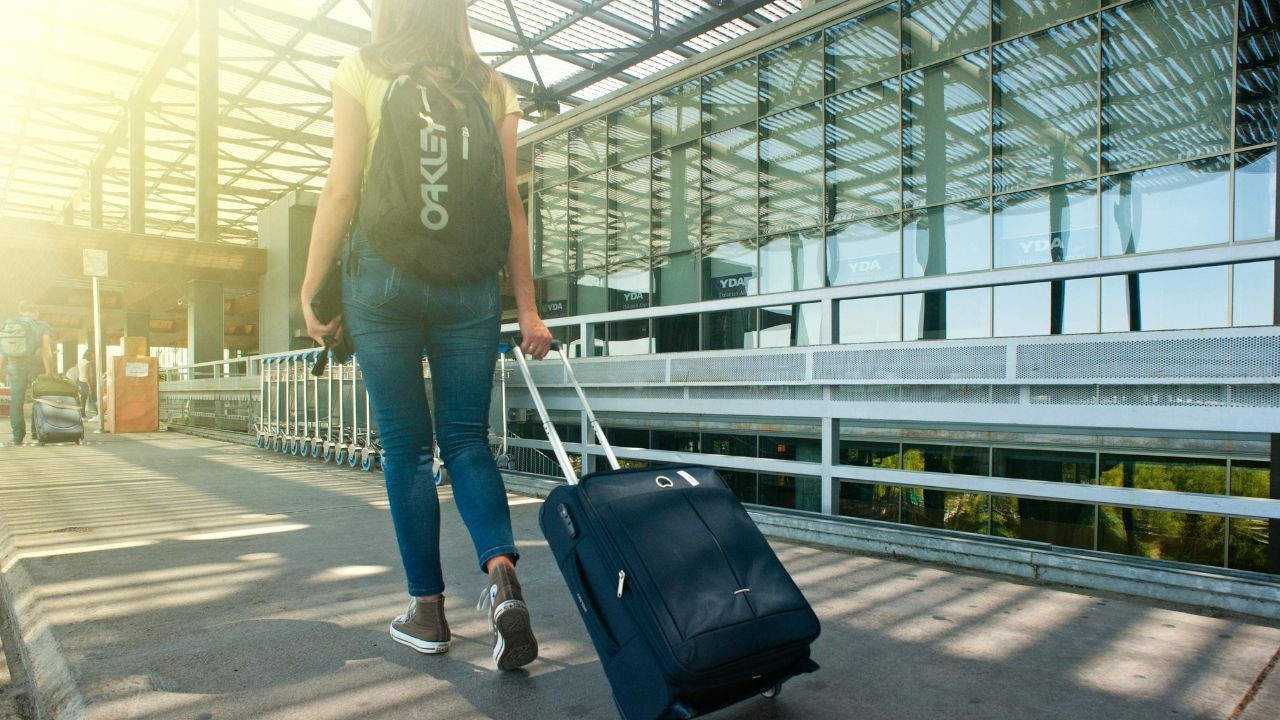
Ways to protect yourself online when traveling – Here’s how to stay safe
Here are some of the “usual precautions” that can protect you from “getting hacked” while traveling:
1) Update all your apps and operating systems before heading off: All those security patches are that much more important while you’re traveling. You’ll want to download and install all pending updates at least 24-48 hours before your departure, ensuring you have the latest security protections and giving yourself time to troubleshoot any potential update-related issues that might arise.
2) Lock everything down: Use strong, unique passwords and a reliable password manager to keep track of them.
- Unlimited password storage
- Secure sharing
- Password health reports
- Auto-fill and emergency access
- Data breach monitoring to alert you if your credentials have been exposed
- A Security Dashboard with tools like the Data Breach Scanner and Password Health Checker to identify weak, reused, or compromised passwords
CyberGuy Exclusive Deal: Save 52% now with CyberGuy’s exclusive NordPass offer – Get 1 extra month FREE with a 2-year plan. Try 30 days risk-free for only $1.43 per month!
3) Turn on two-factor authentication (2FA) where available: Prioritize using authenticator apps over SMS-based codes. This provides a more secure second layer of verification, as authenticator apps are less vulnerable to SIM swapping attacks and interception compared to text message-based authentication. Choose reputable authenticator apps, which generate time-based one-time passwords that change frequently and are tied directly to your device.
Watch the latest episode of The CyberGuy Report.

Missed this event? Sign up via the registration form and see our live recording.
See Kurt’s Prime Day picks for useful gadgets, practical upgrades and everyday tech while the deals last.
4) Keep location services turned off: NFC, Bluetooth, and Wi-Fi should also be turned off while you’re not using them—that’ll make your battery last longer as a side benefit.
5) Go dark: Don’t publicly share news of your trip until you’re back. Avoid posting about your vacation on social media or keeping a blog about your adventures, as this information can be used by criminals to piece together a snapshot of your life.
6) Limit social media use: Scammers and hackers often exploit social media to gather personal information and target travelers. To stay secure, avoid sharing trip details publicly and use a privacy-focused messaging app like Signal to stay in touch with family and friends.
7) Use privacy-focused browsers: You should consider using browsers like Brave or Firefox with privacy extensions. Enabling “do not track” settings and utilizing private/incognito mode can provide an extra layer of digital protection.
8) Disable automatic Wi-Fi and Bluetooth connections: Disable settings that automatically connect to networks and manually select and verify networks before connecting. This prevents your device from inadvertently joining potentially unsecured networks.
9) Use encrypted messaging and email: For texting, consider apps like Signal or WhatsApp. For email, services like StartMail offer easy-to-use end-to-end encryption. These platforms ensure that your private communications remain secure from unauthorized access. StartMail provides robust end-to-end encryption capabilities, including OpenPGP encryption and password-protected messages for recipients who may not use encrypted email services. Additionally, StartMail incorporates features such as multi-factor authentication and blocking of tracking pixels, further enhancing user privacy and security. You can get an Exclusive deal for CyberGuy readers: 50% off: $29.95 for the first year subscription. Includes a free 7-day trial.
See my review of best secure and private email services here
10) Travel with minimal digital gear: Consider bringing a “travel-only” phone or laptop with minimal personal data.
11) Be cautious of public charging stations: Avoid using public USB charging ports that could potentially compromise your device. Instead, carry a portable phone charger with you.
12) Monitor your accounts: Set up transaction alerts on financial accounts and use credit cards with strong fraud protection. Regularly check your accounts while traveling to quickly detect any suspicious activity.
13) Bring your own internet access with you: Find a local or international SIM, a mobile hotspot, and a trusted VPN (Virtual Private Network) service for those times you can’t help but use public Wi-Fi. Using a VPN can enhance your privacy by encrypting your internet traffic, making it harder for hackers and third parties to intercept your data, especially on public Wi-Fi. A VPN masks your IP address, helping to obscure your location and online activity. While VPNs don’t directly prevent phishing emails, they reduce the exposure of your browsing habits to trackers that may use this data maliciously. With a VPN, you can securely access your email accounts from anywhere, even in areas with restrictive internet policies.
ExpressVPN is the go-to choice for those who prioritize ultra-fast speeds, reliability, and top-tier security. With servers in 105 countries, ExpressVPN delivers blazing-fast performance for streaming, gaming, and secure browsing. It supports P2P file sharing, offers best-in-class encryption, and maintains a strict no-logs policy—with all servers running on RAM for enhanced privacy. You can connect up to 10 devices simultaneously, and setup takes under 2 minutes. Plus, with 24/7 live customer support and a 30-day money-back guarantee, ExpressVPN is a premium choice for security-focused users who want speed without compromise.
CyberGuy Exclusive ExpressVPN Deals:
✅ Save 75% – Get 3 months FREE with 12-month plan for $3.99/month. Try 30 days risk-free.
✅ Save 84% – Get 4 months FREE with 24-month plan for $2.49/month. Try 30 days risk-free.
Surfshark – Best for Unlimited Devices & Budget-Friendly Security
If you're looking for a more affordable VPN without sacrificing security, Surfshark is an excellent choice. Surfshark operates under a strict no-logs policy and offers top-notch encryption to keep your data safe. However, Surfshark stands out by allowing unlimited devices on a single account - making it perfect for families, small businesses, or users with multiple gadgets. If you're looking for a more affordable VPN without sacrificing security, Surfshark is an excellent choice. Surfshark operates under a strict no-logs policy and offers top-notch encryption to keep your data safe. It now runs on upgraded 100 Gbps servers, delivering faster speeds, smoother streaming, and greater reliability even during peak hours. The upgrade also makes Surfshark more future-proof with improved stability, scalability, and load balancing for growing bandwidth demands.
Surfshark stands out by allowing unlimited devices on a single account—making it perfect for families, small businesses, or users with multiple gadgets. It also includes features like MultiHop (double VPN) and Camouflage Mode to bypass VPN restrictions in censored regions. With a budget-friendly price and feature-rich security, Surfshark is ideal for those who want privacy on a budget.
CyberGuy Exclusive Surfshark Deals:
✅ Save 81% – Get 3 extra months FREE with 12-month plan for $2.98/month. Try 30 days risk-free.
✅ Save 88%/b> – Get 3 extra months FREE with 24-month plan for $1.78/month. Try 30 days risk-free.
For best VPN software, see my expert review of the best VPNs for browsing the web privately on your Windows, Mac, Android & iOS devices
What you can do to protect your personal data
Avoiding cruise lines and travel booking sites altogether isn’t a realistic option when planning a trip. Whether you’re booking a flight, cruise, car rental, or hotel, your personal information is often shared with multiple parties—and that can put your privacy at risk. Here are some things you can do to dramatically reduce the risk when booking flights, cruises, vehicles, and accommodation:
1) Invest in personal data removal services: One of the most effective ways to protect your personal data is to proactively remove it from data broker sites that collect and sell your information. That’s where personal data removal services come in. While no service promises to remove all your data from the internet, having a removal service is great if you want to constantly monitor and automate the process of removing your information from hundreds of sites continuously over a longer period of time.
Incogni, a service I trust 100% and use myself, helps automate the process by submitting removal requests to hundreds of data brokers and people-search sites on your behalf.
Incogni automatically contacts data brokers on your behalf and requests the removal of your personal information. It also continues monitoring those sites and submits new removal requests if your data reappears.
- Incogni currently removes personal data from 420+ data broker and people-search websites, and its Unlimited plan allows you to request removals from as many additional sites as you need.
- Incogni has also received third-party assurance from Deloitte, validating its marketing claims.
- The goal is simple: make it much harder for strangers, scammers, and cybercriminals to find your personal information online.
CyberGuy readers get 60% off Incogni’s annual plans using the links in this article.
The service also includes a 30-day money-back guarantee, so you can try it risk-free and see how much of your information is exposed online.
2) Use personal security caution: Don’t sign in to anything using your social media accounts, sign in with your email instead, and be sure to use an email address you’ve set aside just for these kinds of situations.
3) Do your homework online: Do an online search for the booking website, cruise line or travel agency in question, keeping an eye out for any recent reports of scams or other issues.
4) Check company reputation carefully: Check ClassAction.org, the Better Business Bureau, and Trustpilot specifically. This will help you gain comprehensive insights into a company’s track record, customer experiences, and potential issues.
5) Verify communication legitimacy: Whenever you receive a call, email, or text message from a booking service, confirm that it’s really them by first checking your account directly and then contacting the company through official, publicly listed channels (not social media).
7 SIMPLE WAYS TO PROTECT YOUR CREDIT CARDS WHILE TRAVELING
Kurt’s key takeaways
There’s plenty of good advice out there when it comes to avoiding public Wi-Fi and protecting your documents while traveling. To really stay safe, though, it’s important to start thinking about your data privacy and data security before even booking your trip. It doesn’t take much when all is said and done, but it could make a huge difference to how you remember your trip for years to come.
When was the last time technology made your travel more stressful instead of easier? What happened? Let us know in the comments below.
FOR MORE OF MY TIPS, SUBSCRIBE TO MY FREE CYBERGUY REPORT NEWSLETTER HERE
This article was created in partnership with Incogni
Copyright 2025 CyberGuy.com. All rights reserved. CyberGuy.com articles and content may contain affiliate links that earn a commission when purchases are made.
🎙 Now Streaming: My New Podcast: The CyberGuy Report
Kurt’s Top Deals
Deals move fast and inventory can be limited, so don’t wait too long.
| 🔥 Editor’s pick  Summer entertaining Ninja SLUSHi Machine (26% off) Frozen drinks and slushies at home in minutes. | |
| 💰 Top deal  Outdoor essential TYPEC Solar Bug Zapper (36% off) Solar-powered bug zappers for patios and camping. |