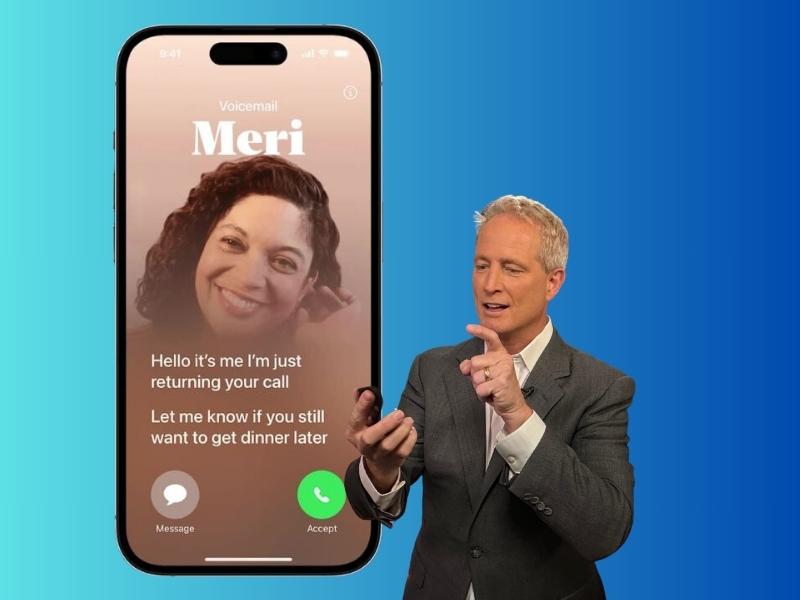
Do you miss the days of being able to listen to callers leave a message on an answering machine? Well, what’s old is new again. Vintage always has its way of making a comeback.
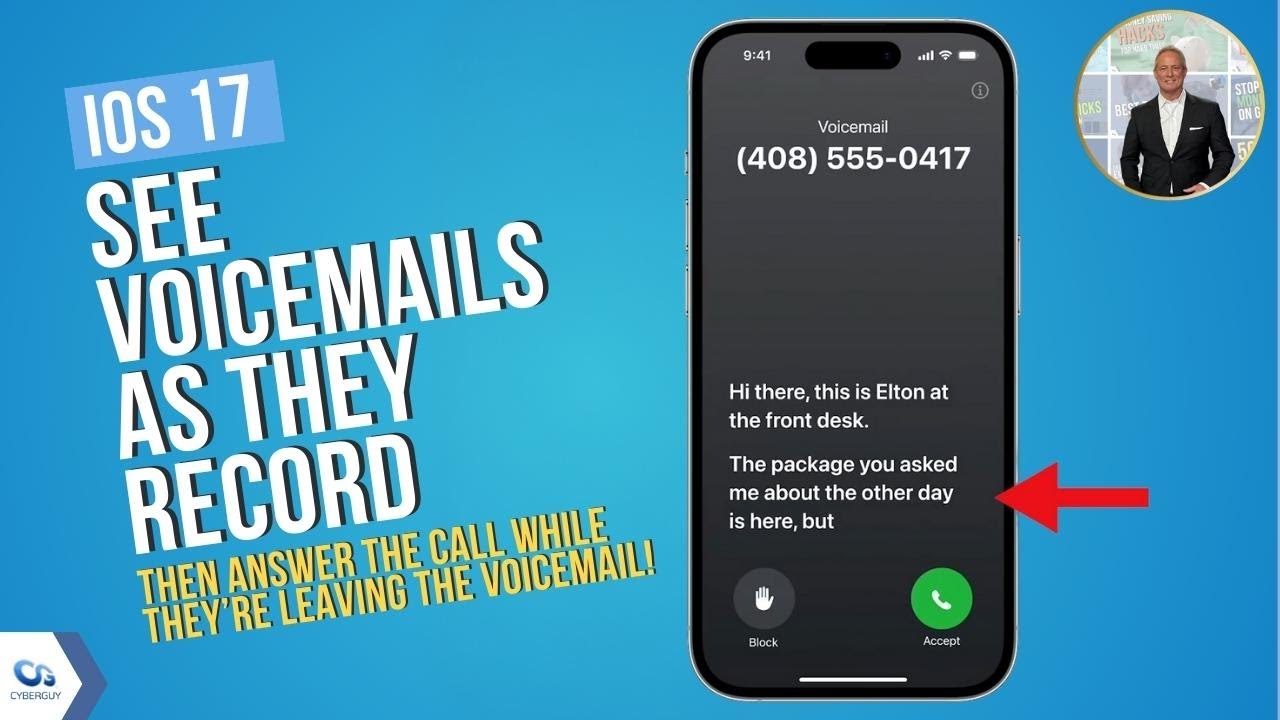
One of iOS 17’s most useful features on the iPhone allows you to see the transcript of a voicemail as it is being recorded by the caller.
MORE: HIDDEN IPHONE SETTINGS TO CHANGE THE MOMENT YOU DOWNLOAD THE NEW IOS 17
With iOS 17, Live Voicemail is on by default but if you’re not seeing it working, try this.
- Open the Settings app
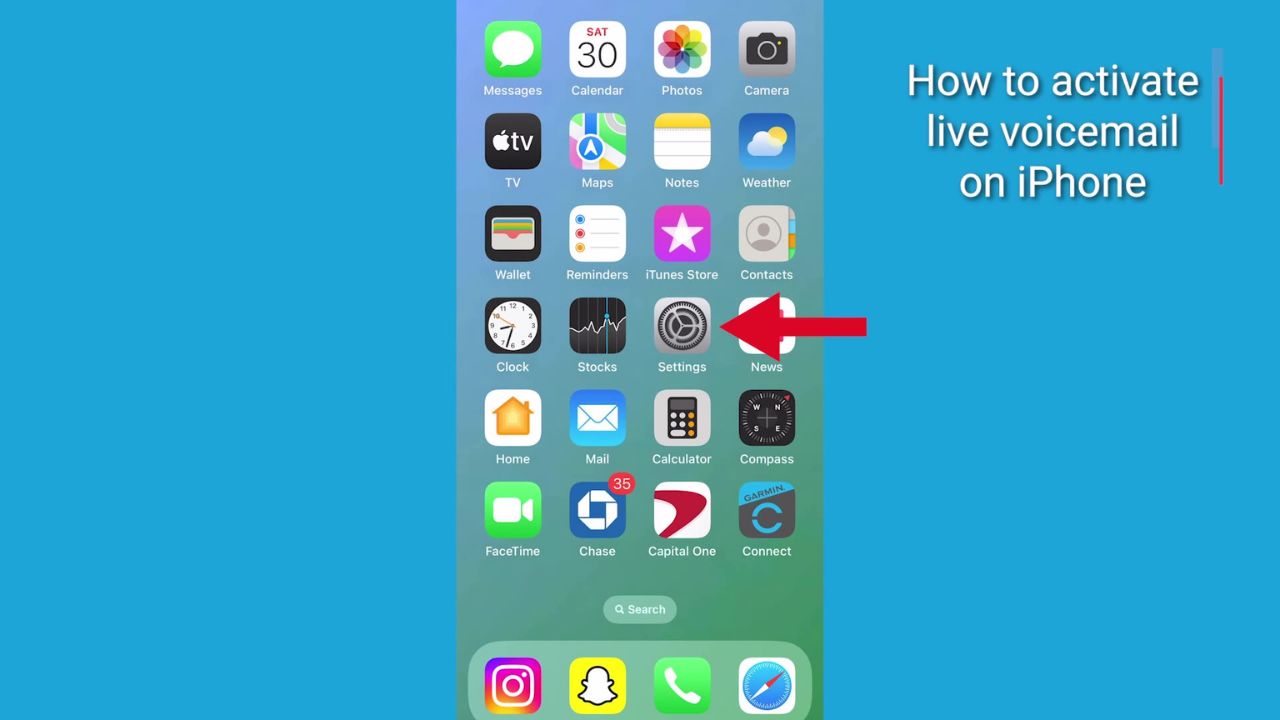
- Then tap phone
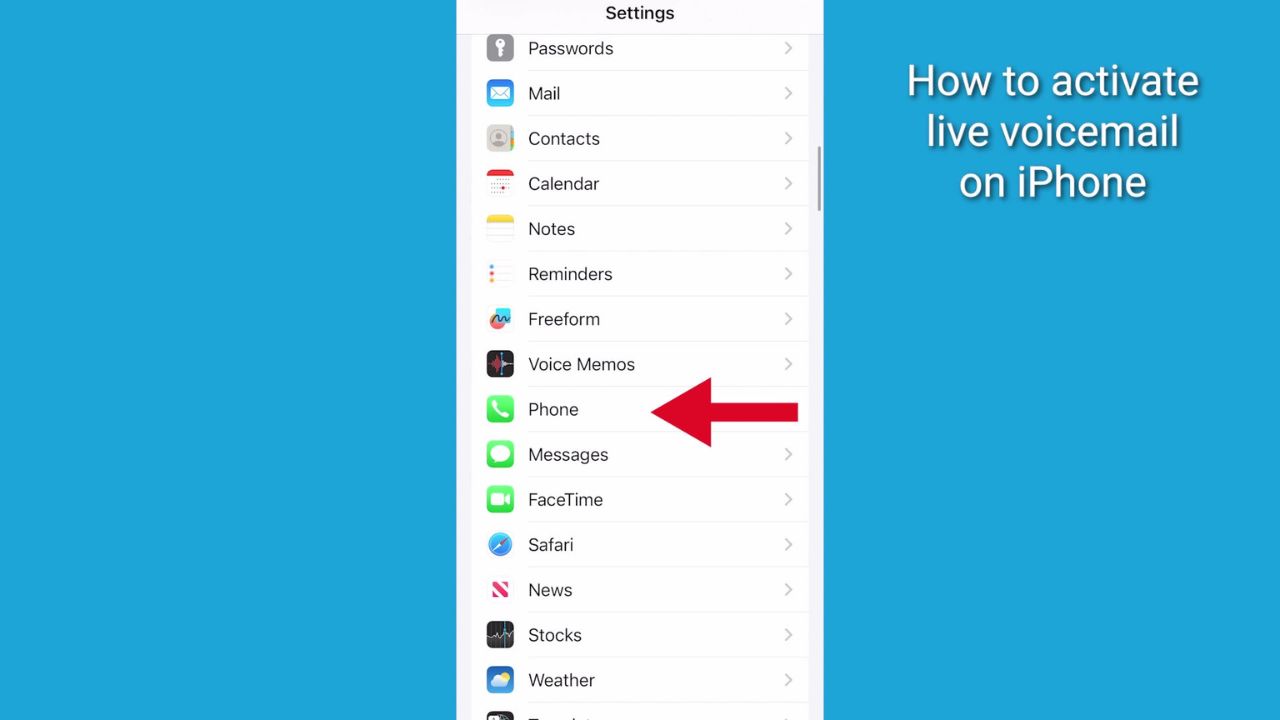
- Scroll down, then tap Live Voicemail
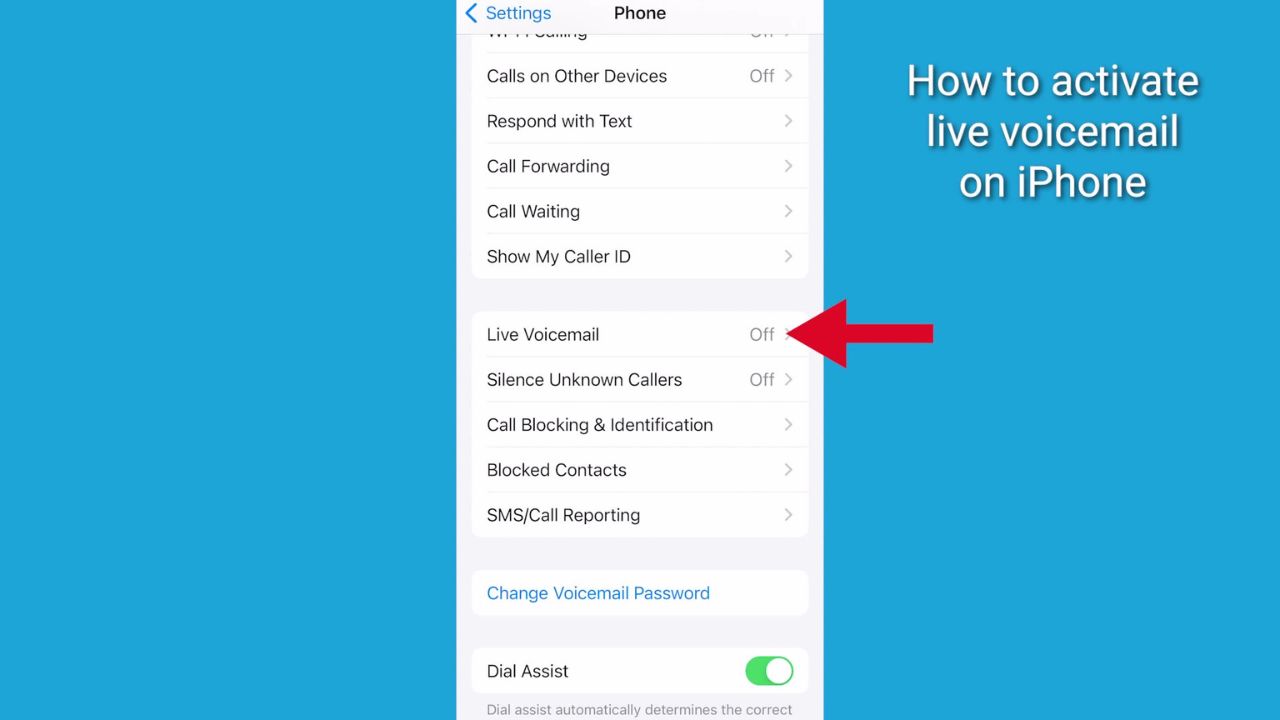
- Then, toggle it On
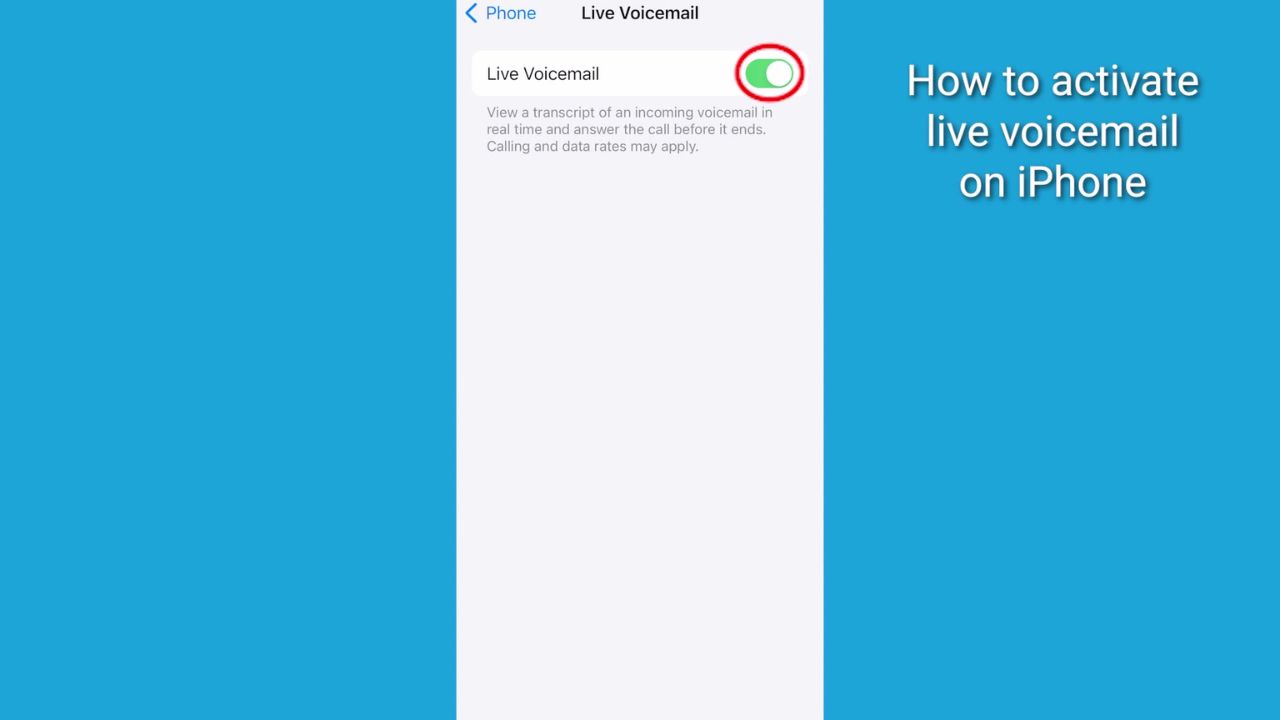
Check this out. When someone is leaving you a voicemail, you will be able to watch a live transcript of an incoming voicemail in real-time and answer the call before it ends.
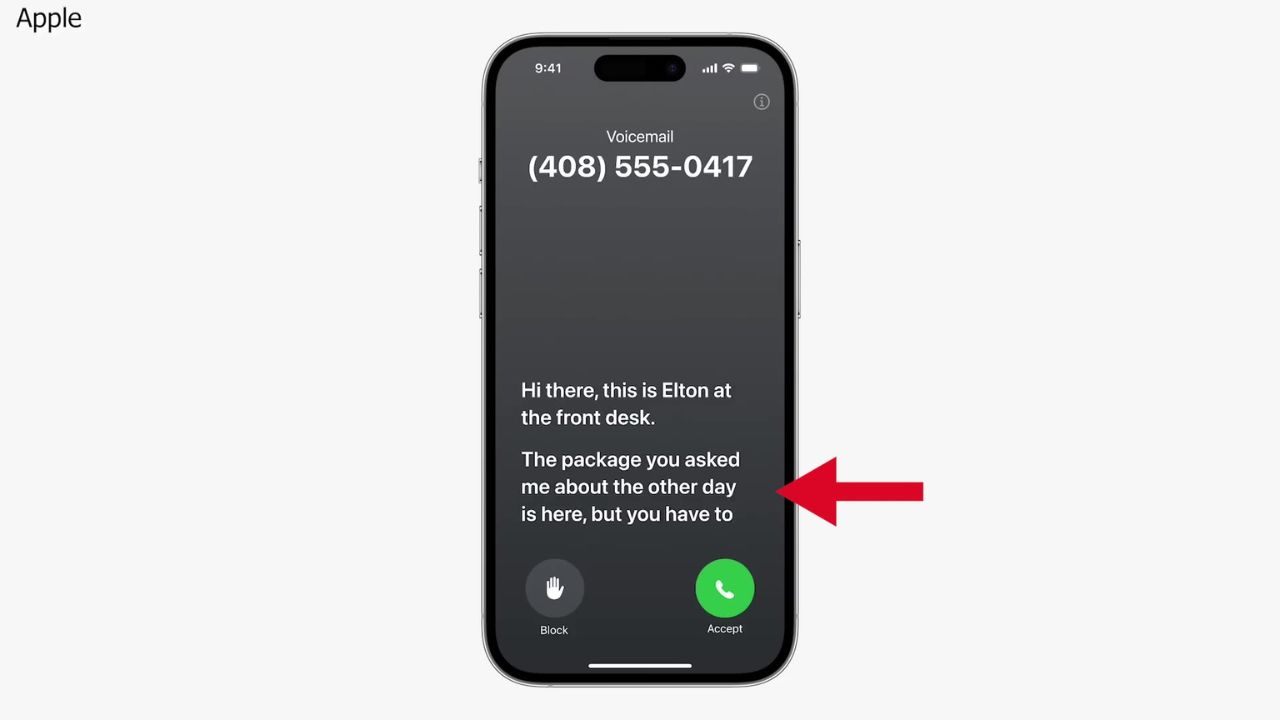
Get ready for this line again… “I know you’re there, pick up.”
MORE: THE MUST-TRY IPHONE SHORTCUT TO HELP YOU REMEMBER EVERYTHING
Drawbacks and risks of Live Voicemail
There are also some potential drawbacks and risks associated with Live Voicemail. One of them is the possibility of a scammer tricking you into revealing your personal or financial information by pretending to be a legitimate caller or by creating a fake emergency or threat.
There is also a chance that someone else could store, share, or hack the transcript without the caller’s knowledge or permission.
Another downside is the ethical issue of accessing the caller’s message before they have finished or consented to sending it. Some people may see this as an invasion of privacy or a breach of trust, especially if the message contains sensitive or confidential information.
Remember, if you download iOS17, Live Voicemail is turned on by default. If you’re concerned you or a loved one may be tricked by scam calls, it’s easy to turn off.
Go to Settings, tap the Phone option, select Live Voicemail, and toggle it Off.
How one convincing SSA scam nearly tricked a reader, and the five red flags to check before you click.

Join Kurt Saturday, June 13 at 10 AM ET for quick phone privacy and security fixes.
See Kurt’s 2026 picks for practical tech and everyday upgrades.
If you keep using the feature, always remember you shouldn’t believe everything you read.
Kurt’s key takeaways
If you miss the old days of listening to your answering machine, you might enjoy Live Voicemail, a new feature that shows you the transcript of an incoming voicemail in real-time. You can even answer the call before it ends if you want to. It can be useful, fun, or annoying, depending on how you use it. If you want to try it out, make sure you have iOS 17 installed and Live Voicemail is turned on. If you don’t like it, you can always turn it off the same way.
Remember Live Voicemail also has its drawbacks mainly because it can compromise your privacy and security if someone else sees or hears your voicemail without your consent or if a scammer tries to use Live Voicemail to trick you into giving them your personal or financial information. So, weigh the pluses and minuses before using Live Voicemail on your iPhone and also before leaving voicemails on someone’s iPhone who has this feature turned on.
So, what do you think of Live Voicemail? Is it a feature that you would use or avoid? Do you think it is a fun way to reconnect with your callers or a potential risk to your privacy and security? Let us know by commenting below.
FOR MORE OF MY TECH TIPS & SECURITY ALERTS, SUBSCRIBE TO MY FREE CYBERGUY REPORT NEWSLETTER HERE
Hidden iPhone settings to change the moment you download the new iOS 17
🎙 Now Streaming: My New Podcast: The CyberGuy Report
Kurt’s Top Deals
Deals move fast and inventory can be limited, so don’t wait too long.
| 🔥 Editor’s pick  Summer entertaining Ninja SLUSHi Machine (26% off) Frozen drinks and slushies at home in minutes. | |
| 💰 Top deal  Outdoor essential TYPEC Solar Bug Zapper (36% off) Solar-powered bug zappers for patios and camping. |