- Instagram accounts are public by default, meaning anyone can view your profile and posts.
- A public profile can give scammers and hackers useful details to target you.
- Switching to a private account limits access to only approved followers.
- You can review and manage follow requests directly from your activity tab.
Are you on Instagram? It’s one of the top social media platforms for sharing photos and video content, but personally, I love to use it to keep up with friends, family, and even my favorite celebrities.
But did you know that when you create an Instagram account, the default settings mean your account is public? That means anyone in the world (whether they have an Instagram account or not) can find and access your account, see any photos you’ve posted, and see who you’re following. If your account is public, know that hackers can craft an attack from your social media profile.
Change your Instagram privacy settings today to make your account safer.
Table of Contents:
Change your Instagram privacy settings
How to make your Instagram private
The main setting you’re going to want to adjust is the public/private setting. As we mentioned, Instagram’s default setting is to allow your account to be public to anyone. Follow these steps to change your account to private.
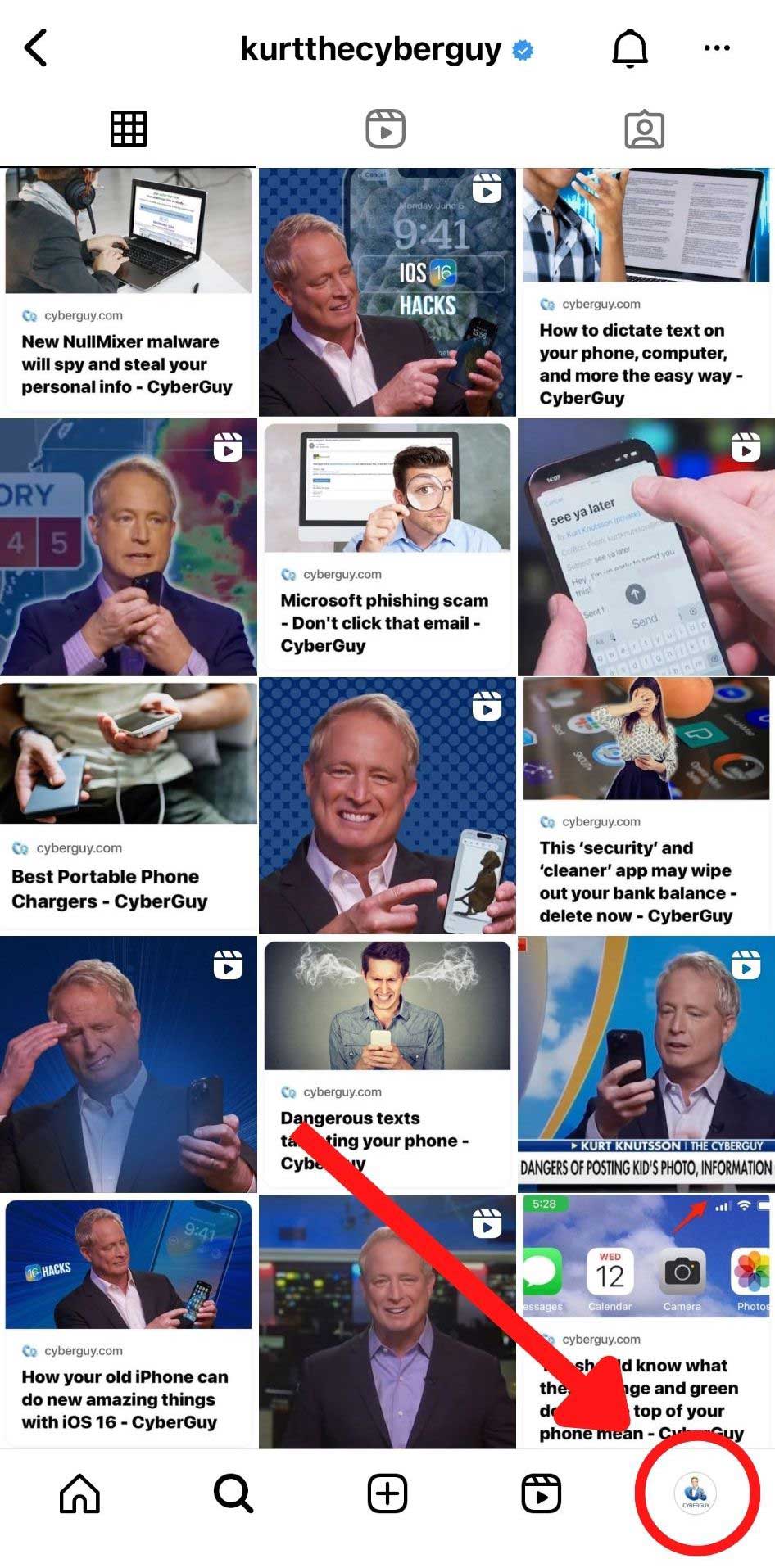
- Once you’ve opened the Instagram app, you’ll want to head to your own profile. You can do that by tapping your profile picture in the bottom right corner, like this:
- Then, you’ll want to head to your settings, which you can find by tapping the three horizontal lines in the top right:

- Then scroll down and tap Account Privacy.
- At the top of the Privacy screen, you’ll see where you can make your account Private. Make sure you toggle this on and select Switch to private.

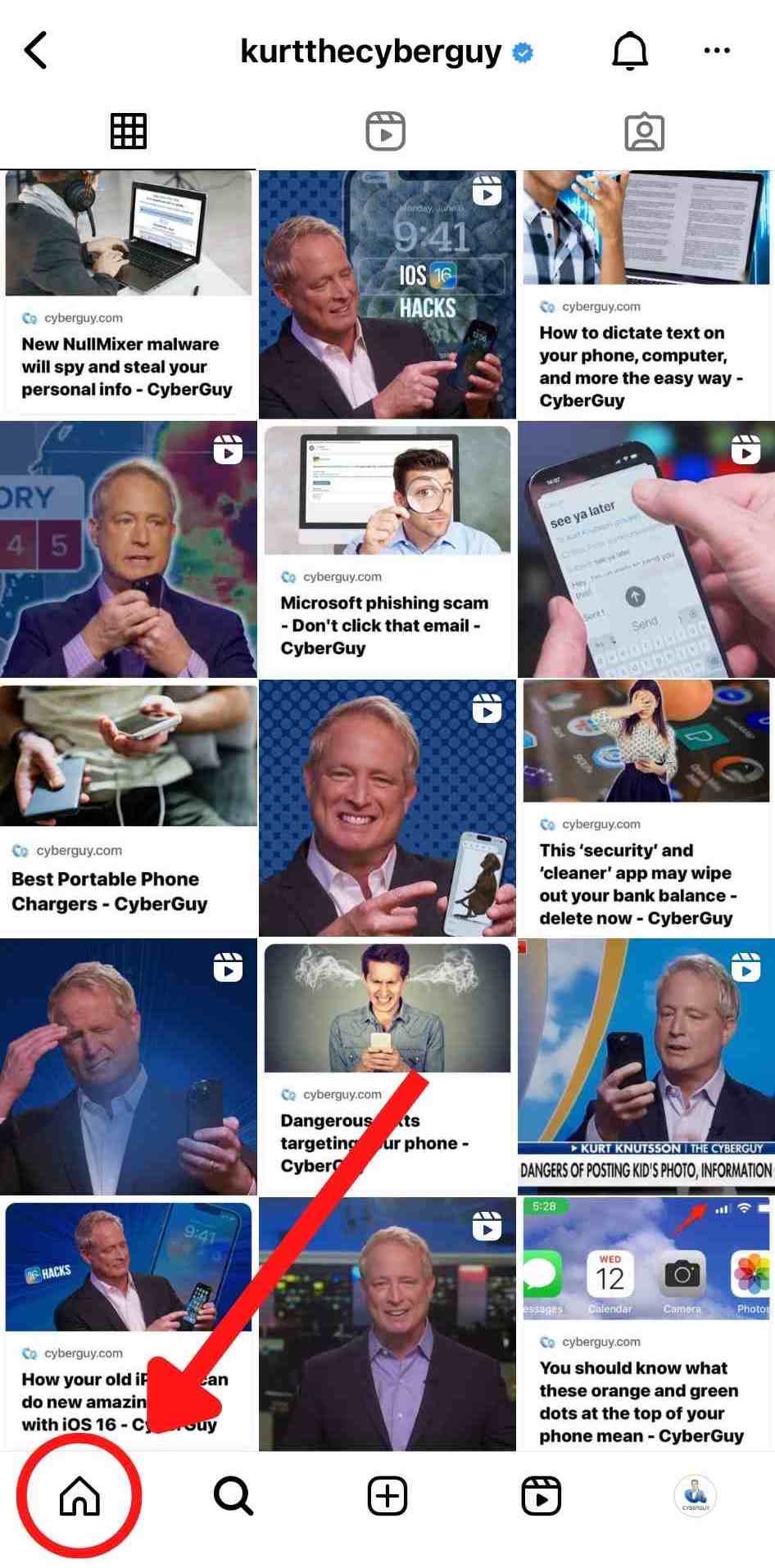
Now that your account is private, you’ll have to accept followers before they’re allowed to see your profile. To check follower requests, head to the home screen by tapping the icon:
- On the top right, press the heart activity icon , which will bring you to your activity.
- The top line of your activity is where your Follow requests will be displayed.
- If anyone requests to follow your account, you’ll head here and have the choice to Confirm or Delete the request. They won’t be notified if you delete the request, but they’ll be able to request to follow you again.
 , which will bring you to your activity.
More ways to update your privacy settings on other platforms:
- Update your Facebook privacy settings
- Update your Google privacy settings
- Update your TikTok privacy settings
More privacy settings to adjust:
Kurt’s key takeaways
Instagram is a great way to stay connected, but small settings can make a big difference in how much of your life you share with the world. Taking a minute to review your privacy options can help limit who sees your posts and reduce the chances of your profile being used for scams or impersonation. It’s a simple step that puts more control back in your hands.
Have you checked your Instagram privacy settings recently, or did this article prompt you to make changes? Write to us and tell us how you protect your social media accounts in the comments below.
FOR MORE OF MY TECH TIPS & SECURITY ALERTS, SUBSCRIBE TO MY FREE CYBERGUY REPORT NEWSLETTER HERE
Copyright 2026 CyberGuy.com. All rights reserved. CyberGuy.com articles and content may contain affiliate links that earn a commission when purchases are made.
🎙 Now Streaming: My New Podcast: The CyberGuy Report
Kurt’s Top Deals
Deals move fast and inventory can be limited, so don’t wait too long.
| 🔥 Editor’s pick  Summer entertaining Ninja SLUSHi Machine (26% off) Frozen drinks and slushies at home in minutes. | |
| 💰 Top deal  Outdoor essential TYPEC Solar Bug Zapper (36% off) Solar-powered bug zappers for patios and camping. |