



- Tech support scams can appear as pop-ups, calls, texts, emails, fake invoices or search ads.
- Scammers often push you to call a number, share a code, pay quickly or install remote-access software.
- Never give remote access, passwords, payment details or one-time codes to someone who contacts you unexpectedly.
- If you shared information or access, act fast by disconnecting, scanning your device and changing passwords.
Tech support scams can start with what looks like a helpful warning about your computer, phone, email account or antivirus software. But the person offering help may actually be trying to scare you into calling a fake support number, sharing personal information, paying for a fake fix or giving them remote access to your device.
These scams now go far beyond the old pop-up that says your computer has a virus. Today, they can arrive as fake renewal invoices, bogus antivirus alerts, search ads, emails, texts, phone calls or fake support pages that look like they belong to a trusted company.
The goal is usually the same. Scammers want you to panic, contact them quickly and follow their instructions before you have time to verify what is really going on.
That is why tech support scams remain a serious problem. The FBI’s latest IC3 report lists tech and customer support scams among the top cyber-enabled fraud categories by reported losses. So, while this scam has been around for years, the tactics keep changing.
How do tech support scams work?
Tech support scammers pretend there is something wrong with your device, account, security software or subscription. Then they push you to call a number, click a link, download software, share a code or pay for help you never needed. Some scams are designed to steal money right away. Others are built to get inside your device or account so criminals can steal passwords, banking information, tax documents, photos, contacts or other personal data.
Scams by pop-ups and browser warnings
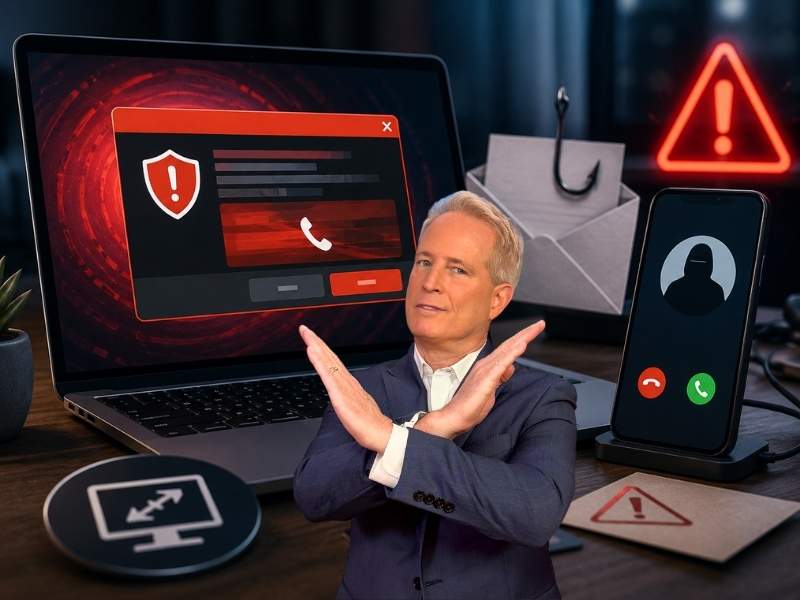
Pop-ups remain one of the most common tech support scam tactics. These warnings may appear while you are browsing the web and claim that your computer is infected, locked or at risk. They often include loud alerts, flashing messages or urgent language telling you to call a support number immediately.
Do not call that number. Microsoft says its error and warning messages never include a phone number. If a pop-up says your computer is locked and tells you to call “Microsoft,” “Windows Support” or another tech company, treat it as a scam.
If you cannot close the pop-up normally, close the browser window or force quit the browser. Do not click buttons inside the warning, do not call the number and do not let anyone connect to your device.
Scams by phone
Scam calls can come to your phone with someone pretending to be a support representative from a tech company, security provider, bank or internet company. These scammers may claim your device has malware, your account was hacked or your subscription was renewed by mistake.
Major tech companies generally will not call, email or text you out of the blue to ask for payment, passwords, one-time codes or remote access to your device. If someone contacts you unexpectedly and says your device needs urgent support, hang up and contact the company through its official app, website or billing statement.
Also remember that caller ID can be spoofed. A familiar company name or local phone number does not prove the call is real.
Scams by email and fake invoices
Tech support scammers also send emails that look like invoices, renewal notices or security alerts. A message may claim you were charged hundreds of dollars for antivirus software, a computer protection plan or a tech support subscription.
Watch the latest episode of The CyberGuy Report.

Missed this event? Sign up via the registration form and see our live recording.
See Kurt’s latest Amazon picks for useful gadgets, smart home upgrades and everyday tech worth grabbing while the deals last.
This is one of the most important updates for 2026. Many current tech support scams begin with a fake renewal notice that claims you were charged for Geek Squad, Norton, McAfee or another familiar tech service. The email may tell you to call a number to cancel or request a refund. That call connects you to the scammer.
Before you react, check your bank or credit card account directly. If there is no real charge, ignore and delete the message. If there is a real unauthorized charge, contact your bank or credit card company using the number on the back of your card or inside your official banking app.
Scams by fake search results and support ads
Scammers may also create fake support websites or buy ads that show up when you search for help online. You may think you are calling Apple, Microsoft, Amazon, Norton, McAfee, your printer company or your internet provider, but the number may lead to a scam call center.
Instead of trusting the first result you see, go directly to the company’s official website or app. If you need help with a charge, use the contact information on your billing statement or inside your account.
Scams by remote-access apps
A common move is to ask you to install remote-access software so the scammer can “fix” your device. Once connected, they may look through files, open banking sites, steal saved passwords, install malware or pressure you to pay for fake services.
Never give remote access to someone who contacts you unexpectedly. Only allow remote support when you started the request through a trusted company’s official support channel.
How can I protect myself from tech support scams?
The safest move is to slow down, verify the source and never give access, payment or personal information to anyone who contacts you unexpectedly.
When someone asks for access or information
- Never give remote access to your device in order to fix it unless you are certain you are dealing with legitimate support that you contacted yourself.
- Do not share your password, one-time passcode, security answers or account recovery code with anyone who contacts you unexpectedly. A real support agent should not need your password or a login code sent to your phone.
- Do not pay or give payment information in exchange for unsolicited technical support. Tech companies will not call you out of the blue and demand payment to fix your device.
- Be especially suspicious if someone asks you to pay by gift card, cryptocurrency, wire transfer, bank transfer or payment app. Those payment methods are common in scams because they can be hard to reverse.
If scammers call your phone
- If you answer the phone and it is a tech support scam, hang up immediately and block the number.
- If you get a call from an unknown phone number, do not answer it. If the caller leaves a voicemail, do not call back using the number they left. Go to the company’s official website, app or billing statement and use the contact information listed there.
- Pay attention to pressure tactics. Scammers often try to rush you by saying your account will be closed, your computer is infected, your card was charged, or your data will be lost unless you act immediately. That urgency is part of the trap.
If scammers send you an email or text
- If you receive a tech support scam email or text, report it as spam and delete it.
- If you open the message, do not click any links, call any numbers or download any attachments.
- Be on the lookout for messages that contain poor grammar, misspellings or unknown sender addresses. However, do not rely on grammar alone. Scam messages can now look polished and professional. Check the sender address, the links, the phone number, the payment request and whether the message is pressuring you to act fast.
- If the message claims you were charged for a subscription, do not call the number in the message. Log in to your account through the official website or app to see whether the charge is real.

I gave personal information to a scammer…
First of all, don’t be the slightest bit embarrassed, as it could have happened to anyone. And the worst thing you can do is stay silent, as you can help prevent this from happening to others.
Stop all communication
Cease all contact with the scammer immediately. Do not engage further or respond to any messages or calls from them.
Report the scam
Report the incident to your local law enforcement agency or the cybercrime unit in your country. Provide them with all the information you have about the scammer and the communication you had with them.
Notify your bank and credit card companies
Remember, if you shared any financial information, contact your bank and credit card companies right away. Inform them about the potential scam and ask for advice on how to secure your accounts.
Change your passwords
If you shared passwords or allowed access to your device, change passwords for your email, banking, shopping, cloud storage and social media accounts from a trusted device. Start with your email account because it can be used to reset passwords for many other services.
- Unlimited password storage
- Secure sharing
- Password health reports
- Auto-fill and emergency access
- Data breach monitoring to alert you if your credentials have been exposed
- A Security Dashboard with tools like the Data Breach Scanner and Password Health Checker to identify weak, reused, or compromised passwords
CyberGuy Exclusive Deal: Save 52% now with CyberGuy’s exclusive NordPass offer – Get 1 extra month FREE with a 2-year plan. Try 30 days risk-free for only $1.43 per month!
Enable two-factor authentication (2FA)
Wherever possible, enable two-factor authentication on your accounts. This adds an extra layer of security and makes it harder for scammers to access your accounts.
Monitor your accounts
Keep a close eye on your bank accounts, credit cards, and other financial accounts for any suspicious activity. Report any unauthorized transactions immediately.
Inform credit bureaus
Consider contacting credit reporting agencies and placing a fraud alert on your credit report. This can help prevent the scammer from opening new accounts in your name.
To prevent future scams
The best defense is to make it harder for scammers to reach you, trick you or use your personal information after the first attempt.
1) Be cautious about future communications
Be vigilant with any future communications from unknown sources. Scammers may try to target you again using different tactics.
2) Have strong antivirus software on all your devices
The best way to protect yourself from having your data breached by these tech support scammers is to have antivirus protection installed on all your devices. Having antivirus software on your devices will make sure you are stopped from clicking on any potential malicious links which may install malware on your devices, allowing hackers to gain access to your personal information.
3) Remove your personal data from the internet
Scammers often get your name, phone number, home address, relatives’ names and other personal details from data broker sites and people-search websites. Removing that information can make it harder for scammers to target you with convincing calls, texts, emails or fake tech support schemes in the first place. Consider using a reputable data removal service that can help request removal of your information from these sites and continue monitoring for when it reappears.
Exclusive Deal for CyberGuy Readers (60% off): Incogni offers a 30-day, money-back guarantee and applies a special CyberGuy discount to all annual plans, for as low as $6.39/month for one person (billed annually) or $13.19/month for your family (up to 5 people) on their annual plan.
I strongly recommend the family plan. Here's why: the scam that starts with a Google search of your name almost always ends with a call to you, your elderly parent or a text to your adult child. Protecting yourself without protecting the people around you is half a solution. At $2.64 per person per month, the family plan covers up to five people, and the people most likely to be the final target are often the ones who'd never think to protect themselves.
Get Incogni and remove your info
4) Use identity theft protection
If a scammer got a hold of your personal information, you may consider a service that will walk you through every step of the reporting and recovery process. One of the best things you can do to protect yourself from this type of fraud is to subscribe to an identity theft service.
Exclusive CyberGuy deal: Save up to 68% today: Get Aura’s award-winning identity theft protection and credit monitoring for as low as $9/month when billed annually.
Related Links:
- The ‘Unsubscribe’ email scam is targeting Americans
- New malware hack takes over your browser and search results
- Senior citizens targeted: new scam aims to steal money
Kurt’s key takeaways
Tech support scams have changed. They are no longer limited to obvious pop-ups or strange phone calls. Now, they can look like renewal invoices, browser warnings, search ads, support pages, texts or emails from companies you recognize.
The safest rule is this: do not trust a support request you did not start. Do not call the number in a pop-up, do not click the link in a scary email and do not give remote access to someone who contacts you out of the blue. Go directly to the company’s official website or app and verify the issue yourself.
If you already shared information or gave someone access, act fast. Disconnect the device, remove remote-access apps, run a security scan, change your passwords from a trusted device, contact your bank and consider a fraud alert or credit freeze. The faster you respond, the better chance you have of limiting the damage.
What steps have you taken to protect yourself from tech support scams, and have you ever encountered any suspicious pop-ups, emails, or phone calls that might have been related to such scams? If so, how did you handle it? Let us know by commenting below.
FOR MORE OF MY TECH TIPS & SECURITY ALERTS, SUBSCRIBE TO MY FREE CYBERGUY REPORT NEWSLETTER HERE
Copyright 2026 CyberGuy.com. All rights reserved. CyberGuy.com articles and content may contain affiliate links that earn a commission when purchases are made.
🎙 Now Streaming: My New Podcast: The CyberGuy Report
Kurt’s Top Deals
Deals move fast and inventory can be limited, so don’t wait too long.
| 🔥 Editor’s pick  Summer entertaining Ninja SLUSHi Machine (26% off) Frozen drinks and slushies at home in minutes. | |
| 💰 Top deal  Outdoor essential TYPEC Solar Bug Zapper (36% off) Solar-powered bug zappers for patios and camping. |


2 comments
I love the tech scammers that call. I will play along with them just to ruin their day. After they have run through their spiel about my windows computer spreading malware, I will flip to the Linux side of one of my computers and follow their directions precisely. When they get no access or even an indication, they ask which OS version I’m running. When I tell them there is head scratching until I tell them that I usually run Linux and there were only one or two Win boxes that could have caused their issue. The other way I play with them is to tell them that I have multiple Win boxes running and they need to ID it by IP or computer name. At that point they curse at me and hang up. After 3 or 4 times like that, I receive no more calls.
It’s usually pretty easy to recognize the flaws in scam emails, so when I spot them, I forward them to the FTC. If the email references an account I do hold, I also forward it to the account provider. If the scammer calls me, then they are free game, and I have fun with them, learning as much as I can about them while revealing nothing about me. I’ve been a technogeek for over 50 years, with 20 of them in IT.