



If it feels like every streaming service is raising prices or cutting back features, you’re not imagining it. Free trials are shorter, ad-free viewing costs more, and account sharing rules have tightened. What started as a cheaper alternative to cable has become a new kind of monthly budget drain.
People are subscribing to more streaming platforms than ever, and many are paying more than they realize. Here’s how to avoid overpaying, make smarter choices, and still enjoy the content you love without blowing your budget.
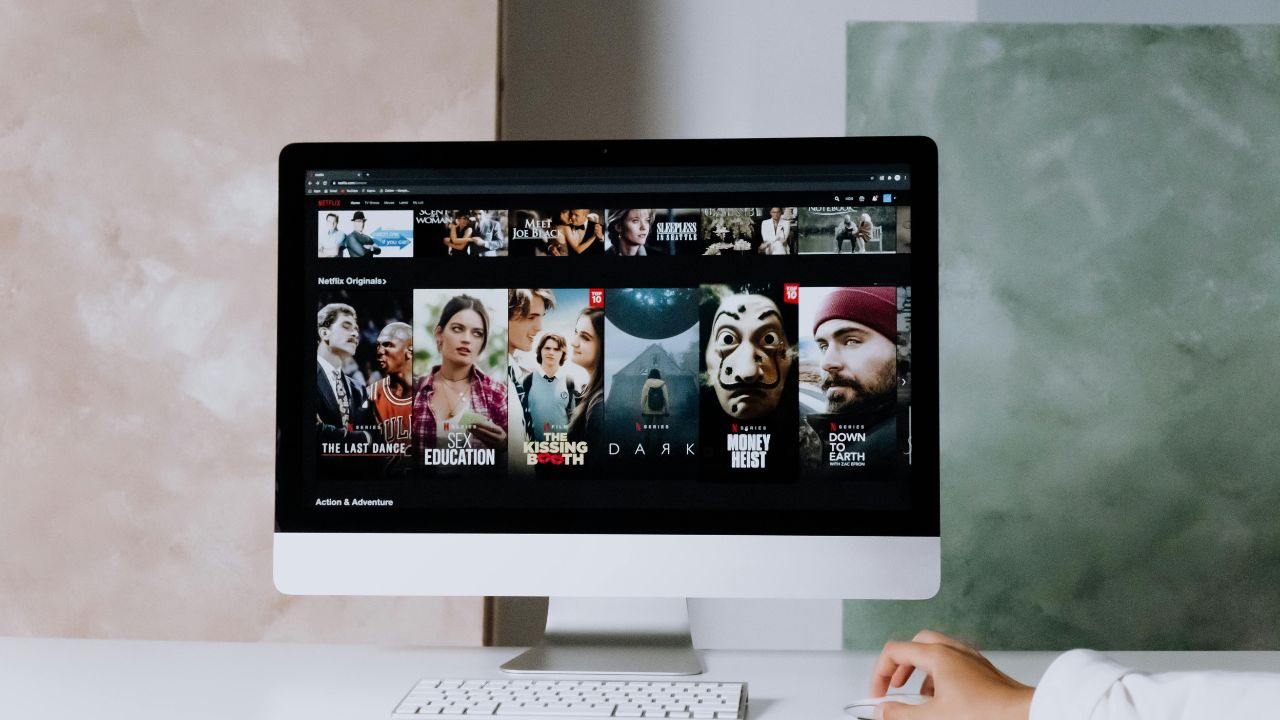
Smart ways to avoid overpaying for streaming services
Americans are streaming more than ever in 2025. According to recent estimates, viewers are spending record amounts of time and money on digital content. After years of growth, nearly 99 percent of U.S. households now subscribe to one or more streaming services. The average American household spends around $46 per month on streaming platforms, though many people are unknowingly paying more due to forgotten subscriptions or overlapping plans. If you’ve noticed your entertainment bills creeping up, now is the time to take control. With a few smart steps, you can cut costs and still enjoy the content you love.

Tip #1 – Check for hidden streaming charges
Audit your credit card bill to discover recurring streaming charges. While looking at your bill online, sort by name over a number of months to help recurring charges stand out.
Then check your app store settings for subscriptions you may not be using any longer but are still paying for each month.
How to check iPhone subscriptions
To check recurring app subscriptions on iPhone, start by tapping Settings > tap your name > and tap Subscriptions to view and manage subscriptions
How to check Android subscriptions
Settings may vary depending on your Android phone’s manufacturer
To check recurring app subscriptions on Android, Settings > Google > Manage your Google Account > Payments & Subscriptions > Manage purchases, Manage subscriptions, or Manage reservations
How to check Amazon subscriptions
To check recurring subscriptions on Amazon on your smartphone, click your account settings tab after logging into Amazon > then tap Memberships and Subscriptions to see what recurring services are subscribed.
Tip #2 – Switch to lower-cost tiers with ads
Many popular streaming services now offer ad-supported plans that cost significantly less, while still offering the same content library:
Netflix
- Standard with Ads: $8.99/month
- Standard (ad-free): $19.99/month
- Premium (ad-free): $26.99/month
Disney+
- With Ads: $11.99/month
- Ad-Free: $18.99/month
Watch the latest episode of The CyberGuy Report.

Missed this event? Sign up via the registration form and see our live recording.
See Kurt’s latest Amazon picks for useful gadgets, smart home upgrades and everyday tech worth grabbing while the deals last.
- With Ads: $10.99/month
- Ad-Free: $18.49/month
- Ultimate Ad-Free (4K + 4 streams): $22.99/month
Switching to ad-supported plans can reduce your monthly streaming expenses by roughly 40-60 percent, while still giving you access to the full content library. Just be prepared for occasional ads, and enjoy the savings.
Tip #3 – Pause or cancel when you’re not watching
Streaming subscriptions are usually month-to-month with no cancellation fees. Take advantage of this flexibility. Cancel when you’re not watching anything and restart when something new grabs your interest. Just be sure to set reminders so you don’t forget to cancel before the next billing cycle.
Tip #4 – Share accounts when allowed
Some services offer legitimate ways to share benefits:
- Amazon Prime allows sharing with one other adult, even at different addresses, via its Amazon Household feature
- Apple One (Family or Premier plans) enables sharing with up to five family members .
- The Apple Music Student Plan still includes a free Apple TV+ subscription, which can only be used by the student account holder.
That said, streaming platforms such as Netflix, Disney+, Max, Hulu, and Paramount+ now require account users to live in the same household In addition, both Netflix and Max have introduced fees for sharing with users outside the primary household:
- Netflix offers Extra Member slots on Standard or Premium plans, costing $7-9/month per additional non-household user
- Max charges approximately $7.99/month (or ~$100/year) for “extra member” access outside the household .
Tap into these options to legally save money while sharing access efficiently.

Tip #5 – Bundle streaming services
Bundling platforms together is one of the easiest ways to cut costs. For example:
- Disney Bundle Duo Basic: $9.99/month for Disney+ and Hulu with ads
- Paramount+ with Showtime: $12.99/month for ad-free access to both platforms
Check to see if your favorite streaming platforms offer similar bundles to maximize savings.
Start with a flexible base: YouTube TV
We’d start with YouTube TV as your main streaming service (use this link to get an extra $15 off your first month).
It’s the most complete and reliable all-around option for live TV and local channels, and it includes unlimited DVR.
Then you can add the premium apps you want on top, like Netflix or Paramount+, depending on what shows you actually watch.
That combo usually ends up being the most flexible and cost-effective setup.
👍 What’s good about YouTube TV
- You get live TV from major broadcast networks (ABC, CBS, NBC, FOX, etc.) plus a wide range of cable and sports channels.
- Unlimited cloud DVR storage: record as many shows as you want and keep them (typically up to 9 months).
- Up to 6 user profiles per account so each household member can have their own watch list, preferences, and DVR.
- Stream on multiple devices at once (default is 3 concurrent streams).
- Works across many devices: smart TVs, streaming boxes (Roku, Apple TV, Chromecast), phones, tablets, and web browsers.
- Add-ons and upgrades available (4K streaming, extra sports packs, premium channel bundles) so you can scale if you want more.
- No long-term contract or equipment rental; cancel anytime.
⚠️ Things to watch out for / trade-offs
- The base cost is higher than many streaming-only services. The base plan is about $82.99/month.
- Some features cost extra. Examples: 4K streaming, offline downloads, or large sports packages may require add-on fees.
- While the DVR is unlimited, recordings usually expire after a period (many say 9 months). Some content rights limit how you can watch recordings.
- Availability of local channels and regional sports depends on your location or market. Smaller areas may have fewer local options.
- Because of licensing or carriage deals, channels can change or be dropped. This is true for all live-TV services.
Tip #6 – Pay annually to save more
If you’re sure you’ll stick with a service for the long term, consider switching to an annual plan. It usually works out to one or two months free per year.
- Amazon Prime: $139/year = $11.58/month (vs. $14.99/month)
- Apple TV+: $99/year = $8.25/month (vs. $12.99/month)
- Max Ultimate Ad-Free: $209.99/year = $17.50/month (vs. $20.99/month)
Annual billing can offer savings of 10-17%, equivalent to a free month or more compared to monthly billing.
Tip #7 – Use free streaming services
Not ready to pay? Try free streaming options that support themselves with ads:
- Tubi, Pluto TV, and The Roku Channel are among the top free, ad-supported streaming services (FAST), offering thousands of movies, shows, and even live channels without any fees.
- Amazon Freevee provides access to free TV shows and movies (including live channels), supported by ads.
- Pluto TV stands out for its live TV-style experience, with over 425 channels and coming from Paramount Global.
You can also use library-supported services like Hoopla and Kanopy, which offer free streaming for users with a valid library card. Be sure to check out our picks for the best sites to stream free movies, TV shows, and live news in 2025.
Tip #8 – Choose the right internet plan
Streaming in HD or 4K needs fast and stable internet, but not everyone needs the most expensive plan.
- Most services recommend at least 25 Mbps for 4K streaming.
- Avoid data caps that can slow your speeds or raise your bill.
- Shop around for local deals. You might find a better price or faster service from a different provider.

Updated Streaming Subscription Price Chart (2025)
| Streaming Service | Tier or Plan | Monthly Price | Annual Price |
|---|---|---|---|
| Netflix | Standard with ads | $8.99 | Not offered |
| Standard | $17.99 | Not offered | |
| Premium | $24.99 | Not offered | |
| Hulu | With ads | $11.99 | Not offered |
| No ads | $18.99 | Not offered | |
| Amazon Prime Video | With ads | $8.99 | $139.99 |
| Ad-free upgrade | $11.98 | Not offered | |
| Apple TV+ | Ad-free only | $9.99 | $99 |
| Paramount+ | Essentials with ads | $7.99 | $59.99 |
| With Showtime, no ads | $12.99 | $119.99 | |
| Max | With ads | $10.99 | $99.99 |
| Ad-free | $18.49 | $149.99 | |
| Ultimate ad-free | $22.99 | $199.99 | |
| YouTube Premium | With Ads | $13.99 | $119.99 |
| No Ads | $22.99 | Not offered | |
| Student | $8.99 | Not offered | |
| Disney+ Bundles | Duo (Disney+ and Hulu) | $10.99 | Not offered |
| Trio (Disney+, Hulu, ESPN+) | $16.99 | Not offered |
Related Links:
- How to protect yourself from streaming hacks
- 5 best streaming devices in 2026
- CyberGuy Exclusive Coupons and Deals 2026
Kurt’s key takeaways
Streaming services are still a popular and convenient way to watch content, but they are no longer the budget-friendly option they once were. With rising costs, reduced features, and more restrictions, you need to be smart about where you spend. Keep track of your subscriptions, explore cheaper tiers, use free options when possible, and consider bundling or sharing when allowed.
Have rising prices changed how you watch TV? Are you using any of these strategies to cut costs? Let us know in the comments.
FOR MORE OF MY TECH TIPS & SECURITY ALERTS, SUBSCRIBE TO MY FREE CYBERGUY REPORT NEWSLETTER HERE
Copyright 2026 CyberGuy.com. All rights reserved. CyberGuy.com articles and content may contain affiliate links that earn a commission when purchases are made.
🎙 Now Streaming: My New Podcast: The CyberGuy Report
Kurt’s Top Deals
Deals move fast and inventory can be limited, so don’t wait too long.
| 🔥 Editor’s pick  Summer entertaining Ninja SLUSHi Machine (26% off) Frozen drinks and slushies at home in minutes. | |
| 💰 Top deal  Outdoor essential TYPEC Solar Bug Zapper (36% off) Solar-powered bug zappers for patios and camping. |



3 comments
Thanks Kurt. Canceled three subscriptions through Amazon I wasn’t really using. Also bought the OneRep and updated my IPhone IOS to 17.4. Very much appreciate your newsletter. Extremely helpful and informative.
Thanks for the tips and advice Kurt. Would like to see the same thing for being able to lower my internet costs. What started out a few years ago at $49 a month is well over $125 a month now. Maybe you can help with comparison costs from the different providers to choose from.
Hi Howard, please visit our Best Internet Plans page here and enter your zip code at the top to compare plans. Note, you can also filter for price, service, provider, and connection type.