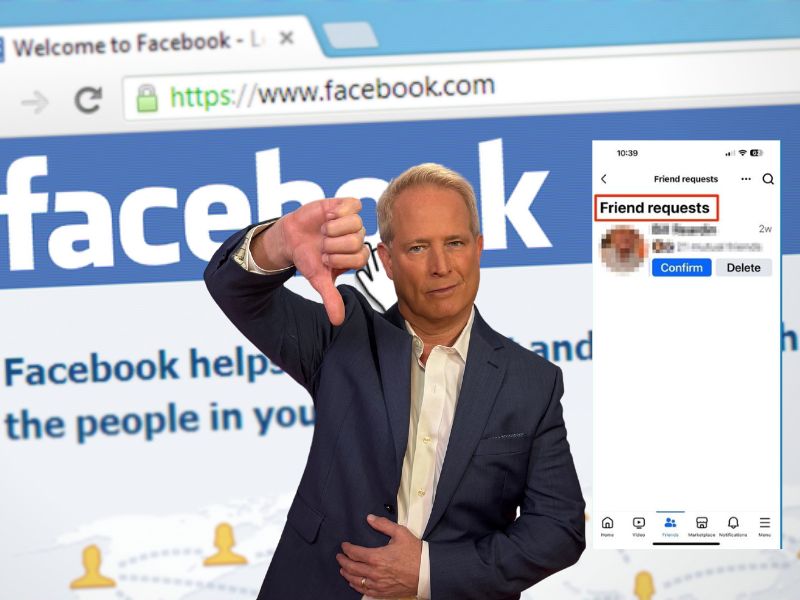
Are you as fed up as I am with the seemingly endless number of scams flooding Facebook? You know, the ones I’m talking about—the messages that make you stop and think, “Is this for real?” Whether you’re new to Facebook or you’ve been scrolling for years, these scams can catch anyone off guard. But don’t worry. I’ve got your back with some great tips to keep your Facebook account (and your sanity) safe. By the time we wrap this up, you’ll be well-prepared to spot these digital fraudsters from a mile away.
A real-life Facebook scam story
Before we dive in, let me share a recent email I received from Cheryl in Buna, TX. Her experience highlights just how sneaky these scammers can be:
I had a hacker tell me, posing as a friend, that they received another friend request from me on Facebook. The hacker then, posing as a friend, told me they had had this problem and gave me a contact number for the Facebook official who had helped them. I called the number, but the hacker had limited information about me because a red flag was raised eventually. The hacker got access to my email, which I’ve had for 20 years, and had all kinds of confidential information in it. Cheryl, Buna, TX
Cheryl’s story is a perfect example of how these scams can unfold. Let’s break it down and learn how to protect ourselves.
SCAMMERS EXPLOIT GRIEF WITH FAKE FUNERAL STREAMING ON FACEBOOK
The cloned account ruse
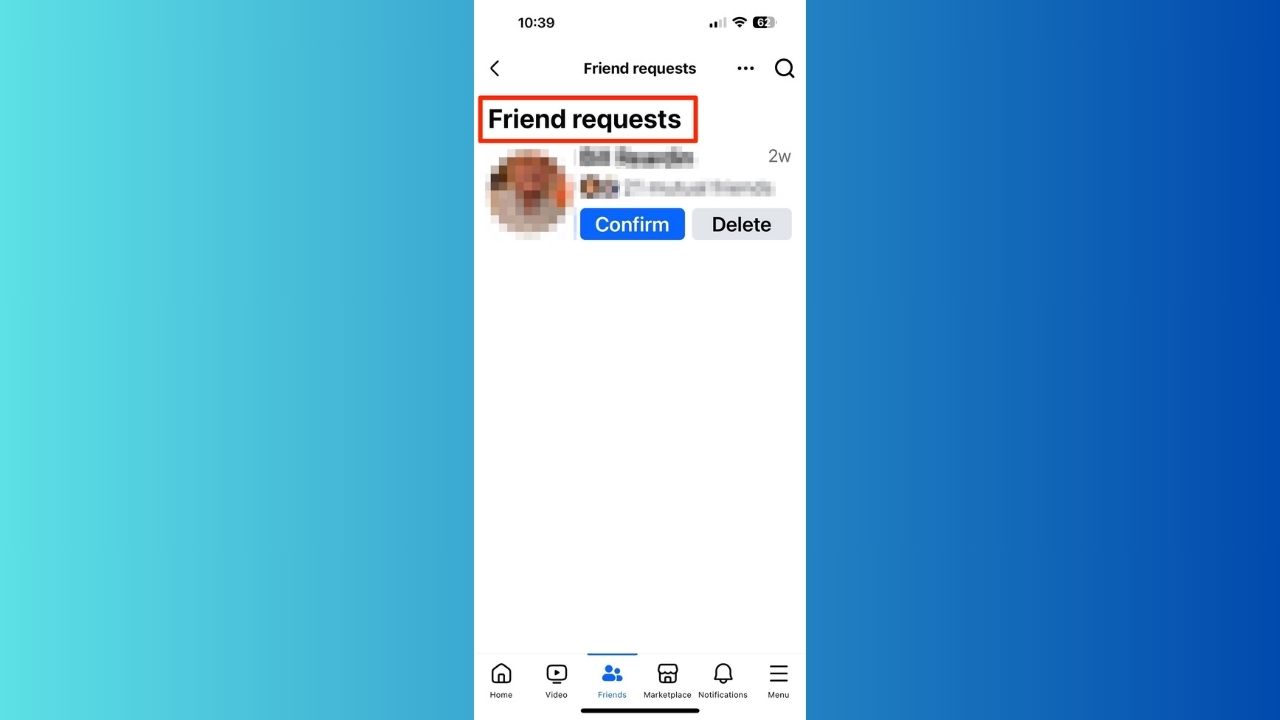
Scammers frequently initiate their schemes by posing as a friend through a cloned account. They may claim that they have received a duplicate Friend Request from you, creating the illusion that your account has been compromised. This tactic is designed to instill a sense of urgency and panic, prompting you to act without thinking.
In Cheryl’s case, the scammer, masquerading as her friend via a cloned account, provided a phone number for a supposed “Facebook official.” This is a classic maneuver intended to gain your trust and lower your defenses. The scammer provided the phone number as part of a deceptive strategy, claiming it was for a “Facebook official” who could help resolve an alleged security issue with Cheryl’s account. This tactic creates urgency and trust, prompting victims to act quickly without verifying the information. Cheryl called the number because she felt compelled to address what she believed was a serious issue regarding her account security. Scammers often exploit such feelings of urgency, making victims more likely to engage without proper caution. It’s crucial to remember that Facebook will never ask you to call a number for assistance with your account.
When Cheryl called the number, the scammer attempted to extract personal information from her. Fortunately, she recognized some red flags and remained cautious. However, the hacker still managed to access her email, which contained years of sensitive information. Always be vigilant when receiving unexpected Friend Requests or messages from friends, as they may not be who they claim to be.
Double-check before accepting
When faced with such a request, follow these steps:
- Don’t accept immediately: Resist the urge to automatically approve the request, even if it appears to be from a close friend or family member.
- Contact the person directly: Reach out to your friend through a different communication channel, such as a phone call, text message, or email, to verify if they’ve actually sent you a new friend request.
- Compare profiles: If possible, compare the new profile with the existing one. Look for discrepancies in photos, information, or recent activity.
- Check mutual friends: A cloned account is unlikely to have the same mutual friends as the original profile.
Potential risks
If you accept a friend request from a cloned account, the scammer may:
- Send malicious links or attachments
- Request money or personal information under false pretenses
- Exploit your trust to scam others in your network
Reporting suspicious activity
If you confirm that the request is from a cloned account:
- Report the fake profile to Facebook immediately
- Inform your friend about the cloned account
- Alert your mutual friends to be cautious of any suspicious requests or messages

CLONED ON FACEBOOK? HERE’S HOW TO TAKE BACK CONTROL
Getting back on track
Recovering compromised Facebook accounts can be a hassle. Cheryl mentioned in her email to us that it took her a while to regain access to her Facebook and email. This is often the case, as scammers may change login information or enable two-factor authentication to lock you out. However, I have a step-by-step guide on how to recover a hacked Facebook account. Once you’ve recovered your Facebook account, I recommend that you make it private and add two-factor authentication. Here’s how you can go about that process.
HOW TO REMOVE FACEBOOK ACCESS TO YOUR PHOTOS
How to spot Facebook scams
To avoid falling victim to these scams, keep an eye out for these red flags:
1) Generic greetings in messages: Legitimate Facebook communications will address you by name. If you receive a message starting with “Dear User” or “Hello Facebook Member,” it’s likely a scam.
2) Vague claims of suspicious account activity: Scammers often use vague language about account violations or suspicious activity without providing specific details. Real Facebook notifications would include more precise information.
3) Requests for personal information via email or text: Facebook will never ask for your password or sensitive personal information through unsolicited messages. Any such request is a clear sign of a scam.
4) Demands for payment to recover an account: Facebook doesn’t charge for account recovery. If you’re asked to pay a fee to regain access to your account, it’s definitely a scam.
5) Threatening language or messages with poor grammar: Scammers often use urgent or threatening language to pressure you into action. Additionally, legitimate Facebook communications are professionally written, so poor grammar or spelling errors are red flags.
6) Links to websites not associated with Facebook: Be wary of links that don’t lead to official Facebook domains. Hover over links to check their destination before clicking, and avoid clicking on any link that seems suspicious or unfamiliar. The best way to safeguard yourself from malicious links that install malware, potentially accessing your private information, is to have strong antivirus software installed on all your devices. This protection can also alert you to phishing emails and ransomware scams, keeping your personal information and digital assets safe.
Steps to protect yourself from social media scammers
Here are some steps you need to be aware of so that you can protect yourself from social media scammers.
Beware of friend requests from familiar faces with whom you are already connected: these requests may be from scammers who are trying to impersonate your real friends and trick you in some way. Before you accept any friend request, always check the profile and compare it with the one you already have.
Have strong passwords: using the same password across multiple platforms will always make you more vulnerable because if one account gets hacked, they all get hacked. Consider using a password manager to generate and store complex passwords for your social media accounts. A password manager will also help you keep track of all your passwords.
Evaluate the source of the link before clicking it: if it is an unknown website or news source, be cautious. Scammers may use phishing links in DMs, emails, posts, or text messages to infect your device with malware or capture your login credentials.
Install strong antivirus software: Having reliable antivirus software is crucial. If a cloned friend sends you a link, your antivirus can help prevent malware infections by scanning links and files before you click on them. This added layer of protection can alert you to potential threats, ensuring your device remains secure.
The best way to safeguard yourself from malicious links that install malware, potentially accessing your private information, is to have antivirus software installed on all your devices. This protection can also alert you to phishing emails and ransomware scams, keeping your personal information and digital assets safe.
TotalAV is easy to set up and offers real-time protection for paid users, keeping your devices safe around the clock. It includes tools to block phishing scams, remove ransomware and spyware, and clean up adware and junk files. The software also features a browser manager, system tune-up tools, and protects across Windows, Mac, Android, and iOS devices.
GET MY EXCLUSIVE CYBERGUY TOTALAV DEAL:
Please note:
1) If you're having difficulty seeing either of the above deals, do this:
- If you're on a mobile device, hold down the link above, "Copy Link", and then paste it into a private or incognito browser.
- If you're on a laptop or desktop, right click the link, "Copy Link", and then paste it into a private or incognito browser.
2) During registration you may see optional upsells you can decline. Our top pick is the core antivirus product.
3) If you need help after your purchase, you can reach TotalAV directly through their official support page here.
Be careful of anyone asking you for money: even if they claim to be a friend or family member. Scammers may try to impersonate someone you know to trick you into sending them money or personal information.
Closely evaluate sensational claims: such as for a cure or treatment, a great prize or gift card, or a job offer that sounds too good to be true. Scammers may use these tactics to lure you into giving them your personal information or paying them a fee.
Watch out for posts with poor spelling and grammatical mistakes: these may indicate that the post is not from a legitimate source.
Watch out for sparse profiles: scammers often create sparse profiles to impersonate someone else or to lure you into giving them information. They may use a photo of a celebrity, a friend, or a stranger that they found online. They may also use a name that sounds familiar or appealing. However, if you look closely at their profile, you will notice that they have no other details or activity on their social media.
Limit what you share about yourself online: scammers may use your personal details, photos, and videos to create fake social media accounts and impersonate you. Scammers can also use this information to steal your identity or access your online accounts.
Report fake social media accounts whenever you find them: if you suspect a fake account, report it to the social media platform and warn your friends about it. You can also block or unfriend people who send you suspicious messages or requests.
Remove your personal information from the Internet: This is crucial because Facebook scammers often use publicly available information to make their schemes more convincing. By limiting the information available, you reduce the risk of scammers cross-referencing data from breaches with information they might find on the dark web.
While no service can guarantee the complete removal of your data from the Internet, a data removal service is really a smart choice. They aren’t cheap – and neither is your privacy. These services do all the work for you by actively monitoring and systematically erasing your personal information from hundreds of websites. It’s what gives me peace of mind and has proven to be the most effective way to erase your personal data from the internet. By limiting the information available, you reduce the risk of scammers cross-referencing data from breaches with the information they might find on the dark web, making it harder for them to target you.
Incogni, a service I trust 100% and use myself, helps automate the process by submitting removal requests to hundreds of data brokers and people-search sites on your behalf.
Incogni automatically contacts data brokers on your behalf and requests the removal of your personal information. It also continues monitoring those sites and submits new removal requests if your data reappears.
Watch the latest episode of The CyberGuy Report.

Missed this event? Sign up via the registration form and see our live recording.
See Kurt’s Prime Day picks for useful gadgets, practical upgrades and everyday tech while the deals last.
- Incogni currently removes personal data from 420+ data broker and people-search websites, and its Unlimited plan allows you to request removals from as many additional sites as you need.
- Incogni has also received third-party assurance from Deloitte, validating its marketing claims.
- The goal is simple: make it much harder for strangers, scammers, and cybercriminals to find your personal information online.
CyberGuy readers get 60% off Incogni’s annual plans using the links in this article.
The service also includes a 30-day money-back guarantee, so you can try it risk-free and see how much of your information is exposed online.
Is your personal information exposed online?
Run a free scan to see if your personal info is compromised. Results arrive by email in about an hour.
WARNING OVER NEW FACEBOOK AND APPLE EMAIL SCAMS DUELING FOR YOUR ATTENTION
If you suspect you’re a victim of a social media scammer
If you suspect you’re a victim of a social media scammer, you need to take urgent action immediately. Here are some immediate steps to take:
Secure your account: Immediately change your password to lock potential hackers out. If you’re locked out of your account, contact Facebook’s support immediately to recover it.
Inform your contacts: Alert friends and family so they’re aware and won’t be duped by messages or requests coming from your compromised account.
Monitor account activities: Keep an eye on your active sessions, messages sent, and any changes made to your account. Any unfamiliar activity should be reported and reversed.
Seek expert help: If you believe your personal information, such as financial data or other sensitive details, has been compromised, consider reaching out to cyber security professionals or services that can guide you on further recovery and protection steps.
Use identity theft protection: Social media scammers are constantly looking for ways to steal your personal info and use it for their own benefit. They may send you phishing emails, fake friend requests, or malicious links that can compromise your online security.
Theft protection companies can monitor personal information like your home title, Social Security Number (SSN), phone number, and email address and alert you if it is being sold on the dark web or being used to open an account. They can also assist you in freezing your bank and credit card accounts to prevent further unauthorized use by criminals.
Exclusive CyberGuy deal: Save up to 68% today: Get Aura’s award-winning identity theft protection and credit monitoring for as low as $9/month when billed annually.
Kurt’s key takeaways
Remember, Facebook and other legitimate organizations will never ask for your password or personal information through unsolicited messages. If you’re ever in doubt, contact Facebook directly through their official help center. By staying informed and skeptical, you can keep your Facebook experience fun and scam-free. Always verify before you trust, use official channels for support, and keep your personal info under wraps.
What experiences have you had with Facebook scams, and how did you handle them? Let us know in the comments below.
Copyright 2026 CyberGuy.com. All rights reserved. CyberGuy.com articles and content may contain affiliate links that earn a commission when purchases are made.
🎙 Now Streaming: My New Podcast: The CyberGuy Report
Kurt’s Top Deals
Deals move fast and inventory can be limited, so don’t wait too long.
| 🔥 Editor’s pick  Summer entertaining Ninja SLUSHi Machine (26% off) Frozen drinks and slushies at home in minutes. | |
| 💰 Top deal  Outdoor essential TYPEC Solar Bug Zapper (36% off) Solar-powered bug zappers for patios and camping. |