



Did you know you could use your Amazon Alexa device in case of an emergency? If you’ve got an Amazon Echo device with Alexa, follow this easy guide to get it emergency-ready now. Plus, we have the details on Amazon’s lesser-known security software that could protect your home from intruders and help you contact an emergency hotline without picking up a phone.
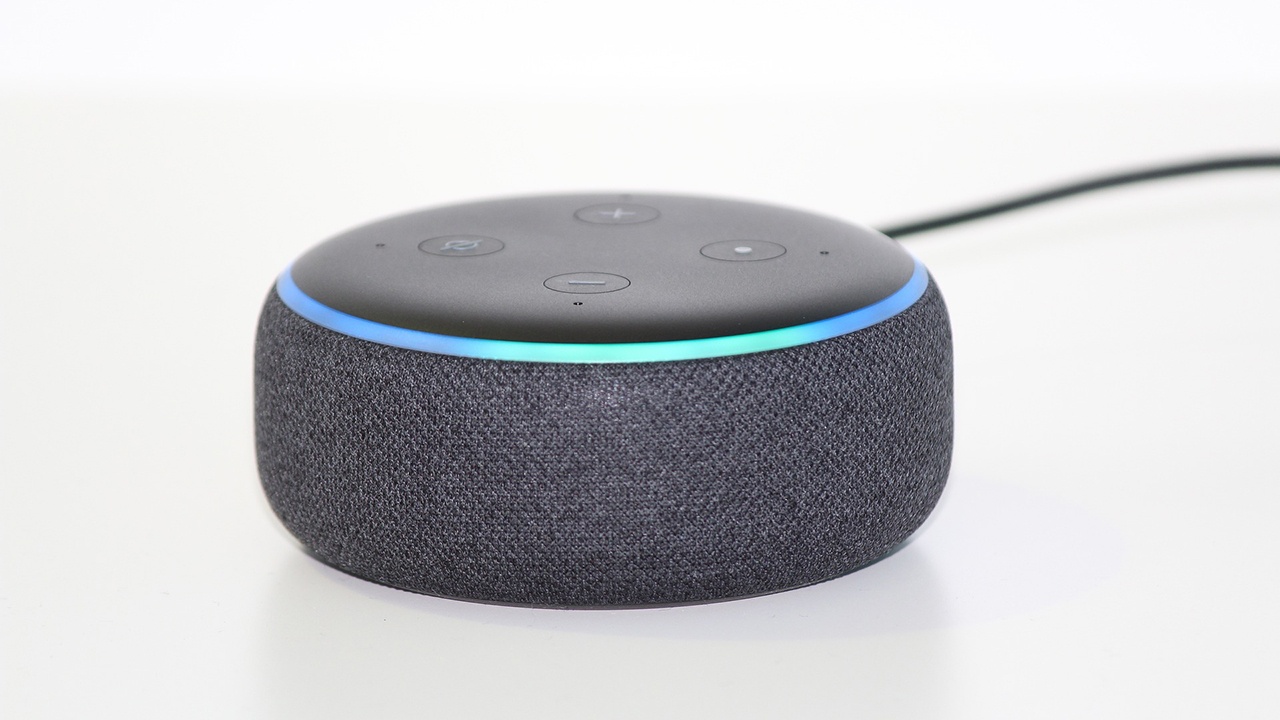
Set up your Alexa for an emergency
If you have an Alexa voice device, you know how convenient it can make life. You can ask simple questions or find out quick information, all without having to use your hands. Now we’re here to help you use the handy technology to your advantage and set up your Alexa so you can use the device in case of an emergency.
Can you call 911 with Alexa?
Alexa devices don’t let you call 911 directly. However, we’ve found some solutions for calling for help quickly using your Alexa.
Set up an Emergency Contact
The first step you should take for your own safety is to set up an Emergency Contact on your Alexa. It’s super easy to do, and if you have an emergency contact set up, your Alexa device will contact that person via message and call so that they can hopefully help you directly or call for emergency services.
- Open your Alexa app on your smartphone
- Tap Communicate (get there by clicking 3 lined menu in upper left-hand corner)
- On the top right, tap the icon that looks like a person or two silhouettes – that’s your contacts
- Then tap the three vertical dots to get more menu settings
- Tap Emergency Contact
- Tap Select Contact
- Either search or scroll until you’ve found the contact you’d like to add as your emergency contact
- Select the phone number under their contact that you’d like to use – ideally, choose a cell phone number and not a landline, so they can receive a call and message
- Tap Next and tap Done
- If you need to contact your emergency contact, use one of the following phrases: “Alexa…”: – “Call for help.” – “Call my emergency contact.” – “Call my contact for help.” – “Call my help contact.” – “Help.” – “I need help.”
Pro Tip: make sure you don’t have anyone in your contacts with the name or word “help” as your Alexa may try to contact them instead of someone who can be ready to help fast.
Alexa Together
Alexa Together is a subscription service to help you care for loved ones remotely. If the person you want to support has an Alexa Echo device, and an Amazon account, you can set up an Alexa Together subscription for them. The best feature Alexa Together offers is 24/7 Urgent Response. They have agents on-call at all times that can help get assistance for your loved ones. While this subscription does cost a monthly fee, it’s worth it for peace of mind about your family members that don’t live as close. Other features offered by Alexa Together:
- Customize Alerts Find out when your loved one first interacts with Alexa, and set up alerts for them if they haven’t interacted with Alexa on a particular day so you know what they’re up to
- Remote assistance Set up alerts on their device so they can get reminders, link music services to their account, manage shopping lists, and more
- Create a circle of support While you can only support one user with Alexa Together, you can add up to 10 additional family members or friends in a Circle of Support so that you know someone always is there to help
Alexa Together offers a 30-day free trial and costs $19.99 a month (plus tax) after your free trial ends. 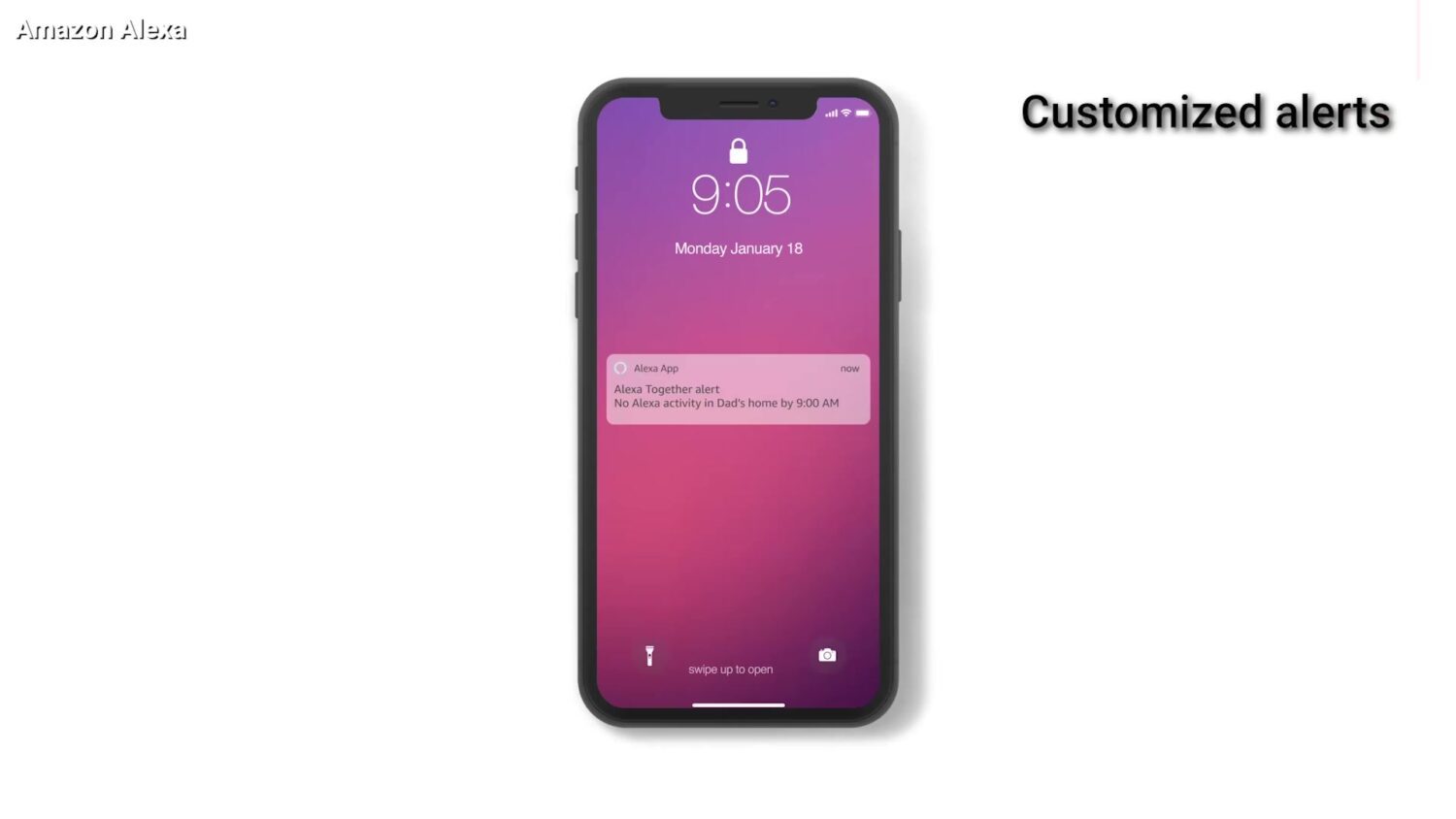
Alexa Guard
Amazon also offers something called Alexa Guard, which lets you call for emergency help, get alerts about your home when you’re not there, and offer you extra security by deterring unwanted visitors. There is a free version of Alexa Guard, but it doesn’t offer nearly the same amount of security features that the Plus version does. If you have Alexa Guard Plus, you have 24/7 access to Alexa’s Emergency Hotline which will help contact emergency services if needed. Other features include:
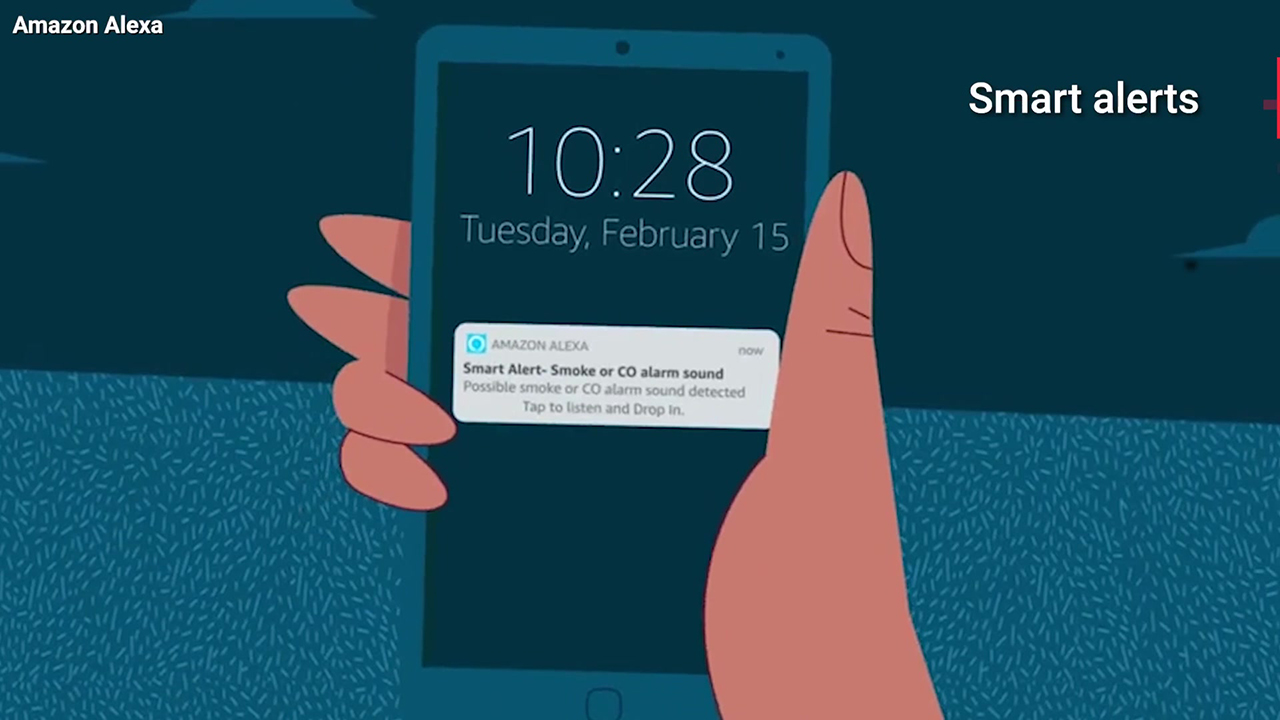
- Smart Alerts. Your Alexa can detect certain sounds and alert you if they’re potentially dangerous. You can receive alerts about the sounds of smoke or carbon monoxide detectors going off, or footsteps, glass breaking, or a door closing
- Deter unwanted visitors. You can set up your Alexa to turn on and off lights when you’re not home, so it seems like someone is there, play a sound of a dog barking when you’re not home if motion is detected, or sound a siren when motion is detected inside
Alexa Guard offers a free trial, and if you subscribe to the monthly plan, it’s $4.99 a month, or $49 for the year.
How do I set up Alexa Guard and Alexa Guard Plus?
In order to set this up, do the following: 1) Open the Amazon Alexa app. (Be sure you have the latest version of the app and that your Echo software is current) 2) Click the “More” button in the bottom right corner 3) Click Settings > Scroll down to Guard and click “Set Up Guard.” 4) You can “Add“:
- smart devices, including smoke alarms, carbon monoxide detectors
- smart alerts when the sound of broken glass is heard.
- smart lighting (when you set it “Away” mode, Alexa will turn the connected lights
 5) You can get the premium Alexa Guard Plus by clicking the Settings gear icon in the top right. You’ll see features you can activate, which include “Dog Barking Sounds”, “Activity Sounds with Siren”, and “Emergency Helpline”. https://youtu.be/_qnpfcofSYw Learn how to utilize other Alexa skills here:
Kurt’s key takeaways
Your Amazon Alexa can do more than play music or answer trivia questions. With a few quick settings, it can help you reach someone fast in an emergency and keep an extra watch on your home when you are away. Features like emergency contacts, Alexa Together, and Alexa Guard add another layer of safety without adding new hardware. If you already have an Echo device, taking a few minutes to set this up could make a real difference when every second counts.
Have you set up your Alexa for emergencies yet, or are you using another smart device to stay safe at home? Write to us and tell us what works for you.
FOR MORE OF MY TECH TIPS & SECURITY ALERTS, SUBSCRIBE TO MY FREE CYBERGUY REPORT NEWSLETTER HERE
Copyright 2026 CyberGuy.com. All rights reserved. CyberGuy.com articles and content may contain affiliate links that earn a commission when purchases are made.
🎙 Now Streaming: My New Podcast: The CyberGuy Report
Kurt’s Top Deals
Deals move fast and inventory can be limited, so don’t wait too long.
| 🔥 Editor’s pick  Summer entertaining Ninja SLUSHi Machine (26% off) Frozen drinks and slushies at home in minutes. | |
| 💰 Top deal  Outdoor essential TYPEC Solar Bug Zapper (36% off) Solar-powered bug zappers for patios and camping. |


