



Get ready to learn how to save money from multiple streaming services and add the best ones to your Amazon Echo device. Even though you may have added a smart thermostat, this is the moment you want to do a quick tweak to make your home the perfect temperature. Then, crooks watch out. Alexa can get the police dispatched to a home being burglarized.
Use Alexa as a speaker
You may know by now that Alexa has a speaker with adjustable volume, but you should take advantage of this feature and connect your Bluetooth-capable devices and music subscription services to get the most out of it. You can connect services like Amazon Music, Apple Podcasts, Spotify, iHeartRadio, and Audible (if you’re into audiobooks) to name a few.
Change your default music services
Let’s say you’re a Spotify user and you want to connect your Spotify account to your Alexa account so you can play your favorite music or podcasts straight from Spotify. This is super simple:
- Open your Alexa app
- Tap the three horizontal lines on the bottom right for More
- Tap Settings
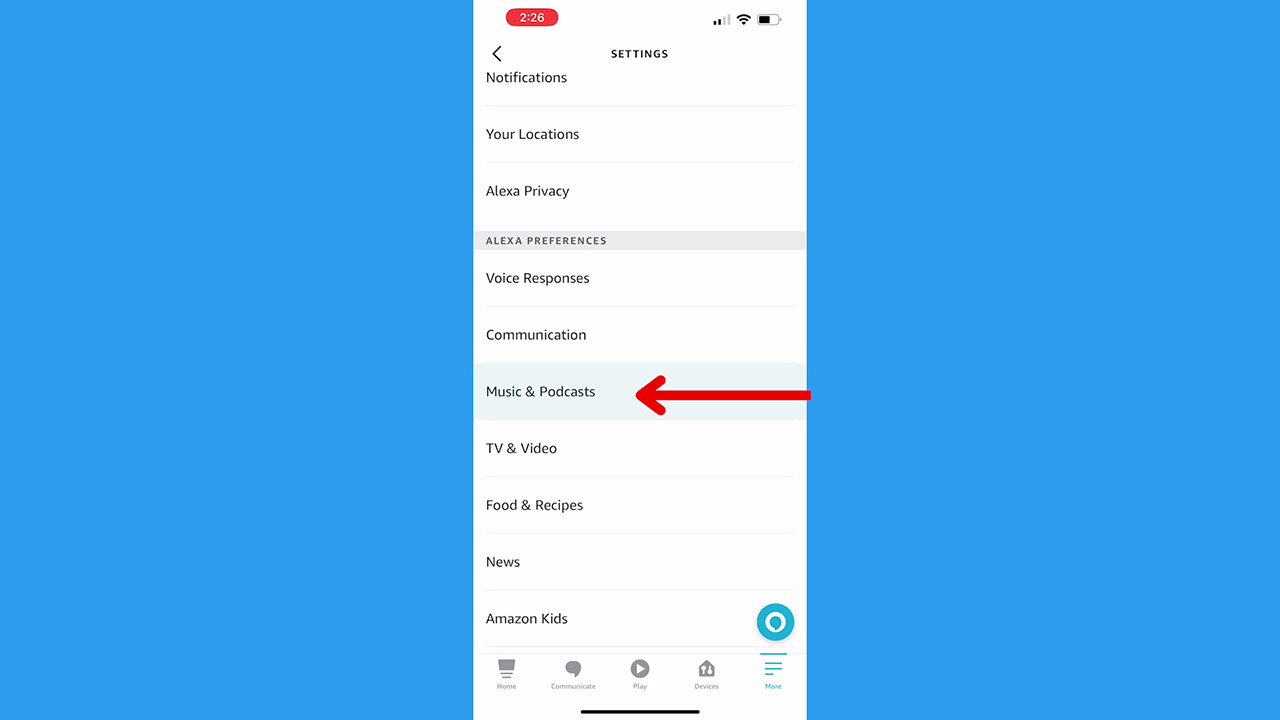
- Scroll and tap Music & Podcasts
- First, you should Link a new service – tap the service if you see it listed (like Spotify is) or tap Link New Service + to select another
- Click Enable to Use and you may have to tap Launch to set up linking
Set up Alexa as a Bluetooth speaker
If your Alexa device is connected to the same WiFi network as one of your devices like a smartphone or computer, you can connect the two so you can choose your Alexa device as a speaker.
You can either use your voice to have Alexa play music or do anything you’d like once you set up a new music service. Or you can select your Alexa device as a speaker while playing something on your personal device.
- First, make sure both your Alexa device and your personal device are connected to the same WiFi
- Make sure your smartphone or computer (or whichever device you’re using) is connected to Bluetooth
- Open the app you want to play music from (let’s use Spotify for an example here)
- You’ll want to select which device your music is playing from
- Add your Alexa device
- Now you can choose to play your music from your personal device or your Alexa’s speaker
Control the temperature
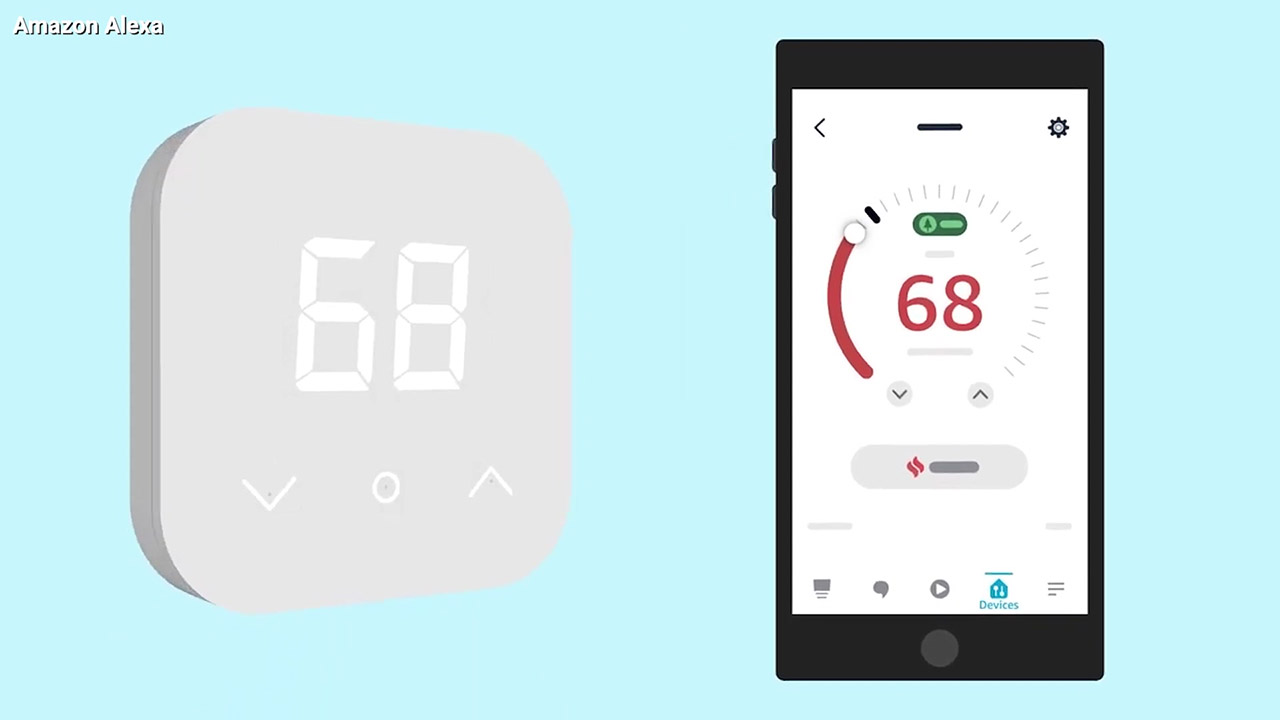
There are lots of ways to use Alexa to turn your house into a smart home, but controlling the temperature is definitely one of the most underrated and useful ways to utilize your device. You’ll need to upgrade to a smart thermostat, but once you do, you’re able to control the temperature of your home so much more easily (and remotely!) along with saving money on your electricity bill.
Click here to save more money with Amazon’s new smart thermostat.
Protect your home and family
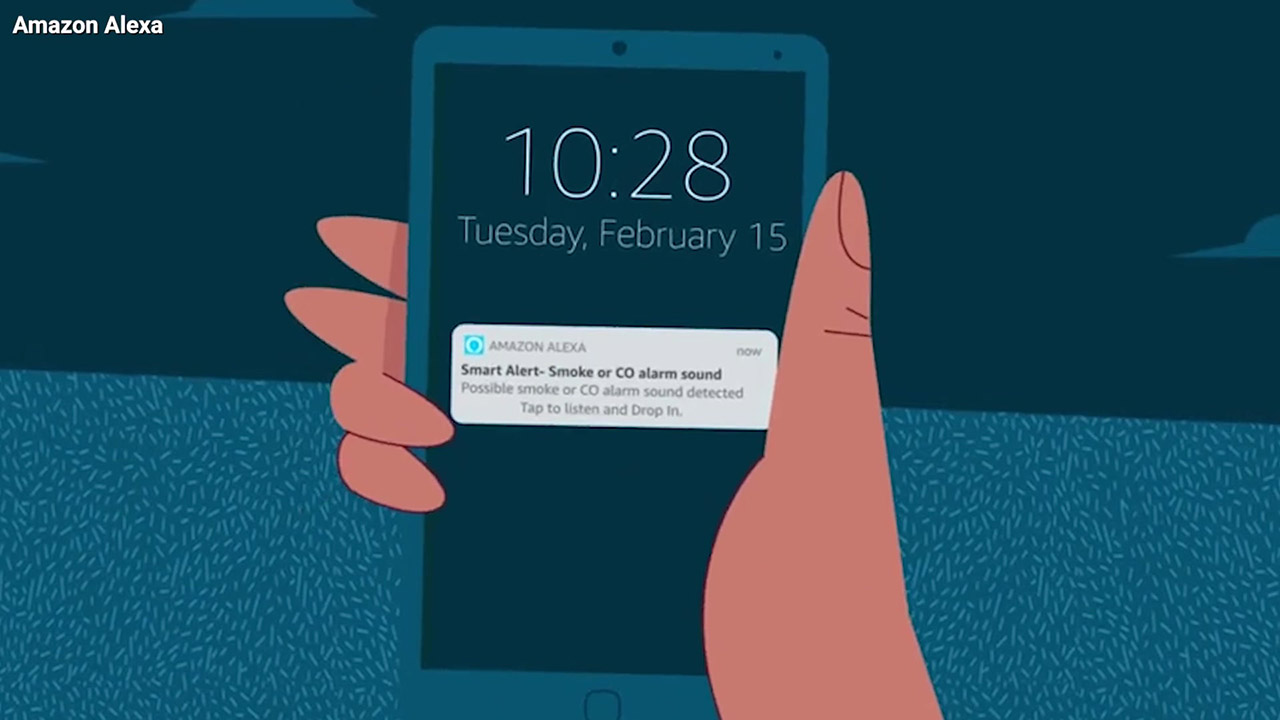
Be sure you have your Alexa set up in case of an emergency. Click here for how to set up an emergency contact on Alexa, but we also have broken down the two subscription services that can save a life or your home.
Alexa Guard lets you call for emergency help, get alerts about your home when you’re not there, and offer you extra security by deterring unwanted visitors.
Alexa Together lets you help you care for loved ones remotely and has a 24/7 emergency helpline. If the person you want to support has an Alexa Echo device, and an Amazon account, you can set up an Alexa Together subscription for them.
How one convincing SSA scam nearly tricked a reader, and the five red flags to check before you click.

Join Kurt Saturday, June 13 at 10 AM ET for quick phone privacy and security fixes.
See Kurt’s 2026 picks for practical tech and everyday upgrades.
Learn more about protecting your family and home through these additional Amazon services here.
What is your favorite way to use Alexa? Comment below.
Related:
- 4 Alexa Settings to Protect Your Privacy
- How to set up skills on Amazon devices
- How to stop Amazon from sharing your Internet with neighbors