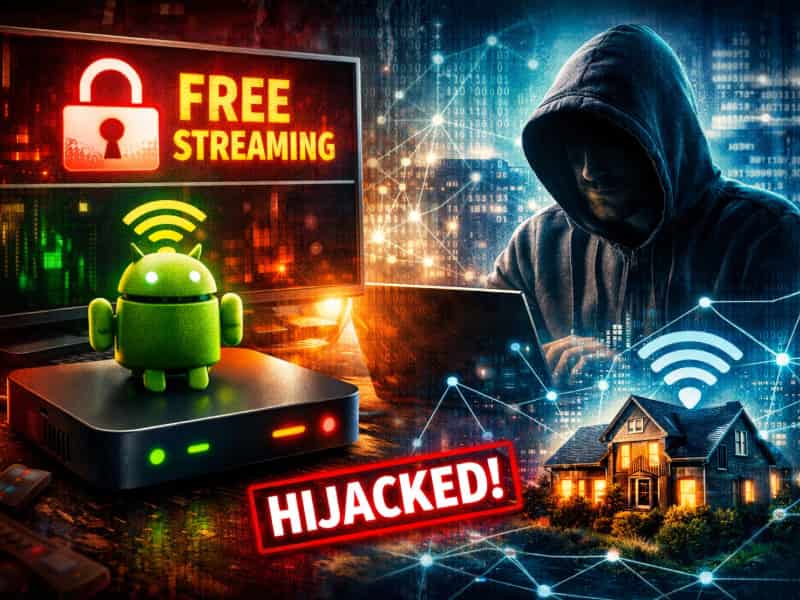
Android TV streaming boxes that promise “everything for one price” are everywhere right now. You’ll see them on big retail sites, in influencer videos, and even recommended by friends who swear they’ve cut the cord for good. And to be fair, they look irresistible on paper, offering thousands of channels for a one-time payment. But security researchers are warning that some of these boxes may come with a hidden cost. In several cases, devices sold as simple media streamers appear to quietly turn your home internet connection into part of larger networks used for shady online activity. And many buyers have no idea it’s happening.

What’s inside these streaming boxes
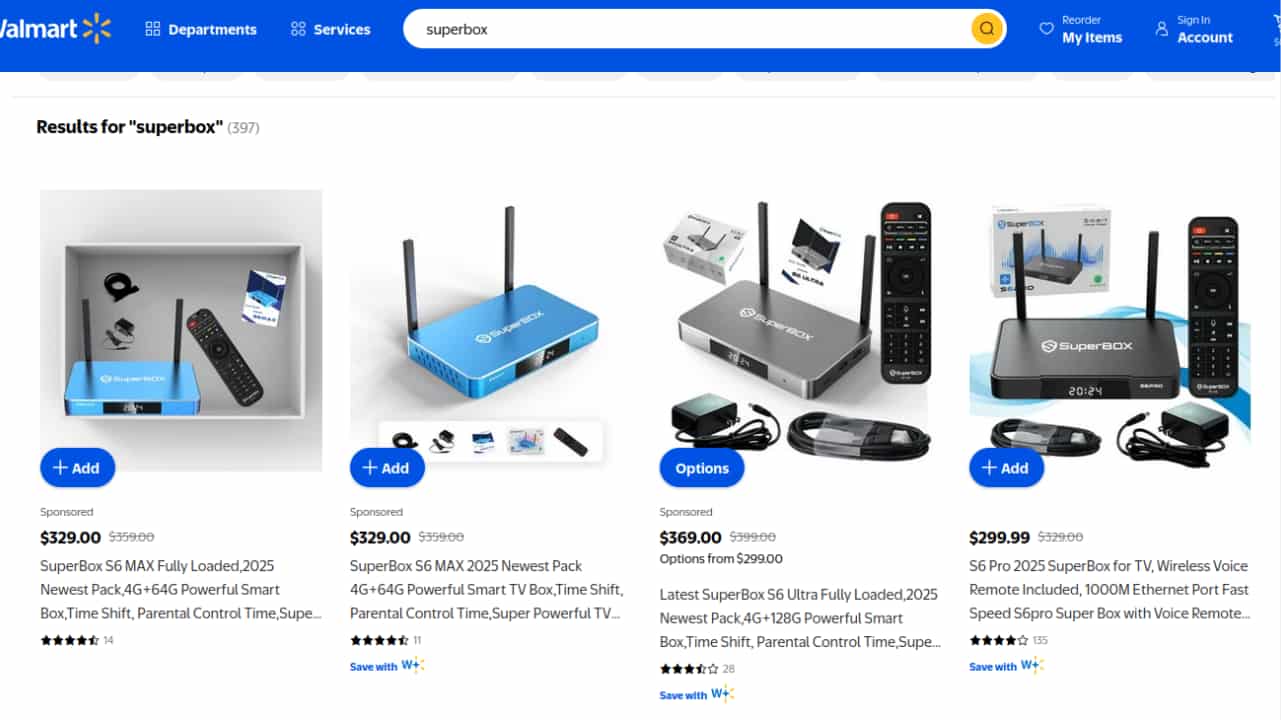
According to an investigation by Krebs on Security, media streaming devices don’t behave like ordinary media streamers once they’re connected to your network. Researchers closely examine SuperBox, which is an Android-based streaming box sold through third-party sellers on major retail platforms. On paper, SuperBox markets itself as just hardware. The company claims it doesn’t preinstall pirated apps and insists users are responsible for what they install. That sounds reassuring until you look at how the device actually works.
To unlock the thousands of channels SuperBox advertises, you must first remove Google’s official app ecosystem and replace it with an unofficial app store. That step alone should raise eyebrows. Once those custom apps are installed, the device doesn’t just stream video but also begins routing internet traffic through third-party proxy networks.
What this means is that your home internet connection may be used to relay traffic for other people. That traffic can include ad fraud, credential stuffing attempts, and large-scale web scraping.
During testing by Censys, a cyber intelligence company that tracks internet-connected devices, SuperBox models immediately contacted servers tied to Tencent’s QQ messaging service, run by Tencent, as well as a residential proxy service called Grass.
Grass describes itself as an opt-in network that lets you earn rewards by sharing unused internet bandwidth. This suggests that SuperBox devices may be using SDKs or tooling that hijack bandwidth without clear user consent, effectively turning the box into a node inside a proxy network.
Krebsonsecurity
Why SuperBox activity resembles botnet behavior
In simple terms, a botnet is a large group of compromised devices that work together to route traffic or perform online tasks without the owners realizing it.
Researchers discovered SuperBox devices contained advanced networking and remote access tools that have no business being on a streaming box. These included utilities like Tcpdump and Netcat, which are commonly used for network monitoring and traffic interception.
The devices performed DNS hijacking and ARP poisoning on local networks, techniques used to redirect traffic and impersonate other devices on the same network. Some models even contained directories labeled “secondstage,” suggesting additional payloads or functionality beyond streaming.
SuperBox is just one brand in a crowded market of no-name Android streaming devices. Many of them promise free content and quick setup, but often come preloaded with malware or require unofficial app stores that expose users to serious risk.
In July 2025, Google filed a lawsuit against operators behind what it called the BADBOX 2.0 botnet, a network of more than ten million compromised Android devices. These devices were used for advertising fraud and proxy services, and many were infected before consumers even bought them.
Around the same time, the Feds warned that compromised streaming and IoT devices were being used to gain unauthorized access to home networks and funnel traffic into criminal proxy services.
We reached out to SuperBox for comment, but did not receive a response before our deadline.

Watch the latest episode of The CyberGuy Report.

Missed this event? Sign up via the registration form and see our live recording.
See Kurt’s latest Amazon picks for useful gadgets, smart home upgrades and everyday tech worth grabbing while the deals last.
8 steps you can take to protect yourself
If you already own one of these streaming boxes or are thinking about buying one, these steps can help reduce your risk significantly.
1) Avoid devices that require unofficial app stores
If a streaming box asks you to remove Google Play or install apps from an unknown marketplace, stop right there. This bypasses Android’s built-in security checks and opens the door to malicious software. Legitimate Android TV devices don’t require this.
2) Use strong antivirus software on your devices
Even if the box itself is compromised, strong antivirus software on your computers and phones can detect suspicious network behavior, malicious connections, or follow-on attacks like credential stuffing. Strong antivirus software monitors behavior, not just files, which matters when malware operates quietly in the background. This protection can also alert you to phishing emails and ransomware scams, keeping your personal information and digital assets safe.
- Strong real-time protection against viruses, malware, ransomware and hacking attempts
- AI-powered scam protection to help identify suspicious emails, texts and websites
- Built-in password manager to securely store and manage logins
- 2 GB PC cloud backup to help protect important files from ransomware or hardware failure
- Smart firewall and phishing protection
- Protects 1, 3 or 5 devices
- Available for Windows, macOS, Android and iOS
- Includes real-time threat protection, smart firewall and phishing protection to guard against online attacks
3) Put streaming devices on a separate or guest network
If your router supports it, isolate smart TVs and streaming boxes from your main network. This prevents a compromised device from seeing your laptops, phones, or work systems. It’s one of the simplest ways to limit damage if something goes wrong.
4) Use a password manager
If your internet connection is being abused, stolen credentials often come next. A password manager ensures every account uses a unique password, so one leak doesn’t unlock everything. Many password managers also refuse to autofill on suspicious or fake websites, which can alert you before you make a mistake.
Next, see if your email has been exposed in past breaches. Our #1 pick, NordPass, includes a built-in breach scanner that checks whether your email address or passwords have appeared in known leaks. If you discover a match, immediately change any reused passwords and secure those accounts with new, unique credentials.
- Unlimited password storage
- Secure sharing
- Password health reports
- Auto-fill and emergency access
- Data breach monitoring to alert you if your credentials have been exposed
- A Security Dashboard with tools like the Data Breach Scanner and Password Health Checker to identify weak, reused, or compromised passwords
CyberGuy Exclusive Deal: Save 52% now with CyberGuy’s exclusive NordPass offer – Get 1 extra month FREE with a 2-year plan. Try 30 days risk-free for only $1.43 per month!
5) Consider using a VPN for sensitive activity
A VPN won’t magically fix a compromised device, but it can reduce exposure by encrypting your traffic when browsing, banking, or working online. This makes it harder for third parties to inspect or misuse your data if your network is being relayed.
ExpressVPN is the go-to choice for those who prioritize ultra-fast speeds, reliability, and top-tier security. With servers in 105 countries, ExpressVPN delivers blazing-fast performance for streaming, gaming, and secure browsing. It supports P2P file sharing, offers best-in-class encryption, and maintains a strict no-logs policy—with all servers running on RAM for enhanced privacy. You can connect up to 10 devices simultaneously, and setup takes under 2 minutes. Plus, with 24/7 live customer support and a 30-day money-back guarantee, ExpressVPN is a premium choice for security-focused users who want speed without compromise.
CyberGuy Exclusive ExpressVPN Deals:
✅ Save 75% – Get 3 months FREE with 12-month plan for $3.99/month. Try 30 days risk-free.
✅ Save 84% – Get 4 months FREE with 24-month plan for $2.49/month. Try 30 days risk-free.
6) Watch your internet usage and router activity
Unexpected spikes in bandwidth, slower speeds, or strange outbound connections can be warning signs. Many routers show connected devices and traffic patterns.
If you notice suspicious traffic or behavior, unplug the streaming box immediately and perform a factory reset on your router. In some cases, the safest option is to stop using the device altogether.
Also, make sure your router firmware is up to date and that you’ve changed the default admin password. Compromised devices often try to exploit weak router settings to persist on a network.
7) Be wary of “free everything” streaming promises
Unlimited premium channels for a one-time fee usually mean you’re paying in some other way, often with your data, bandwidth, or legal exposure. If a deal sounds too good to be true, it usually is.
8) Consider a data removal service
If your internet connection or accounts have been abused, your personal details may already be circulating among data brokers. A data removal service can help opt you out of people-search sites and reduce the amount of personal information criminals can exploit for follow-up scams or identity theft. While it won’t fix a compromised device, it can limit long-term exposure.
Incogni, a service I trust 100% and use myself, helps automate the process by submitting removal requests to hundreds of data brokers and people-search sites on your behalf.
Incogni automatically contacts data brokers on your behalf and requests the removal of your personal information. It also continues monitoring those sites and submits new removal requests if your data reappears.
- Incogni currently removes personal data from 420+ data broker and people-search websites, and its Unlimited plan allows you to request removals from as many additional sites as you need.
- Incogni has also received third-party assurance from Deloitte, validating its marketing claims.
- The goal is simple: make it much harder for strangers, scammers, and cybercriminals to find your personal information online.
CyberGuy readers get 60% off Incogni’s annual plans using the links in this article.
The service also includes a 30-day money-back guarantee, so you can try it risk-free and see how much of your information is exposed online.
Is your personal information exposed online?
Run a free scan to see if your personal info is compromised. Results arrive by email in about an hour.
Related Links:
- Surprising places your personal data is exposed and how to remove it
- The Data Broker opt-out steps every retiree should take today
- How to freeze your credit and clean up your online data
Kurt’s key takeaway
Streaming boxes like SuperBox thrive on frustration. As subscriptions pile up, people look for shortcuts. But when a device promises everything for nothing, it’s worth asking what it’s really doing behind the scenes. Research shows that some of these boxes don’t just stream TV. They quietly turn your home network into a resource for others, sometimes for criminal activity. Cutting the cord shouldn’t mean giving up control of your internet connection. Before plugging in that “too good to be true” box, it’s worth slowing down and looking a little closer.
Would you still use a streaming box if it meant sharing your internet with strangers? Let us know in the comments below.
FOR MORE OF MY TECH TIPS & SECURITY ALERTS, SUBSCRIBE TO MY FREE CYBERGUY REPORT NEWSLETTER HERE
Copyright 2026 CyberGuy.com. All rights reserved. CyberGuy.com articles and content may contain affiliate links that earn a commission when purchases are made.
🎙 Now Streaming: My New Podcast: The CyberGuy Report
Kurt’s Top Deals
Deals move fast and inventory can be limited, so don’t wait too long.
| 🔥 Editor’s pick  Summer entertaining Ninja SLUSHi Machine (26% off) Frozen drinks and slushies at home in minutes. | |
| 💰 Top deal  Outdoor essential TYPEC Solar Bug Zapper (36% off) Solar-powered bug zappers for patios and camping. |