



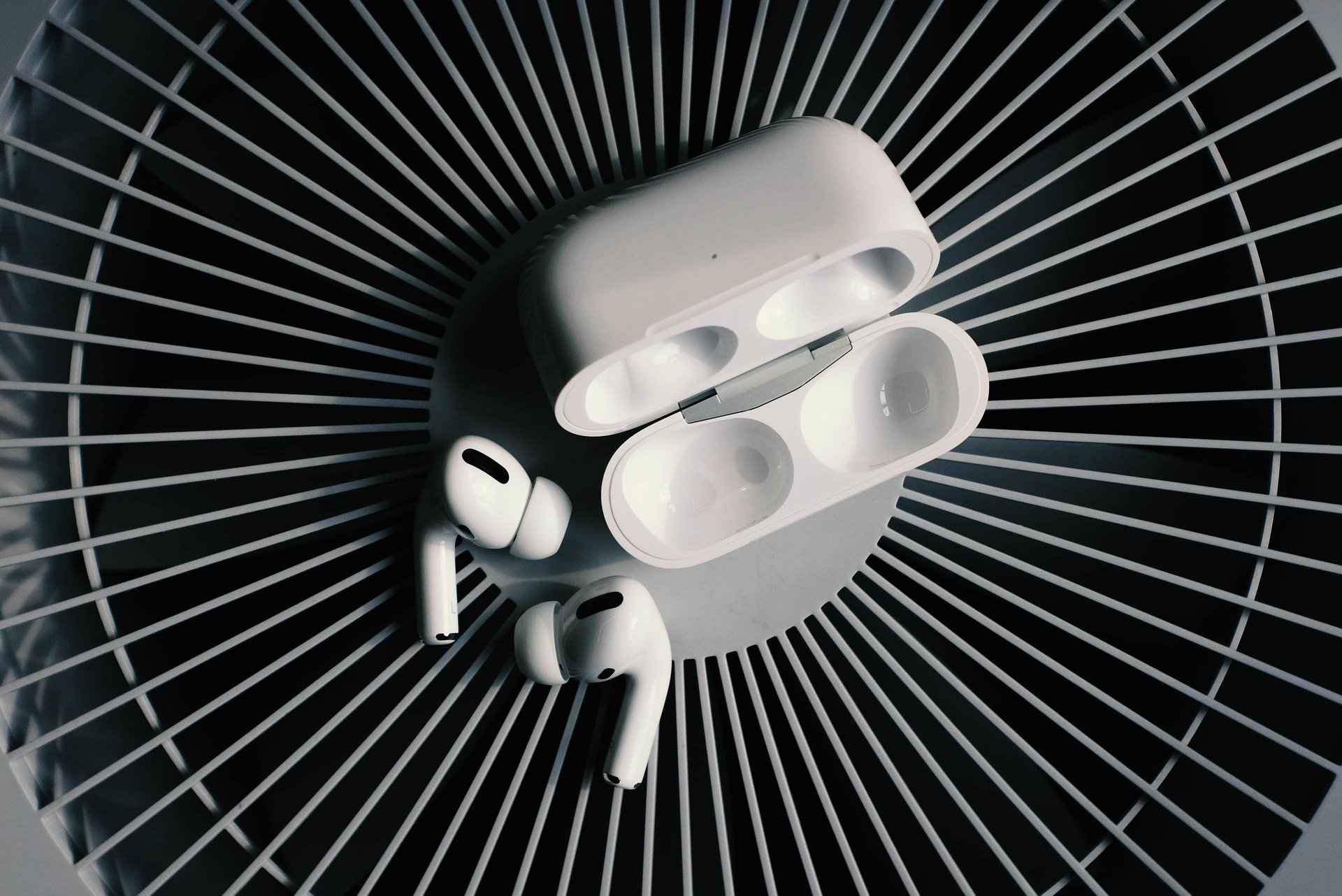
If you have a pair or Airpods Pro, there are some amazing quick tips that apply to all apple devices with iOS 14 and above that will enhance your audio experience.
How to turn Noise Cancellation on and off with Airpods Pro?
Once you have your Airpods pro in your ears, do the following:
1) Swipe from the upper right hand corner diagonally towards the bottom left corner to reveal this Control Center screen

2) Tap and hold the volume bar with the Airpods icon. When you do that, you will see and be able to control settings:
- Noise Control Transparency
- Spatial Audio

3) Noise Control Transparency
Here you have the option of selecting:
- Noise Cancellation (best for airplanes or noisy surroundings)
- Off
- Transparency – you can hear outside sound
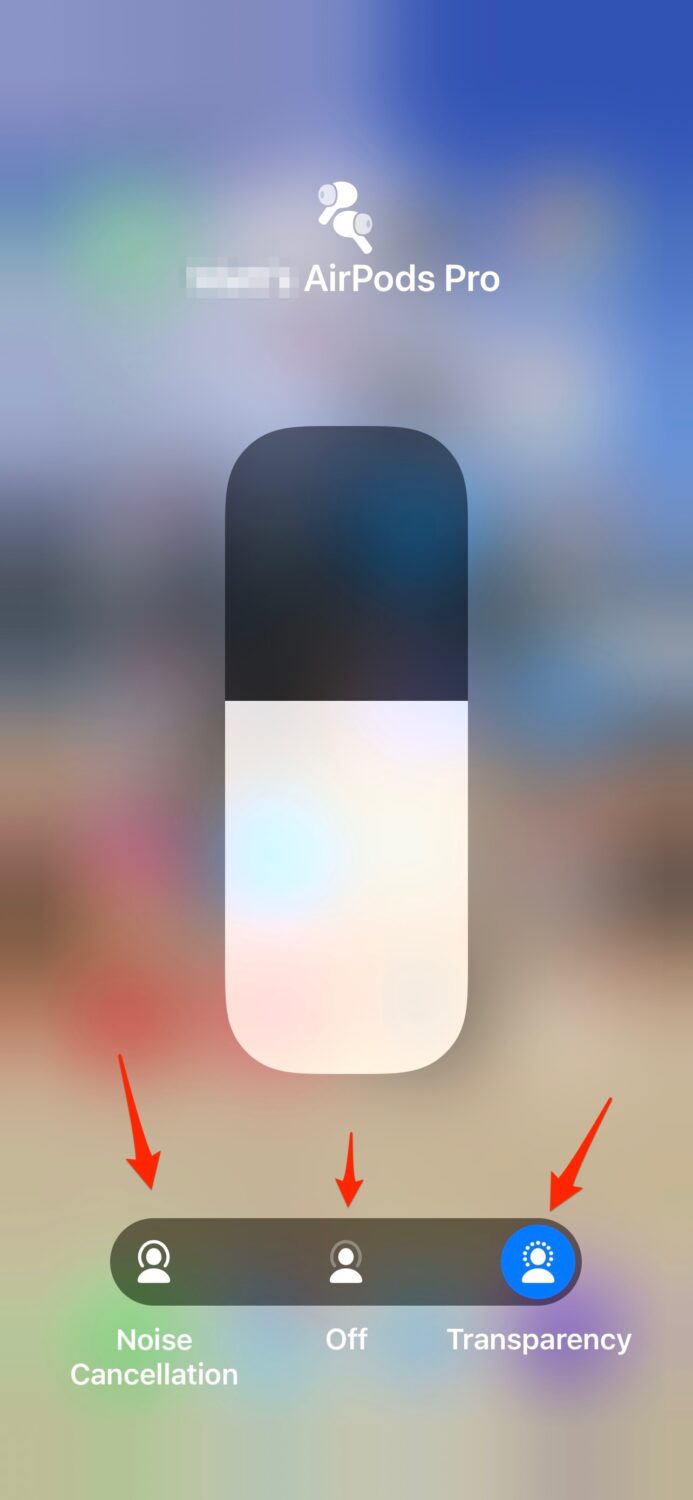
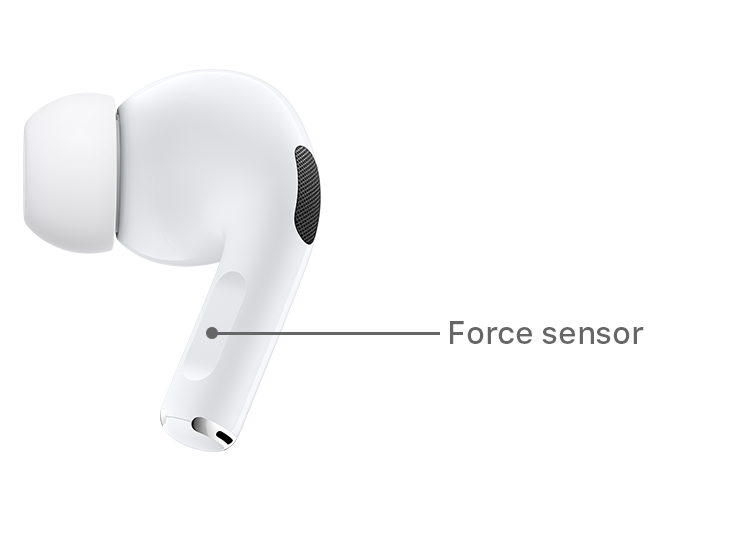
Note you can also control these settings if you hold the sensor on the stem of an Airpod until you hear a chime
What is Spatial Audio and how do you turn it on with Airpods Pro?
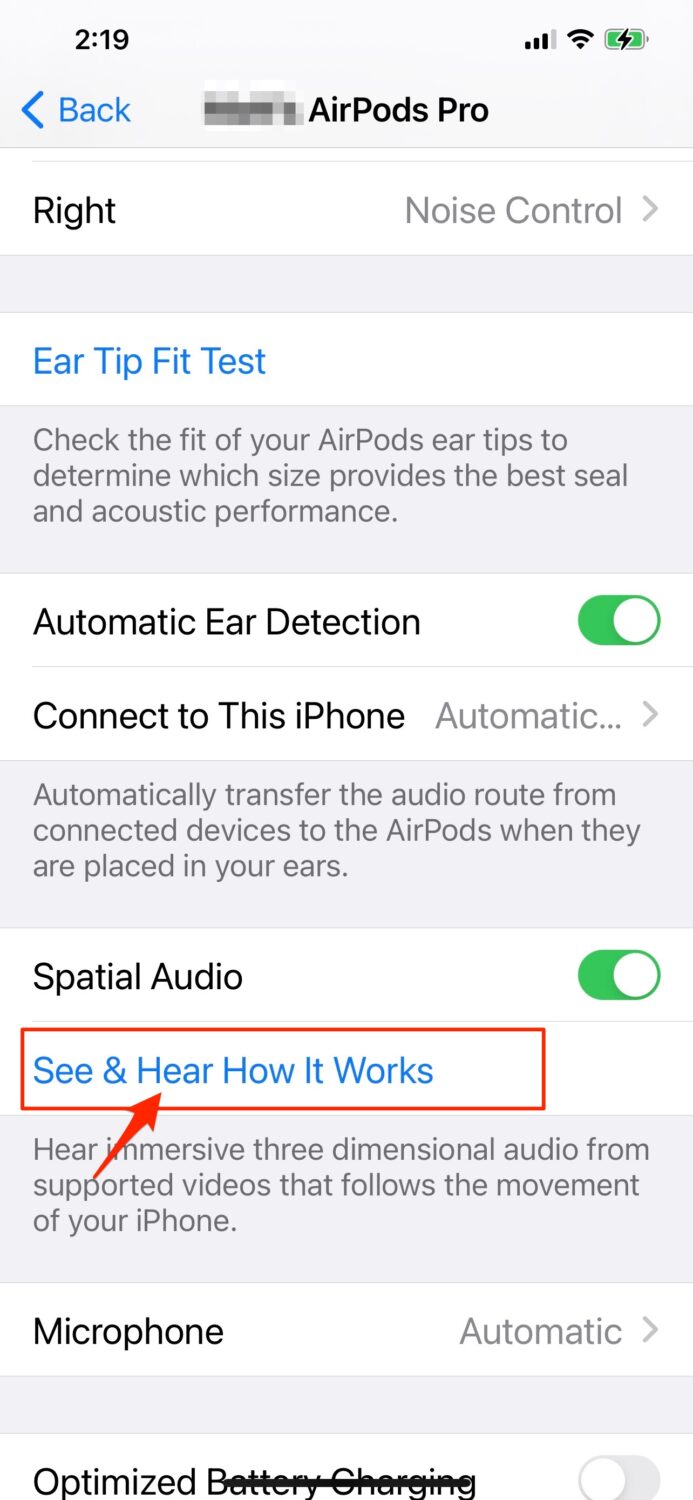
4) The other option you have to control is Spatial Audio so that it seems like you are being surrounded by sound. In order to test this out, go to:
Settings > Bluetooth > My Devices (find the row that displays your Airpods and click the blue “i” at the end of the row)
On the next screen, find the “Spatial Audio” row and click “See & Hear How it Works”
Watch the latest episode of The CyberGuy Report.

Missed this event? Sign up via the registration form and see our live recording.
See Kurt’s latest Amazon picks for useful gadgets, smart home upgrades and everyday tech worth grabbing while the deals last.
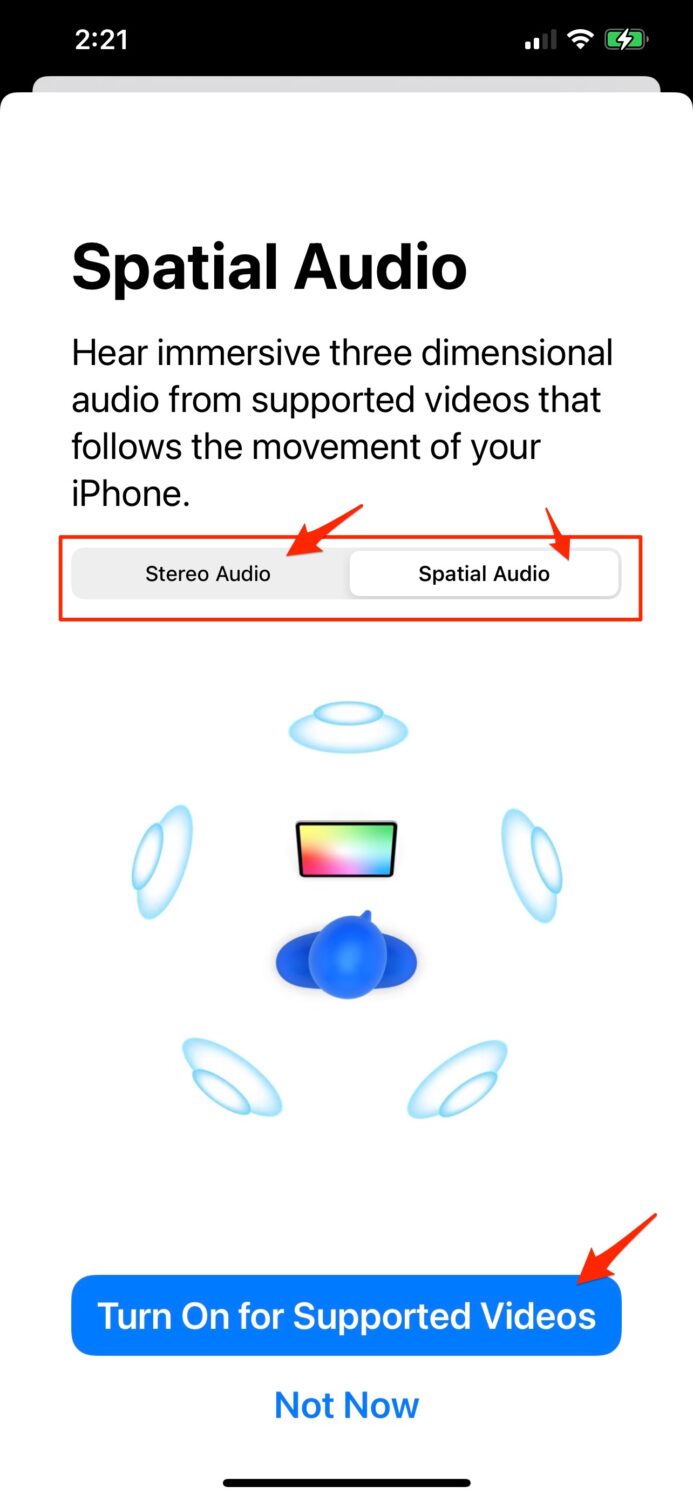
5) While your Airpods Pro are in your ears, on the next screen, toggle between the “Stereo Audio” and “Spatial Audio“.
You’ll note that the “spatial audio” is richer. If you like it, click the “Turn on for Supported Videos” button on the bottom of the page to enhance your audio.
🎙 Now Streaming: My New Podcast: The CyberGuy Report
Kurt’s Top Deals
Deals move fast and inventory can be limited, so don’t wait too long.
| 🔥 Editor’s pick  Summer entertaining Ninja SLUSHi Machine (26% off) Frozen drinks and slushies at home in minutes. | |
| 💰 Top deal  Outdoor essential TYPEC Solar Bug Zapper (36% off) Solar-powered bug zappers for patios and camping. |


4 comments
Can I use AirPods for my work as a transcriptionist, i.e. medical transcription? Thank you.
Depending on the bluetooth capabilities of the device you are transcribing from, you should be able to connect your AirPods and use to transcribe.