Face it. Sometimes machines can do things better than us humans. These Alexa skills and services have exceeded anyone’s expectations.
Make your commute easier
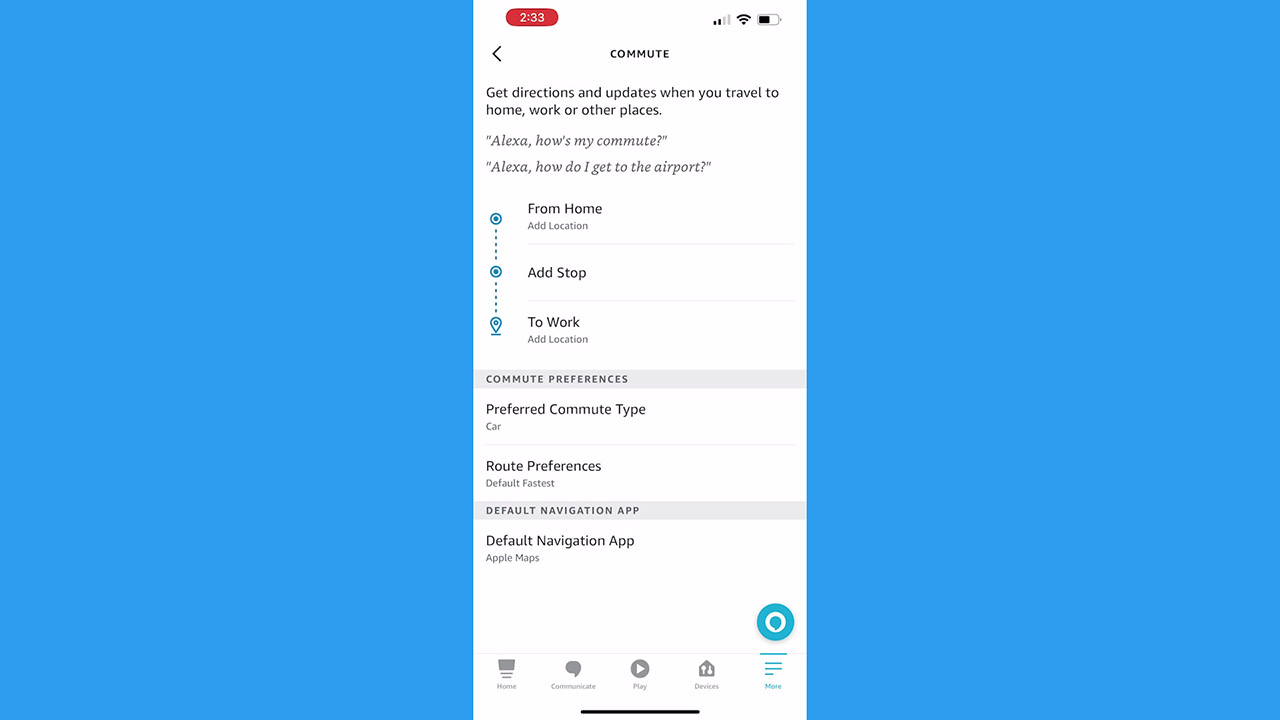
Did you know you could add your default home and work addresses to your Alexa app, and get automatic traffic and commuting information? This can make mornings so much simpler if you’re in a rush and don’t have time to stop and look up the traffic.
First, you’ll want to add your addresses to the device.
- Open your Alexa app
- Tap More (the three horizontal lines on the bottom right)
- Tap Settings
- Scroll and tap Commute
- Then you can add in your Home and Work (or whatever location you head to the most) addresses
- Then change your commute preferences – like if you drive a car or want to use public transportation, and your rote preference based on how many tolls or highways you may want to avoid
- Choose your default navigation app, I like to select Google Maps here
Now you can say “Alexa, how’s my commute?” or “Alexa, what’s traffic like on my commute?” or even “Alexa, how do I get to the airport?”
Get sports updates
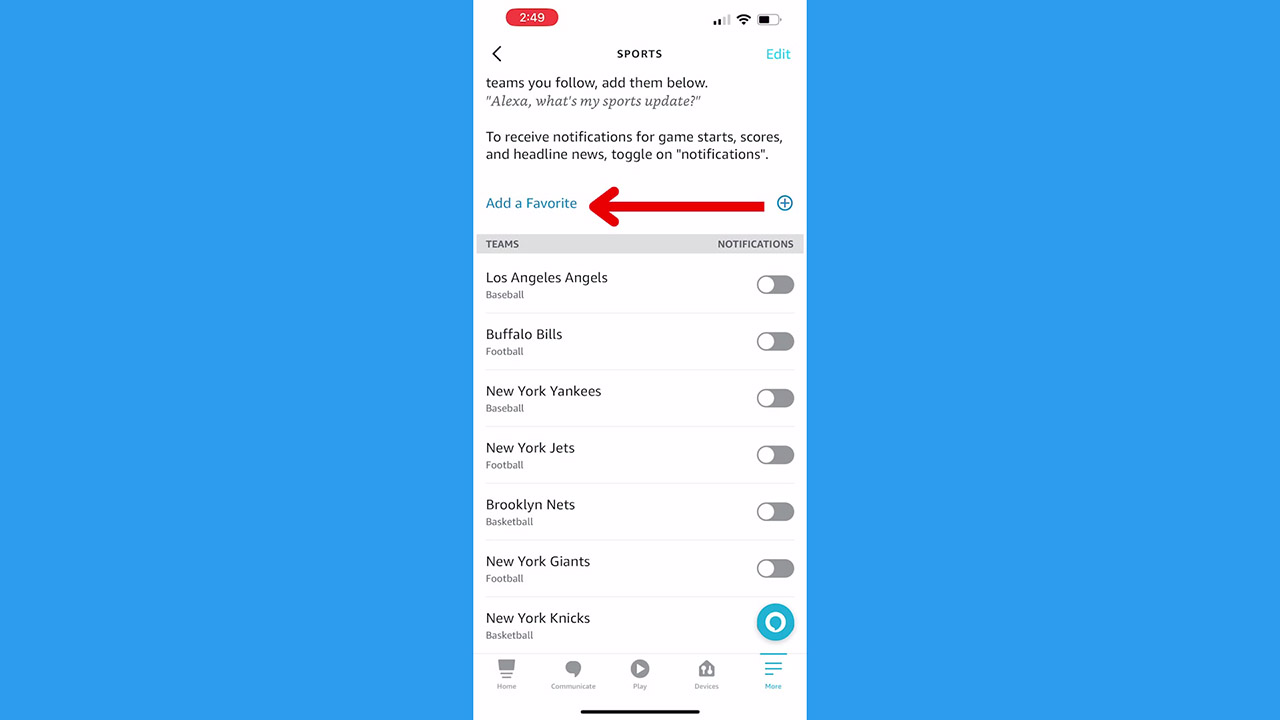
If you’re a sports fan, you can get Alexa notifications about your favorite teams, or set it up so you can ask your Alexa device for updates.
- Open your Alexa app
- Tap More (the three horizontal lines on the bottom right)
- Scroll down and tap Sports
- Based on your location, Alexa may offer some suggested teams, but tap Add a favorite to search for your favorite sports teams
- Once they appear in the Teams list, toggle on the button next to the team to turn on notifications
- You can also say, “Alexa, what’s my sports update?” and get news and information about your favorite teams
Get food recommendations
Are you ever looking for a recipe or meal idea and wish someone would give you suggestions? Alexa does just that- and you can even set up your dietary preferences.
- Open your Alexa app
- Tap More (the three horizontal lines on the bottom right)
- Scroll down and tap Food & Recipes
- Tap Dietary Preferences to update diets like vegetarian, vegan, paleo, kosher, and more – or select options like Gluten-free, low-sodium, low-sugar, and more
- Tap Save
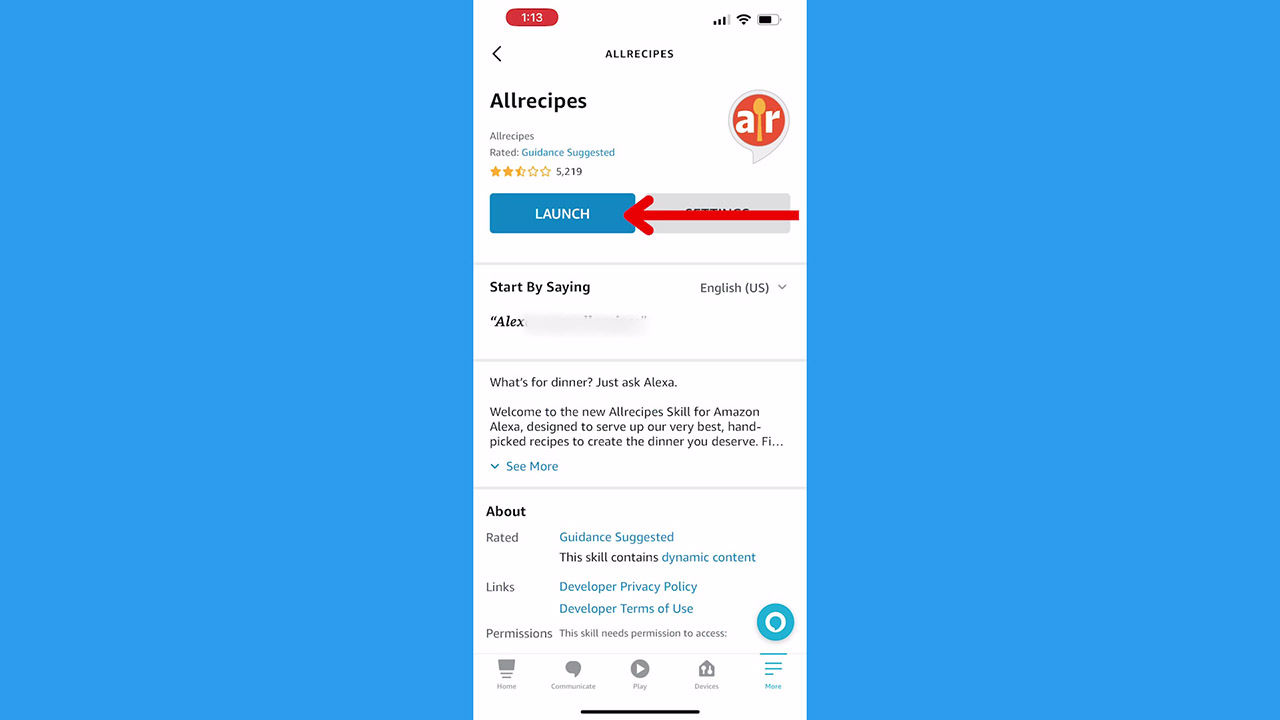
Now you can browse Alexa’s skills within recipes and cooking and enable ones that suit your needs – there are tons to choose from. Plus you can enable skills for some of your favorite food delivery spots. One of our favorites is Allrecipes, which will give you recipe ideas using specific ingredients.
- Open your Alexa app
- Tap More (the three horizontal lines on the bottom right)
- Scroll down and tap Skills & Games
- Tap the magnifying glass on the top right for the search bar
- Type in Allrecipes
- Tap Launch and save the required permissions
Then you can say phrases like “Alexa, open Allrecipes” and ask for a slow cooker recipe using chicken, or an appetizer recipe without meat. The options are endless.
Click here for a full list of prompts you can use for Allrecipe on Alexa.
Get first-aid help
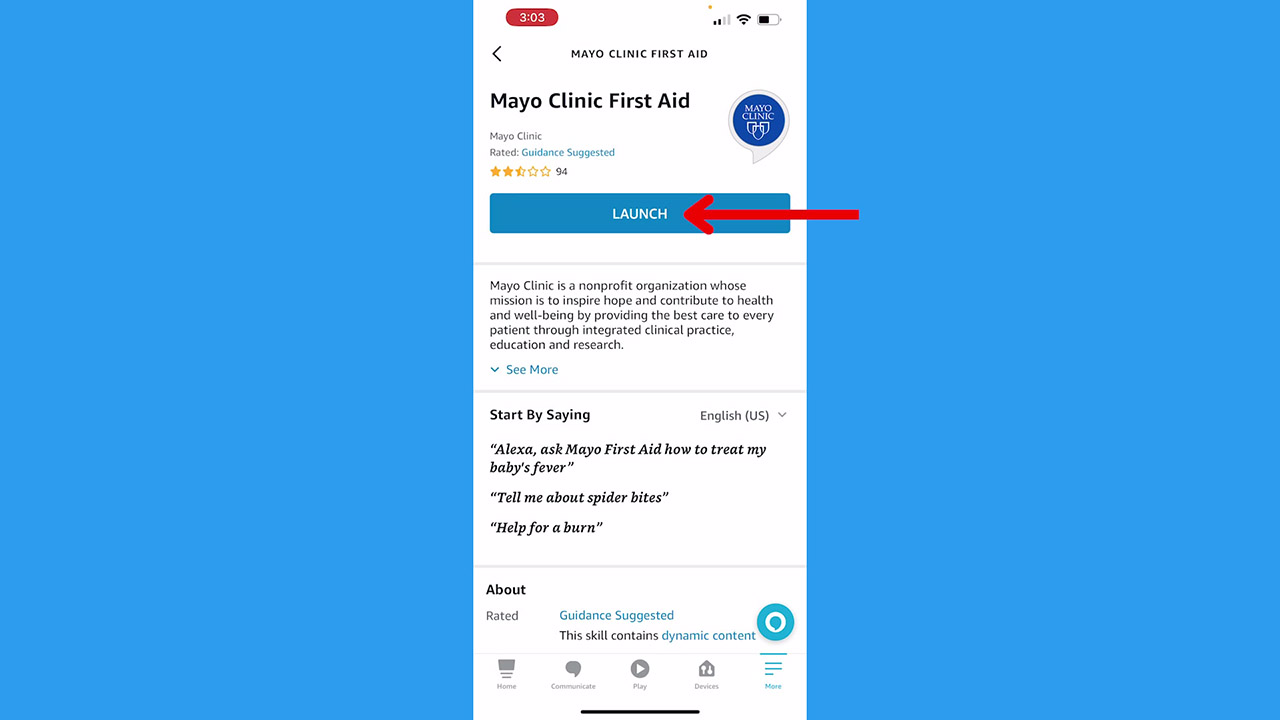
While you should never depend on your Alexa device in case of a real emergency (always call 911 for help), you can use your Alexa for informational first aid help.
How one convincing SSA scam nearly tricked a reader, and the five red flags to check before you click.

Join Kurt Saturday, June 13 at 10 AM ET for quick phone privacy and security fixes.
See Kurt’s 2026 picks for practical tech and everyday upgrades.
First, enable the Mayo Clinic First Aid skill.
- Open your Alexa app
- Tap More (the three horizontal lines on the bottom right)
- Scroll down and tap Skills & Games
- Tap the magnifying glass on the top right for the search bar
- Type in mayo clinic
- Select Mayo Clinic First Aid and tap Launch
Now you can ask your Alexa questions like “Alexa, ask Mayo First Aid how to treat my baby’s fever”, “Alexa, help for a burn”, or “Alexa, tell me about spider bites.”
You can also set up Red Cross services like Hurricane Alerts or Donate Blood. Just search for red cross in Alexa skills.
What is your favorite way to use Alexa? Comment below.
Related:
- 4 Alexa Settings to Protect Your Privacy
- How to set up skills on Amazon devices
- How to stop Amazon from sharing your Internet with neighbors
🎙 Now Streaming: My New Podcast: The CyberGuy Report
Kurt’s Top Deals
Deals move fast and inventory can be limited, so don’t wait too long.
| 🔥 Editor’s pick  Summer entertaining Ninja SLUSHi Machine (26% off) Frozen drinks and slushies at home in minutes. | |
| 💰 Top deal  Outdoor essential TYPEC Solar Bug Zapper (36% off) Solar-powered bug zappers for patios and camping. |