Another week, another warning against a dangerous Android app you should delete.
Cyber experts at Zscaler ThreatLabz are warning all Android users to check their phones ASAP to ensure they don’t have a popular task management app installed, urging everyone who does have it to delete it immediately.
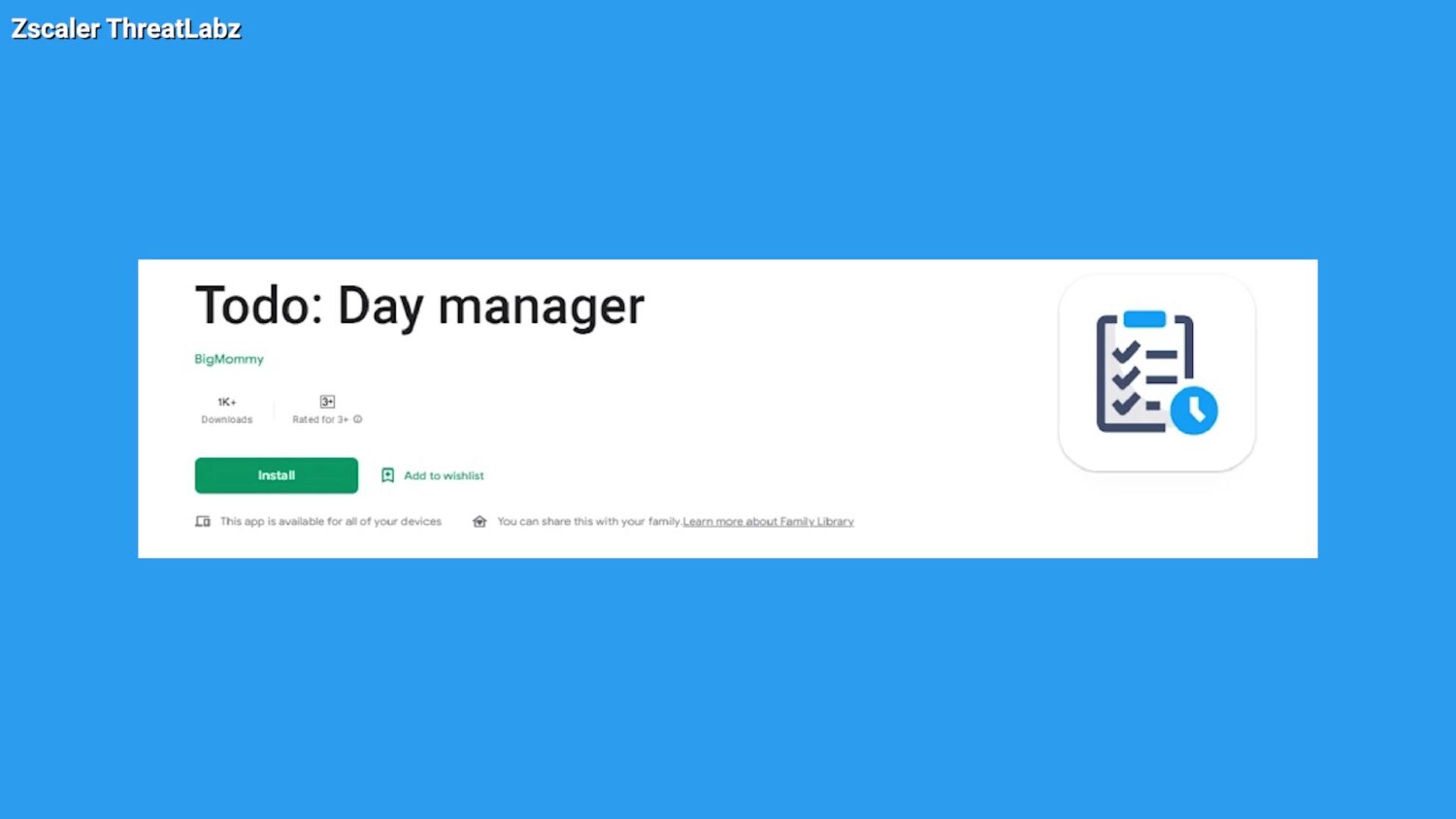
Table of Contents:
What Android app should you delete and what does it do?
The app to delete is Todo: Day Manager, which has been flagged after installing a dangerous banking trojan malware called Xenomorph. The malware can seize your banking information and even gain access to your private SMS messages by intercepting your two-step verification codes to raid your logins.
The experts found that the malware is dropped in as a fake Google Service application from the internet hosting service GitHub as soon as Todo is installed. It sneakily starts by asking users to enable access permission. Once that permission is granted, it will add itself as a device admin and won’t allow users to disable it.
If you have the app installed but did not grant access permission to the malware, then you should be able to delete the app without any issues. If you did grant access, you may have to back up your files and factory-reset your phone to get rid of the app.
Related: How to back up and restore your Android
How can I protect myself against malware in the future?
You must always remain on the lookout for suspicious-looking activity appearing on your devices. You can take these extra precautionary steps to make sure that you avoid malware-stricken apps at all times.
- Check the ratings of any app before you download it and make sure to read the comments. If it’s flooded with negative reviews, it’s probably not worth downloading
- Make sure your software on your iPhone or Android is always up to date
- Keep your web browsers updated. If you’re not sure how to update your web browser, we have step-by-step instructions here.
- Use an antivirus app. Our top pick is TotalAV (Limited time deal: $19 your first year – 80% off
Related:
- Malware detected on four Google Play Store apps
- Malware Alert: Delete these 35 Android apps
- Malware found in 16 apps downloaded over 20 million times
🎙 Now Streaming: My New Podcast: The CyberGuy Report
Kurt’s Top Deals
Deals move fast and inventory can be limited, so don’t wait too long.
| 🔥 Editor’s pick  Summer entertaining Ninja SLUSHi Machine (26% off) Frozen drinks and slushies at home in minutes. | |
| 💰 Top deal  Outdoor essential TYPEC Solar Bug Zapper (36% off) Solar-powered bug zappers for patios and camping. |