



Phone hacking is a bigger deal than most of us realize, and it’s something we all need to be aware of. Just the other day, Dennis sent an email sharing that he had a pretty unsettling experience with a suspicious text message that seemed to come from a friend’s number. His story is a wake-up call for all of us to stay alert and informed. By understanding the signs of potential hacking, we can better protect ourselves and our loved ones from cyber threats.
The suspicious text message
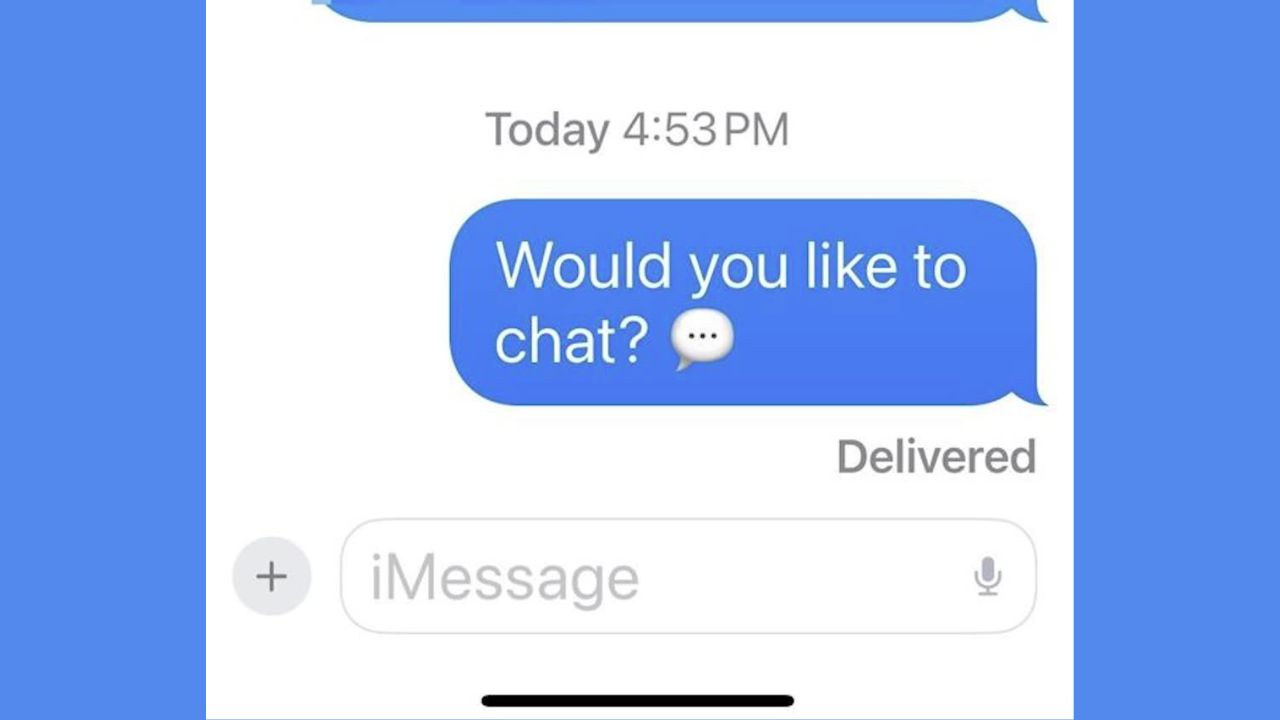
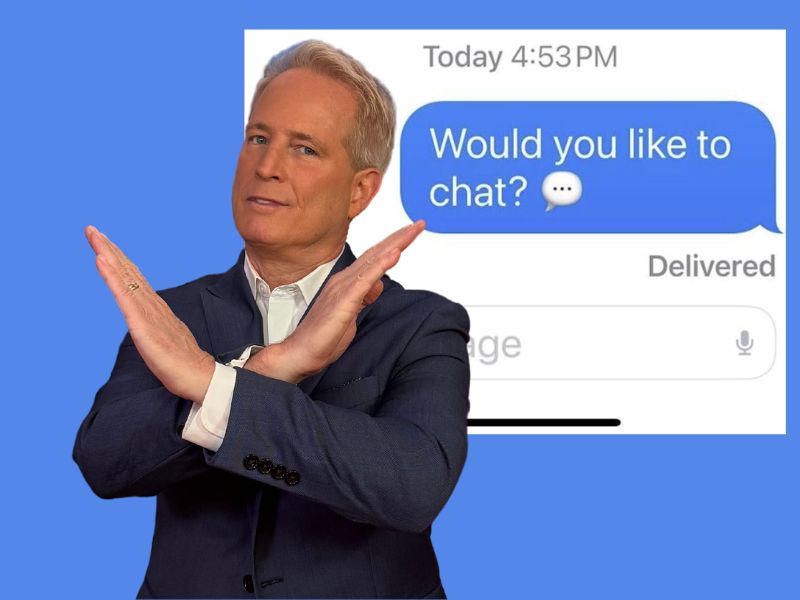
Dennis received a text from a friend that was unusually brief and out of character, simply asking, “Would you like to chat?” This raised immediate concerns, especially since the number appeared to be his friend’s but wasn’t recognized by Messenger as being in his contact list. Such scenarios often suggest phone number spoofing or hacking, where cybercriminals disguise their identity by using someone else’s number.
HOW TO STOP ANNOYING ROBOCALLS
Signs your friend’s phone number might be compromised
Understanding the signs of a compromised phone number is crucial for protecting your personal information and that of your friends. Here are some indicators that your friend’s number might be hacked:
Unusual messages: If your friend starts sending texts that seem out of character—such as odd phrasing, unexpected links, or requests for personal information—it could indicate their number has been hacked.
Unknown contacts: If Messenger says the number is not in your contact list when it actually is, it might indicate a problem.
Unexpected phone behavior: If your friend mentions their phone is acting strangely, they should look out for:
- High data usage: Unexplained spikes in your friend’s data usage can indicate malicious apps running in the background on their phone.
- Unfamiliar apps: If your friend notices new apps that they didn’t download, it could be a sign that their phone has been hacked.
- Battery drain: Rapid battery drain, even when not using the phone heavily, might suggest background malware activity.
- Slow performance: If your friend’s phone suddenly becomes sluggish or unresponsive, it might be due to malicious software using up the device’s resources.
- Pop-ups and ads: An increase in pop-up ads or redirects to dubious websites while your friend is browsing could indicate adware or malware on their device.
Unauthorized charges: If your friend’s phone bill shows unexpected charges, it can result from premium SMS services or calls made by malicious apps.
Spam sent from your friend’s number: If you or other contacts receive spam or suspicious messages from your friend’s number, it’s a strong sign that their phone might be compromised.
WHY AM I GETTING SPAM FROM MY OWN EMAIL ADDRESS AND HOW TO STOP IT
Steps to protect yourself
If you suspect your friend’s phone number has been hacked, consider these actions:
1) Verify with your friend: Contact them through another method to confirm if they sent the message.
2) Check for malware using strong antivirus software: Advise your friend to use strong antivirus software to scan for malicious apps or malware on the device. The best way for them to safeguard from malicious links that install malware, potentially accessing their private information, is to have antivirus software installed on all their devices. This protection can also alert them to phishing emails and ransomware scams, keeping their personal information and digital assets safe.
- Strong real-time protection against viruses, malware, ransomware and hacking attempts
- AI-powered scam protection to help identify suspicious emails, texts and websites
- Built-in password manager to securely store and manage logins
- 2 GB PC cloud backup to help protect important files from ransomware or hardware failure
- Smart firewall and phishing protection
- Protects 1, 3 or 5 devices
- Available for Windows, macOS, Android and iOS
- Includes real-time threat protection, smart firewall and phishing protection to guard against online attacks
3) Change passwords: If your friend suspects their phone number has been hacked, they should change their passwords for all accounts linked to their phone number. They should consider using a password manager to generate and store complex passwords.
4) Contact service provider: Your friend should contact their mobile service provider to report the issue. The provider can help secure their account and prevent further unauthorized access.
5) Enable two-factor authentication: Encourage your friend to enable two-factor authentication on their accounts for added security.
6) Monitor accounts: Advise your friend to regularly check their bank statements and credit reports for suspicious activity.
WHAT HAPPENS WHEN A CYBERCRIMINAL GETS ACCESS TO YOUR EMAIL ADDRESS
Kurt’s key takeaways
Phone hacking is a bigger issue than most people realize, and Dennis’s recent experience is a stark reminder of that. It’s crucial for all of us to stay vigilant and informed about the signs of potential hacking. By recognizing these warning signs and taking proactive steps, we can better protect our personal information and our loved ones from cyber threats.
Have you ever experienced a suspicious message or a potential hacking incident? Share your story with us, and let us know how you handled it in the comments below.
FOR MORE OF MY SECURITY ALERTS, SUBSCRIBE TO MY FREE CYBERGUY REPORT NEWSLETTER HERE
Copyright 2024 CyberGuy.com. All rights reserved. CyberGuy.com articles and content may contain affiliate links that earn a commission when purchases are made.
🎙 Now Streaming: My New Podcast: The CyberGuy Report
Kurt’s Top Deals
Deals move fast and inventory can be limited, so don’t wait too long.
| 🔥 Editor’s pick  Summer entertaining Ninja SLUSHi Machine (26% off) Frozen drinks and slushies at home in minutes. | |
| 💰 Top deal  Outdoor essential TYPEC Solar Bug Zapper (36% off) Solar-powered bug zappers for patios and camping. |


1 comment
Dec, 2 last Sunday my cousin sent a message to me saying I need your help. I sent her husband a text and ask him was anything wrong, he laugh and said she had been hacked, I hope that saved me from being hacked, I didn’t get the humor from him saying what he said.